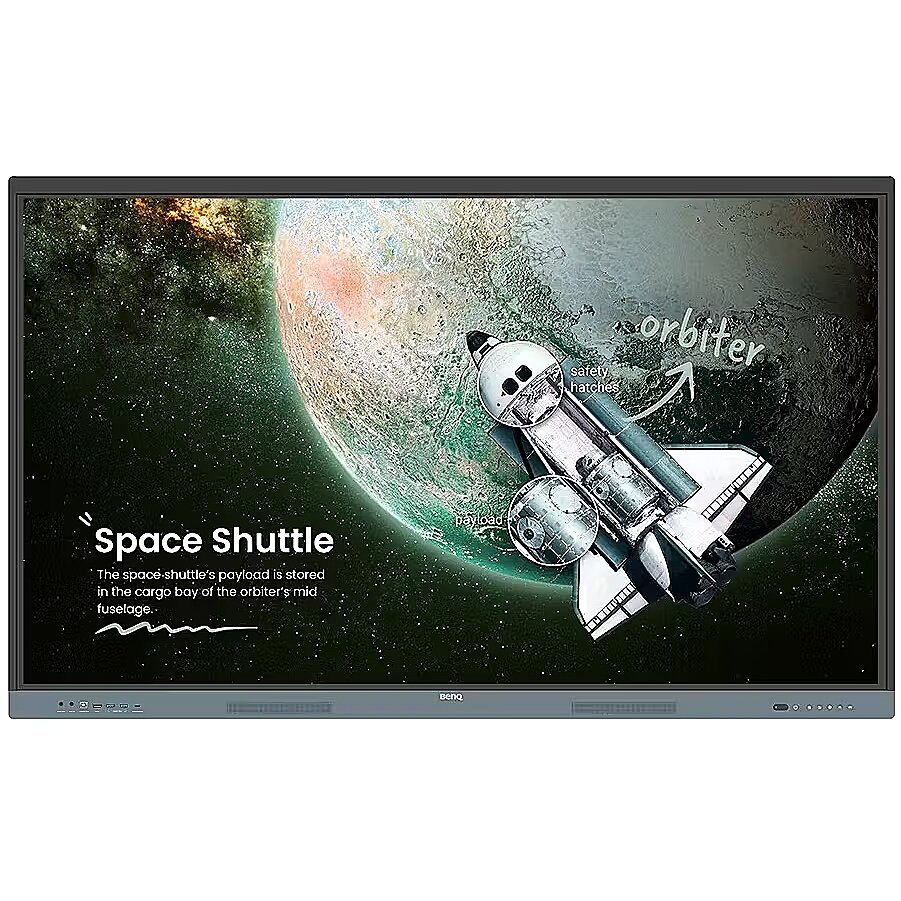
Apraksts - BenQ Board RE6504 — drošs interaktīvais 65 collu monitors skolām un pirmsskolas iestādēm ar Google EDLA
Iebūvēts „Play Store“ ar piekļuvi Google izglītības programmatūrai Droša skola ar „ClassroomCare“ funkcijām, kas izstrādātas, lai aizsargātu skolēnu un skolotāju redzi Iebūvēti AI rīki daudzvalodu tulkošanai, teksta pārvēršanai runā un OCR
BenQ Board: izglītības būtība
Iegūstiet visus nepieciešamos rīkus, lai vadītu efektīvas interaktīvas nodarbības.
Izmantojiet Google iespējas
Šis EDLA sertificētais BenQ monitors apvieno Google pakalpojumus ar uzticamu BenQ aparatūru un programmatūru.
Google Play
Instalējiet izglītības lietotnes tieši no Google Play, lai nodarbības būtu interaktīvākas.
Pāriet uz Google pakalpojumiem
Piekļūstiet svarīgiem Google pakalpojumiem, piemēram, Google Drive un Meet.
Google Docs redaktori
Ātri atveriet nodarbību failus, izmantojot jebkuru Google lietotni uz lielā skārienekrāna.
Tieša piekļuve failiem
Google Drive integrācija ļauj piekļūt failiem un saglabāt tos mākonī tieši no jūsu datora.
Iebūvēta drošība
Aizsargājiet savas tāfeles no drošības un privātuma draudiem ar Google Play Protect un Safe Browsing.
Tāds tāfeles, kādas nav citur
Dariet vairāk nekā tikai rakstiet un zīmējiet. Paplašināmā EZWrite darba vide piedāvā bezgalīgas iespējas ar bagātīgu nodarbību rīku kolekciju un noderīgām AI funkcijām.
Izmantojiet savus failus
Importējiet dažādus nodarbību failus, izmantojiet to saturu uz tāfeles un pēc tam eksportējiet sesiju kā rediģējamu failu turpmākajām nodarbībām.
Rīks katrai nodarbībai
Izmantojiet EZWrite iebūvētos rīkus, kas izstrādāti, lai iesaistītu skolēnus un veicinātu mācīšanos plašā priekšmetu un klases aktivitāšu klāstā.
Pārvietojiet nodarbības uz mākoni
Dalieties ar savu tāfeli, lai citi varētu piedalīties un mijiedarboties ar to, neatkarīgi no tā, vai viņi sēž savās vietās vai mājās.
Iebūvēti AI rīki
Teksta pārvēršana runā: parādiet tekstu, kas tiek nolasīts skaļi Daudzvalodu tulkošana: tulkojiet tekstu ar vienu pieskārienu OCR: rediģējiet tekstu no importētiem attēliem
Neaizstājami rīki katram skolotājam
Ar RE04 tāfeli jūsu mācīšanas pieredze kļūs vienkāršāka, jo viss nepieciešamais atrodas uz vienas tāfeles.
Jūsu paša telpa un dati
Visi konti ir droši un atsevišķi, tādējādi jums ir sava mācību telpa, vienlaikus neļaujot citiem piekļūt jūsu datiem.
Viegli organizējieties
Ietaupiet laiku, organizējot visas biežāk lietotās lietotnes, failus un logrīkus un padarot tos pieejamus tieši sākuma ekrānā.
Pieskarieties. Ierakstiet. Rakstiet.
Peldošais rīks ļauj jums fotografēt, ierakstīt ekrānu un pievienot piezīmes jebkurai lietotnei, failam, tīmekļa vietnei vai videoklipam, kas tiek parādīts uz jūsu tāfeles. Piekļuve sānu joslai
Paplašiniet sānu joslu, lai ērti piekļūtu nesen lietotajām lietotnēm, failiem un ievades avotiem, kā arī saīsnei uz sākuma ekrānu.
Paplašināta meklēšana
Izmantojiet BenQ Search, lai ātri meklētu saistītu saturu tiešsaistē vai šķirotu nodarbību failus, kas saglabāti uz jūsu tāfeles vai mākonī.
Uzlabojiet savu nodarbību
Palieliniet mācīšanas efektivitāti ar daudzlogu režīmu, kas ļauj izmantot tāfeli, vienlaikus lietojot citas lietotnes.
5-in-1 savienojamība
Daudzfunkcionālais USB-C ports nodrošina ātru datu pārraidi, skaidru audio/video atskaņošanu, skārienvadību un 65 W uzlādi.
Pilnīgs, dzīvīgs skaņas
Baudiet uzlabotu audio kvalitāti ar iebūvētiem 20 vatu skaļruņiem, kas rada skaidru, telpu piepildošu skaņu.
Viss uz tāfeles
BenQ Board Essential interaktīvās tāfeles lielais ekrāns ir paredzēts visas klases līdzdalībai, uzlabojot iesaistīšanos un bagātinot nodarbības.
40 punktu skārienjūtīgums
Iedrošiniet visus aktīvi piedalīties jūsu nodarbībās ar RE04 40 punktu skārienjūtīgo ekrānu.
Rakstiet bez pārtraukumiem
8 ms reakcijas laiks nodrošina dabisku rakstīšanas pieredzi ar katru vilcienu.
Precīza pieskāriena reakcija
Pateicoties tāfeles Precision IR tehnoloģijai, varat būt droši par vienmērīgu mijiedarbību.
Ikviens var dalīties
InstaShare 2 ļauj ikvienam brīvi dalīties ar idejām. Bezvadu veidā straumējiet nodarbību saturu un mijiedarboties ar jebkuru ierīci no jebkuras vietas telpā.
Vairāk nekā tikai ekrāna koplietošana
Dariet vairāk nekā tikai ekrāna koplietošanu. Multivides koplietošana padara nodarbības dinamiskākas. Dalieties ar fotogrāfijām, video vai pat tiešraides kameras attēlu no savas ierīces tieši uz tāfeles.
Pieskarieties un dalieties
Dalieties ar savu ekrānu no Android tālruņa ar vienu pieskārienu. Vienkārši novietojiet tālruni uz tāfeles NFC sensora un sāciet dalīšanos uzreiz.
Sesiju pārvaldība
Vadītāja kontroles funkcijas ļauj efektīvi pārvaldīt sesijas. Pieņemiet vai noraidiet dalīšanās pieprasījumus un parādiet vai paslēpiet ekrānus, kamēr AI Guardian automātiski bloķē kailu saturu.
Vienkārša pārvaldība
BenQ vienkāršo ierīču un lietotāju sarakstu pārvaldību, ievērojami samazinot IT darbinieku darba slodzi un ļaujot viņiem koncentrēties uz citiem uzdevumiem.
Vienota lietotāju saraksta sinhronizācija
Vienkāršojiet identitātes pārvaldību, sinhronizējot jebkādus esošos lietotāju sarakstus, kas balstās uz Google Workspace, Entra ID (iepriekš Azure Active Directory), ClassLink, LDAP vai SAML.
Centralizēta pārvaldība
Attālināti pārvaldiet visas BenQ ierīces ar universālu konsoli, kas ļauj instalēt, atjaunināt un noņemt lietotnes, nosūtīt programmaparatūras atjauninājumus un automatizēt uzdevumus, piemēram, ieslēgšanu un izslēgšanu.
Uzlabota datu drošība
Saglabājiet savu datu drošību ar RE04 drošo pieteikšanos un piekļuves kontroli, regulāriem sistēmas atjauninājumiem un iebūvēto Google Play Protect un Safe Browsing.
Uz datiem balstīta veiktspēja
Izveidojiet detalizētu un visaptverošu ierīču analītiku, lai uzraudzītu savu ekrānu izmantošanu un pielāgotu lietošanas vadlīnijas, lai maksimizētu veiktspēju. Paziņojumi visai skolai
Ar X-Sign Broadcast jūs varat nosūtīt savlaicīgus paziņojumus uz visiem BenQ displejiem. Informējiet savu skolu par gaidāmajiem pasākumiem, svarīgiem atgādinājumiem un ārkārtas situācijām.
Veselības un mācību sasaistīšana
ClassroomCare funkcijas spēlē galveno lomu, veidojot veselīgākas mācību telpas skolēniem un skolotājiem skolās.
Acu draudzīgs
Acu drošas tehnoloģijas, piemēram, RE04 zilo gaismu filtrs un mirgošanas novēršanas displejs, palīdz samazināt acu nogurumu stundu laikā, savukārt 4K pretatspīduma displejs nodrošina skaidrus attēlus katru reizi.
IP5X putekļu aizsardzība
RE04 displejs atbilst IEC 60529 standartam un novērš putekļu uzkrāšanos pat visputekļainākajā vidē.
Atrodiet ideālo BenQ interaktīvo displeju
Padariet mācīšanos aizraujošāku ar ideālo interaktīvo tāfeli. Mūsu detalizētā salīdzinājuma tabula atvieglo izvēli — lejupielādējiet to tagad, lai salīdzinātu labākās iespējas!
Apzīmējums - CE+WEEE
Aspekta attiecība - 16:9
Augstuma regulēšana - Nē
Augstums - 907 mm
Automātiskais pagrieziens - Nē
Bluetooth - Nē
Citas funkcijas -
dimensijas dziļums - 185 mm
Dinamiskais kontrasts - 30 000:1
Displeja virsma - Matt
Dziļums - 87.7 mm
ean - ABEAN-TL73523
Ekrāna izmērs (diag.) - 65"
Enerģijas klase - nav piemērojams
Enerģijas patēriņš - 66.7 W
Garantija -
garantija - 24
garantijas_tips - ārējais
I/O savienotāji - 1 x 15-pin D-Sub
I/O savienotāji - 1 x Audio izeja
I/O savienotāji - 1 x MicroSD kartes slots
I/O savienotāji - 1 x RS-232 (COM)
I/O savienotāji - 1 x SPDIF izeja
I/O savienotāji - 2 x audio ieeja
I/O savienotāji - 2 x RJ-45 LAN
I/O savienotāji - 2 x USB (B tips)
I/O savienotāji - 2 x USB (C tipa)
I/O savienotāji - 2 x USB 2.0
I/O savienotāji - 2 x USB 3.0
I/O savienotāji - 4 x HDMI
Iebūvēti skaļruņi - Jā
Iebūvēts TV uztvērējs - Nē
Iekļautie piederumi - VGA kabelis (3 m | 9,8 pēdas) HDMI kabelis (3 m | 9,8 pēdas) USB-B kabelis skārienfunkcijai (3 m | 9,8 pēdas) USB-C kabelis (1,5 m | 4,9 pēdas) Sienas kronšteins 2 x skārienpildspalvas Tālvadības pults
izmērs augstums - 1640 mm
izmērs platums - 1010 mm
izmērs svars - 49000 g
Krāsa - Black
Krāsa - Pelēks
Matricas tips - TFT IPS
Modelis - RE6504
nosaukums - Interaktīvais monitors 65 collas RE6504 128 GB 1200:1/TOUCH/HDMI
Papildaprīkojums pēc izvēles -
Platums - 1482.1 mm
ražotājs - Benq
Reakcijas laiks - 8 ms
Redzamais laukums, horizontāli - 1428.5 mm
Redzamais laukums, vertikāli - 803.5 mm
Rezolūcija - 3840 x 2160
Sertifikāti - Energy Star
Skārienekrāns - Jā
Spilgtums - 450 cd/m²
Statiskais kontrasts - 1 200:1
Svars - 36.4 kg
Transreflektīvā tehnoloģija - LED
Tīmekļa kamera - Nav
vendpn - 9H.F9ETK.DE8
VESA - 600 x 400
WiFi - Nē
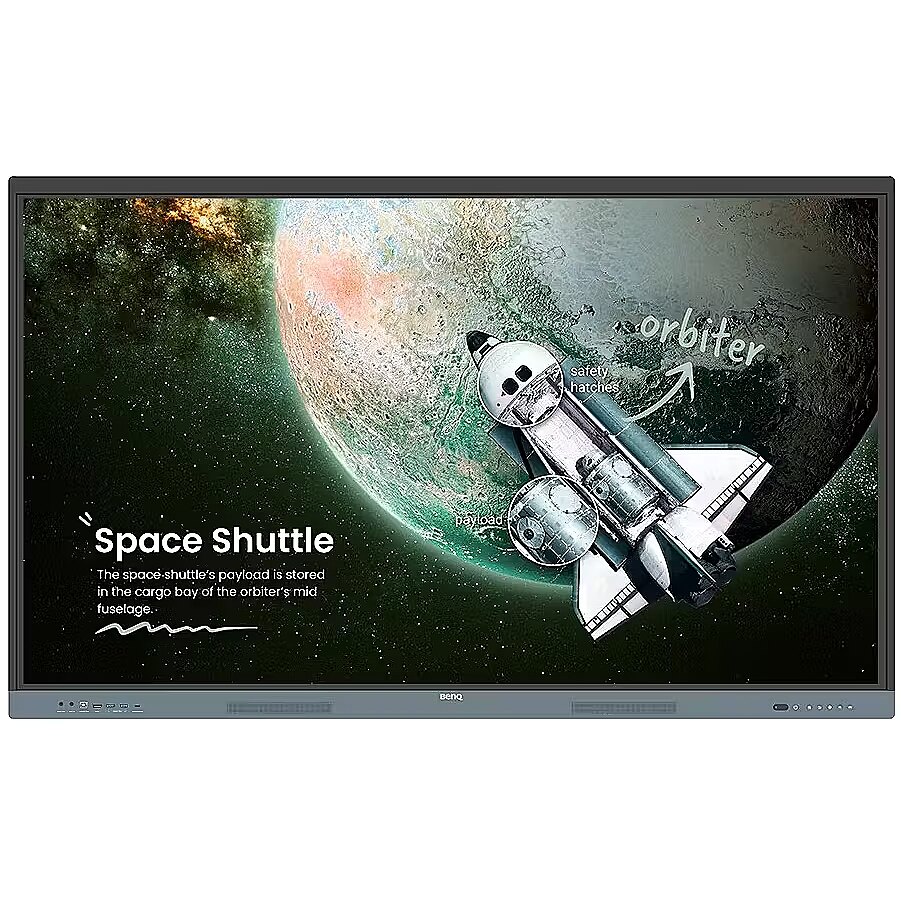
Description - BenQ Board RE6504 Safe Interactive 65-inch Monitor for Schools and Preschools with Google EDLA
Built-in Play Store with access to Google education software A safe school with ClassroomCare features designed to protect the eyesight of students and teachers Built-in AI tools for multilingual translation, text-to-speech, and OCR
BenQ Board: The Essence of Education
Get all the essential tools you need to conduct effective interactive lessons.
Harness the Power of Google
This EDLA-certified BenQ monitor combines Google services with reliable BenQ hardware and software.
Google Play
Install educational apps directly from Google Play for more interactive lessons.
Go to Google Services
Access essential Google services like Google Drive and Meet.
Google Docs Editors
Quickly open lesson files using any Google app on the large touchscreen.
Direct File Access
Google Drive integration lets you access files and save them to the cloud directly from your computer.
Built-in Security
Protect your whiteboards from security and privacy threats with Google Play Protect and Safe Browsing.
A Whiteboard Like No Other
Do more than just write and draw. The extensible EZWrite workspace offers endless possibilities with a rich collection of lesson tools and helpful AI features.
Use Your Own Files
Import a variety of lesson files, use their content on the whiteboard, and then export the session as an editable file for future lessons.
A Tool for Every Lesson
Use EZWrite's built-in tools, designed to engage students and enable learning across a wide range of subjects and classroom activities.
Move Lessons to the Cloud
Distribute your whiteboard so others can participate and interact with it, whether they're sitting in their seats or at home.
Built-in AI Tools
Text-to-Speech: Display text read aloud Multi-Language Translation: Translate text with a single tap OCR: Edit text from imported images
Essential Tools for Every Teacher
With the RE04 whiteboard, your teaching experience will be simplified because everything you need is on one whiteboard.
Your Own Space and Data
All accounts are secure and separate, so you can have your own learning space while preventing others from accessing your data.
Get Organized Easily
Save time by having all your most frequently used apps, files, and widgets organized and accessible right on your home screen.
Tap. Record. Write.
The Floating Tool allows you to take photos, record your screen, and annotate any app, file, website, or video displayed on your whiteboard. Sidebar Access
Expand the sidebar for convenient access to recent apps, files, and input sources, as well as a shortcut to the home screen.
Expanded Search
Use BenQ Search to quickly search for related content online or sort lesson files stored on your board or in the cloud.
Enhance Your Lesson
Increase teaching efficiency with multi-window mode, which allows you to use the board while using other apps.
5-in-1 Connectivity
The multi-function USB-C port enables fast data transmission, clear audio/video playback, touch control, and 65W charging.
Full, Vibrant Sound
Enjoy enhanced audio quality with built-in 20-watt speakers that produce clear, room-filling sound.
All on Board
The large interactive screen of the BenQ Board Essential whiteboard is designed for whole-class participation, enhancing engagement and enriching lessons.
40-Point Touch
Encourage everyone to actively participate in your lessons with the RE04's 40-point touchscreen.
Write Without Gaps
An 8ms response time ensures a natural writing experience with every stroke.
Precise Touch
Thanks to the board's Precision IR technology, you can be sure of smooth interaction.
Everyone Can Share
InstaShare 2 allows everyone to freely share ideas. Wirelessly stream lesson content and interact with any device from anywhere in the room.
More than Screen Sharing
Do more than just screencasting. Media sharing makes lessons more dynamic. Share photos, videos, or even a live camera feed from your device directly on the board.
Tap and Share
Share your screen from your Android phone with a single tap. Simply place your phone on the board's NFC sensor and start sharing instantly.
Session Management
Host controls allow for efficient session management. Accept or deny sharing requests and show or hide screens, while AI Guardian automatically blocks nude content.
Easy Management
BenQ simplifies device and user list management, significantly reducing IT workload and freeing them to focus on other tasks.
Seamless User List Synchronization
Simplify identity management by syncing any existing user lists based on Google Workspace, Entra ID (formerly Azure Active Directory), ClassLink, LDAP, or SAML.
Centralized Management
Remotely manage all BenQ devices with an all-in-one console that lets you install, update, and remove apps, send firmware updates, and automate tasks like startup and shutdown.
Enhanced Data Security
Keep your data safe with RE04's secure login and access controls, regular system updates, and built-in Google Play Protect and Safe Browsing.
Data-Driven Performance
Generate detailed and comprehensive device analytics to monitor your boards' usage and adjust usage guidelines to maximize performance. School-Wide Announcements
With X-Sign Broadcast, you can send timely announcements to all BenQ displays. Inform your school about upcoming events, important reminders, and emergencies.
Bridging Health and Learning
ClassroomCare features play a key role in creating healthier learning spaces for students and teachers in schools.
Eye-Friendly
Eye-safe technologies like the RE04's blue light filter and flicker-free display help reduce eye strain during classes, while the 4K anti-glare display ensures clear images every time.
IP5X Dust Protection
The RE04's IEC 60529-compliant display prevents dust accumulation even in the dustiest environments.
Find the Perfect BenQ Interactive Display
Make learning more engaging with the perfect interactive whiteboard. Our detailed comparison chart simplifies your choicedownload now to see the best options side-by-side!
Designation - CE+WEEE
Aspect ratio - 16:9
Height adjustment - No
Height - 907 mm
Auto Pivot - No
Bluetooth - No
Other features -
dimension depth - 185 mm
Dynamic contrast - 30 000:1
Display surface - Matt
Depth - 87.7 mm
ean - ABEAN-TL73523
Screen size (diag.) - 65"
Energy class - not applicable
Power consumption - 66.7 W
Warranty -
guarantee - 24
guarantee_type - external
I/O connectors - 1 x 15-pin D-Sub
I/O connectors - 1 x Audio out
I/O connectors - 1 x MicroSD card slot
I/O connectors - 1 x RS-232 (COM)
I/O connectors - 1 x SPDIF out
I/O connectors - 2 x Audio in
I/O connectors - 2 x RJ-45 LAN
I/O connectors - 2 x USB (Type B)
I/O connectors - 2 x USB (Type C)
I/O connectors - 2 x USB 2.0
I/O connectors - 2 x USB 3.0
I/O connectors - 4 x HDMI
Speakers built-in - Yes
TV tuner built-in - No
Accessories included - VGA cable (3 m | 9.8 ft) HDMI cable (3 m | 9.8 ft) USB-B cable for touch (3 m | 9.8 ft) USB-C cable (1.5 m | 4.9 ft) Wall mount 2 x Stylus Remote control
dimension height - 1640 mm
dimension width - 1010 mm
dimension weight - 49000 g
Color - Black
Color - Gray
Matrix type - TFT IPS
Model - RE6504
name - Interactive monitor 65 inches RE6504 128GB 1200:1/TOUCH/HDMI
Optional accessory -
Width - 1482.1 mm
producer - Benq
Response time - 8 ms
Visible area, horizontal - 1428.5 mm
Visible area, vertical - 803.5 mm
Resolution - 3840 x 2160
Certificates - Energy Star
Touch screen - Yes
Brightness - 450 cd/m²
Static contrast - 1 200:1
Weight - 36.4 kg
Transreflective technology - LED
Web camera - None
vendpn - 9H.F9ETK.DE8
VESA - 600 x 400
WiFi - No