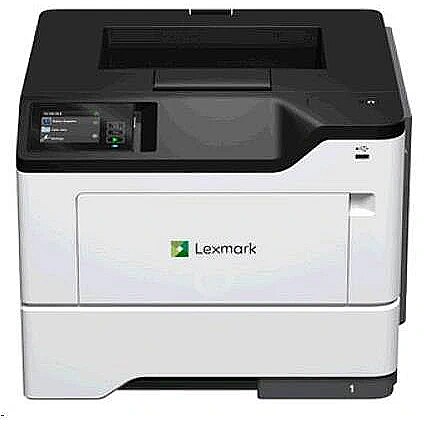
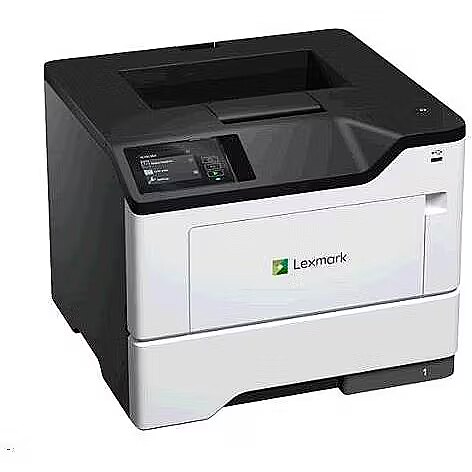
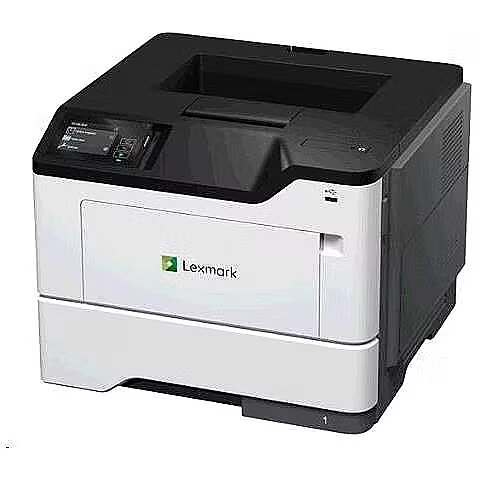
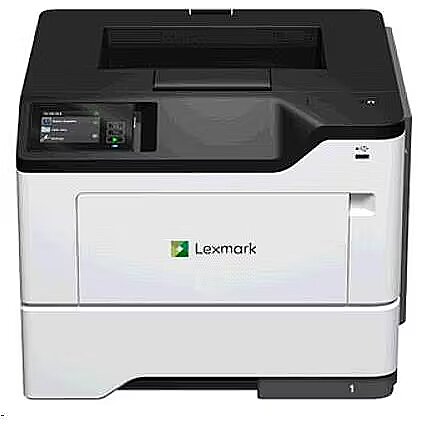
Lexmark MS631DW

Picture may differ from actual product, there can be accessories and parts not supplied with the actual product.
ID: 975603 Product code: 38S0410
Can be ordered 95 units Availability: 14 days after order approval
Warranty: 2 years (Warranty for business entities 1 year)
533.97 €
Ready for dispatch
16.03.2026
starting from 0 €
Delivery options
  • Receiving goods at the Dateks office
    0.00 €
  • Delivery throughout Latvia.
    Within 1-2 working days
    4.99 €
Main product parameters All parameters
  • Max. print size: A4
  • Native resolution: 1200 x 1200 dpi
  • Print speed (monochrome): 50 ppm
  • Type: Mono laser
  • Cartridges: 1
Basic information
Max. print size A4

The size of paper that can be placed in the printer feeder and printed in the particular printer. If this index of the printer is, for example, A4 it means that this particular printer can print for sure also smaller size paper, for example, A5. This possibility has certain restrictions that can be found in the detailed specification of the printing size and type of paper supported.

Native resolution 1200 x 1200 dpi

The resolution of the printer determines the number of dots that the printer printing head can print horizontally and vertically. By applying various additional methods a printer can print a higher resolution result. This parameter indicates the natural resolution of the printer without using compression. A higher resolution means a higher image quality and detail.

Print speed (monochrome) 50 ppm

The average index of the number of black and white pages with 5% average coverage that can be printed by this printer per minute.

Type Mono laser

The type of printing is the main criterion for selecting the princter because it determines the printer application.

Ink - this technology will be suitable for the users who want to print colour photos at high quality. The costs per print-out are quite high, also ink cartridges dry out when the printer is on stand-by for a long time.

Black and white laser - the best type of printing from the economic point of view, produces good quality print-outs of black and white documents at the lowest cost per print-out. The best buy for the home and office needs. Printers of more expensive models have considerably bigger toner cartridges which will certainly pay back if more than ten pages per day are printed.

Colour laser - this technology allows to print black and white laser print-outs at the same costs per page as with the black and white laser printer and to produce colour print-outs at comparatively low costs per print-out.

The quality of the colour printing by this technology is much lower than with the ink printing, therefore this device is worth buying only if tens of colour graphics, models, product samples photos and colour logos have to be printed every day. This technology currently is not suitable for printing photos.

The size of paper that can be placed in the printer feeder and printed in the particular printer. If this index of the printer is, for example, A4 it means that this particular printer can print for sure also smaller size paper, for example, A5. This possibility has certain restrictions that can be found in the detailed specification of the printing size and type of paper supported.

Functionality
ADF (automatic document feeder) Nav

ADF means automatic document feeding. This is implemented by means of a special scanner cover where it is possible to place several pages at once, for example, a pack of copied or scanned documents.

Auto Duplex function Ir

Double-sided printing that is quite often implemented as a semi-automated function which means that the printer prints one side of the page and then the user has to put all the pack of print-outs in the feeder manually.

There can also be Duplex printers that are able to turn the page during the printing process. Prior to buying the printer you should read the detailed specification about how the Duplex function is implemented.

Cartridges 1

The number of toners or cartridges that the particular printer has. In case of ink printing a higher number of cartridges means better printing quality and more economical replacement of cartridges.

Copier Nav

An option to place a printed document in the feeder and copy it.

Fax Nav

A possibility to connect the device to the phone line and phone for sending and receiving fax messages.

Scanner Nav

A possibility to place a printed paper in the feeder and to receive a scanned document in the computer as a file.

Ports and equipment
LAN interface Ir

A very useful function if the printer is used from various computers connected in a network. If there is LAN connection it is possible to place the printer at any place where the network and power connection is available and to produce print-outs from any computer without the necessity to connect the printer to any particular computer and to maintain this computer switched on.

LPT interface Nav

This is an obsolete standard and required only in few cases when a company uses DOS software that cannot print from any other ports except LPT. This type of connection is very slow, therefore in most cases a printer with LPT has also the much faster USB or LAN connection.

USB 2.0 interface Ir

The most stable, convenient and fastest connection of the printer if the printer is located close to the computer and is used for printing from one computer. The USB connection slot is available with almost all portable computers and desktop computers.

Wireless connections
Bluetooth Nav

A possibility to connect this printer to the computer via the Bluetooth wireless connection. Usually this type of connection is available for portable computers of average or expensive category. Desktop computers usually do not have the Bluetooth, therefore it will be necessary to buy a low priced USB Bluetooth transmitter for being able to use this functionality.

WiFi Ir

An excellent way of connecting a computer within a wireless network if you use exclusively wireless network connection at home or at office or if the printer is placed at a location where it is not possible to connect a LAN cable.

USB Cable
More detailed specification
Accessories included -
Application - Office
Application - Working groups
ARTIKEL1 - MS631DW MONOLASER SFP A4
ARTIKEL2 - 7.2 CM TOUCH DISP / 50PPM
Breite - 0
Color - Black
Color - White
Color printing - No
Connectors - 1 x USB (Typ B)
Copier specifications -
Depth - 389.4 mm
Description -
Designation - CE+WEEE
dimension depth - 435 mm
dimension height - 415 mm
dimension weight - 17300 g
dimension width - 470 mm
Duplex printing - Automatic
Duty cycle (monthly) - 20000 sheets/month
ean - 734646731430
EANCode - 0734646731430
Ethernet - 10/100/1000 Mb/s
Extended warranty -
Extension options -
Fax specifications -
Format - A4
Format - A5
Format - A6
Format - B5
Format - C5 162 x 229 mm
Functions - Printer
GRUPPE1 - Printer/Copier/Fax
GRUPPE2 - Laser Aio/Mfp
guarantee - 12
guarantee_type - external
Height - 306.6 mm
HERSTELLER - LEXMARK
Hoehe - 0
HSTNUMMER - 38S0410
Installed memory - 512 MB
Laenge - 0
Max. memory capacity - 512 MB
Max. printing speed (mono) - 47 p/min
Media kind - Cards
Media kind - Envelopes
Media kind - Labels
Media kind - Paper
Model - MS631dw
name - Printer MS631dw 38S0410
Original consumables - 66S0XA0 Lexmark MS631, 632, MX632 66S0Z00 Lexmark MS531, 631, 632, 639, MX532, 632, M/XM3350 66S0ZA0 Lexmark MS531, 631, 632, 639, MX532, 632 66S2000 Lexmark MS531, 631, 632, MX532, 632 66S2X00 Lexmark MS631, 632, MX632
Other features -
Paper input tray - Standard: 650 pages Maximum: 2,300 pages
Paper output tray -
Paper weight (max) - 216 g/m²
Paper weight (min) - 60 g/m²
Photo printing - No
PictBridge - No
Printer language - Direct Image
Printer language - PCL 5e/5c/6
Printer language - PCLm
Printer language - PDF
Printer language - PostScript 3
Printer language - PPDS
Printer processor - Dual Core, 1 GHz
Printing supplies performance - 66S0XA0 Lexmark MS631, 632, MX632 - 31K stron 66S0Z00 Lexmark MS531, 631, 632, 639, MX532, 632, M/XM3350 - 75K stron 66S0ZA0 Lexmark MS531, 631, 632, 639, MX532, 632 - 75K stron 66S2000 Lexmark MS531, 631, 632, MX532, 632 - 5K stron 66S2X00 Lexmark MS631, 632, MX632 - 31K stron
Printing type - Laser
Print resolution - 1200 x 1200 dpi
producer - Lexmark
Scanner specifications -
Stck_Kart - 1
Stck_Pal - 8
Storno - Y
Supported operating systems - Linux
Supported operating systems - Windows 7
Supported operating systems - Windows 8
Supported operating systems - Windows 10
Supported operating systems - Windows 11
Supported operating systems - Windows 2000
Supported operating systems - Windows Server 2003
Supported operating systems - Windows Server 2008
Supported operating systems - Windows Server 2012
Supported operating systems - Windows Server 2016
Supported operating systems - Windows Server 2019
Supported operating systems - Windows Server 2022
Supported operating systems - Windows Vista
Supported operating systems - Windows XP
System Requirements -
vendpn - 38S0410
Warranty -
Weight - 15 kg
Width - 399 mm
Wireless communication - Bluetooth
Wireless communication - WiFi
533.97 €
Lexmark MS631DW
Tālr. 67275758 gsm 26117175 (p.o.t.c.p. 9:00-18:00)
Intel technology provider Platinum 2020
All categories