ACinputfrequency - 50 - 60 Hz
ACinputvoltage - 100 - 240 V
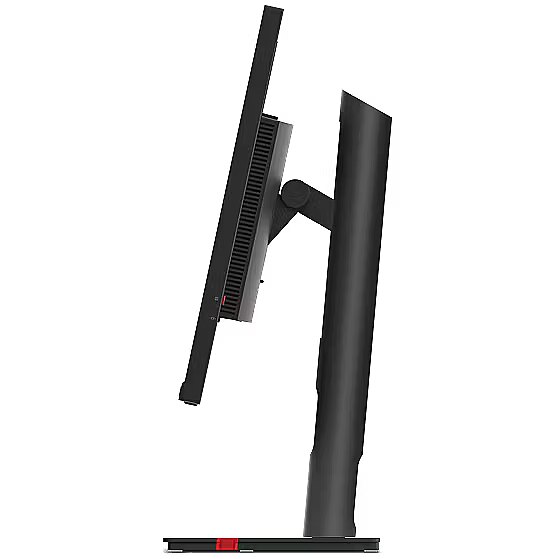
Adjustableheightmax - 15.5 cm
AMDFreeSync - No
Antiglarescreen - Yes
Aspectratio -
Aspect ratio - 16:9
Audioinput -
Audiooutput -
Backlighttype - W-LED
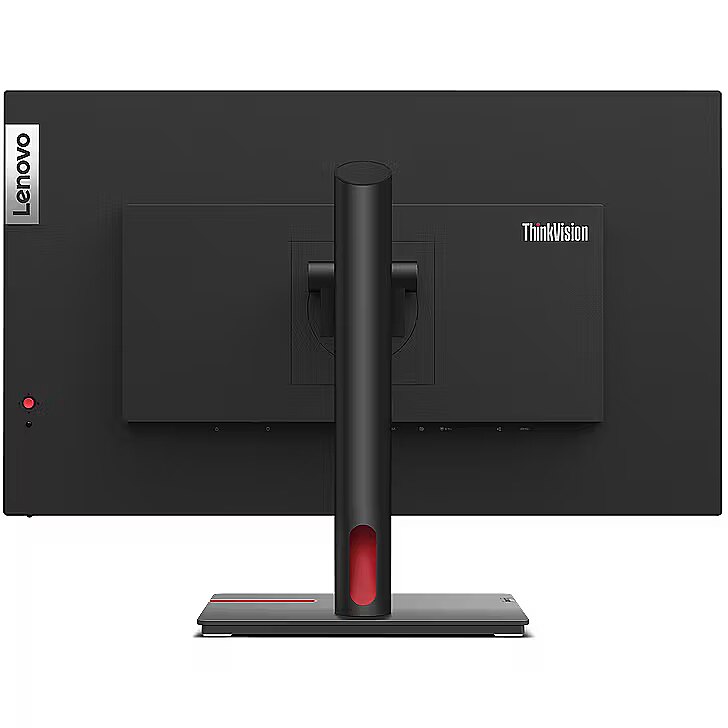
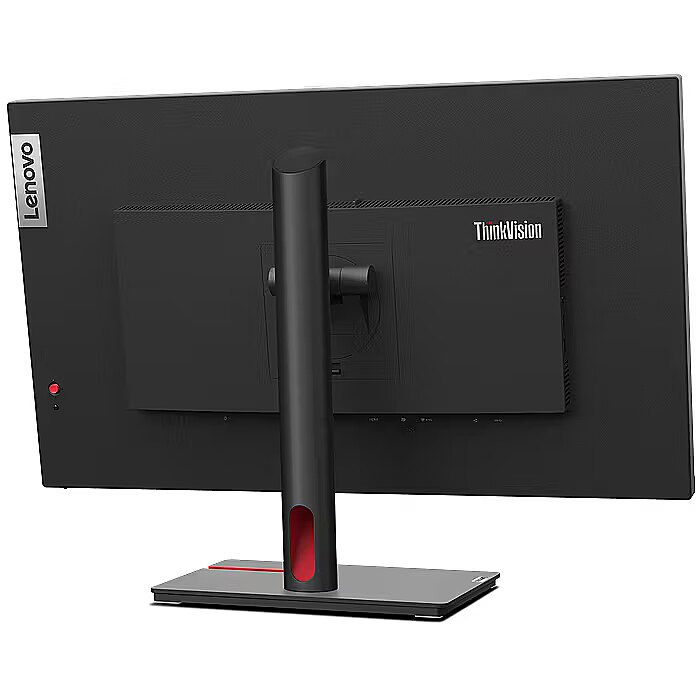
Brand - Lenovo
BrandPartCode - 63A9GAT1EU
Built-in camera - No
Built-in speakers - Yes
Builtincamera - No
BuiltinKVMswitch -
Builtinmicrophone - No
Builtinspeakers - No
BuiltinUSBhub - Yes
Bundledsoftware -
Cablelockslot - Yes
Cablesincluded - USB Type-C
Category - Computer Monitors
Category - Root/Electronics/PC peripherals/Monitors
Category 1 - Displays
Category 2 - Monitore
Category_1 - Monitors and TV
Category_2 - LED Monitors up to 27 inches
Colourdepth - 10 bit
Colourgamut - 99%
Colourgamutstandard - sRGB
Colour of product - Black
Connections - DisplayPort
Connections - Ethernet (RJ-45)
Connections - HDMI
Connections - USB-A (USB 3.x)
Connections - USB-C
Contrast ratio (typical) - 1300:1
Contrastratiodynamic - 3000000:1
Contrastratiotypical - 1300:1
Curved - No
Depthwithoutstand - 50 mm
Depthwithstand - 204.5 mm
Description - LENOVO 27" T27P-30 4K UHD IPS 16:9 DP/HDMI/USB-C(90W)/RJ45
Design -
Design - Colour name - Black
Design - Detachable stand - Yes
Design - Feet colour - Black
Design - Product colour - Black
Detachablestand - Yes
Dimensions (W x D x H) with stand, mm - 545.4.4 x 613.6 x 204.5
Dimensions (W x D x H) with stand, mm - 613.6 x 204.5 x 390.4-545.4
Dimensions (W x D x H) with stand, mm - 613.6 x 204.5 x 545.4
Dimensions W x D x H, mm - 613.6 x 50.0 x 363.5
Display -
Display - Anti-glare screen - Yes
Display - Backlight type - W-LED
Display - Colour depth - 10 bit
Display - Colour gamut - 99%
Display - Colour gamut standard - sRGB
Display - Contrast ratio (dynamic) - 3000000:1
Display - Contrast ratio (typical) - 1300:1
Display - Display brightness (peak) - 350 cd/m²
Display - Display brightness (typical) - 180 cd/m²
Display - Display diagonal - 68.6 cm (27")
Display - Display number of colours - 1.07 billion colours
Display - Display resolution - 3840 x 2160 pixels
Display - Display technology - LED
Display - HD type - 4K Ultra HD
Display - LED backlight - Yes
Display - Maximum refresh rate - 60 Hz
Display - Native aspect ratio - 16:9
Display - Panel type - IPS
Display - Pixel density - 163 ppi
Display - Pixel pitch - 0.155 x 0.155 mm
Display - Response time - 6 ms
Display - Response time (fast) - 4 ms
Display - Screen shape - Flat
Display - sRGB coverage (typical) - 99%
Display - Touchscreen - No
Display - Viewable size, horizontal - 59.7 cm
Display - Viewable size, vertical - 33.6 cm
Display - Viewing angle, horizontal - 178°
Display - Viewing angle, vertical - 178°
Displaybezeltechnology -
Display brightness, cd/m² - 350
Displaybrightnesstypical - 180 cd/m²
Displaydiagonal - 68.6 cm (27")
Display diagonal, " - 27
Displaydiagonalmetric -
Display number of colours - 1.07 B
Displaynumberofcolours - 1.07 billion colours
DisplayPortoutquantity -
DisplayPortoutversion -
DisplayPortsquantity - 1
DisplayPorts quantity - 1
DisplayPortversion - 1.4
Displayresolution - 3840 x 2160 pixels
Display resolution, pixels - 3840 x 2160
Displaysurface -
Displaytechnology - LED
EAN - 0196380977527
Eans - 0196380977527
EAN_code - 196380977527
EnergyconsumptionSDRper1000hou -
EnergyefficiencyclassHDR -
EnergyefficiencyclassSDR -
Energyefficiencyscale - A to G
Ergonomics -
Ergonomics - Adjustable height (max) - 15.5 cm
Ergonomics - Cable lock slot - Yes
Ergonomics - Cable lock slot type - Kensington
Ergonomics - Cable management - Yes
Ergonomics - Height adjustment - Yes
Ergonomics - On Screen Display (OSD) - Yes
Ergonomics - Panel mounting interface - 100 x 100 mm
Ergonomics - Pivot - Yes
Ergonomics - Pivot angle - -90 - 90°
Ergonomics - Swivel angle range - -45 - 45°
Ergonomics - Swivelling - Yes
Ergonomics - Tilt adjustment - Yes
Ergonomics - Tilt angle range - -5 - 23.5°
Ergonomics - VESA mounting - Yes
EthernetLAN - Yes
Ethernet LAN (RJ-45) ports quantity - 1
Fastcharging -
Feetcolour - Black
Flickerfreetechnology -
Green certifications - Energy Star
Green certifications - Epeat Gold
Green certifications - RoHS compliant
Green certifications - TCO 9.0
Green certifications - TCO Edge 2.0
GTIN - 0196380977527
GTIN - 196380977527
GTIN - 0196380977756
GTIN - 196380977756
Hazerate -
HDCP -
HDMI - Yes
HDMIportsquantity - 1
HDMI ports quantity - 1
HDMIversion - 2.0
HDtype - 4K Ultra HD
Headphoneconnectivity - 3.5 mm
Headphoneout - Yes
Headphoneoutputs - 1
Height - 525.000000
Heightadjustment - Yes
Height adjustment - Yes
Heightwithoutstand - 363.5 mm
Heightwithstand - 545.4 mm
HighLights -
Horizontalscanrange -
InfraredIRsensor -
LEDbacklight - Yes
Length - 685.000000
LongDesc -
LongProductName - 68.6cm (27") 4K Ultra HD 3840 x 2160 W-LED IPS, 16:9, 180cd/m², 1.07B, 6ms, 178°/178°, 1300:1
LongSummaryDescription - Lenovo ThinkVision T27p-30. Display diagonal: 68.6 cm (27"), Display resolution: 3840 x 2160 pixels, HD type: 4K Ultra HD, Display technology: LED, Response time: 6 ms, Native aspect ratio: 16:9, Viewing angle, horizontal: 178°, Viewing angle, vertical: 178°. Built-in USB hub, USB hub version: 3.2 Gen 1 (3.1 Gen 1). VESA mounting, Height adjustment. Product colour: Black
LowBlueLighttechnology -
Manufacturer - Lenovo
Manufacturer's estimate: Product life cycle used in emission assessments, years - 5
Manufacturer?s estimate: CO2 emissions during use, kg - 417
Manufacturer?s estimate: Manufacturing-related CO2 emissions, kg - 325.76
Manufacturer?s estimate: Product life cycle CO2 emissions, kg - 1040
Manufacturer?s estimate: Product packaging CO2 emissions, kg - 10.2
Manufacturer?s estimate: Recycling-related CO2 emissions, kg - 8.04
ManufacturerPartNumber - 63A9GAT1EU
Manufacturer_code - 63A9GAT1EU
ManufDatasheet - https://www.tdbaltic.ee/leaflets/LENOVO/63A9GAT1EU.pdf
Marketpositioning -
Maximumrefreshrate - 60 Hz
Megapixelapprox -
MPN - 63A9GAT1EU
Multimedia -
Multimedia - Built-in camera - No
Multimedia - Built-in microphone - No
Multimedia - Built-in speaker(s) - No
Name - Lenovo ThinkVision T27p-30 (27") UHD HDMI/DP/USB-C/DOC
Name - Lenovo ThinkVision T27p-30, LED monitor - 27 - black, UltraHD/4K, IPS, 60Hz
Name - Lenovo ThinkVision T27p- 60Hz | 4K | 27'' | IPS | 4ms
Nativeaspectratio - 16:9
Network -
Network - Ethernet LAN - Yes
Numberofspeakers -
NumberofUSBTypeBupstreamportsq -
NVIDIAGSYNC - No
OnScreenDisplayOSD - Yes
OperatingrelativehumidityHH -
OperatingtemperatureTT -
Operationalconditions -
Other features - Certification - Energy Star Certified, TCO 9.0, TCO Edge 2.0, EPEAT Gold, RoHS
Eyesafe Display, TÜV Low Blue Light (Hardware solution), TÜV Rheinland Low Blue Light, TÜV Rheinland Flicker Free, TÜV Rheinland Eye Comfort
Other features - Compatible operating systems - Windows 10, Windows 11
Packagedepth - 525 mm
Packageheight - 148 mm
Packagetype -
Packageweight - 10.4 kg
Packagewidth - 690 mm
Packagingcontent -
Packaging content - Cables included - USB Type-C
Packaging content - Power cable length - 1.8 m
Packaging content - Stand included - Yes
Packagingdata -
Packaging data - Package depth - 525 mm
Packaging data - Package height - 148 mm
Packaging data - Package weight - 10.4 kg
Packaging data - Package width - 690 mm
Panelmountinginterface - 100 x 100 mm
Paneltype - IPS
Panel type - IPS
Performance -
Performance - AMD FreeSync - No
Performance - NVIDIA G-SYNC - No
PeriodofWarranty - 36 M
Pivot - Yes
Pivotangle - -90 - 90°
Pixeldensity - 163 ppi
Pixelpitch - 0.155 x 0.155 mm
Pixel pitch, mm - 0.155 x 0.155
Ports & interfaces - Built-in USB hub - Yes
Ports & interfaces - DisplayPorts quantity - 1
Ports & interfaces - DisplayPort version - 1.4
Ports & interfaces - HDMI - Yes
Ports & interfaces - HDMI ports quantity - 1
Ports & interfaces - HDMI version - 2.0
Ports & interfaces - Headphone connectivity - 3.5 mm
Ports & interfaces - Headphone out - Yes
Ports & interfaces - Headphone outputs - 1
Ports & interfaces - Number of upstream ports - 1
Ports & interfaces - Number of USB Type-C upstream ports quantity - 1
Ports & interfaces - USB hub version - 3.2 Gen 1 (3.1 Gen 1)
Ports & interfaces - USB Power Delivery (USB PD) - Yes
Ports & interfaces - USB Power Delivery up to - 90 W
Ports & interfaces - USB Type-A downstream ports quantity - 3
Ports & interfaces - USB Type-C DisplayPort Alternate Mode - Yes
Ports & interfaces - USB upstream port type - USB Type-C
Portsinterfaces -
Power -
Power - AC input frequency - 50 - 60 Hz
Power - AC input voltage - 100 - 240 V
Power - Energy efficiency scale - A to G
Power - Power consumption (max) - 165 W
Power - Power consumption (off) - 0.3 W
Power - Power consumption (standby) - 0.5 W
Power - Power consumption (typical) - 35 W
Power - Power supply type - Internal
Power consumption (max.), W - 165
Power consumption (standby), W - 0.5
Power consumption, W - 35
Powerconsumptionmax - 165 W
Powerconsumptionoff - 0.3 W
Powerconsumptionstandby - 0.5 W
Powerconsumptiontypical - 35 W
Powersupplytype - Internal
ProdDesc - Lenovo ThinkVision T27p-30 (27") UHD HDMI/DP/USB-C/DOC
Producer - Lenovo
ProducerCode - 63A9GAT1EU
Productcolour - Black
Productcondition - Original
ProductHighLights -
- 68.6cm (27") 4K Ultra HD 3840 x 2160 W-LED IPS
- 6ms, 16:9, 180cd/m², 1300:1
- USB, HDMI, DisplayPort
ProductName - ThinkVision T27p-30
ProductPicture - https://www.tdbaltic.ee/images/products/LENOVO/63A9GAT1EU_1.jpg
ProductPicture1 - https://www.tdbaltic.ee/images/products/LENOVO/63A9GAT1EU_2.jpg
ProductPicture2 - https://www.tdbaltic.ee/images/products/LENOVO/63A9GAT1EU_3.jpg
ProductPicture3 - https://www.tdbaltic.ee/images/products/LENOVO/63A9GAT1EU_4.jpg
ProductPicture4 - https://www.tdbaltic.ee/images/products/LENOVO/63A9GAT1EU_5.jpg
ProductPicture5 - https://www.tdbaltic.ee/images/products/LENOVO/63A9GAT1EU_6.jpg
ProductPicture6 - https://www.tdbaltic.ee/images/products/LENOVO/63A9GAT1EU_7.jpg
ProductPicture7 - https://www.tdbaltic.ee/images/products/LENOVO/63A9GAT1EU_8.jpg
ProductPicture8 - https://www.tdbaltic.ee/images/products/LENOVO/63A9GAT1EU_9.jpg
Quickstartguide -
Refresh rate, Hz - 60
Remotelyoperated -
Responsetime - 6 ms
Response time, ms - 4
Response time, ms - 6
Responsetimefast - 4 ms
Responsetimemeasurementtype -
RMSratedpower -
Screenshape - Flat
ShortDescription - 27'' | IPS | 4K
ShortSummaryDescription - Lenovo ThinkVision T27p-30, 68.6 cm (27"), 3840 x 2160 pixels, 4K Ultra HD, LED, 6 ms, Black
SRGBcoveragetypical - 99%
StoragerelativehumidityHH -
Supportedgraphicsresolutions -
Surfacehardness -
Swivelanglerange - -45 - 45°
Swivelling - Yes
Tiltadjustment - Yes
Tiltanglerange - -5 - 23.5°
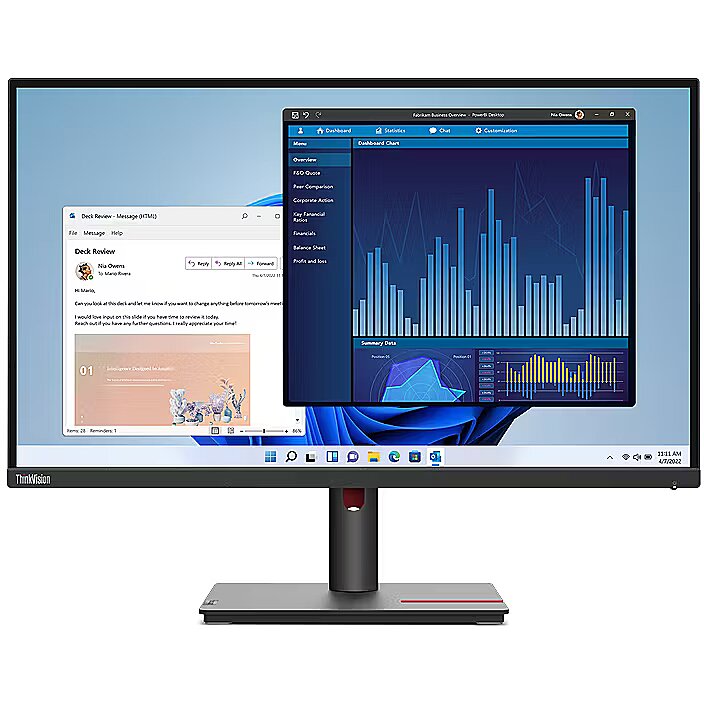
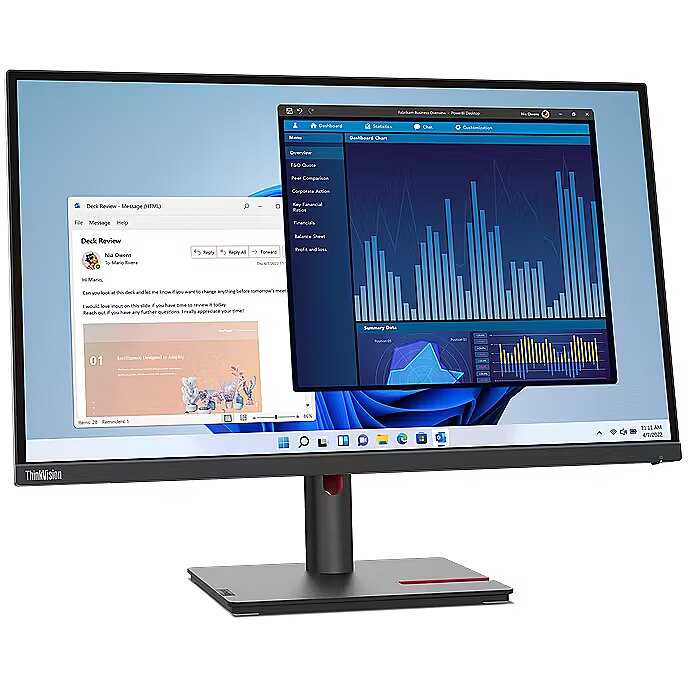
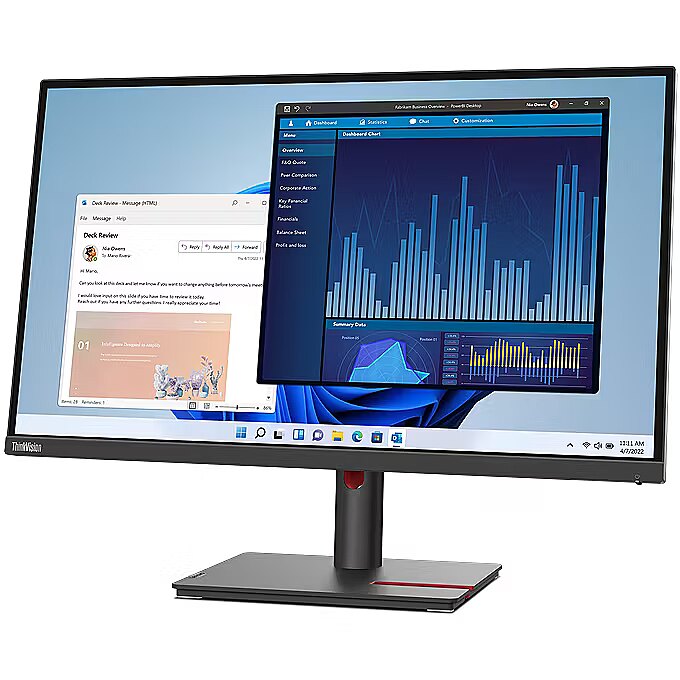
Title - Lenovo ThinkVision T27p-30 computer monitor 68.6 cm (27") 3840 x 2160 pixels 4K Ultra HD LED Black
Touchscreen - No
Touch sensitive screen - No
Transportation-related CO2 emissions, kg (manufacturer?s estimate) - 279
URL - https://www.lenovo.com/
USB-C charging power max, W - 90
USB-C power delivery - Yes
USBhubversion - 3.2 Gen 1 (3.1 Gen 1)
USBPowerDeliveryUSBPD - Yes
USBTypeAdownstreamportsquantit - 3
USBTypeCDisplayPortAlternateMo - Yes
Verticalscanrange -
VESA-standard, mm - 100 x 100
VESAmounting - Yes
Viewablesizediagonal -
Viewablesizehorizontal - 59.7 cm
Viewablesizevertical - 33.6 cm
Viewing angle, horizontal, ° - 178
Viewing angle, vertical, ° - 178
Viewinganglehorizontal - 178°
Viewinganglevertical - 178°
Warranty - 12 months
Warrantyandmisc -
WarrantyInfo -
Weight - 10,50
Weight - 10.48
Weight - 10.120000
Weight & dimensions - Bezel width (bottom) - 1.8 cm
Weight & dimensions - Bezel width (side) - 2 mm
Weight & dimensions - Bezel width (top) - 2 mm
Weight & dimensions - Depth (without stand) - 50 mm
Weight & dimensions - Depth (with stand) - 204.5 mm
Weight & dimensions - Height (without stand) - 363.5 mm
Weight & dimensions - Height (with stand) - 545.4 mm
Weight & dimensions - Weight (without stand) - 5.3 kg
Weight & dimensions - Weight (with stand) - 7.3 kg
Weight & dimensions - Width (without stand) - 613.6 mm
Weight & dimensions - Width (with stand) - 613.6 mm
Weight, g - 5300
Weightdimensions -
Weightwithoutstand - 5.3 kg
Weightwithstand - 7.3 kg
Weight with stand, g - 7300
Width - 145.000000
Widthwithoutstand - 613.6 mm
Widthwithstand - 613.6 mm




 DVI is a digital standard and ensures high image quality, however, thanks to the big size of the plug and the inability of the standard to develop further due to a few technical restrictions this type of connection is gradually losing its popularity to modern HDMI and DisplayPort standards.




