Accessories included - Monitor with stand HDMI cable DisplayPort cable Power supply cable User documentation
ARTIKEL1 - 242S9JML 23.8 IN 60.5 VA
ARTIKEL2 - 1920X1080 3000:1 300 CD/M2 16:9
Aspect ratio - 16:9
Auto Pivot - Yes
Bluetooth - No
Brand - Philips
BrandPartCode - 242S9JML/00
Brightness - 300 cd/m²
Category - Computer Monitors
Category - Root/Electronics/PC peripherals/Monitors
Category 1 - Displays
Category 2 - Monitore
Category_1 - Monitors and TV
Category_2 - LED Monitors up to 24 inches
category_en - Computers & Components > Monitors and accessories > LCD monitors
category_lv - Datortehnika > Monitori un aksesuāri > LCD monitori
category_ru - Datortehnika > Monitori un aksesuāri > LCD monitori
Certificates - CB
Certificates - CE
Certificates - CU
Certificates - Energy Star
Certificates - EPEAT
Certificates - FCC Class B
Certificates - RoHS
Certificates - TCO
Certificates - TUV
Code - 242S9JML/00
Color - Black
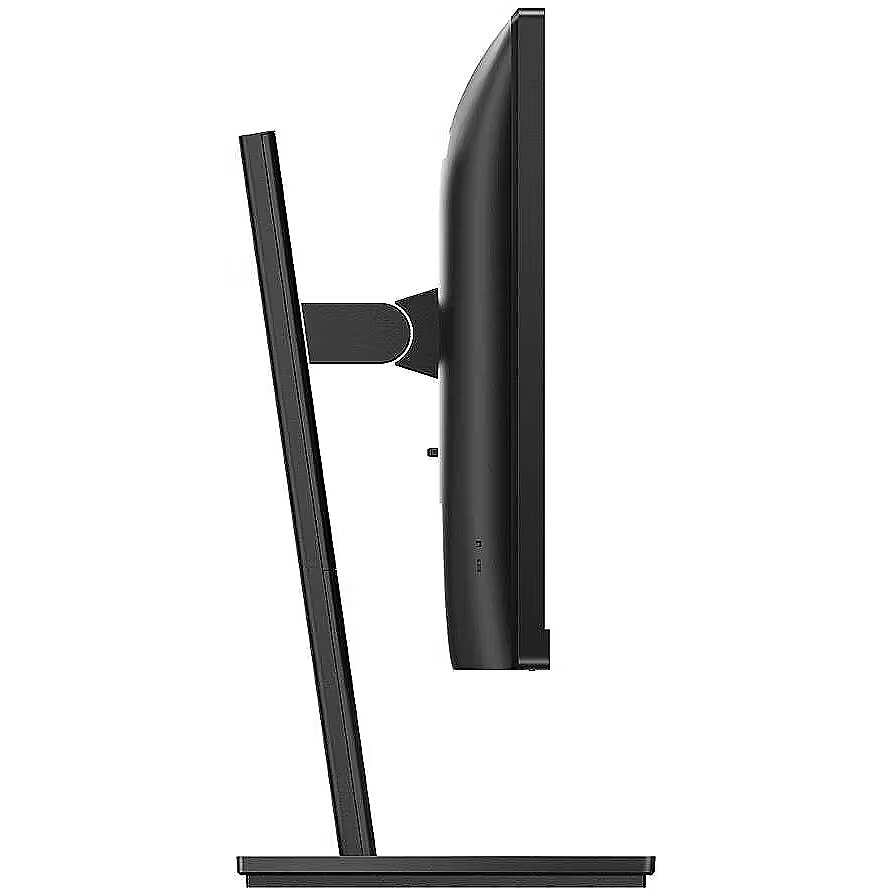
Depth - 55 mm
Depth with stand - 205 mm
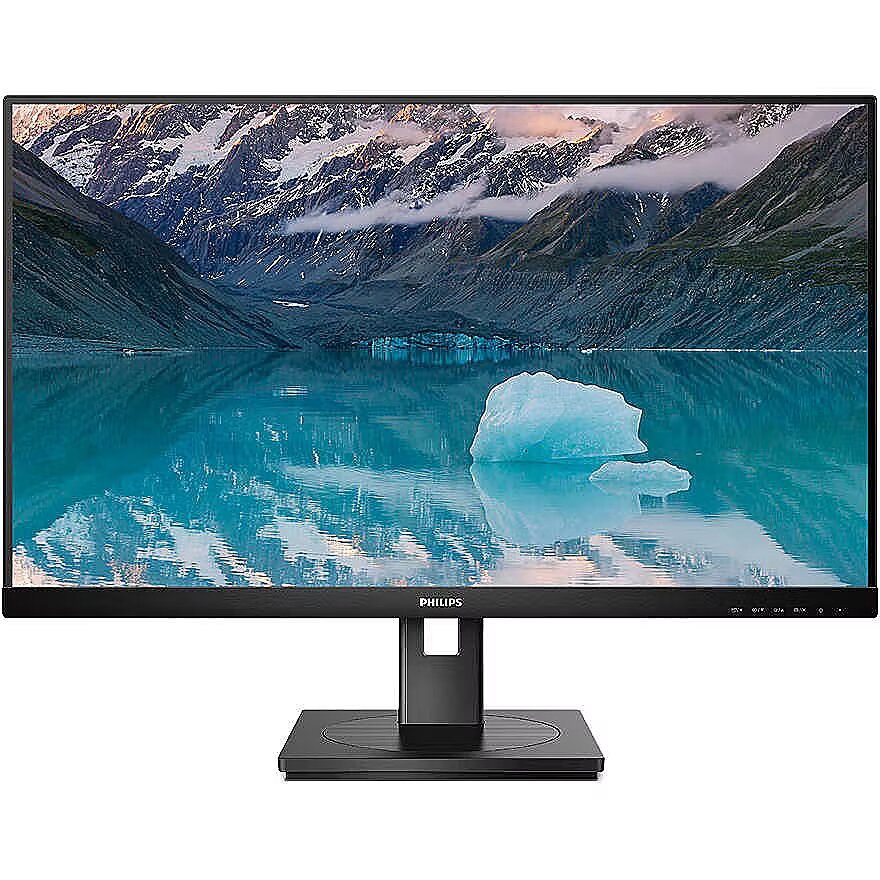
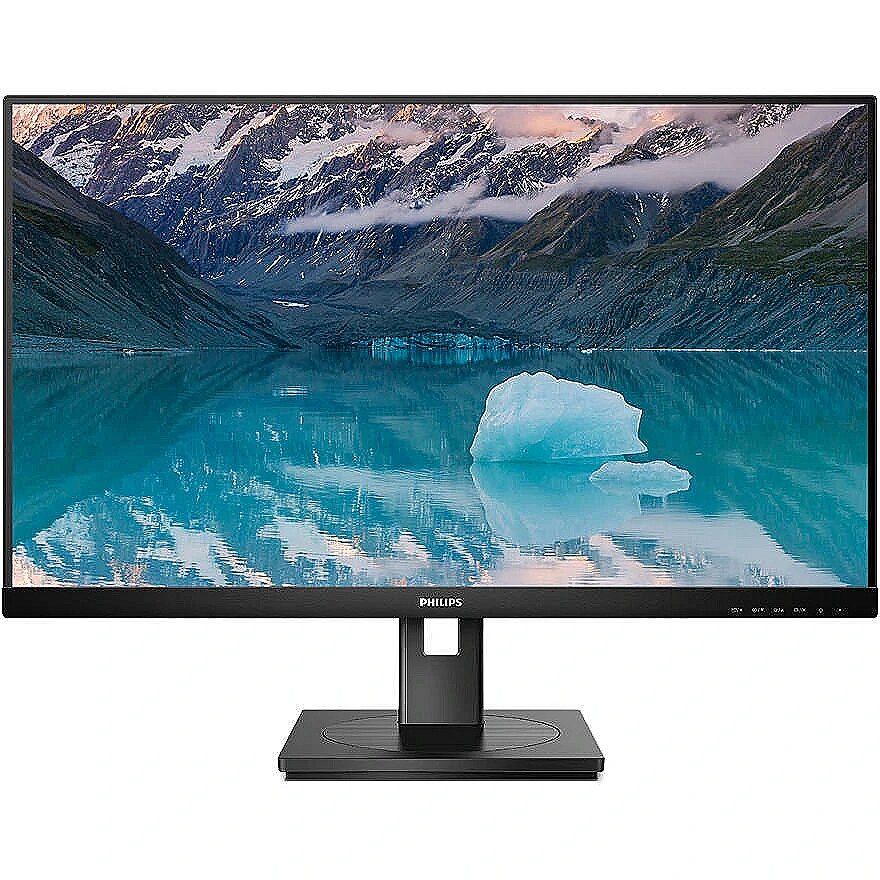
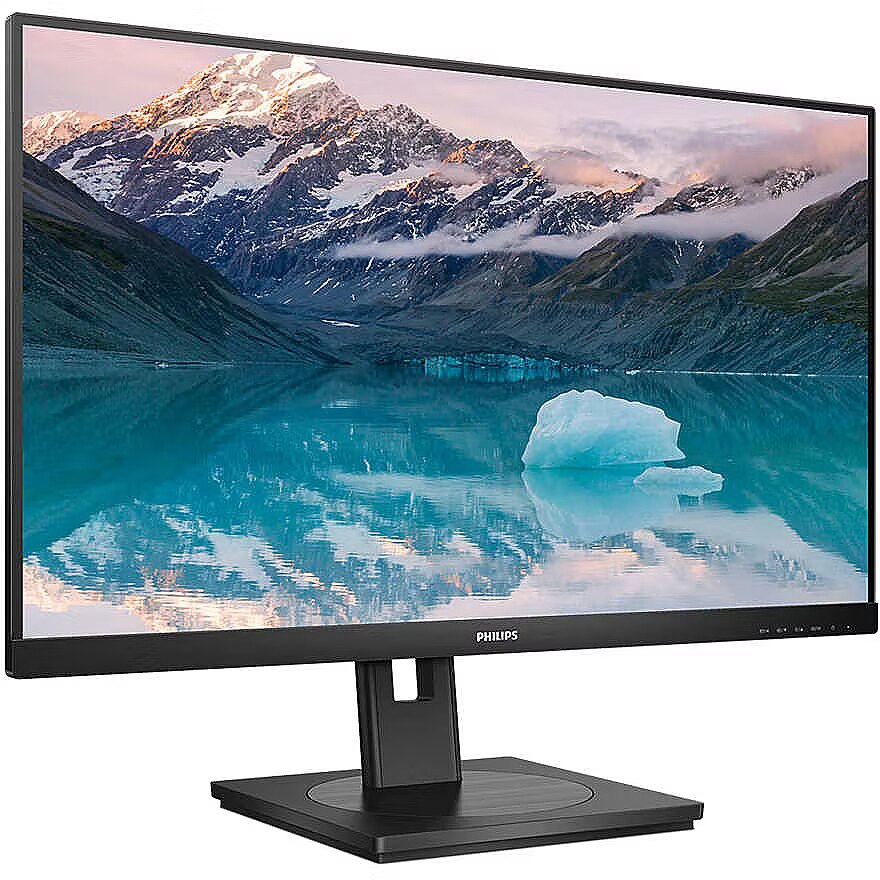
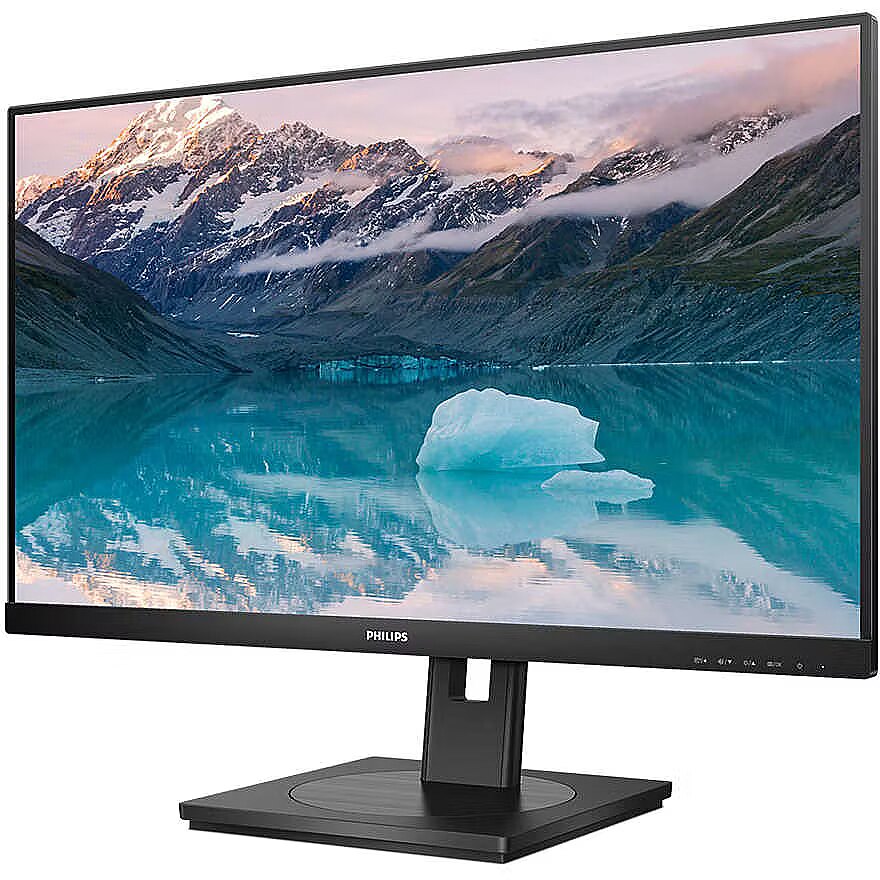
Description - 242S9JML/00 Monitor with VA panel to enjoy superb image quality and wide viewing angles Philips' VA LED monitor uses advanced multi-functional vertical image adjustment technology to deliver an extremely high static contrast ratio, resulting in a very vivid, bright image. It is ideal for standard office applications as well as for displaying photos, websites, movies and games and using demanding graphics applications. Optimised pixel management technology additionally provides extremely wide 178/178 degree viewing angles for outstanding image clarity. 16:9 Full HD screen for superb detail Image quality matters. Regular monitors provide a certain level of quality, but you certainly expect more. This monitor offers an enhanced Full HD resolution of 1920 x 1080. Full HD resolution provides crisp detail which, combined with high brightness levels, incredible contrast and natural colours, results in a picture that impresses with its realism. SmartImage presets provide easy access to optimised picture settings SmartImage is Philips' latest exclusive technology that analyses the content displayed on the screen and ensures optimised display performance. This user-friendly interface allows the user to select different modes such as Office, Photos, Movies, Games, Economy, etc. to match the application being used. Based on this selection, SmartImage technology dynamically optimises the contrast, colour saturation and sharpness of photos and videos to ensure the best display performance. The Economise mode saves energy. And all this in real time at the touch of a button! Less eye fatigue thanks to Flicker-free technology Due to the way the brightness is controlled in LED-backlit displays, some users notice flickering on their screens, causing eye fatigue. Philips' Flicker-free technology uses a new solution to correct brightness and reduce flicker for a more comfortable viewing experience. LowBlue mode allows you to work in a healthier way for your eyes Studies have shown that just as ultraviolet rays can damage vision, the short blue rays emitted by LED displays can also have a negative impact on the eyes and contribute to vision deterioration over time. Developed by Philips specifically with the health and well-being of the user in mind, LowBlue mode reduces the emission of harmful blue radiation through the use of intelligent software. Built-in stereo speakers for multimedia The display is equipped with two built-in high-quality stereo speakers. They can be located at the front, bottom, top, back, etc., depending on the model and design of the device. SmartErgoBase enables individual ergonomic adjustment The SmartErgoBase enables ergonomic use of the monitor and cable management. The base can be rotated and tilted at different angles for maximum comfort. Adjustable height allows the screen to be positioned at the optimum level, reducing physical strain during a long working day, while the cable management system reduces clutter and keeps the workspace tidy. HDMI provides universal digital connectivity A device with an HDMI connector is equipped with the hardware needed to receive a high-quality signal transmitted via HDMI. Using a single HDMI cable, you can transmit high quality digital video and audio from your computer or any number of audio/video sources (including set-top boxes, DVD players, AV receivers and video cameras). DisplayPort connection for excellent visuals The DisplayPort connector enables a digital connection between a computer and a monitor, without any conversion. With capabilities greater than those offered by the DVI standard, it is able to handle cables of up to 15 metres in length and data transfer at 10.8 Gbps. High performance and no lag ensure the fastest imaging and highest refresh rate. This makes the DisplayPort connector ideal not only for normal use in the office or at home, but also for playing games, watching films, editing images, etc. It also guarantees interoperability with other devices thanks to the use of various adapters. EasyRead mode for paper-like reading
description_en - Philips S Line 242S9JML/00
Material: Plastic
Color: Black
Type: Monitor
Screen size: 23.8"
Screen type: VA LCD
Resolution: 1920 × 1080 Full HD
Refresh rate: 75 Hz
Response time: 4 ms
Brightness: 300 cd/m²
Connection type: HDMI, DisplayPort, DVI-D, VGA
Built-in speakers: Yes (2 × 2 W)
Suitable for: Work, office and everyday use
VESA mount: 100 × 100 mm
Weight: 4.85 kg
description_lv - Philips S Line 242S9JML/00
Materiāls: Plastmasa
Krāsa: Melna
Tips: Monitors
Ekrāna izmērs: 23.8"
Ekrāna tips: VA LCD
Izšķirtspēja: 1920 × 1080 Full HD
Atsvaidzes intensitāte: 75 Hz
Reakcijas laiks: 4 ms
Spilgtums: 300 cd/m²
Savienojuma veids: HDMI, DisplayPort, DVI-D, VGA
Iebūvēti skaļruņi: Jā (2 × 2 W)
Piemēroti: Darbam, birojam un ikdienas lietošanai
VESA stiprinājums: 100 × 100 mm
Svars: 4.85 kg
description_ru - Philips S Line 242S9JML/00
Материал: Пластик
Цвет: Черный
Тип: Монитор
Размер экрана: 23,8 дюйма
Тип экрана: VA LCD
Разрешение: 1920 × 1080 Full HD
Частота обновления: 75 Гц
Время отклика: 4 мс
Яркость: 300 кд/м²
Тип подключения: HDMI, DisplayPort, DVI-D, VGA
Встроенные динамики: Да (2 × 2 Вт)
Подходит для: работы, офиса и повседневного использования
Крепление VESA: 100 × 100 мм
Вес: 4,85 кг
Design - Feet colour - Black
Design - Front bezel colour - Black
Design - Market positioning - Business
Design - Product colour - Black
Designation - CE+WEEE
dimensionalWeight - 9576
dimension depth - 730 mm
dimension height - 415 mm
dimension weight - 4850 g
dimension width - 130 mm
Display - Anti-glare screen - Yes
Display - Backlight type - W-LED
Display - Colour depth - 8 bit
Display - Colour gamut - 80%
Display - Colour gamut standard - sRGB
Display - Colour gamut standard - sRGB, NTSC
Display - Contrast ratio (dynamic) - 50000000:1
Display - Contrast ratio (typical) - 3000:1
Display - DDC/CI - Yes
Display - Digital horizontal frequency - 30 - 85 kHz
Display - Digital vertical frequency - 48 - 75 Hz
Display - Display brightness (typical) - 300 cd/m²
Display - Display diagonal - 60.5 cm (23.8")
Display - Display diagonal - 61 cm (24")
Display - Display diagonal (metric) - 60.5 cm
Display - Display number of colours - 16.7 million colours
Display - Display panel size - 23.8 inch / 60.5 cm
Display - Display resolution - 1920 x 1080 pixels
Display - Display sRGB - Yes
Display - Display technology - LCD
Display - Dynamic contrast ratio marketing name - SmartContrast
Display - Haze rate - 25%
Display - HD type - Full HD
Display - Horizontal scan range - 30 - 85 kHz
Display - LED backlight - Yes
Display - Maximum refresh rate - 75 Hz
Display - Native aspect ratio - 16:9
Display - NTSC coverage (typical) - 80%
Display - Panel type - VA
Display - Pixel density - 93 ppi
Display - Pixel pitch - 0.2745 x 0.2745 mm
Display - Response time - 4 ms
Display - Screen shape - Flat
Display - sRGB coverage (typical) - 99%
Display - Surface hardness - 3H
Display - Touchscreen - No
Display - Vertical scan range - 48 - 75 Hz
Display - Viewable size, horizontal - 52.7 cm
Display - Viewable size, vertical - 29.6 cm
Display - Viewing angle, horizontal - 178°
Display - Viewing angle, vertical - 178°
Display > Aspect ratio - 16:9
Display > Contrast ratio (typical) - 3000:1
Display > Display - 1920 x 1080
Display > Display brightness - 300 cd/m²
Display > Display diagonal - 23.8 "
Display > HD type - FHD
Display > Maximum refresh rate - 75 Hz
Display > Panel type - VA
Display > Response time - 4 ms
Display > Touchscreen - No
Display > Viewing angle, horizontal - 178 °
Display > Viewing angle, vertical - 178 °
Display surface - Matt
Dot pitch - 0.2745 mm
Dynamic contrast - 50 000 000:1
EAN - 8712581796464
ean - 8712581796464
EANCode - 8712581796464
Eans - 8712581796464
EAN_code - 8712581796464
Energy class - E
Energy label - Pobierz
Ergonomics - Adjustable height (max) - 13 cm
Ergonomics - Cable lock slot - Yes
Ergonomics - Cable lock slot type - Kensington
Ergonomics - Height adjustment - Yes
Ergonomics - LED indicators - Operation
Ergonomics - LED indicators - Operation, Stand-by
Ergonomics - LED indicators - Stand-by
Ergonomics - On Screen Display (OSD) - Yes
Ergonomics - On Screen Display (OSD) languages - Czech
Ergonomics - On Screen Display (OSD) languages - Dutch
Ergonomics - On Screen Display (OSD) languages - English
Ergonomics - On Screen Display (OSD) languages - Finnish
Ergonomics - On Screen Display (OSD) languages - French
Ergonomics - On Screen Display (OSD) languages - German
Ergonomics - On Screen Display (OSD) languages - Greek
Ergonomics - On Screen Display (OSD) languages - Hungarian
Ergonomics - On Screen Display (OSD) languages - Italian
Ergonomics - On Screen Display (OSD) languages - Japanese
Ergonomics - On Screen Display (OSD) languages - Korean
Ergonomics - On Screen Display (OSD) languages - Polish
Ergonomics - On Screen Display (OSD) languages - Portuguese
Ergonomics - On Screen Display (OSD) languages - Portuguese, Czech, Dutch, English, Finnish, French, German, Greek, Hungarian, Italian, Japanese, Korean, Polish, Russian, Simplified Chinese, Spanish, Swedish, Traditional Chinese, Turkish, Ukrainian
Ergonomics - On Screen Display (OSD) languages - Russian
Ergonomics - On Screen Display (OSD) languages - Simplified Chinese
Ergonomics - On Screen Display (OSD) languages - Spanish
Ergonomics - On Screen Display (OSD) languages - Swedish
Ergonomics - On Screen Display (OSD) languages - Traditional Chinese
Ergonomics - On Screen Display (OSD) languages - Turkish
Ergonomics - On Screen Display (OSD) languages - Ukrainian
Ergonomics - Panel mounting interface - 100 x 100 mm
Ergonomics - Pivot - Yes
Ergonomics - Pivot angle - -90 - 90°
Ergonomics - Plug and Play - Yes
Ergonomics - Swivel angle range - -180 - 180°
Ergonomics - Swivelling - Yes
Ergonomics - Tilt adjustment - Yes
Ergonomics - Tilt angle range - -5 - 25°
Ergonomics - VESA mounting - Yes
Ergonomics > Height adjustment - 13 cm
Ergonomics > Height adjustment - Yes
Ergonomics > Pivot - Yes
Ergonomics > Swivelling - Yes
Ergonomics > Tilt adjustment - Yes
Ergonomics > Tilt angle - -5/25 °
Ergonomics > VESA mounting - Yes
Ergonomics > VESA mounting interfaces - 100 x 100 mm
Frequency, horizontal max. - 85 kHz
Frequency, horizontal min. - 30 kHz
Frequency, vertical max. - 75 Hz
Frequency, vertical min. - 48 Hz
gross_weight - 5.5 kg
GRUPPE1 - Displays
GRUPPE2 - Lcd Monitor
GTIN - 8712581796464
guarantee - 36
guarantee_type - external
Height - 324 mm
Height adjustment - Yes
Height adjustment range - 130 mm
Height with stand - 484 mm
HERSTELLER - MMD - PHILIPS
HSTNUMMER - 242S9JML/00
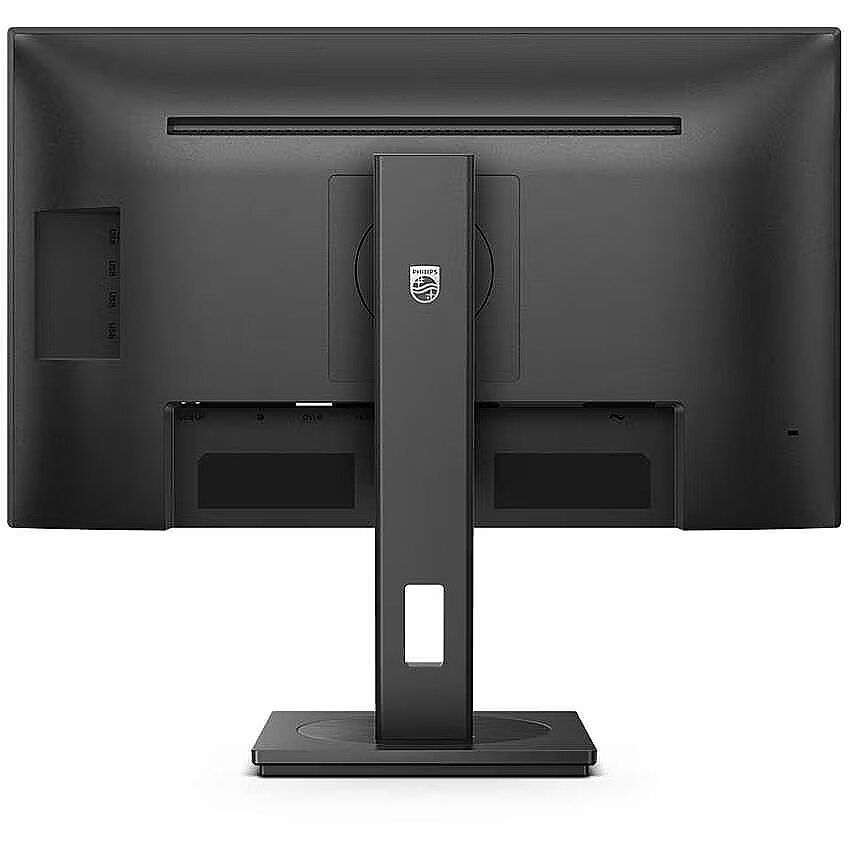
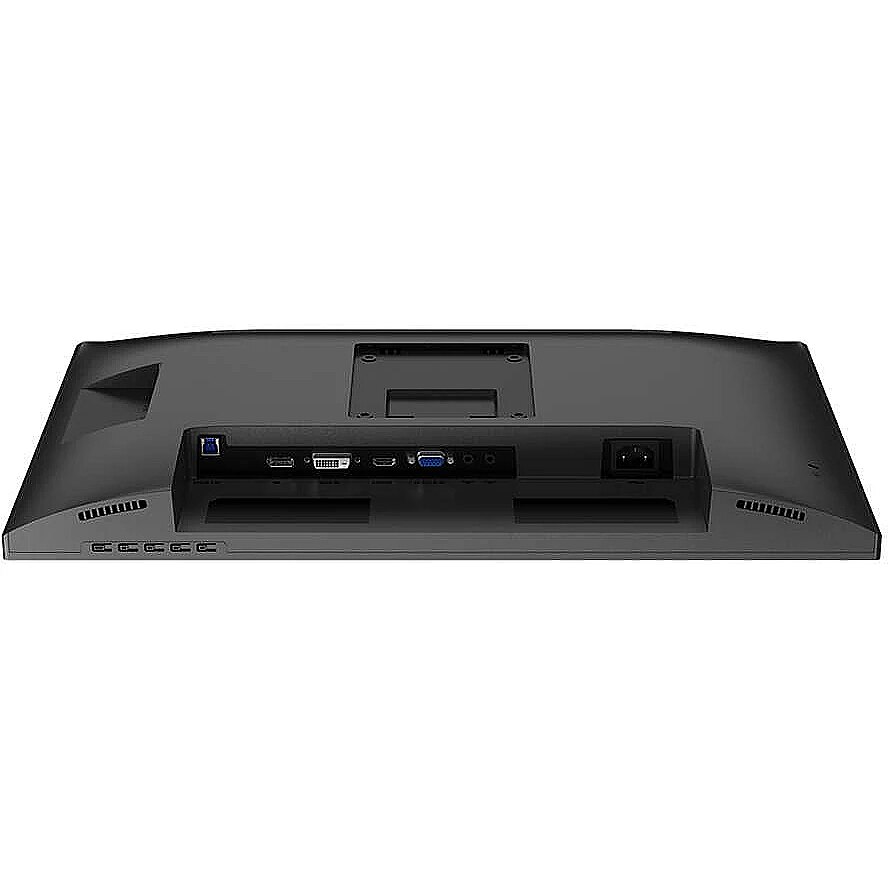
I/O connectors - 1 x 15-pin D-Sub
I/O connectors - 1 x Audio in
I/O connectors - 1 x Audio out
I/O connectors - 1 x DisplayPort
I/O connectors - 1 x DVI-D
I/O connectors - 1 x HDMI
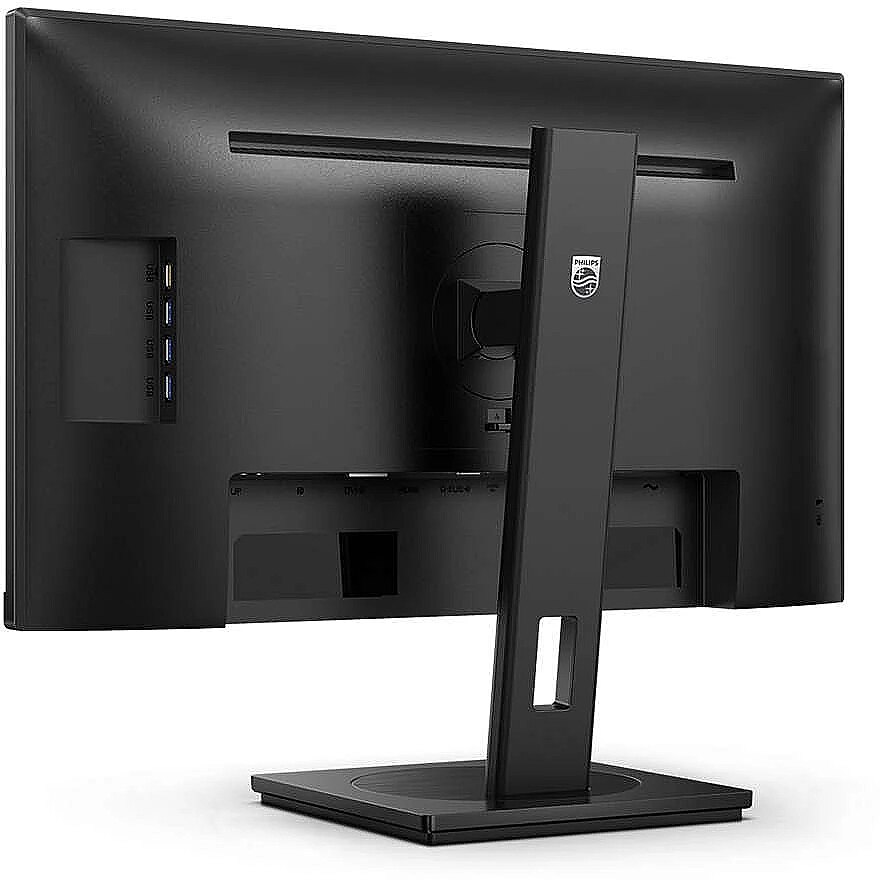
I/O connectors - 1 x USB 3.2 Type-B Gen 1
I/O connectors - 4 x USB 3.2 Type-A Gen 1
Link - https://www.philips.co.uk/c-p/242S9JML_00/business-monitor-lcd-monitor
LongDesc - Our S Line monitor delivers business efficiency. Features like Flicker-free and LowBlue mode make work easy-on-the eyes and increase your productivity.
LongProductName - Business Monitor 242S9JML LCD monitor
LongSummaryDescription - Philips S Line 242S9JML/00. Display diagonal: 60.5 cm (23.8"), Display resolution: 1920 x 1080 pixels, HD type: Full HD, Display technology: LCD, Response time: 4 ms, Native aspect ratio: 16:9, Viewing angle, horizontal: 178°, Viewing angle, vertical: 178°. Built-in speaker(s). Built-in USB hub, USB hub version: 3.2 Gen 1 (3.1 Gen 1). VESA mounting, Height adjustment. Product colour: Black
Manufacturer - Philips
Manufacturer_code - 242S9JML/00
Matrix type - VA
Model -
Model - 242S9JML
MPN - 242S9JML/00
Multimedia - Built-in camera - No
Multimedia - Built-in speaker(s) - Yes
Multimedia - Number of speakers - 2
Multimedia - RMS rated power - 2 W
Multimedia - RMS rated power - 4 W
Multimedia > Built-in speaker(s) - Yes
Multimedia > TV tuner integrated - No
name - Monitor 23,8 inches 242S9JML VA DVI HDMI DP Pivot
Name - Philips 60.5cm (23.8") 242S9JML 16:09 DVI+HDMI+DP+USB VA
Name - Philips 242S9JML, LED monitor - 23.8 - black, FullHD, VA, USB hub, Adaptive-Sync, speakers
Name - Philips 242S9JML - 75Hz | Full HD | 23.8'' | VA | 4ms
Name - Philips | LCD Monitor | 242S9JML/00 | 23.8 " | VA | FHD | 16:9 | 75 Hz | 4 ms | 1920 x 1080 | 300 cd/m² | HDMI ports quantity 1
Networking > Ethernet LAN (RJ-45) ports - No
Number of colors - 16,7 mln
Operational conditions - Non-operating altitude - 0 - 12192 m
Operational conditions - Non-operating altitude - 3658 - 12192 m
Operational conditions - Operating altitude - 0 - 3658 m
Operational conditions - Operating relative humidity (H-H) - 20 - 80%
Operational conditions - Operating temperature (T-T) - 0 - 40 °C
Operational conditions - Storage temperature (T-T) - -20 - 60 °C
Optional accessory -
Other features -
Other features - Compatible operating systems - Mac OS X; Windows 11 / 10 / 8.1 / 8 / 7
Other features - Compatible operating systems - Windows 11 / 10 / 8.1 / 8 / 7
Mac OS X
Other features - Compliance certificates - RoHS
Other features - EasyRead mode - Yes
Other features - Exterior finish type - Textured
Other features - Heavy metals free - Hg (mercury)
Other features - LowBlue mode - Yes
Other features - Mean time between failures (MTBF) - 70000 h
Other features - Monitor sync input signal - Separate Sync; Sync on Green
Other features - Packaging recyclability rate - 100%
Other features - Picture enhancement - SmartImage
Other features - Regulatory Approvals - CB; CE Mark; CU-EAC; EAEU RoHS; FCC Class B; ICES-003; SEMKO; TUV Ergo; TUV/GS
Other features - User controls - SmartImage/Back; Brightness/UP; Input/Down; Menu/OK; Power On/Off
Package features > Embeeded battery - No
Package features > Gross depth (mm) - 730.00 mm
Package features > Gross height (mm) - 139.00 mm
Package features > Gross width (mm) - 420.00 mm
Package features > Packing quantity - 1.00 pc(s)
Package features > Palette Qty - 16 pc(s)
Package features > Paper/Pasteboard - 1500.00 g
Package features > Plastic (No PET) - 800.00 g
Package features > Tare weight (kg) - 2.30 kg
Package features > Volume (m3) - 0.04 m³
Package features > WEE classification - CL109:2:2017-04-01
Package features > WEEE tax - Yes
Packaging content - Bundled software - SmartControl
Packaging content - Cables included - AC
Packaging content - Cables included - DisplayPort
Packaging content - Cables included - HDMI
Packaging content - Cables included - HDMI, DisplayPort, AC
Packaging content - Manual - Yes
Packaging content - Stand included - Yes
Packaging data - Package depth - 139 mm
Packaging data - Package height - 420 mm
Packaging data - Package weight - 7.15 kg
Packaging data - Package width - 730 mm
PDF - https://www.blobs.lt/products/9/8/9/1/9/3/091737722ce5cd4aefe1b3491e77e53f/original.pdf
Performance - Component video sync - Separate Sync
Performance - Component video sync - Separate Sync, Sync-on-green (SOG)
Performance - Component video sync - Sync-on-green (SOG)
Performance - Flicker-free technology - Yes
Performance - Low Blue Light technology - Yes
Performance - VESA Adaptive Sync support - Yes
Ports & interfaces - Audio output - Yes
Ports & interfaces - Built-in USB hub - Yes
Ports & interfaces - DisplayPorts quantity - 1
Ports & interfaces - DisplayPort version - 1.2
Ports & interfaces - DVI-D ports quantity - 1
Ports & interfaces - DVI port - Yes
Ports & interfaces - HDCP - Yes
Ports & interfaces - HDCP version - 1.4
Ports & interfaces - HDMI - Yes
Ports & interfaces - HDMI ports quantity - 1
Ports & interfaces - HDMI version - 1.4
Ports & interfaces - Number of upstream ports - 1
Ports & interfaces - Number of USB Type-B upstream ports quantity - 1
Ports & interfaces - PC Audio in - Yes
Ports & interfaces - USB hub version - 3.2 Gen 1 (3.1 Gen 1)
Ports & interfaces - USB Power Delivery (USB PD) - Yes
Ports & interfaces - USB Type-A downstream ports quantity - 4
Ports & interfaces - USB upstream port type - USB Type-B
Ports & interfaces - VGA (D-Sub) ports quantity - 1
Ports & interfaces > DisplayPorts quantity - 1
Ports & interfaces > DVI-I ports quantity - 1
Ports & interfaces > HDMI ports quantity - 1
Ports & interfaces > VGA (D-Sub) ports quantity - 1
Power - AC input frequency - 50 - 60 Hz
Power - AC input frequency - 50/60 Hz
Power - AC input voltage - 100 - 240 V
Power - Energy consumption (SDR) per 1000 hours - 14 kWh
Power - Energy consumption (SDR) per 1000 hours - 21 kWh
Power - Energy efficiency class (SDR) - D
Power - European Product Registry for Energy Labelling (EPREL) code - 1291734
Power - Power consumption (off) - 0.3 W
Power - Power consumption (PowerSave) - 12 W
Power - Power consumption (standby) - 0.4 W
Power - Power consumption (typical) - 15 W
Power - Power supply type - Internal
Power > Energy efficiency class - E
Power consumption - 15 W
producer - Philips
Producer - Philips
producerCode - 242S9JML/00
ProducerCode - 242S9JML/00
ProductName - 242S9JML/00
productName - Philips S Line 242S9JML/00 LED display 61 cm (24") 1920 x 1080 pixels Full HD LCD Black
productSize - Normal
Recycling data - Packaging recyclability rate - 100%
Recycling data - Product post-consumer recycled plastic - 85%
Refresh rate - 75 Hz
Resolution - 1920 x 1080 (FHD 1080)
Response time - 4 ms
Safety warning - Warnings - Do not disassemble the monitor casing to avoid risk of electric shock.
Safety warning - Warnings - Place the monitor on a flat and stable surface to avoid tipping and damage.
Safety warning - Warnings - Unplug the monitor from the power source before cleaning.
Screen size (diag.) - 23.8''
ShortDescription - 23,8'' | VA | Full HD | 75Hz
ShortSummaryDescription - Philips S Line 242S9JML/00, 60.5 cm (23.8"), 1920 x 1080 pixels, Full HD, LCD, 4 ms, Black
sizeX - 152
sizeY - 736
sizeZ - 428
Speakers built-in - Yes
Static contrast - 3 000:1
Stck_Kart - 1
Stck_Pal - 8
Storno - Y
Sustainability - Doesn't contain - Mercury
Sustainability - Doesn't contain - Mercury, PVC/BFR
Sustainability - Doesn't contain - PVC/BFR
Sustainability - Sustainability certificates - ENERGY STAR
Sustainability - Sustainability certificates - ENERGY STAR, TCO
Sustainability - Sustainability certificates - TCO
Sustainability - Sustainability compliance - Yes
TCO Certified - Yes
Technical details > Gross weight - 7.15 kg
Technical details > Net weight - 4.85 kg
Technical details > Producer - Philips
Technical details > Producer product family - LCD Monitor
Technical details > Producer product name - 242S9JML/00
Technical details > USB-C - No
Technical details > USB-C power delivery - N/A
Title - Philips S Line 242S9JML/00 computer monitor 60.5 cm (23.8") 1920 x 1080 pixels Full HD LCD Black
title_en - Philips S Line 242S9JML/00 Monitor 24"
title_lv - Philips S Line 242S9JML/00 Monitors 24"
title_ru - Philips S Line 242S9JML/00 Монитор 24"
Touch screen - No
Transreflective technology - LED
TV tuner built-in - No
URL - https://mmdmonitors.com/
vendpn - 242S9JML/00
VESA - 100 x 100
Viewing angle, horizontal - 178 °
Viewing angle, vertical - 178 °
Visible area, horizontal - 527.04 mm
Visible area, vertical - 296.46 mm
Warranty -
Warranty - 36
Warranty - 36 month(s)
WarrantyInfo -
warrantyLength - 36
warrantyType - F
Web camera - None
Weight - 3.09 kg
weight - 4.85 kg
Weight - 8
Weight - 8,85
weight - 7200
Weight & dimensions - Depth (without stand) - 55 mm
Weight & dimensions - Depth (with stand) - 205 mm
Weight & dimensions - Height (without stand) - 324 mm
Weight & dimensions - Height (with stand) - 484 mm
Weight & dimensions - Weight (without stand) - 3.09 kg
Weight & dimensions - Weight (with stand) - 4.85 kg
Weight & dimensions - Width (without stand) - 539 mm
Weight & dimensions - Width (with stand) - 539 mm
Weight with stand - 4.85 kg
Width - 539 mm
WiFi - No




 DVI is a digital standard and ensures high image quality, however, thanks to the big size of the plug and the inability of the standard to develop further due to a few technical restrictions this type of connection is gradually losing its popularity to modern HDMI and DisplayPort standards.




