ACinputfrequency - 50 - 60 Hz
ACinputvoltage - 90 - 264 V
Adjustableheightmax -
AMDFreeSync - No
Antiglarescreen - Yes
Aspectratio -
Audioinput -
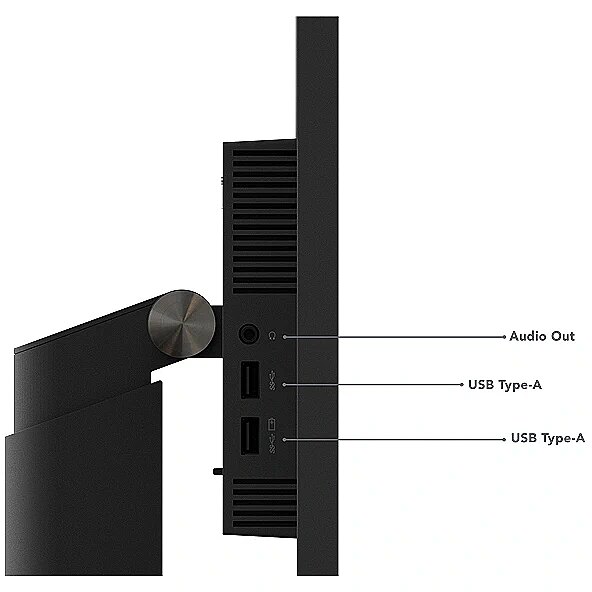
Audiooutput - Yes
Backlighttype - W-LED
Brand - Lenovo
BrandPartCode - 63A5GAT6EU
Builtincamera - No
BuiltinKVMswitch -
Builtinmicrophone -
Builtinspeakers - Yes
BuiltinUSBhub - Yes
Bundledsoftware -
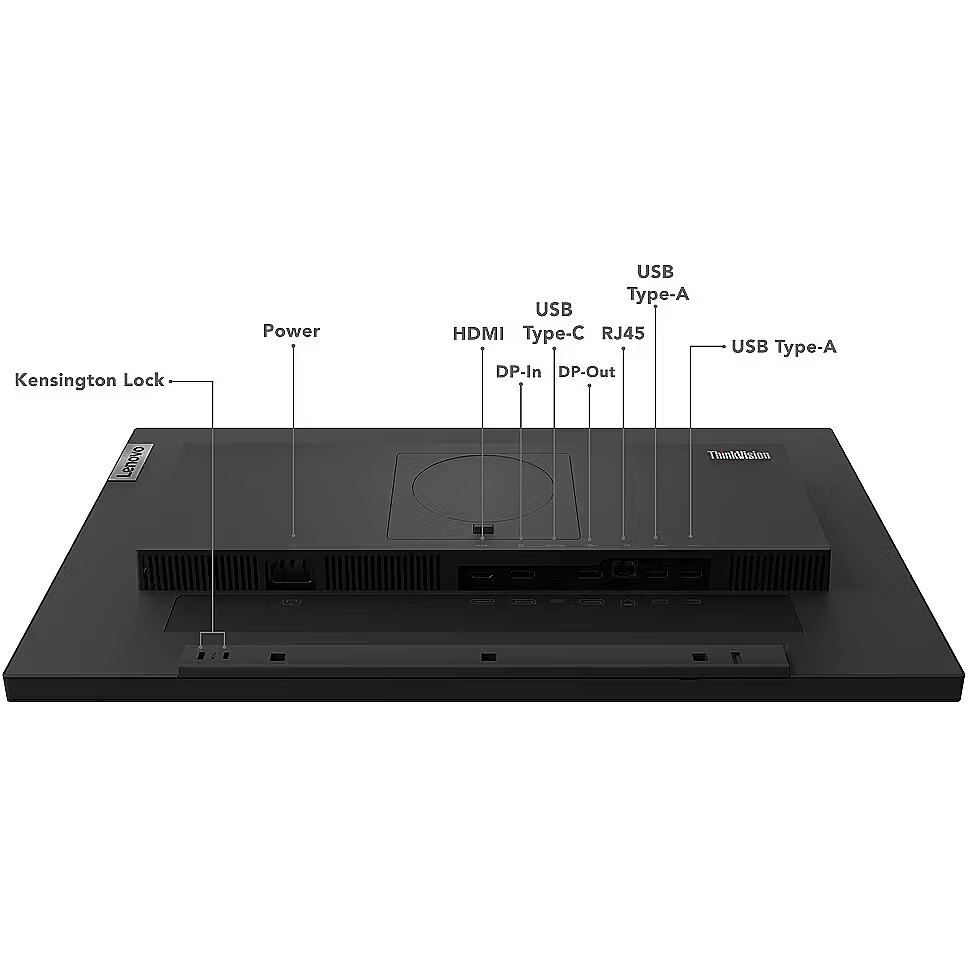
Cablelockslot - Yes
Cablesincluded - AC, USB Type-C to USB Type-C
Category - Computer Monitors
Category - Root/Electronics/PC peripherals/Monitors
Category 1 - Displays
Category 2 - Monitore
Code - 63A5GAT6EU
Colourdepth -
Colourgamut -
Colourgamutstandard -
Contrastratiodynamic - 3000000:1
Contrastratiotypical - 1000:1
Depthwithoutstand - 44.4 mm
Depthwithstand - 204.9 mm
Design -
Design - Colour name - Raven Black
Design - Market positioning - Business
Design - Product colour - Black
Design > Colour of product - Black
Detachablestand -
Display -
Display - Anti-glare screen - Yes
Display - Backlight type - W-LED
Display - Contrast ratio (dynamic) - 3000000:1
Display - Contrast ratio (typical) - 1000:1
Display - Display brightness (typical) - 250 cd/m²
Display - Display diagonal - 60.5 cm (23.8")
Display - Display diagonal (metric) - 58.42 cm
Display - Display number of colours - 16.7 million colours
Display - Display resolution - 1920 x 1080 pixels
Display - Display technology - LCD
Display - HD type - Full HD
Display - Maximum refresh rate - 60 Hz
Display - Native aspect ratio - 16:9
Display - Panel type - IPS
Display - Pixel density - 93 ppi
Display - Pixel pitch - 0.275 x 0.275 mm
Display - Response time - 4 ms
Display - Screen shape - Flat
Display - Touchscreen - No
Display - Viewing angle, horizontal - 178°
Display - Viewing angle, vertical - 178°
Display > Aspect ratio - 16:9
Display > Color gamut - 72% NTSC %
Display > Contrast ratio (typical) - 1000:1
Display > Display - 1920 x 1080
Display > Display brightness - 250 cd/m²
Display > Display diagonal - 23.8 "
Display > Display surface - Anti-Glare
Display > HD type - FHD
Display > Maximum refresh rate - 60 Hz
Display > Panel type - IPS
Display > Response time - 4 ms
Display > Touchscreen - No
Display > Viewing angle, horizontal - 178 °
Display > Viewing angle, vertical - 178 °
Displaybezeltechnology -
Displaybrightnesstypical - 250 cd/m²
Displaydiagonal - 60.5 cm (23.8")
Displaydiagonalmetric - 58.42 cm
Displaynumberofcolours - 16.7 million colours
DisplayPortoutquantity -
DisplayPortoutversion -
DisplayPortsquantity - 2
DisplayPortversion - 1.2
Displayresolution - 1920 x 1080 pixels
Displaysurface -
Displaytechnology - LCD
EAN - 196379327111
EAN - 0196379327111
Eans - 0196379327111
EnergyconsumptionSDRper1000hou - 14 kWh
EnergyefficiencyclassHDR -
EnergyefficiencyclassSDR - D
Energyefficiencyscale - A to G
Ergonomics -
Ergonomics - Cable lock slot - Yes
Ergonomics - Cable lock slot type - Kensington
Ergonomics - Height adjustment - Yes
Ergonomics - On Screen Display (OSD) - Yes
Ergonomics - Panel mounting interface - 100 x 100 mm
Ergonomics - Pivot - Yes
Ergonomics - Pivot angle - -90 - 90°
Ergonomics - Plug and Play - Yes
Ergonomics - Swivel angle range - -45 - 45°
Ergonomics - Swivelling - Yes
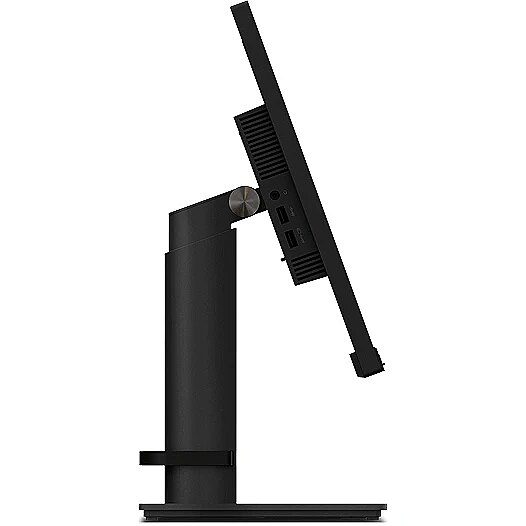
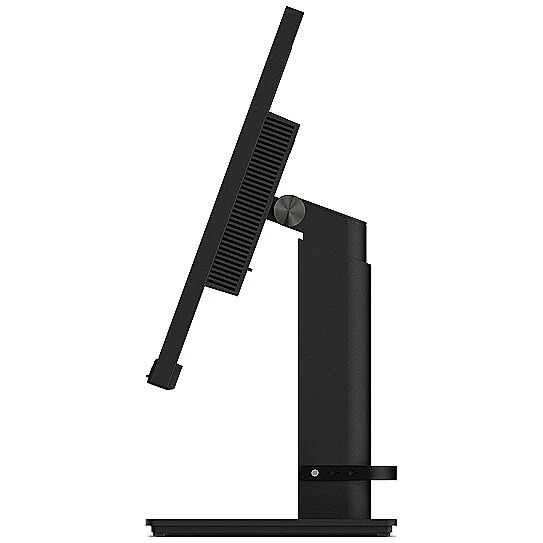
Ergonomics - Tilt adjustment - Yes
Ergonomics - Tilt angle range - -5 - 35°
Ergonomics - VESA mounting - Yes
Ergonomics > Height adjustment - Yes
Ergonomics > Pivot - Yes
Ergonomics > Swivelling - Yes
Ergonomics > Tilt adjustment - Yes
Ergonomics > Tilt angle - -5/35 °
Ergonomics > VESA mounting - Yes
Ergonomics > VESA mounting interfaces - 100 x 100 mm
EthernetLAN -
Fastcharging -
Feetcolour -
Flickerfreetechnology -
GTIN - 0196379327111
GTIN - 196379327111
Hazerate -
HDCP -
HDMI - Yes
HDMIportsquantity - 1
HDMIversion - 1.4
HDtype - Full HD
Headphoneconnectivity -
Headphoneout - No
Headphoneoutputs -
Heightadjustment - Yes
Heightwithoutstand - 325.9 mm
Heightwithstand - 567.1 mm
HighLights -
Horizontalscanrange -
InfraredIRsensor -
LEDbacklight -
Link - https://psref.lenovo.com/Detail/ThinkVision/ThinkVision_T24m_29?M=63A5GAT6EU
LongDesc -
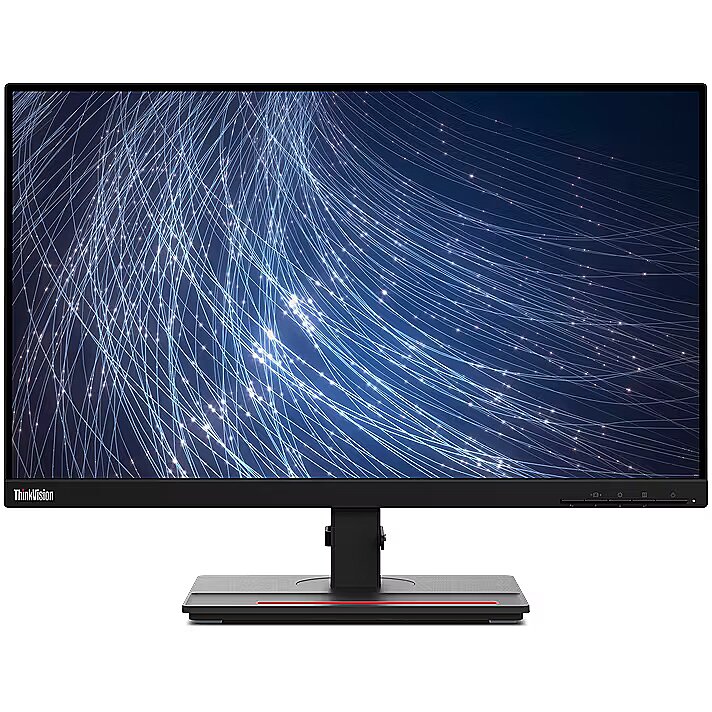
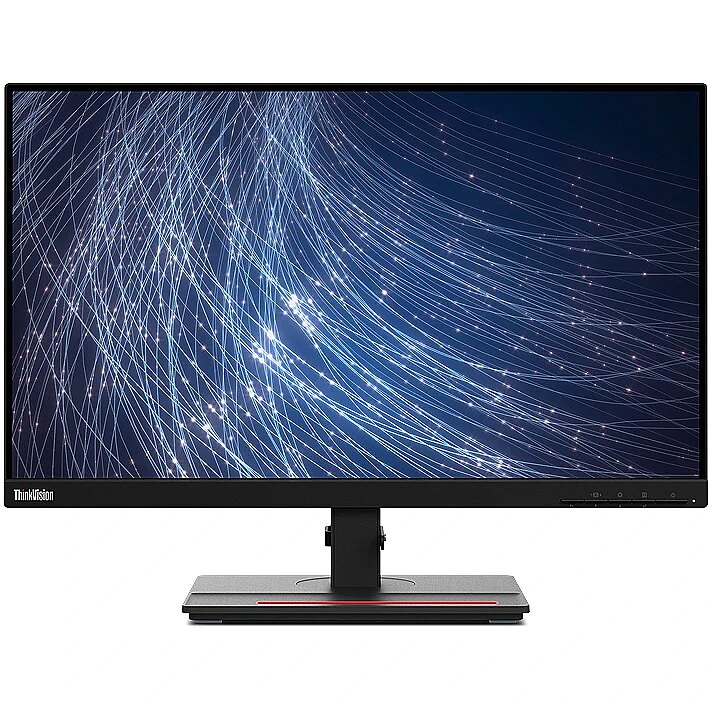
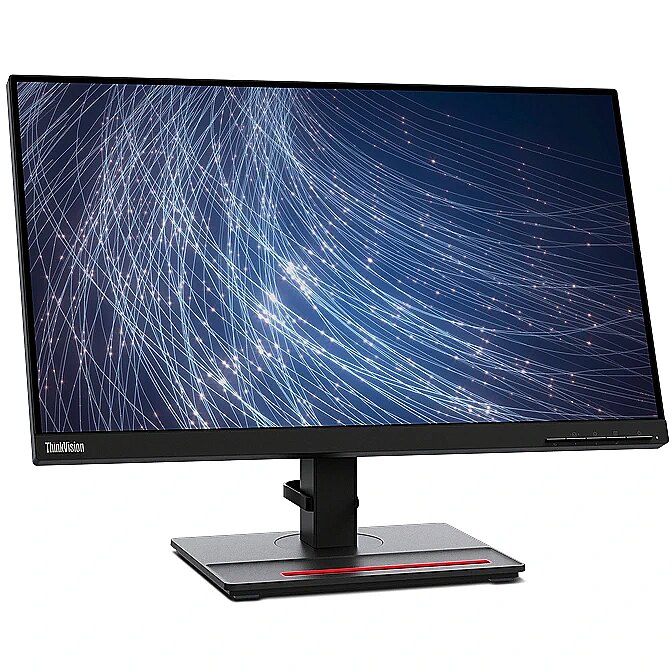
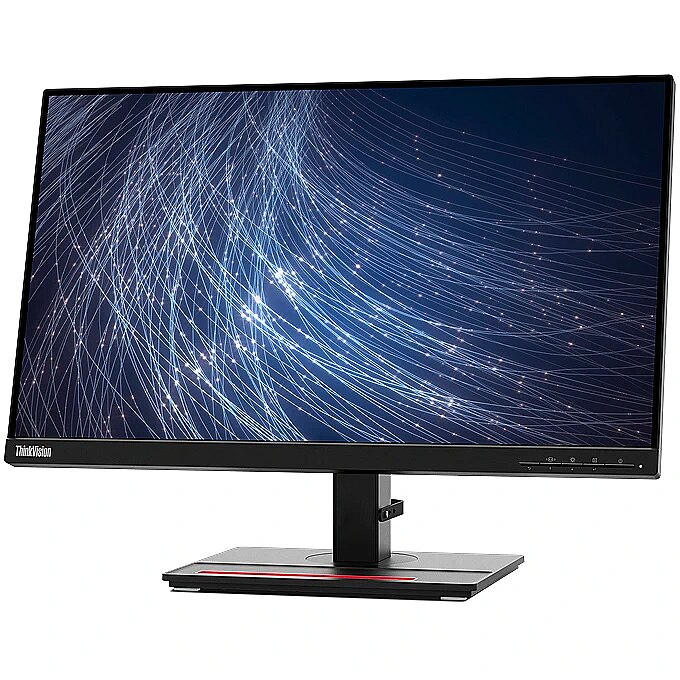
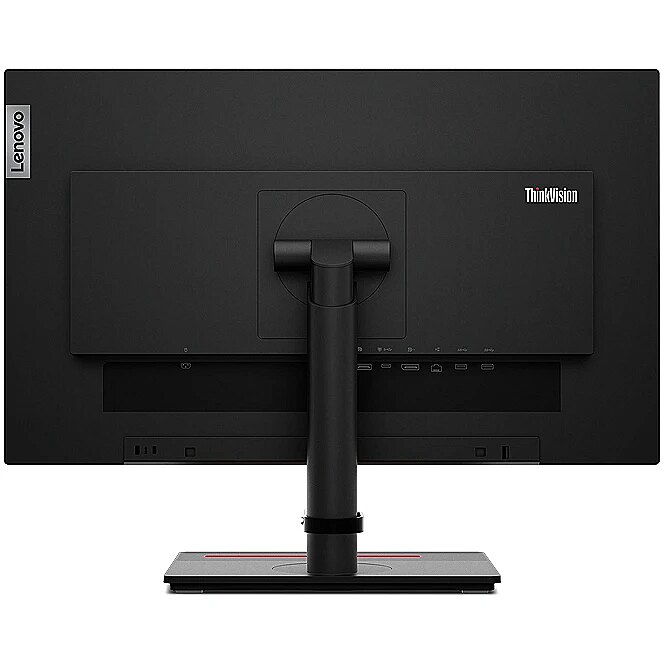
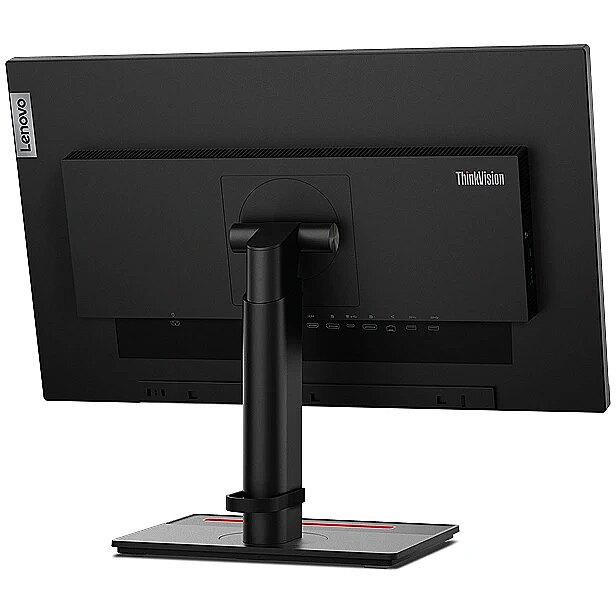
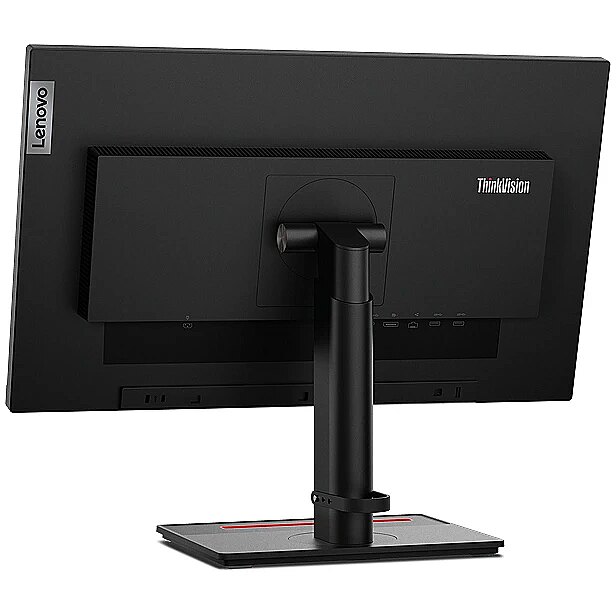
LongDesc - Dazzling display performance. Incredible functionality.ThinkVision T24m-29 MonitorPowerful display performance that supercharges your work.The ThinkVision T24m-29 is a monitor that works harder, to bring easy connectivity andeffortless management to your business. Sit back and take in the wide 23.8-inch screen,made more expansive with 3-side NearEdgless bezels and an FHD In-Plane Switching panel.Daisy-chain the monitor via a DP-Out port, for an uninterrupted viewing plane and get set tomultitask with a multi-monitor assembly. Equipped with USB Type-C¹ technology, the ThinkVisionT24m-29 Monitor offers a one-cable solution for super-fast transfer speeds. An ethernet portenables remote management for safe, dependable connectivity that supports seamless workflow.Nifty ergonomics, a space-efficient clutter-free design and integrated 2 x 1W speakers addefficiency, ease, and comfort. Natural Low Blue Light technology eliminates sepia-toned imagesto protect your vision so you can dedicate more time to your tasks without straining your eyes.What’s more, you’ll be pleased to know that the ThinkVision T24m-29 Monitor is designedto be environmentally friendly throughout its lifetime as it comes with sustainablepulp-cushion packagingMade for multitaskingThinkVision T24m-29 Monitor boasts superior visual clarity andremarkable color consistency through a 1920 x 1080 FHD resolutiondisplay. Get ready for a distortion-free wide-viewing angle ofup to 178° with an In-Plane Switching panel. Daisy-chain multipledevices and let the monitor’s 3-side NearEdgeless bezels give youan expansive, seamless multitasking experience. Let the monitor’sSmart Power2 allow for effortless plug-and-play functionality, asit dynamically detects and optimizes power distribution whenmultiple devices like monitors, laptops, or other USB-poweredperipherals are connected. Convenient, comfortable, and compatibleThe ThinkVision T24m-29 Monitor features a wobble-freestand with a wider lift range and tilt angle for ergonomic easeand working comfort. A compact square base fitted with athoughtful phone holder offers enhanced convenience and freesup space on your desk. Integrated 2 x 1W speakers and clevercable management cut the clutter for a sleek look. Sit back andenjoy the convenience of an intuitive user interface provided byLenovo exclusive software ThinkColour³, which offers access toadvanced display settings through an effortless and efficientuser interface.Connectivity your business can bank onLet your business get way head, faster. Make the bestof high-speed data transfers with the ThinkVisionT24m-29 Monitor’s full-function USB Type-C¹ port that affordssingle-cable connectivity for data, video, audio, and powertransfer. The ethernet port (RJ45) lets you enjoy safer, quickerremote management capabilities with PXE, WOL, and MacAddress Pass Through (MAPT) support. Free up much-neededdesk space with USB Type-C¹ with DP-Out. The ThinkVisionT24m-29 Monitor also offers multiple connectivity options withUSB Type-C¹, HDMI, and DisplayPort that enable unfettered ease.
LongProductName - 60.5cm (23.8") Full HD 1920 x 1080 W-LED IPS, 16:9, 250cd/m², 16.7M, 4ms, 178°/178°, 1000:1
LongSummaryDescription - Lenovo ThinkVision T24m-29. Display diagonal: 60.5 cm (23.8"), Display resolution: 1920 x 1080 pixels, HD type: Full HD, Display technology: LCD, Response time: 4 ms, Native aspect ratio: 16:9, Viewing angle, horizontal: 178°, Viewing angle, vertical: 178°. Built-in speaker(s). Built-in USB hub, USB hub version: 3.2 Gen 1 (3.1 Gen 1). VESA mounting, Height adjustment. Product colour: Black
LowBlueLighttechnology -
Manufacturer - Lenovo
ManufDatasheet - https://www.tdbaltic.ee/leaflets/LENOVO/63A5GAT6EU.pdf
Marketpositioning - Business
Maximumrefreshrate - 60 Hz
Megapixelapprox -
MPN - 63A5GAT6EU
Multimedia -
Multimedia - Built-in camera - No
Multimedia - Built-in speaker(s) - Yes
Multimedia - Number of speakers - 2
Multimedia - RMS rated power - 2 W
Multimedia > Built-in speaker(s) - Yes
Multimedia > TV tuner integrated - No
Name - 60,5cm/24" (1920x1080) Lenovo ThinkVision T24m-29 16:9 FHD IPS 60Hz 4ms HDMI DP USB-C Pivot Black
Name - Lenovo ThinkVision T24m- 60Hz | Full HD | 23.8'' | IPS | 4ms
Name - Lenovo | ThinkVision | T24m-29 | 23.8 " | IPS | FHD | 16:9 | 60 Hz | 4 ms | 1920 x 1080 | 250 cd/m² | HDMI ports quantity 1x HDMI 1.4 | Black | Warranty 36 month(s)
Nativeaspectratio - 16:9
Network -
Network - Bluetooth - No
Network - Wi-Fi - No
Networking > Ethernet LAN (RJ-45) ports - Yes
Numberofspeakers - 2
NumberofUSBTypeBupstreamportsq -
NVIDIAGSYNC - No
OnScreenDisplayOSD - Yes
OperatingrelativehumidityHH -
OperatingtemperatureTT -
Operationalconditions -
Other features - Certification - TÜV
Other features - Compatible operating systems - Windows 10, Windows 11
Other features - Compliance certificates - RoHS
Packagedepth - 480 mm
Package features > Embeeded battery - No
Package features > Gross depth (mm) - 604 mm
Package features > Gross height (mm) - 161 mm
Package features > Gross width (mm) - 480 mm
Package features > Packing quantity - 1.00 pc(s)
Package features > Palette Qty - 18 pc(s)
Package features > Paper/Pasteboard - 2060 g
Package features > Plastic (No PET) - 46 g
Package features > Tare weight (kg) - 2.106 kg
Package features > Volume (m3) - 0.04667712 m³
Package features > WEE classification - CL109:2:2017-04-01
Package features > WEEE tax - Yes
Packageheight - 161 mm
Packagetype -
Packageweight - 8.9 kg
Packagewidth - 604 mm
Packagingcontent -
Packaging content - Cables included - AC, USB Type-C to USB Type-C
Packaging content - Quick start guide - Yes
Packaging content - Stand included - Yes
Packagingdata -
Packaging data - Package depth - 480 mm
Packaging data - Package height - 161 mm
Packaging data - Package weight - 8.9 kg
Packaging data - Package width - 604 mm
Panelmountinginterface - 100 x 100 mm
Paneltype - IPS
PDF - https://www.blobs.lt/products/9/3/5/1/7/3/0a78cf90d71168469e673ed7122b9f41/original.pdf
Performance -
Performance - AMD FreeSync - No
Performance - NVIDIA G-SYNC - No
Pivot - Yes
Pivotangle - -90 - 90°
Pixeldensity - 93 ppi
Pixelpitch - 0.275 x 0.275 mm
Ports & interfaces - Audio output - Yes
Ports & interfaces - Built-in USB hub - Yes
Ports & interfaces - DisplayPorts quantity - 2
Ports & interfaces - DisplayPort version - 1.2
Ports & interfaces - HDMI - Yes
Ports & interfaces - HDMI ports quantity - 1
Ports & interfaces - HDMI version - 1.4
Ports & interfaces - Headphone out - No
Ports & interfaces - Number of upstream ports - 4
Ports & interfaces - Number of USB Type-C upstream ports quantity - 1
Ports & interfaces - USB hub version - 3.2 Gen 1 (3.1 Gen 1)
Ports & interfaces - USB upstream port type - USB Type-C
Ports & interfaces > DisplayPorts quantity - 1x DP 1.2; 1x DP Out
Ports & interfaces > HDMI ports quantity - 1x HDMI 1.4
Ports & interfaces > USB ports quantity - 4x USB 3.2 Gen1 (1x BC 1.2)
Portsinterfaces -
Power -
Power - AC input frequency - 50 - 60 Hz
Power - AC input voltage - 90 - 264 V
Power - Energy consumption (SDR) per 1000 hours - 14 kWh
Power - Energy efficiency class (SDR) - D
Power - Energy efficiency scale - A to G
Power - Power consumption (max) - 140 W
Power - Power consumption (off) - 0.3 W
Power - Power consumption (standby) - 0.5 W
Power - Power consumption (typical) - 22 W
Power - Power supply type - Internal
Power > Energy efficiency class - D
Powerconsumptionmax - 140 W
Powerconsumptionoff - 0.3 W
Powerconsumptionstandby - 0.5 W
Powerconsumptiontypical - 22 W
Powersupplytype - Internal
ProdDesc - LENOVO ThinkVision T24m-29 23.8inch TS 63A5GAT6EU
Producer - Lenovo
ProducerCode - 63A5GAT6EU
Productcolour - Black
Productcondition - Original
ProductHighLights -
- 60.5cm (23.8") Full HD 1920 x 1080 W-LED IPS
- 4ms, 16:9, 250cd/m², 1000:1
- USB, HDMI, DisplayPort
ProductName - T24m-29
ProductPicture - https://www.tdbaltic.ee/images/products/LENOVO/63A5GAT6EU_1.jpg
ProductPicture1 - https://www.tdbaltic.ee/images/products/LENOVO/63A5GAT6EU_2.jpg
ProductPicture2 - https://www.tdbaltic.ee/images/products/LENOVO/63A5GAT6EU_3.jpg
ProductPicture3 - https://www.tdbaltic.ee/images/products/LENOVO/63A5GAT6EU_4.jpg
ProductPicture4 - https://www.tdbaltic.ee/images/products/LENOVO/63A5GAT6EU_5.jpg
ProductPicture5 - https://www.tdbaltic.ee/images/products/LENOVO/63A5GAT6EU_6.jpg
ProductPicture6 - https://www.tdbaltic.ee/images/products/LENOVO/63A5GAT6EU_7.jpg
ProductPicture7 - https://www.tdbaltic.ee/images/products/LENOVO/63A5GAT6EU_8.jpg
ProductPicture8 - https://www.tdbaltic.ee/images/products/LENOVO/63A5GAT6EU_9.jpg
Quickstartguide - Yes
Remotelyoperated -
Responsetime - 4 ms
Responsetimefast -
Responsetimemeasurementtype -
RMSratedpower - 2 W
Screenshape - Flat
ShortDescription - 23,8'' | IPS | Full HD
ShortSummaryDescription - Lenovo ThinkVision T24m-29, 60.5 cm (23.8"), 1920 x 1080 pixels, Full HD, LCD, 4 ms, Black
SRGBcoveragetypical -
StoragerelativehumidityHH -
Supportedgraphicsresolutions -
Surfacehardness -
Sustainability - Sustainability certificates - ENERGY STAR, EPEAT Gold, TCO
Swivelanglerange - -45 - 45°
Swivelling - Yes
Technical details > Backlight - FHD
Technical details > Contrast ratio - 1000:1
Technical details > Gross weight - 8.102 kg
Technical details > Net weight - 5.996 kg
Technical details > Other features - Daisy Chain
Technical details > Producer - Lenovo
Technical details > Producer product family - ThinkVision
Technical details > Producer product name - T24m-29
Technical details > USB-C - Yes
Technical details > USB-C power delivery - 90W
Tiltadjustment - Yes
Tiltanglerange - -5 - 35°
Title - Lenovo ThinkVision T24m-29 computer monitor 60.5 cm (23.8") 1920 x 1080 pixels Full HD LCD Black
Touchscreen - No
URL - https://www.lenovo.com/au/en/accessories-and-monitors/monitors/office/T24m-20D21238FT023-8inch-Monitor-HDMI/p/62CDGAR6AU?orgRef=https%253A%252F%252Fwww.google.com%252F
USBhubversion - 3.2 Gen 1 (3.1 Gen 1)
USBPowerDeliveryUSBPD -
USBTypeAdownstreamportsquantit -
USBTypeCDisplayPortAlternateMo -
Verticalscanrange -
VESAmounting - Yes
Viewablesizediagonal -
Viewablesizehorizontal -
Viewablesizevertical -
Viewinganglehorizontal - 178°
Viewinganglevertical - 178°
Warranty - 12 months
Warranty - 36
Warranty - 36 month(s)
Warrantyandmisc -
WarrantyInfo -
Weight - 8.44
Weight & dimensions - Depth (without stand) - 44.4 mm
Weight & dimensions - Depth (with stand) - 204.9 mm
Weight & dimensions - Height (without stand) - 325.9 mm
Weight & dimensions - Height (with stand) - 567.1 mm
Weight & dimensions - Weight (without stand) - 3.6 kg
Weight & dimensions - Weight (with stand) - 6.1 kg
Weight & dimensions - Width (without stand) - 539.8 mm
Weight & dimensions - Width (with stand) - 539.8 mm
Weightdimensions -
Weightwithoutstand - 3.6 kg
Weightwithstand - 6.1 kg
Widthwithoutstand - 539.8 mm
Widthwithstand - 539.8 mm






 DVI is a digital standard and ensures high image quality, however, thanks to the big size of the plug and the inability of the standard to develop further due to a few technical restrictions this type of connection is gradually losing its popularity to modern HDMI and DisplayPort standards.




