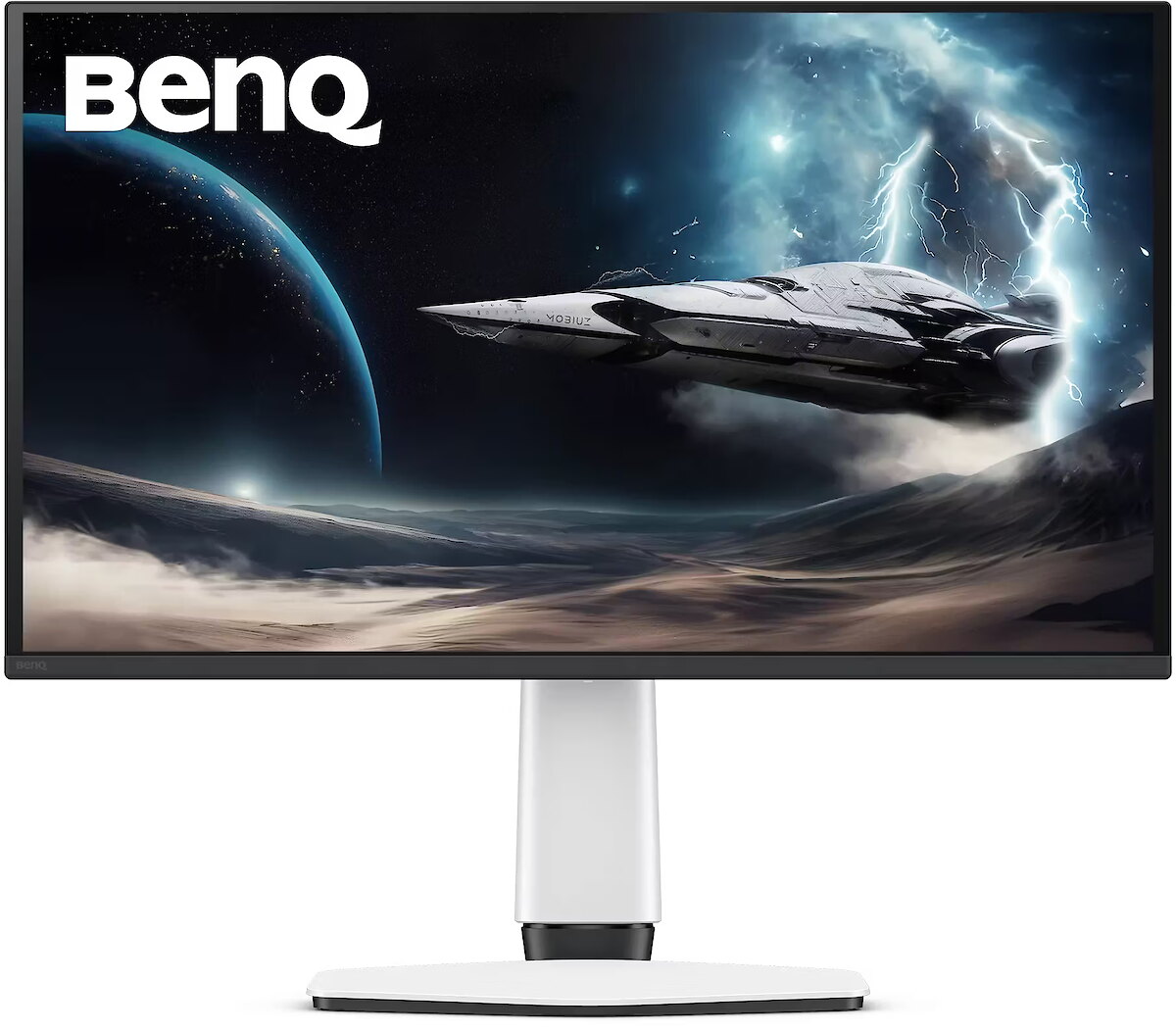
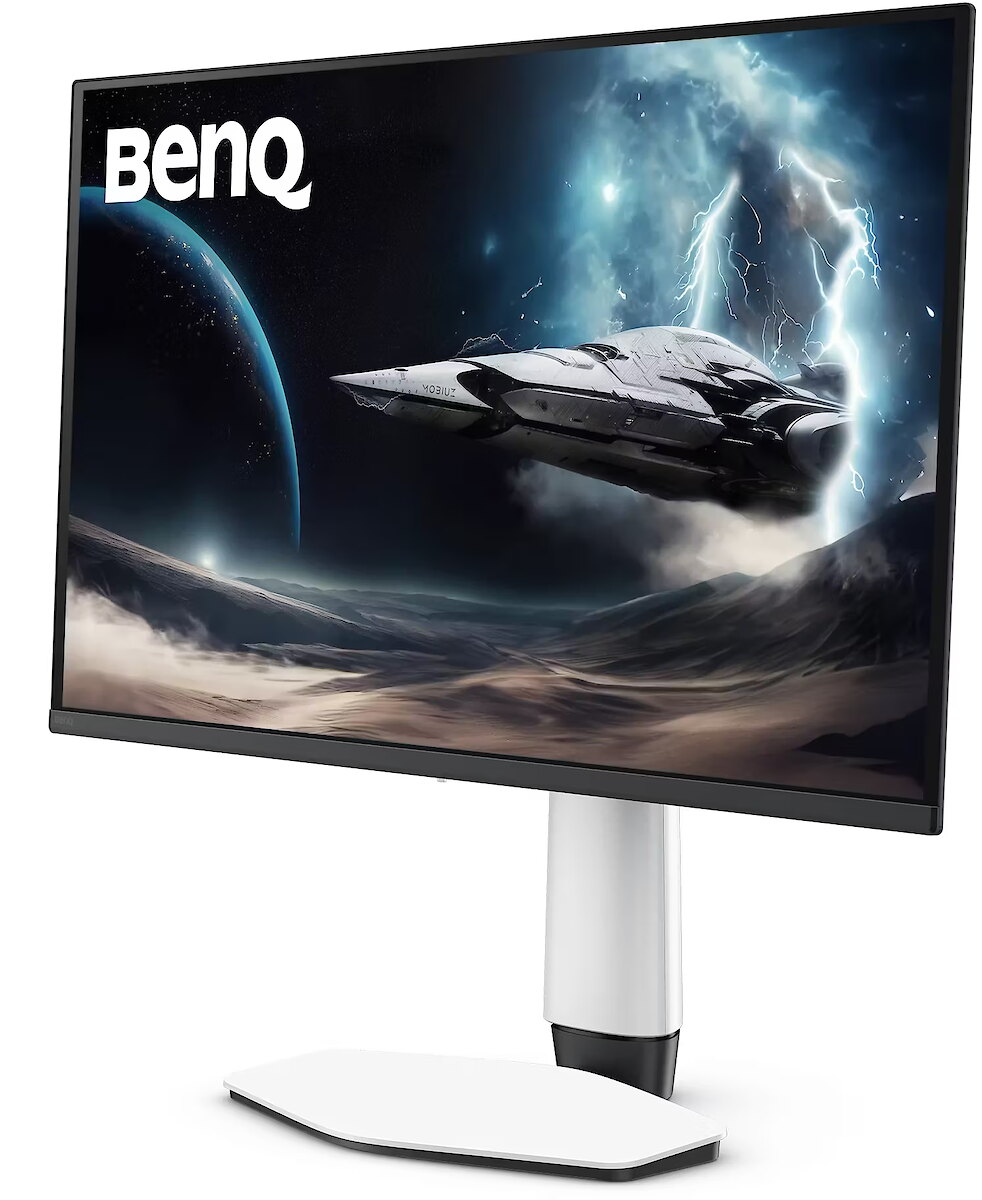
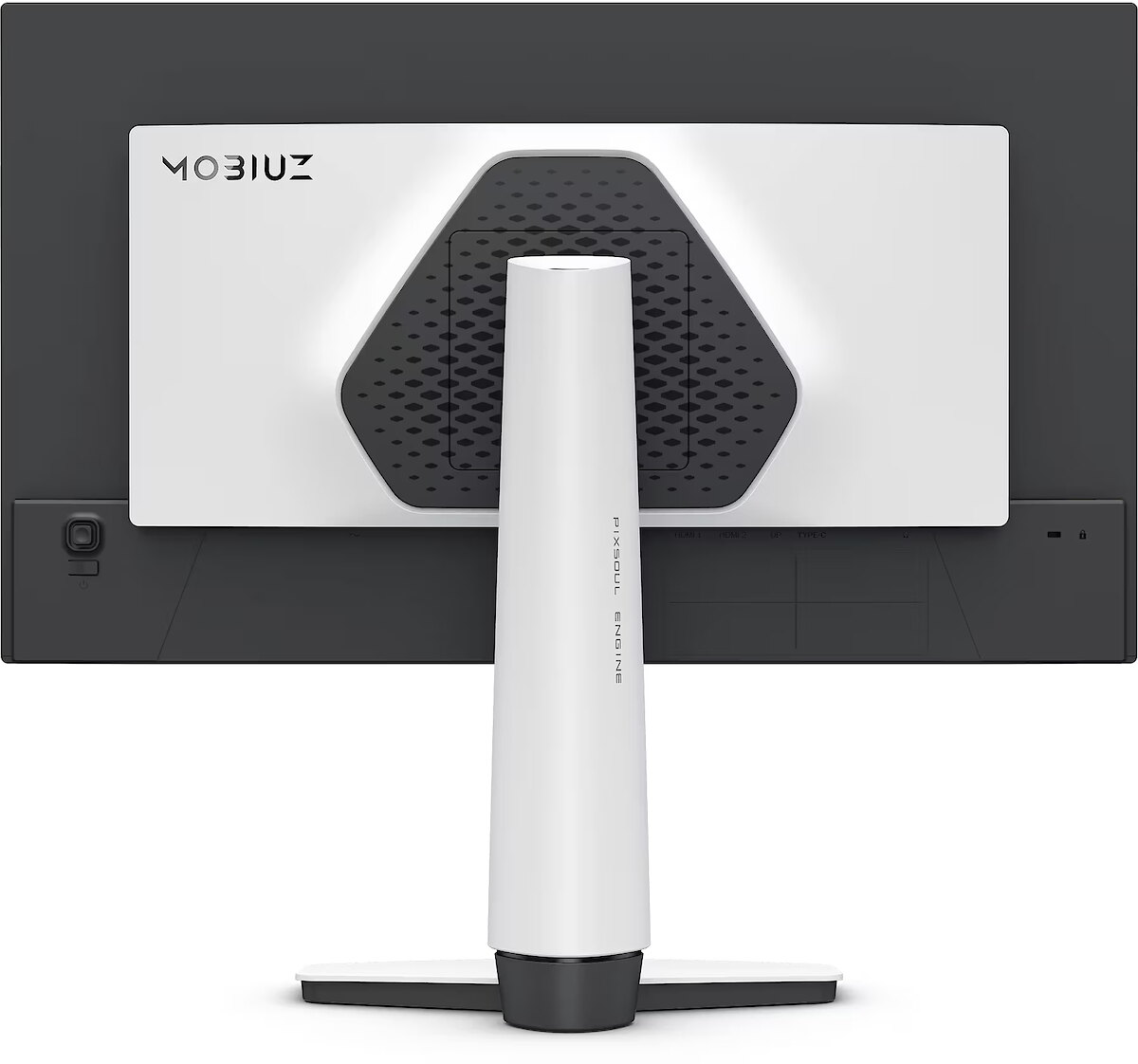
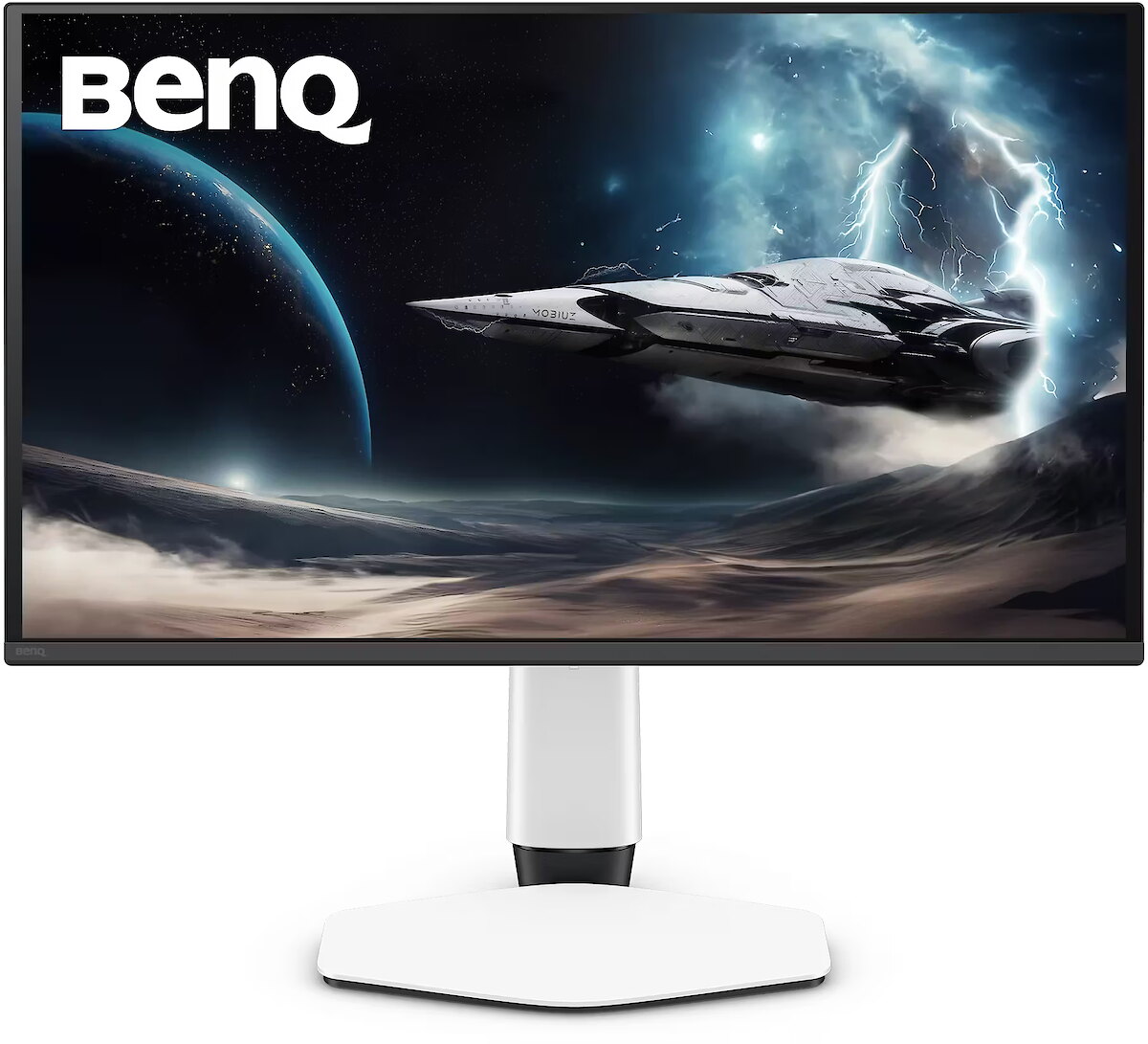
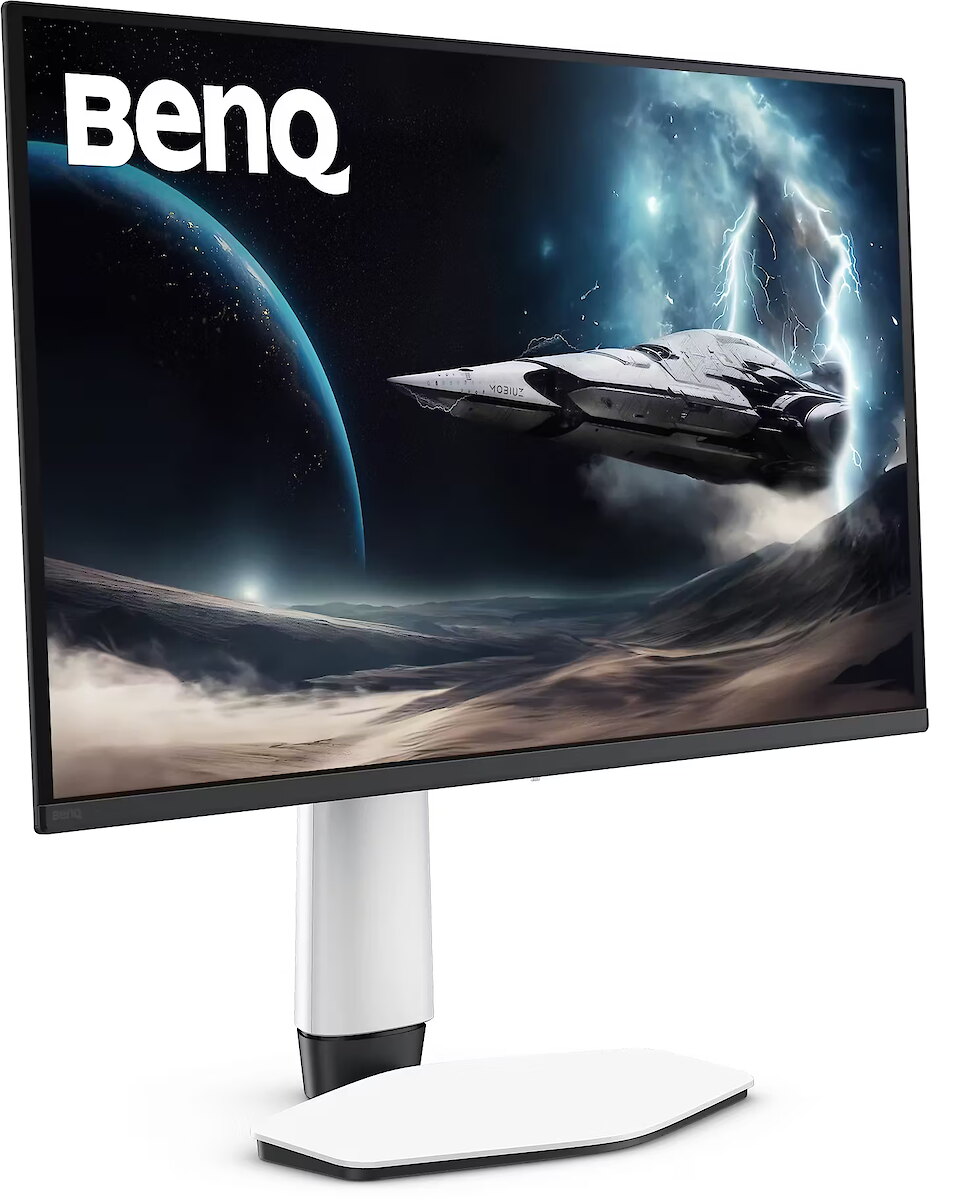
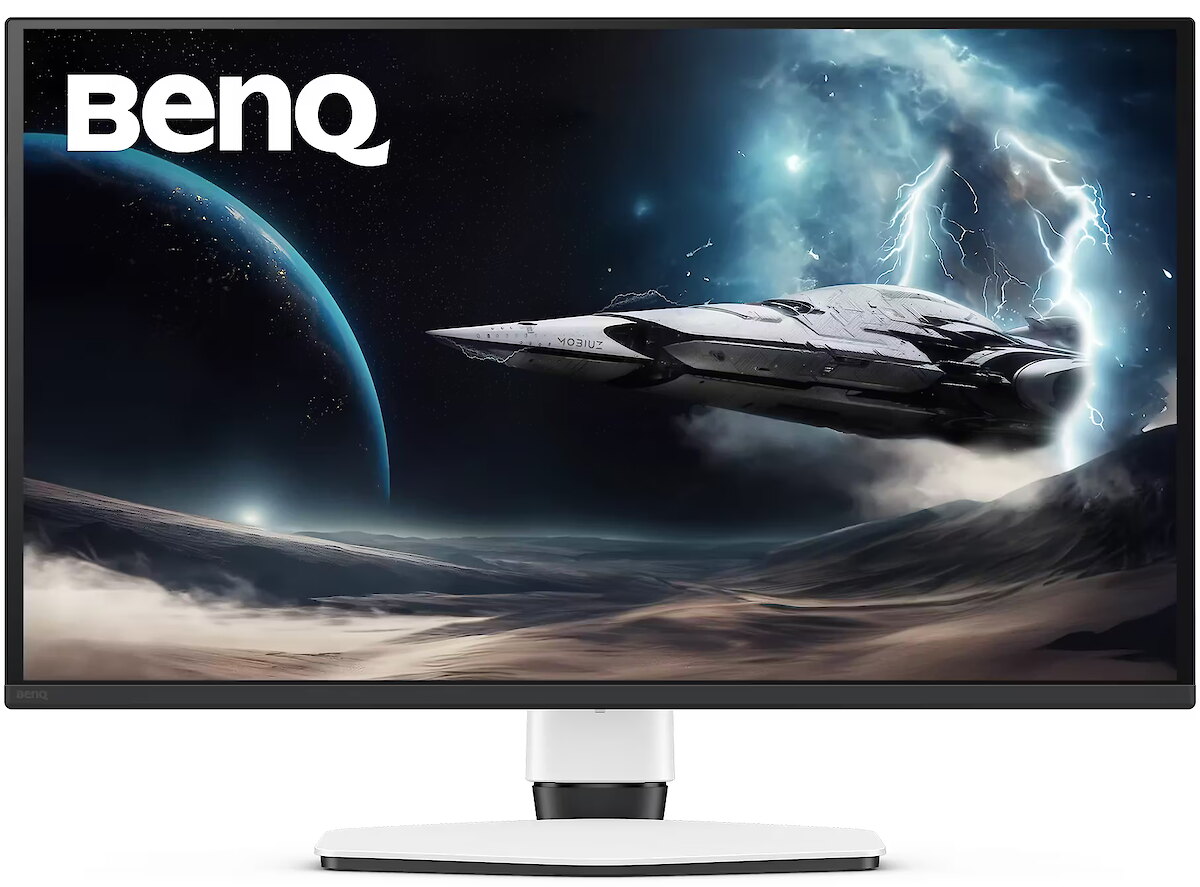
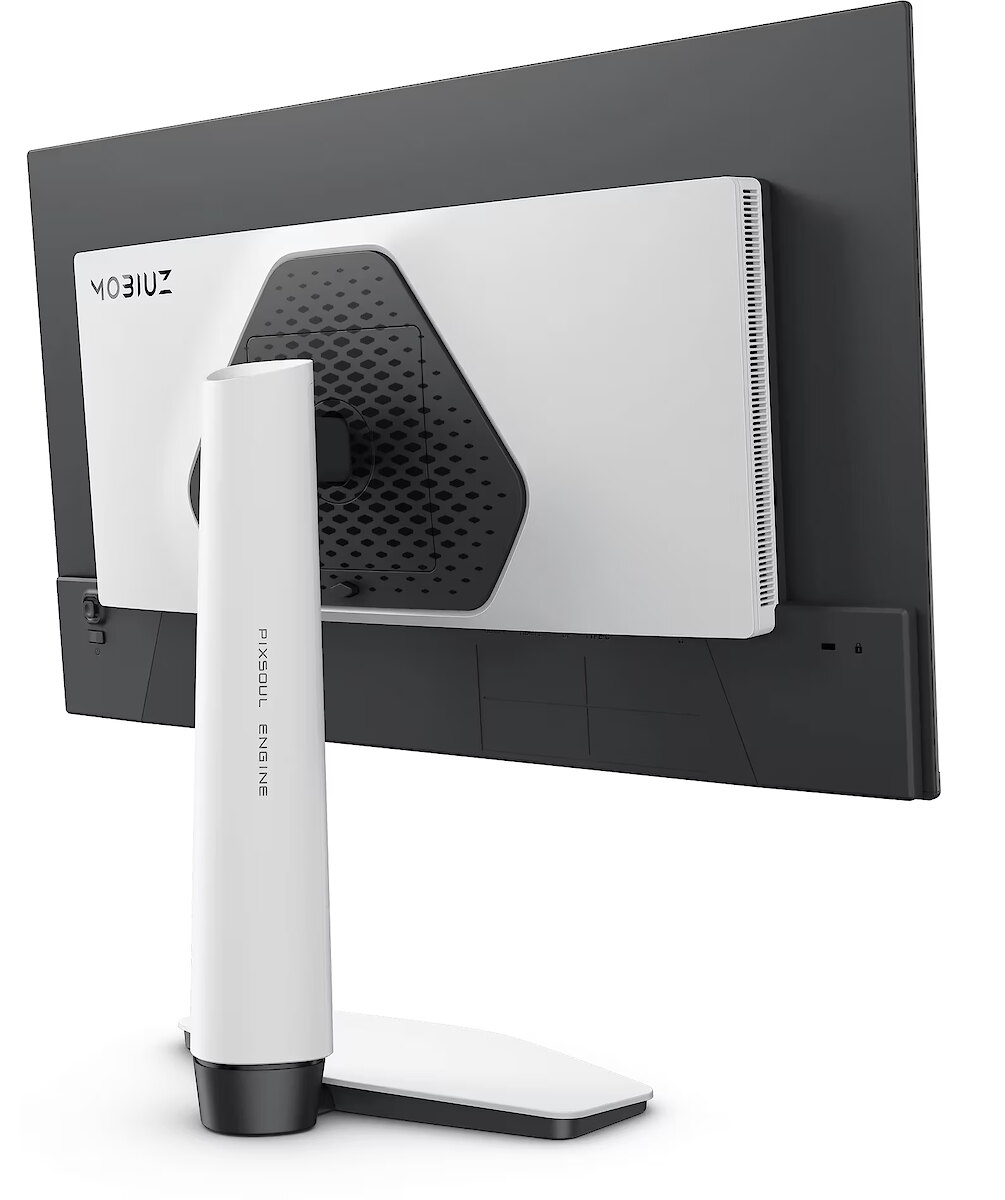
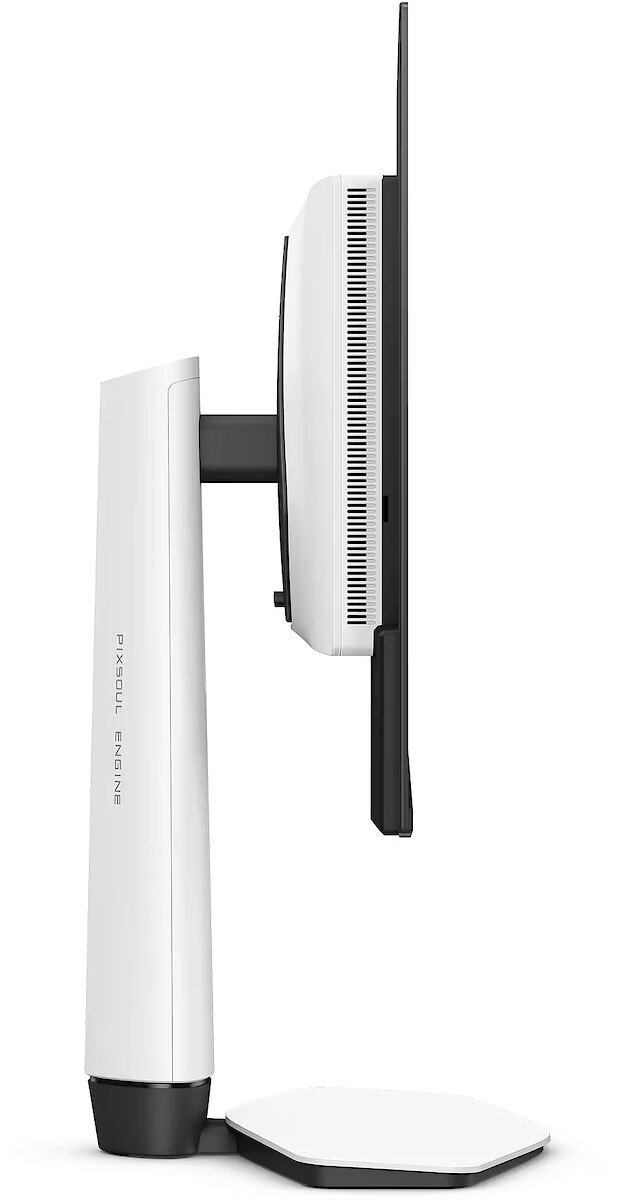
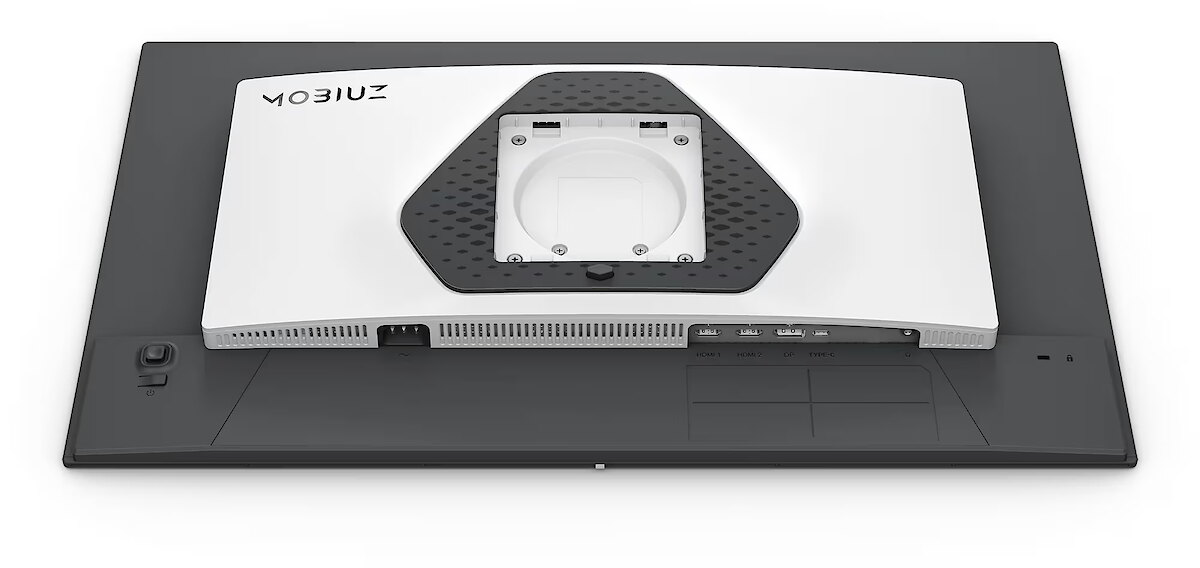
Benq EX271QMZ

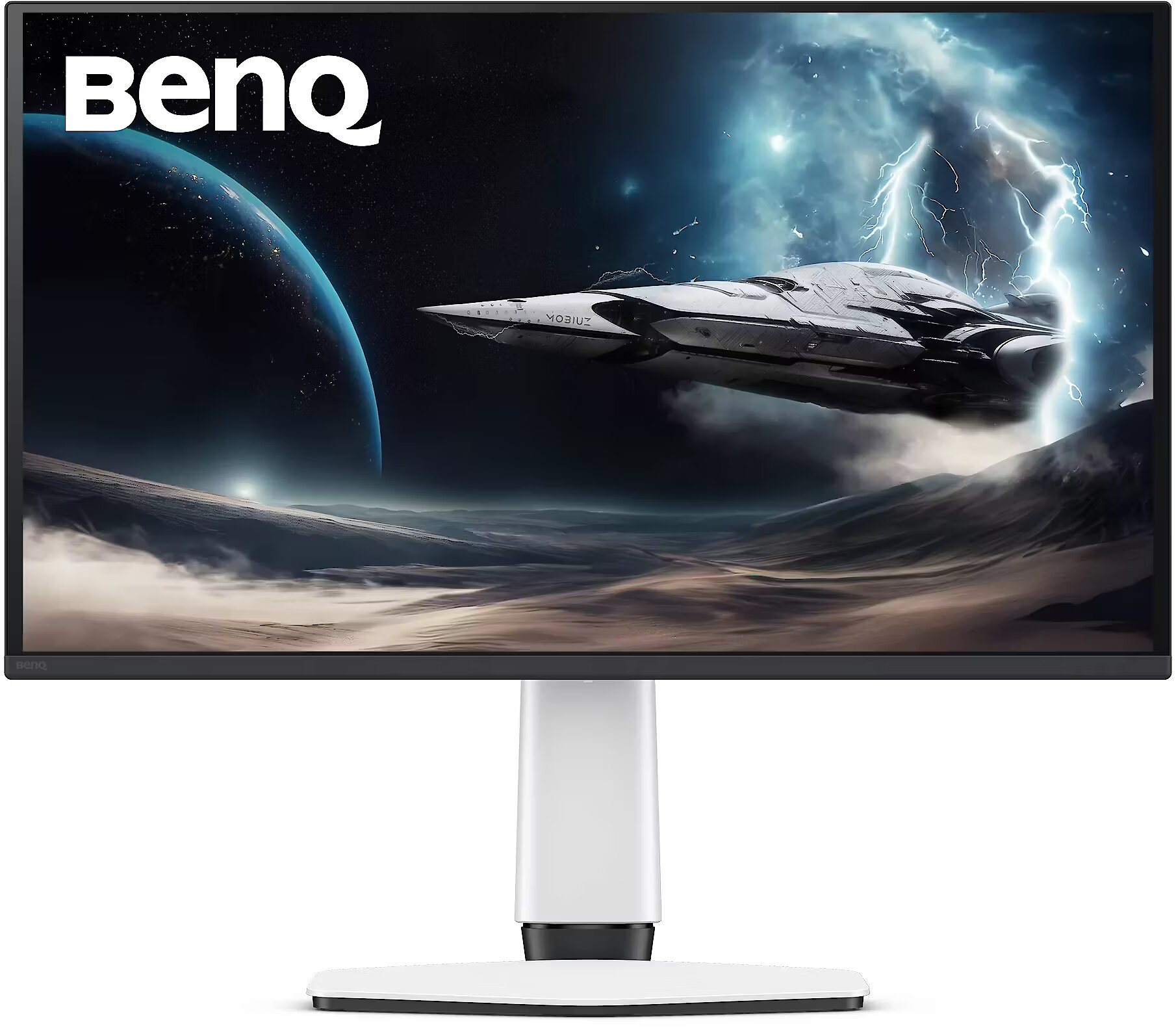
Picture may differ from actual product, there can be accessories and parts not supplied with the actual product. This image was created with the help of AI and is for illustrative purposes. The appearance, colours, dimensions, lighting and arrangement of the components may differ from the actual product. The image may include parts and accessories that are not included with the product.
News
ID: 1513722 Product code: 9H.LPPLA.TBE
Can be ordered 3 units Availability: 14 days after order approval
Warranty: 2 years
433.60 €
358.34 € w/o VAT
Ready for dispatch
23.11.2026
starting from 0 € with VAT
Delivery options
  • Pickup at the Dateks office
    0.00 €
  • Delivery throughout Latvia
    Within 1-2 working days
    4.99 €
Main product parameters All parameters
  • Curved: None
  • Panel Type: OLED
  • Refresh rate: 240 Hz
  • Response time: 0.03ms
  • Contrast ratio: 1500000:1
  • Brightness: 200cd/m2
  • Size: 26.5"
  • Resolution: WQHD 2560x1440
Description

This Benq EX271QMZ gaming monitor with WQHD 2560x1440 resolution offers an expanded workspace and crystal-clear picture. It's a great choice for gamers who appreciate realistic graphics, rich details and smooth gameplay on a large screen.

Thanks to independent pixel illumination, the OLED display shows smoother colors and reduces motion blur. This provides a realistic image for watching movies, editing photos, and dynamic applications.

AMD FreeSync dynamically synchronizes the panel's refresh rate with the variable frame rate, reducing motion artifacts. Thanks to a flexible synchronization range, the technology improves motion accuracy and reduces flickering in scenes with rapid transitions.

The frequency of 240 Hz allows the panel to refresh frames as quickly as possible, reducing tearing and artifacts. This makes dynamic scenes more predictable and comfortable for reactive control, which is especially important for professional gamers and e-sports athletes, where every fraction of a second is critical.

Flicker-Free ensures a stable light flow without sudden intensity fluctuations, which may not be visible, but cause discomfort during prolonged usage. The technology improves visual perception, helps to reduce eye strain, and increases comfort when working with texts and static images.

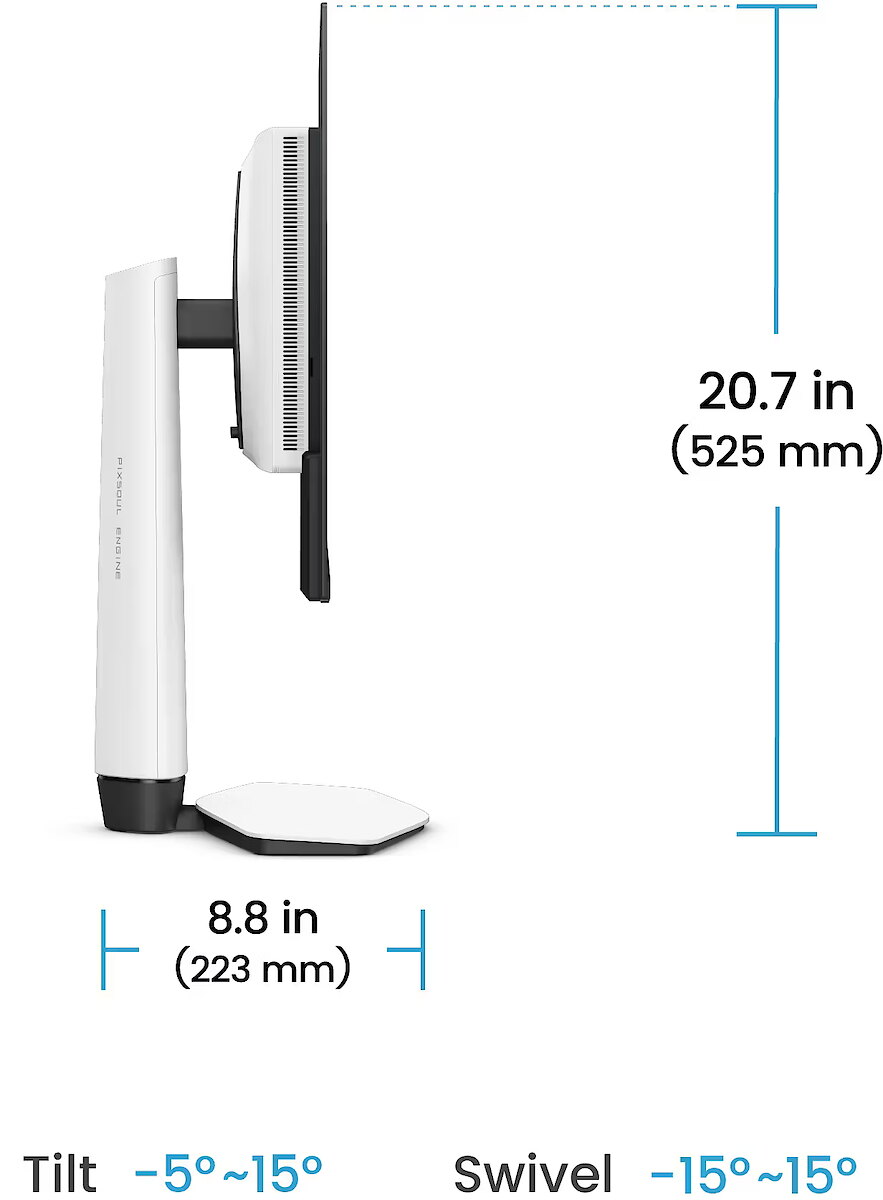
The Swivel feature ensures smooth horizontal rotation of the monitor, allowing quick adjustment of screen orientation to the user's position changes. This is particularly useful in work at a shared desk, project discussions or use of multiple devices where flexible viewing direction adjustment is required.

Tilt technology allows for adjusting the screen's slope angle back and forth, ensuring the correct image placement in relation to the user's line of sight. This kind of adjustment helps reduce neck and eye strain, improves image perception, and makes long-term work at the monitor more comfortable.

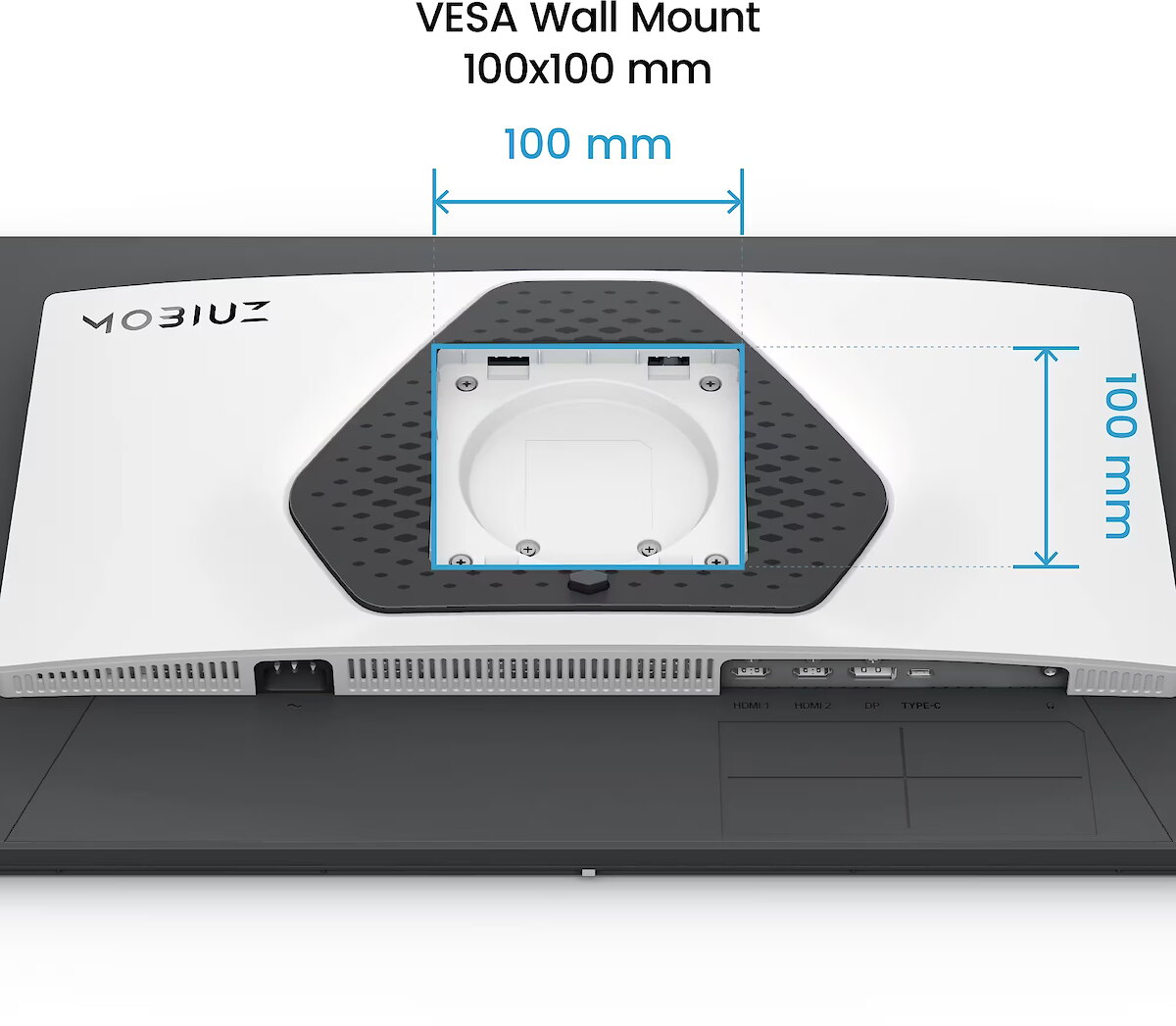
VESA wall mount allows you to install a monitor on the wall, adhering to a uniform industrial standard. It facilitates the choice of mount, increases the flexibility of workspace organization, and allows you to adjust the height and angle of placement, regardless of the desk or tripod.

The built-in speakers provide direct sound playback, eliminating the need for external audio devices. This simplifies the setup of the work system and saves space. The speakers are suitable for everyday needs, including online meetings, training, and video viewing, providing adequate sound level.

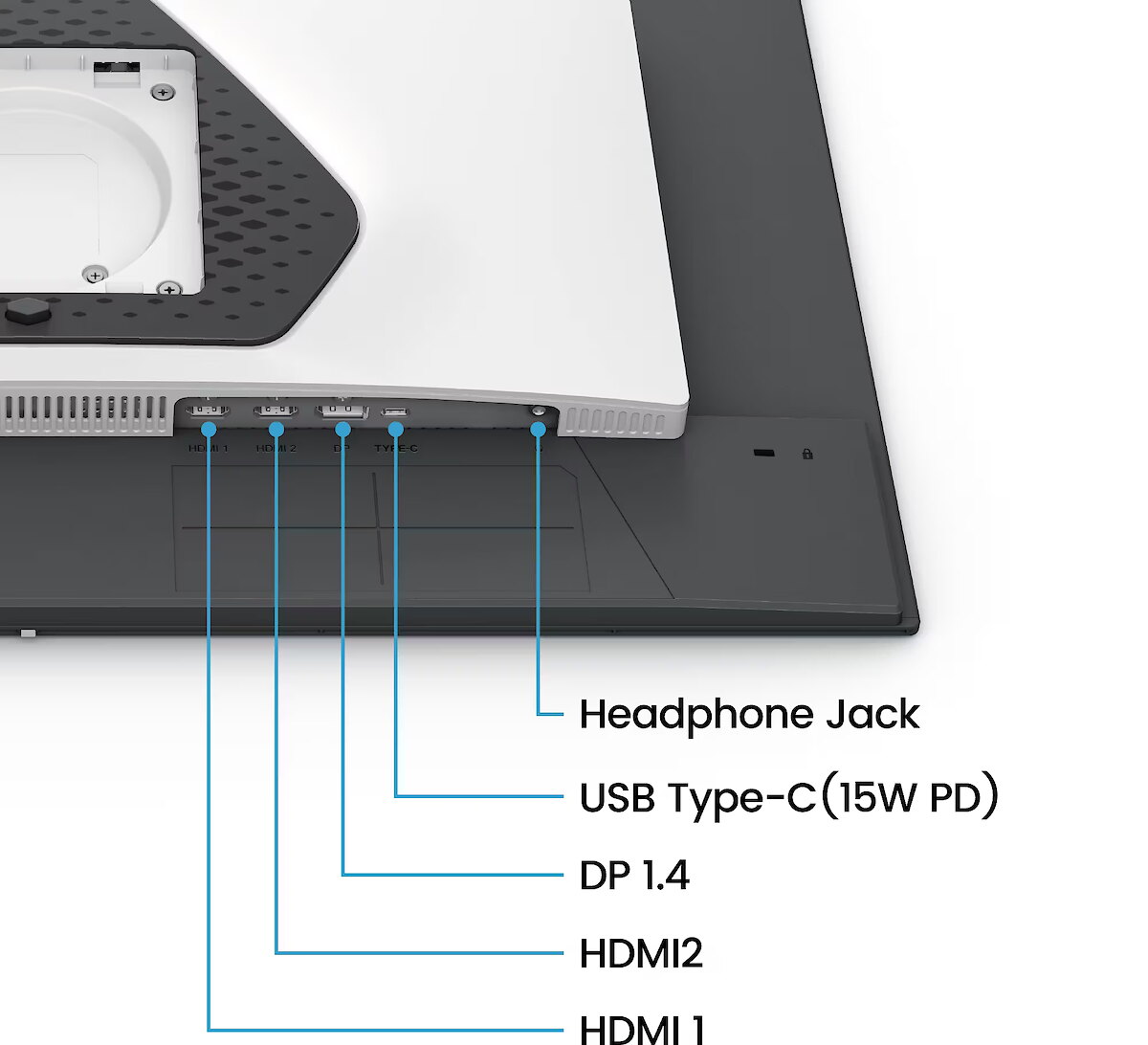
HDMI uses a single cable connection for video and audio transmission, ensuring a stable signal and minimal losses. Such an interface simplifies connection and reduces the possibility of synchronization errors. HDMI is compatible with a majority of modern devices and ensures reliable operation in various configurations.

DisplayPort is a modern interface that allows stable image transmission with high resolution and refresh intensity. The interface is compatible with professional and gaming monitors, supports multiple monitor configurations and HDR, ensuring accurate detail transmission and minimal graphics distortion.

Several USB-C ports ensure flexible modern device connection. The ports support image, data, and power transmission over a single cable, simplifying workplace organization. Simultaneous connection of multiple devices increases convenience and speeds up switching between them.

USB Power Delivery is capable of powering connected devices through a single cable, eliminating the need for additional chargers. This feature simplifies connection and maintains a more organized workspace. The technology ensures stable power supply and data transmission.

The USB-C video input allows for the transmission of image and sound through a single cable, reducing connection complexity and simplifying workspace organization. The interface provides high data transmission speed and stable operation, maintaining compatibility with most modern digital devices.

Warranty

Benq provides this model with a 2 year warranty at all certified service centres.
Display characteristics
AMD FreeSync : Is
Curved : None
NVIDIA G-SYNC : None
Panel Type OLED

Teh monitor panel is the main feature of the visible part of the screen or the technology where the display of the colour dots (pixels) is implemented.

TN is the standard technology with average contract, brightness and colour compliance indices.

IPS is the matrix with high colour compliance and good response speed, therefore it is well suited for graphics tasks and photo editing. IPS matrix provide an excellent viewing angle maintaining the colours and contrast from almost any angle.

VA matrix ensures superior colour compliance, however, the response time of this matrix is lagging behind that of the IPS and TN; the viewing angle is somewhere between both these technologies.

The TN type monitor is fully sufficient for an average user. If you have more money available the VA or IPS can be chosen.

Refresh rate : 240 Hz
Touchscreen : NO
VESA DisplayHDR : There isn't
Response time 0.03ms
The response time of the monitor screen determines how fast the monitor will display moving images (films, games, animations, etc.). The response time is measured in miliseconds. The less the response time the better the ability of the monitor to display moving images.
www.dateks.lv recommends to buy monitors with 5ms response time or lower.
Contrast ratio 1500000:1

Ekrāna kontrasts nosaka attēla asumu. Tā ir atšķirība starp vistumšāko (pilnīgi melnu) un visgaišāko (pilnīgi baltu) pikseli. Jo lielāks kontrasts, jo skaidrāk salasāms teksts uz ekrāna, kontrasts arī nosaka, cik izteiksmīgas līnijas būs redzamas monitora attēlā.

Augsts kontrasts ir nozīmīgs faktors izvēloties monitoru biroja, vai mācību vajadzībām, kad lielākoties tiek strādāts ar tekstuālu informāciju.

Mājas vajadzībām svarīgāks izvēles rādītājs ir gaišums un attēla reakcijas laiks. Kontrastu labāk novērtēt tumšā istabā.
Lielākais LCD monitoru trūkums ir tas, ka samazinot attēla spilgtumu, kontrasts var pazust.

Brightness 200cd/m2

Monitora gaišums ir attēla redzamības rādītājs, kas nosaka, cik labi saskatāms ir attēls pie spēcīga ārējā apgaismojuma (saules gaisma, gaiša telpa, utt.). LCD monitoru gaišums tiek mērīts kandelās uz kvadrātmetru (Cd/m2).
Izvēloties monitoru jāņem vērā - jo lielāks gaišuma rādītājs, jo labāka attēla redzamība.

Ikdienas vajadzībām Dateks.lv iesaka iegādāties monitoru ar gaišumu, ne mazāku par 250 cd/m2.

Basic information
Application : Gaming
Aspect ratio : 16:9
Color : White
Size 26.5"

The size of the monitor screen is measured in inches across the diagonal. The screen size must be proportionate to the resolution of the screen for achieving the maximum utilisation of the desktop and details of the image.

Mainly two forms of LCD monitors are available: with standard width and height proportion 4:3 or the widescreen proportion 16:9 or 16:10. A widescreen monitor is wider and its resolution is higher than that of the monitors with standard proportion.

The bigger the monitor size the higher resolution usually is supported. Possibilities to increase the resolution of the screen usually depend on the size and possibilities of the monitor and the type of the video card.

Resolution WQHD 2560x1440

The resolution of the monitor screen determines the number of colour dots (pixels) a monitor can display. It refers to the clarity of the text and images displayed on the screen. The higher the resolution the sharper the items look.

The applied resolution depends on the resolution supported by the monitor. LCD monitors, including the screens of laptop computers usually work best if their local resolution has been set. The setting of this resolution for the monitor is not mandatory, but usually it is recommended to set it for ensuring the highest possible sharpness of texts and images. The bigger the monitor size the higher resolution usually is supported.

Possibilities to increase the resolution of the screen usually depend on the size and possibilities of the monitor and the type of the video card.
• 19 inches screen (standard proportions): 1280x1024 pixels
• 20 inches screen (standard proportions): 1600x1200 pixels
• 22 inches screen (widescreen): 1680x1050 pixels
• 24 inches screen (widescreen): 1900x1200 pixels

Functionality
Flicker-free : Is
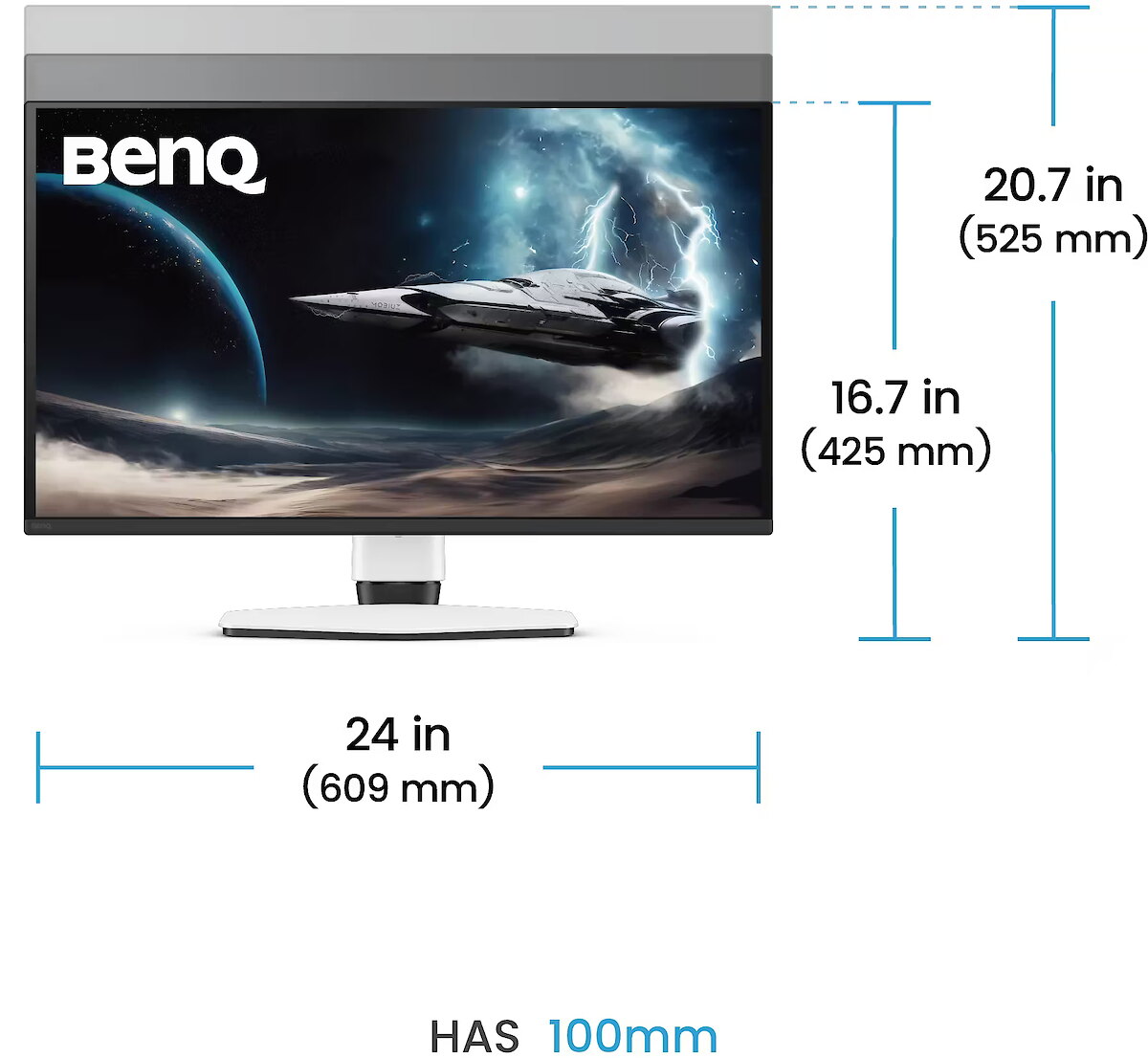
Height adjustment : Is
Pivot : None
Swivel : And
Tilt : YES
VESA wall mount : 100x100 mm
Ports and equipment
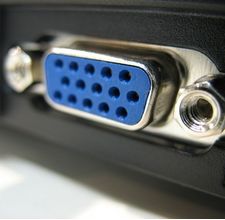
D-SUB 0

D-SUB is the classic (analogous) monitor connection plug. This standard is gradually disappearing from the market giving the place to the higher quality HDMI or DisplayPort (digital) plugs.

If the resolution of the monitor is FullHD or below the average user will experience no problems with this connection. Those who want to achieve higher image quality and resolution should look for the monitor with the DisplayPort or HDMI connection slot.

DisplayPort 1

DisplayPort is the digital connection for transmitting the image via a single wire at a high quality level. Contrary to the HDMI, this connection allows to connect several external monitors to the computer via a single connector.

Prior to buying the monitor with the DisplayPort you should verify whether your computer has the DisplayPort plug available!

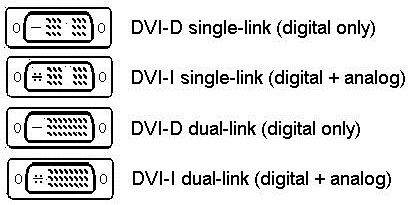
DVI 0

DVI is a digital standard and ensures high image quality, however, thanks to the big size of the plug and the inability of the standard to develop further due to a few technical restrictions this type of connection is gradually losing its popularity to modern HDMI and DisplayPort standards.
DVI is compatible with HDMI and transitions of both directions are available.

DVI is not compatible with DisplayPort, however, there are DualMode DisplayPort connectors which contains the HDMI/DVI signal, and in the relevant direction DisplayPort -> DVI can transmit an image.

If the monitor resolution exceeds 1920px in any direction a graphics card with the DVI-D Dual Link support and the relevant quality cable will be required.

Before buying a monitor you should verify whether your graphics card has the corresponding connection slot!

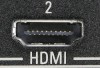
HDMI port 2

HDMI is the digital high quality image transmission standard that allows to connect the monitor to the computer via a thin cable by using an elegant small-size connector. HDMI is compatible with DVI if the relevant transition or cable is used.

Speakers Is

Some monitors may have built-in speakers that quite often allow to give up external speakers thus freeing a space on the desk and saving money. The sound quality of built-in speakers is quite moderate and therefore we recommend to use this possibility just for infrequent needs.

For enjoying music, movies and games we recommend buying the corresponding quality and capacity speakers.

USB Hub : NO
USB-C Power Delivery : 15W
USB-C video input : 1
More detailed specification
Brand - BenQ
BrandPartCode - 9H.LPPLA.TBE
Category - Computer Monitors
Design - Market positioning - Gaming
Design - Product colour - White
dimensionalWeight - 14806
Display - Anti-glare screen - No
Display - Colour gamut - 99%
Display - Colour gamut standard - DCI-P3
Display - Colour gamut standard - DCI-P3, sRGB
Display - Colour gamut standard - sRGB
Display - Contrast ratio (typical) - 1500000:1
Display - Display brightness (peak) - 400 cd/m²
Display - Display brightness (typical) - 200 cd/m²
Display - Display diagonal - 67.3 cm (26.5")
Display - Display diagonal (metric) - 67.31 cm
Display - Display number of colours - 1.07 billion colours
Display - Display resolution - 2560 x 1440 pixels
Display - Display technology - QD-OLED
Display - HD type - Quad HD
Display - High Dynamic Range (HDR) supported - Yes
Display - High Dynamic Range (HDR) technology - High Dynamic Range 10 (HDR10)
Display - Maximum refresh rate - 240 Hz
Display - Native aspect ratio - 16:9
Display - Panel type - OLED
Display - Pixel density - 110 ppi
Display - Response time - 0.03 ms
Display - Response time measurement type - GTG (Gray to Gray)
Display - Screen shape - Flat
Display - Touchscreen - No
Display - Viewing angle, horizontal - 178°
Display - Viewing angle, vertical - 178°
Ergonomics - Adjustable height (max) - 10 cm
Ergonomics - Height adjustment - Yes
Ergonomics - Number of OSD languages - 18
Ergonomics - On Screen Display (OSD) - Yes
Ergonomics - On Screen Display (OSD) languages - Bulgarian
Ergonomics - On Screen Display (OSD) languages - Bulgarian, Simplified Chinese, Traditional Chinese, Czech, German, Dutch, English, Spanish, French, Greek, Hungarian, Italian, Japanese, Korean, Polish, Portuguese, Romanian, Russian, Swedish, Ukrainian
Ergonomics - On Screen Display (OSD) languages - Czech
Ergonomics - On Screen Display (OSD) languages - Dutch
Ergonomics - On Screen Display (OSD) languages - English
Ergonomics - On Screen Display (OSD) languages - French
Ergonomics - On Screen Display (OSD) languages - German
Ergonomics - On Screen Display (OSD) languages - Greek
Ergonomics - On Screen Display (OSD) languages - Hungarian
Ergonomics - On Screen Display (OSD) languages - Italian
Ergonomics - On Screen Display (OSD) languages - Japanese
Ergonomics - On Screen Display (OSD) languages - Korean
Ergonomics - On Screen Display (OSD) languages - Polish
Ergonomics - On Screen Display (OSD) languages - Portuguese
Ergonomics - On Screen Display (OSD) languages - Romanian
Ergonomics - On Screen Display (OSD) languages - Russian
Ergonomics - On Screen Display (OSD) languages - Simplified Chinese
Ergonomics - On Screen Display (OSD) languages - Spanish
Ergonomics - On Screen Display (OSD) languages - Swedish
Ergonomics - On Screen Display (OSD) languages - Traditional Chinese
Ergonomics - On Screen Display (OSD) languages - Ukrainian
Ergonomics - Panel mounting interface - 100 x 100 mm
Ergonomics - Pivot - No
Ergonomics - Swivel angle range - 15 - 15°
Ergonomics - Swivelling - Yes
Ergonomics - Tilt adjustment - Yes
Ergonomics - Tilt angle range - -5 - 15°
Ergonomics - VESA mounting - Yes
Ergonomics - Wall mountable - Yes
GTIN - 4718755099052
LongDesc - Beyond the Screen. Made for Game Art.Discover worlds the way they were meant to be seen.MOBIUZ for Game Art: Your Game, a Masterpiece.Flip through an artbook from Elden Ring, Horizon Forbidden West, or Tears of the Kingdom — every stunning landscape and ruin reflects the soul of game art. BenQ Colour Lab preserves this vision with exclusive colour tuning, keeping visuals vivid, immersive, and true to the artist’s intent—on screen and in print.MOBIUZ knows Game Art. Loaded with studio-grade Spectral Colour and true-to-life Pixel Contrast, plus 120+ custom colour profiles from the Color Shuttle Game Art Database — all tuned for your favourite games.OLED Brilliance and Intelligent Burn-In ProtectionPowered by 3rd Gen QD-OLED with a Tandem Structure, this display delivers insane contrast and lifelike visuals. EX271QMZ features industry-standard graphene film for heat dispersion and is bolstered by the Intelligent OLED Protection Suite, where Pixel Refresh, Idle Dimmer, and Pixel Shift proactively prevent uneven wear that leads to burn-in. The EX271QMZ is further enhanced by Brightness Flow for stable brightness performance.240Hz Standard: Top-Tier Gaming, We've Got You Covered240Hz delivers stunning visuals with smooth motion. This high refresh rate reduces motion blur and input lag, providing gamers with a competitive edge and immersive experience. Combined with sharp detail and fluid gameplay, it's the ultimate upgrade for serious players.Exclusive Spectral Colour: Made to Reveal Every Hue of the Studio-Grade VisualsBenQ Colour Lab stands as the market’s leading authority in colour calibration, while the MOBIUZ Gaming Monitor takes it further—delivering full-spectrum Spectral Colour with every nuance vividly visible. In your favourite games, every scene, character, and gear bursts with seamless, lifelike colour—just the way they were meant to be seen.Exclusive High Pixel Contrast: Made to Capture Every Point of Light and DarkWith BenQ Colour Lab’s expert calibration, MOBIUZ High Pixel Contrast locally enhances every single pixel in your game scenes. Whether it’s the blazing sun or the darkest sewer, every detail remains crystal clear. Questing or exploring, enjoy every moment and feel truly part of the world around you.Empowered by Color Shuttle: The Stronghold of Game Art MasterpiecesBenQ Color Shuttle leads the way in empowering Game Art. The Color Shuttle Database features 120+ colour profiles for top AAA titles, with more on the way. Players can upload, download, and enjoy Smart Game Art that adapts in real time—turning every game into more than just a game. It’s like flipping through an art book that leaves you wanting more.Smart Game Art NOTICE: Due to some stricter in-game anti-cheat mechanisms, the Smart Game Art function may be unavailable. To complete your game art journey and immersive experience, we provide game-specific colour profiles that you can apply directly on the Color Shuttle website.Colour Modes Based on Game Art Styles: Redefine How You See Your True WorldWe don’t classify colour modes by game genre—we know what truly matters is the Game Art Style. Developed through extensive testing and direct feedback from gamers, MOBIUZ has crafted Colour Modes Based on Game Art Styles that faithfully represent the three most iconic game worlds: Fantasy, Sci-Fi, and Realistic. From flames to stone, metal to strands of hair—the world you see is exactly where your heart belongs.All You Need for FPS ExcellenceMOBIUZ monitors feature Crosshair, FPS Counter, and Blur Reduction, providing an FPS-oriented boost for enhanced accuracy and performance in fast-paced gaming.
LongProductName - 27” 2K 240Hz BenQ MOBIUZ OLED Gaming Monitor
LongSummaryDescription - BenQ EX271QMZ. Display diagonal: 67.3 cm (26.5"), Display resolution: 2560 x 1440 pixels, HD type: Quad HD, Display technology: QD-OLED, Response time: 0.03 ms, Native aspect ratio: 16:9, Viewing angle, horizontal: 178°, Viewing angle, vertical: 178°. Built-in speaker(s). VESA mounting, Height adjustment. Product colour: White
Multimedia - Built-in speaker(s) - Yes
Multimedia - Number of speakers - 2
Multimedia - RMS rated power - 4 W
Performance - AMD FreeSync - Yes
Performance - AMD FreeSync type - FreeSync Premium
Performance - Flicker-free technology - Yes
Performance - Low Blue Light technology - Yes
Performance - Smart modes - Cinema
Performance - Smart modes - Cinema, Custom, Game
Performance - Smart modes - Custom
Performance - Smart modes - Game
Ports & interfaces - Built-in USB hub - No
Ports & interfaces - DisplayPorts quantity - 1
Ports & interfaces - DisplayPort version - 1.4
Ports & interfaces - HDCP - Yes
Ports & interfaces - HDCP version - 2.3
Ports & interfaces - HDMI - Yes
Ports & interfaces - HDMI ports quantity - 2
Ports & interfaces - HDMI version - 2.1
Ports & interfaces - Headphone out - Yes
Ports & interfaces - USB Power Delivery (USB PD) - Yes
Ports & interfaces - USB Power Delivery up to - 15 W
Power - AC input voltage - 100 - 240 V
Power - Energy consumption (HDR) per 1000 hours - 26 kWh
Power - Energy consumption (SDR) per 1000 hours - 24 kWh
Power - Energy efficiency class (HDR) - G
Power - Energy efficiency class (SDR) - F
Power - Energy efficiency scale - A to G
Power - Power consumption (max) - 100 W
Power - Power consumption (standby) - 0.5 W
Power - Power consumption (typical) - 29 W
Power - Power supply type - Internal
producerCode - 9H.LPPLA.TBE
productName - BenQ EX271QMZ
ProductName - EX271QMZ
productSize - Normal
Safety warning - Warnings - Avoid direct contact with liquids.
Safety warning - Warnings - Do not expose to water or excessive moisture.
Safety warning - Warnings - The monitor contains materials that may be harmful to the environment; follow local regulations for the disposal of electronic devices.
ShortSummaryDescription - BenQ EX271QMZ, 67.3 cm (26.5"), 2560 x 1440 pixels, Quad HD, QD-OLED, 0.03 ms, White
sizeX - 830
sizeY - 467
sizeZ - 191
Sustainability - European Product Registry for Energy Labelling (EPREL) code - 2729434
Title - BenQ EX271QMZ
URL - https://www.benq.eu/en-uk/monitor/gaming/ex271qmz/buy.html
WarrantyInfo -
warrantyLength - 24
warrantyType - F
weight - 8264
Weight & dimensions - Depth (without stand) - 62.4 mm
Weight & dimensions - Depth (with stand) - 223.5 mm
Weight & dimensions - Height (without stand) - 354.3 mm
Weight & dimensions - Height (with stand) - 425.4 mm
Weight & dimensions - Weight (without stand) - 3.96 kg
Weight & dimensions - Weight (with stand) - 6.3 kg
Weight & dimensions - Width (without stand) - 609.3 mm
Weight & dimensions - Width (with stand) - 609.3 mm
433.60 €
358.34 € w/o VAT
Benq EX271QMZ
Tālr. 67275758 gsm 26117175 (p.o.t.c.p. 9:00-18:00)
Intel technology provider Platinum 2020
All categories