AC input frequency Power - 50/60 Hz
AC input voltage Power - 100 - 240 V
Adobe RGB coverage Display - 82%
AMD FreeSync Performance - Yes
AMD FreeSync type Performance - FreeSync Premium
Anti-glare screen Display - Yes
Aspect ratio - 16:9
Auto Pivot - No
Bluetooth - No
Brightness - 300 cd/m²
Built-in camera Multimedia - No
Built-in speaker(s) Multimedia - No
Built-in USB hub Ports & interfaces - No
Cable lock slot Ergonomics - Yes
Cable lock slot type Ergonomics - Kensington
Category Code - LC3
Certificates - AMD FreeSync Premium
Color - Black
Colour depth Display - 8 bit
Colour gamut Display - 90%
Colour gamut standard Display - DCI-P3
Contrast ratio (dynamic) Display - 100000000:1
Contrast ratio (typical) Display - 1200:1
Data Sheet (Link) Energy Efficiency - https://eprel.ec.europa.eu/api/product/2479879/fiches?language=EN
DCI-P3 coverage Display - 90%
Depth (without stand) Weight & dimensions - 57.9 mm
Depth (with stand) Weight & dimensions - 220.1 mm
Depth with stand - 220.09 mm
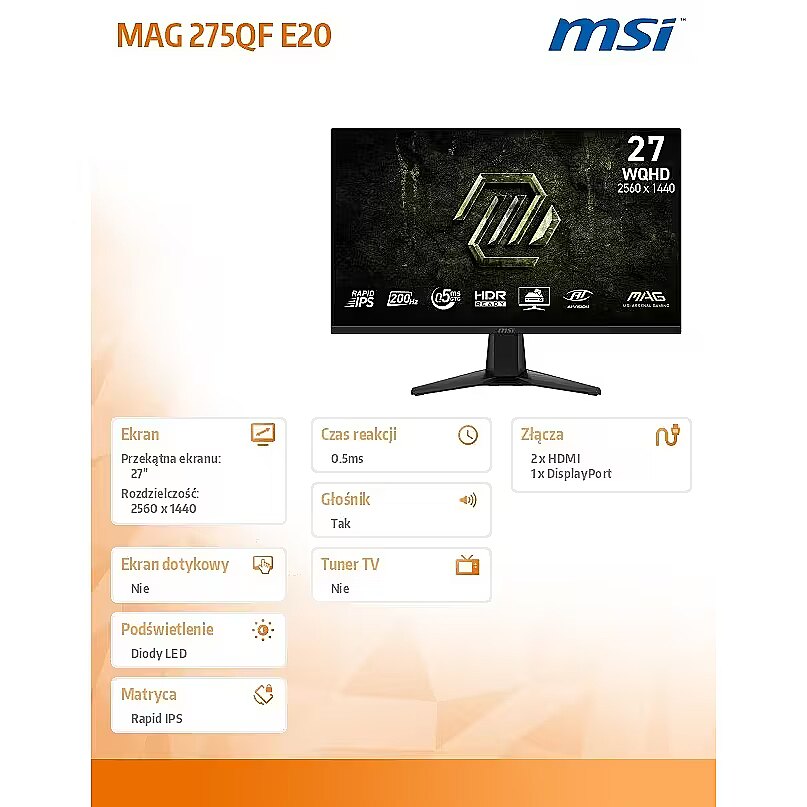
Description - Ciesz się wciągającą rozgrywką prowadzoną na gamingowych monitorach z serii MAG 275QF E20. Wyświetlacze te wyposażono w panele o rozdzielczości 2560 x 1440 (WQHD), które charakteryzują się 200-hercową częstotliwości odświeżania. Oferują one też wyjątkowo krótki czas reakcji matrycy wynoszący zaledwie 0,5 ms (GtG, min.). Urządzenia te są zgodne ze standardem HDR Ready, co pozwala uzyskać znacznie bardziej wyraziste szczegóły dzięki lepszej kontroli kontrastu i cieni. Zaprojektowano je z myślą o wymagających grach FPS oraz RPG/MMORPG prowadzonych z perspektywy pierwszej osoby, a także o symulatorach lotu i grach wyścigowych. Gamingowy monitor z serii MSI MAG 275QF E20 przenosi codzienną rozgrywkę na nowy, wyższy poziom, pozwalając graczom dostrzec coś więcej niż tylko obraz na ekranie. Produkty z serii MAG firmy MSI to sprzęt, który uosabia stabilność i trwałość. Został on skonstruowany w taki sposób, aby wytrzymać nawet najbardziej intensywne, gamingowe rozgrywki. Cała linia urządzeń z tej serii charakteryzuje się solidną konstrukcją i doskonałym systemem rozpraszaniem ciepła, co gwarantuje stabilność pracy dla wszystkich krytycznych, gamingowych komponentów.
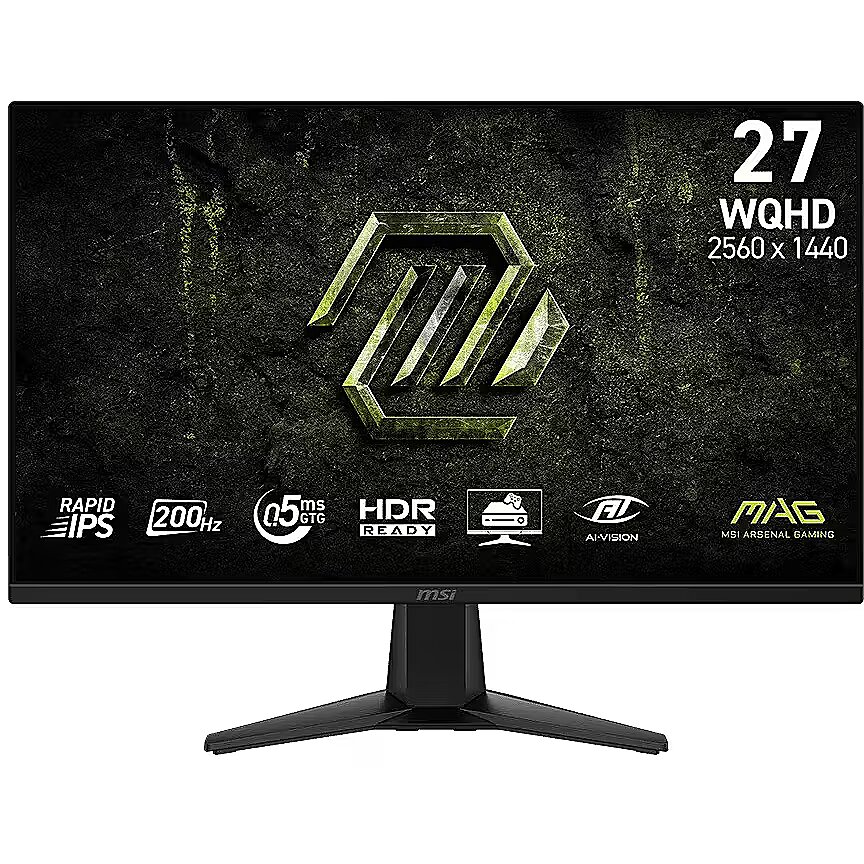
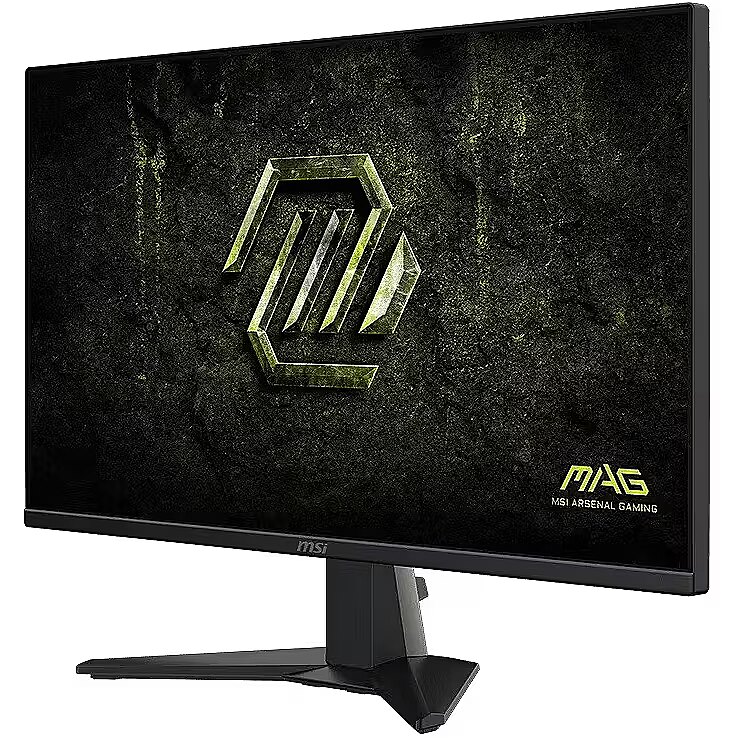
Description - Experience immersive gaming with the MAG 275QF E20 gaming monitor. It features a 2560 x 1440 (WQHD) panel, a 200Hz refresh rate, and a rapid 0.5ms (GtG, Min) response time. The monitor is HDR Ready, enhancing eye-catching details through adjustments in contrast and shadows. Designed for competitive FPS, first-person RPG/MMORPG, and flight/racing simulator genres, the MSI MAG 275QF E20 gaming monitor takes casual gaming to a new level, challenging players to see beyond the game. MSI's mainstream MAG series epitomizes stability and durability and is built to withstand the most intense gaming sessions. The entire lineup features robust construction with metallic-like hardness and excellent heat dissipation, ensuring stability for all critical gaming components. SMOOTHEN OUT YOUR GAMEPLAY
The MSI Gaming Monitor is built with Adaptive Sync technology to achieve the smooth visuals for your gameplay. Adaptive Sync technology will sync the refresh rate of your monitor with your GPU to eliminate screen tearing or stuttering. The ultra-smooth and lag-free visuals that Adaptive Sync provide will allow you to enjoy the game the way it was meant to be enjoyed.Rapid IPS Panel – Provides 0.5ms (GtG, Min.) response time, optimizes screen colors and brightness200Hz Refresh Rate – Respond faster with smoother frames0.5ms (GtG, Min.) Response Time – Eliminate screen tearing and choppy frame ratesAI Vision – The new AI Vision technology can not only reveal details in dark areas but also enhance overall brightness and saturate colorsLess Blue Light – Use a software solution to reduce the light emission in the blue-violet region of the blue light spectrum
Designation - CE+WEEE
dimension depth - 130 mm
dimension height - 455 mm
dimension weight - 6100 g
dimension width - 680 mm
Display brightness (typical) Display - 300 cd/m²
Display diagonal Display - 68.6 cm (27")
Display number of colours Display - 1.07 billion colours
DisplayPorts quantity Ports & interfaces - 1
DisplayPort version Ports & interfaces - 1.4a
Display resolution Display - 2560 x 1440 pixels
Display surface - Matt
Display technology Display - LCD
Dot pitch - 0.2331 mm
DVI port Ports & interfaces - No
ean - 4711377386302
Energy class - F
Energy consumption (HDR) per 1000 hours Power - 31 kWh
Energy consumption (SDR) per 1000 hours Power - 26 kWh
Energy efficiency class (HDR) Power - G
Energy efficiency class (SDR) Power - F
Energy efficiency class Energy Efficiency - F
Energy efficiency scale Power - A to G
Energy label - Pobierz
EPREL Registration Number Energy Efficiency - 2479879
EPREL Version Number Energy Efficiency - 2
Frameless design Design - Yes
Frequency, horizontal max. - 544 kHz
Frequency, horizontal min. - 130.56 kHz
Frequency, vertical max. - 200 Hz
Frequency, vertical min. - 48 Hz
Front bezel colour Design - Black
guarantee - 36
guarantee_type - normal
HDMI Ports & interfaces - Yes
HDMI ports quantity Ports & interfaces - 2
HDMI version Ports & interfaces - 2.0b
HD type Display - Wide Quad HD
Headphone out Ports & interfaces - Yes
Height (without stand) Weight & dimensions - 360.7 mm
Height (with stand) Weight & dimensions - 454.3 mm
Height adjustment - No
Height adjustment Ergonomics - No
Height with stand - 454.34 mm
High Dynamic Range (HDR) supported Display - Yes
Horizontal scan range Display - 130.56 - 544 kHz
I/O connectors - 1 x DisplayPort
I/O connectors - 2 x HDMI
Kensington Security Slot - Tak
Market positioning Design - Gaming
Matrix type - Rapid IPS
Maximum refresh rate Display - 200 Hz
Microphone - Nie
Model - MAG 275QF E20
name - Monitor MAG 275QF E20 27 inches/LED/WQHD/Flat/200Hz/Black
Native aspect ratio Display - 16:9
Number of colors - 1,07 mld
NVIDIA G-SYNC Performance - No
Package depth Packaging data - 129 mm
Package height Packaging data - 456 mm
Package type Packaging data - Box
Package weight Packaging data - 6.24 kg
Package width Packaging data - 684 mm
Panel mounting interface Ergonomics - 100 x 100 mm
Panel type Display - Rapid IPS
Pixel pitch Display - 0.2331 x 0.2331 mm
Power consumption (off) Power - 0.3 W
Power consumption (standby) Power - 0.5 W
Power supply type Power - Internal
producer - MSI
Product colour Design - Black
Product Net Weight - 3.95 kg
Refresh rate - 200 Hz
Resolution - 2560 x 1440
Response time - 0.5 ms
Response time Display - 0.5 ms
Response time measurement type Display - GTG (Gray to Gray)
Screen shape Display - Flat
Screen size (diag.) - 27"
Speakers built-in - Yes
sRGB coverage (typical) Display - 115%
Static contrast - 1 200:1
Summary - MSI MAG 275QF E20. Display diagonal: 68.6 cm (27"), Display resolution: 2560 x 1440 pixels, HD type: Wide Quad HD, Display technology: LCD, Response time: 0.5 ms, Native aspect ratio: 16:9, Viewing angle, horizontal: 178°, Viewing angle, vertical: 178°. VESA mounting. Product colour: Black
Supported graphics resolutions Display - 2560 x 1440
Supported video modes Display - 1440p
Swivel - No
Tilt - Yes
Tilt adjustment Ergonomics - Yes
Tilt angle range Ergonomics - -5 - 20°
Touch screen - No
Touchscreen Display - No
Transreflective technology - LED
TV tuner built-in - No
Unit Calculated Volume - 0.0403 cubm
Unit Calculated Weight - 6.24 kg
Vendor Homepage - https://www.msi.com/Monitor/MAG-275QF-E20/Overview
vendpn - MAG 275QF E20
Vertical scan range Display - 48 - 200 Hz
VESA - 100 x 100
VESA Adaptive Sync support Performance - Yes
VESA mounting Ergonomics - Yes
Viewable size, horizontal Display - 59.7 cm
Viewable size, vertical Display - 33.6 cm
Viewing angle, horizontal - 178 °
Viewing angle, horizontal Display - 178°
Viewing angle, vertical - 178 °
Viewing angle, vertical Display - 178°
Visible area, horizontal - 596.736 mm
Visible area, vertical - 335.664 mm
Warranty - 24 months
Web camera - None
Weight (with stand) Weight & dimensions - 3.95 kg
Weight with stand - 3.95 kg
Width - 611.3 mm
Width (without stand) Weight & dimensions - 613.3 mm
Width (with stand) Weight & dimensions - 613.3 mm
WiFi - No





 DVI is a digital standard and ensures high image quality, however, thanks to the big size of the plug and the inability of the standard to develop further due to a few technical restrictions this type of connection is gradually losing its popularity to modern HDMI and DisplayPort standards.




