Accessories included - Monitor Power cord (EU) HDMI cable
ARTIKEL1 - VERO CB242YP6BIPR 23.8IN
ARTIKEL2 - 1920X1080 VGA HDMI DP BLACK
Aspect ratio - 16:9
Auto Pivot - Yes
Bluetooth - No
Brand - Acer
BrandPartCode - UM.QB2EE.602
Breite - 0
Brightness - 250 cd/m²
Category - Computer Monitors
Certificates - EPEAT Gold
Certificates - TCO
Code - UM.QB2EE.602
Color - Black
Depth - 49.5 mm
Depth with stand - 245.11 mm
Design - Market positioning - Consumer
Design - Product colour - Black
Design > Colour of product - Black
Designation - CE+WEEE
dimension depth - 145 mm
dimension height - 420 mm
dimension weight - 7000 g
dimension width - 630 mm
Display - Colour depth - 6 bit
Display - Contrast ratio (dynamic) - 100000000:1
Display - Contrast ratio (typical) - 1500:1
Display - Digital horizontal frequency - 30 - 136 kHz
Display - Digital vertical frequency - 49 - 144 Hz
Display - Display brightness (typical) - 250 cd/m²
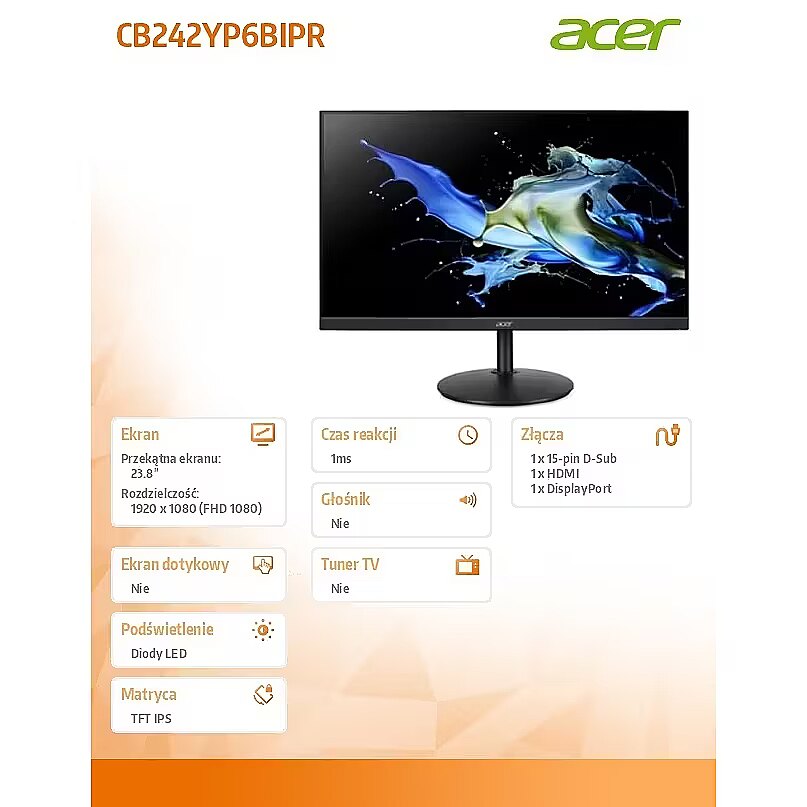
Display - Display diagonal - 60.5 cm (23.8")
Display - Display diagonal (metric) - 60 cm
Display - Display number of colours - 16.7 million colours
Display - Display resolution - 1920 x 1080 pixels
Display - Display technology - LCD
Display - HD type - Full HD
Display - LED backlight - Yes
Display - Maximum refresh rate - 144 Hz
Display - Native aspect ratio - 16:9
Display - Panel type - IPS
Display - Pixel density - 93 ppi
Display - Pixel pitch - 0.275 x 0.275 mm
Display - Response time - 4 ms
Display - Response time (MPRT) - 1 ms
Display - Response time measurement type - GTG (Gray to Gray)
Display - Screen shape - Flat
Display - sRGB coverage (typical) - 99%
Display - Surface hardness - 3H
Display - Touchscreen - No
Display - Viewable size, horizontal - 52.7 cm
Display - Viewable size, vertical - 29.6 cm
Display - Viewing angle, horizontal - 178°
Display - Viewing angle, vertical - 178°
Display > Aspect ratio - 16:9
Display > Display - 1920 x 1080 pixels
Display > Display brightness - 250 cd/m²
Display > Display diagonal - 24 "
Display > Display surface - Anti-glare
Display > HD type - FHD
Display > Maximum refresh rate - 144 Hz
Display > Panel type - IPS
Display > Response time - 1 ms
Display surface - Matt
Dot pitch - 0.275 mm
EAN - 4711474703200
ean - 4711474703200
EANCode - 4711474703200
Energy class - B
Energy label - Pobierz
Ergonomics - Adjustable height (max) - 16.5 cm
Ergonomics - Cable lock slot - Yes
Ergonomics - Cable lock slot type - Kensington
Ergonomics - Height adjustment - Yes
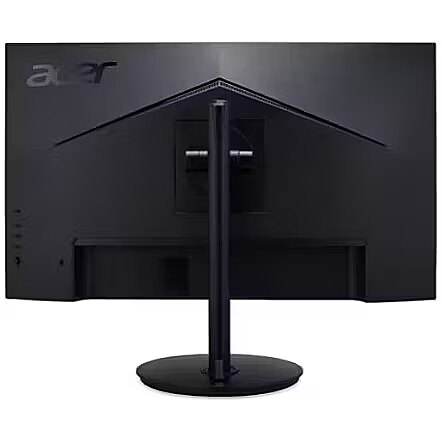
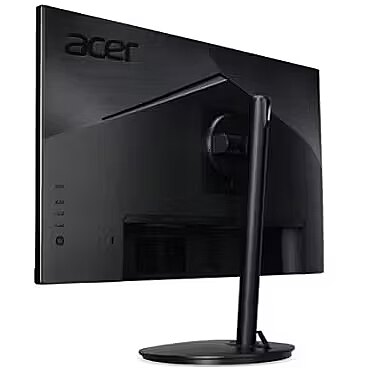
Ergonomics - Panel mounting interface - 100 x 100 mm
Ergonomics - Pivot - Yes
Ergonomics - Pivot angle - -90 - 90°
Ergonomics - Swivel angle range - -178 - 178°
Ergonomics - Swivelling - Yes
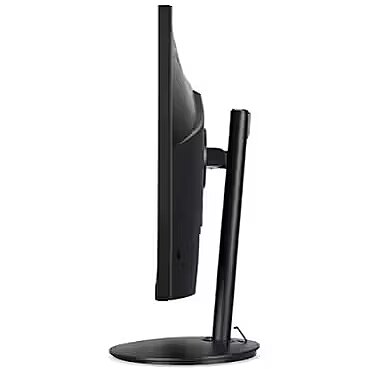
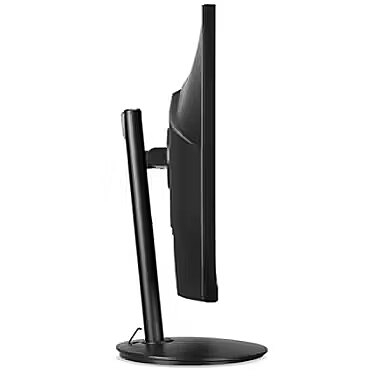
Ergonomics - Tilt adjustment - Yes
Ergonomics - Tilt angle range - -5 - 35°
Ergonomics - VESA mounting - Yes
Ergonomics > Height adjustment - Yes
Frequency, horizontal max. - 159.837 kHz
Frequency, horizontal min. - 31.469 kHz
Frequency, vertical max. - 144 Hz
Frequency, vertical min. - 48 Hz
GRUPPE1 - Displays
GRUPPE2 - Lcd Monitor
GTIN - 4711474703200
guarantee - 36
guarantee_type - external
Height - 318.8 mm
Height adjustment - Yes
Height adjustment range - 165 mm
Height with stand - 535.94 mm
HERSTELLER - ACER
Hoehe - 0
HSTNUMMER - UM.QB2EE.602
I/O connectors - 1 x 15-pin D-Sub
I/O connectors - 1 x DisplayPort
I/O connectors - 1 x HDMI
Kensington Security Slot - Tak
Laenge - 0
Link - https://www.acer.com/us-en/monitors/business/cb2
LongDesc - Incredible Images, Edge-to-EdgeWhether you’re watching movies, playing games, or getting some work done, you’ll get amazing visuals with up to UHD1 resolution. Enjoy more monitor real estate with an up to 34” ZeroFrame display1, allowing you to see more and do more.See From Every AngleSee what’s on the screen clearly at up to 178° whether viewed from an angle or front and center. Viewing from an angle is made possible via the IPS (In-plane Switching) panel and technology while maintaining the same level of high-quality color.Vivid HDRWhen you decide to unwind and relax, do so in front of a display with images that realistic and natural—with HDR. Acer’s HDR 101 displays utilize an edge array with global dimming which increase the overall contrast, making black areas darker and white areas bright.No Screen TearingSay goodbye to stuttering and tearing with AMD FreeSync™,2. Video playback is quicker, easier and smoother as the monitor’s refresh rate is synched to your computer’s framerate.High-speed ResponseEnjoy clear, blur-free images even when the action speeds up with the 1ms3 Visual Response Boost™. A rapid response time ensures images appear clearly as they quickly move across the display, providing more immersive viewing.Eye Safety FirstProtect your eyes from unnecessary strain by utilizing Acer BlueLightShield™ and Flickerless™ technologies. View your monitor for longer with reduced glare and eye fatigue thanks to Acer ComfyView™ and Low Dimming™.Impeccable PlacementNo matter where you’ve decided to place your display, finding that perfect position is easy with the adjustable stand. Go on and tilt, swivel, pivot, and adjust the height to hit that ergonomic sweet spot.
LongProductName - 23.8", 1920 x 1080 IPS, 144Hz, 16:9, 250cd/m², 4ms, 178°/178°
LongSummaryDescription - Acer CB2 CB242YP6bipr. Display diagonal: 60.5 cm (23.8"), Display resolution: 1920 x 1080 pixels, HD type: Full HD, Display technology: LCD, Response time: 4 ms, Native aspect ratio: 16:9, Viewing angle, horizontal: 178°, Viewing angle, vertical: 178°. VESA mounting, Height adjustment. Product colour: Black
Matrix type - TFT IPS
Microphone - Nie
Model - CB242YP6BIPR
Multimedia - Built-in camera - No
Multimedia - Built-in speaker(s) - No
Multimedia > Built-in speaker(s) - No
Multimedia > TV tuner integrated - No
Name - Acer CB2 | 24 " | IPS | FHD | 16:9 | 144 Hz | 1 ms | 1920 x 1080 pixels | 250 cd/m² | Black
name - Monitor 23.8 inches CB242YP6BIPR IPS 144Hz HDMI DP VGA
Networking > Ethernet LAN (RJ-45) ports - No
Number of colors - 16,7 mln
Package features > Embeeded battery - No
Package features > Gross depth (mm) - 146 mm
Package features > Gross height (mm) - 420 mm
Package features > Gross width (mm) - 630 mm
Package features > Packing quantity - 1.00 pc(s)
Package features > Palette Qty - 22 pc(s)
Package features > Paper/Pasteboard - 3000 g
Package features > Plastic (No PET) - 10 g
Package features > Tare weight (kg) - 3.01 kg
Package features > Volume (m3) - 0.0386316 m³
Package features > WEE classification - CL109:2:2017-04-01
Package features > WEEE tax - Yes
Packaging content - Cables included - HDMI, Power
Packaging content - Stand included - Yes
Packaging data - Package weight - 8 kg
PDF - https://www.blobs.lt/products/3/7/9/7/0/6/771a2a0a328778c87468f150b30e4b95/original.pdf
Performance - Flicker-free technology - Yes
Performance - Low Blue Light technology - Yes
Ports & interfaces - Built-in USB hub - No
Ports & interfaces - DisplayPort out version - 1.2
Ports & interfaces - DisplayPorts quantity - 1
Ports & interfaces - HDMI - Yes
Ports & interfaces - HDMI ports quantity - 1
Ports & interfaces - HDMI version - 1.4
Ports & interfaces - Headphone out - No
Ports & interfaces - VGA (D-Sub) ports quantity - 1
Power - Energy consumption (SDR) per 1000 hours - 9 kWh
Power - Energy efficiency class (HDR) - Not available
Power - Energy efficiency class (SDR) - B
Power - Energy efficiency scale - A to G
Power - Power consumption (max) - 32 W
Power - Power consumption (off) - 0.3 W
Power - Power consumption (standby) - 0.5 W
Power - Power consumption (typical) - 9 W
Power - Power supply type - Internal
Power consumption - 9 W
producer - Acer
ProductName - CB242YP6bipr
Refresh rate - 144 Hz
Resolution - 1920 x 1080 (FHD 1080)
Response time - 1 ms
Screen size (diag.) - 23.8''
ShortSummaryDescription - Acer CB2 CB242YP6bipr, 60.5 cm (23.8"), 1920 x 1080 pixels, Full HD, LCD, 4 ms, Black
Speakers built-in - No
Static contrast - 1 500:1
Stck_Kart - 1
Stck_Pal - 70
Storno - Y
Sustainability - Sustainability certificates - ENERGY STAR, TCO
Swivel - Yes
Technical details > Gross weight - 8 kg
Technical details > Net weight - 4.99 kg
Technical details > Producer - Acer
Technical details > Producer product name - CB2
Technical details > USB-C - No
Technical details > USB-C power delivery - N/A
Tilt - Yes
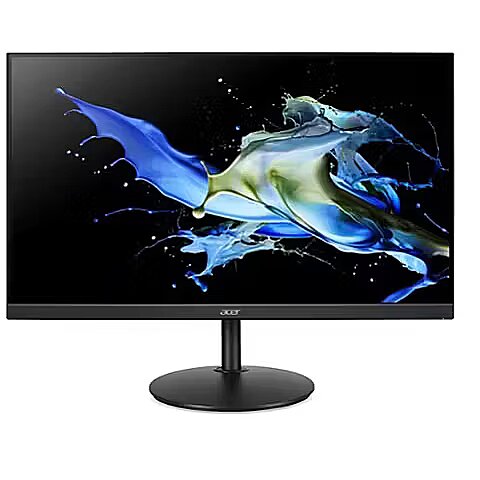
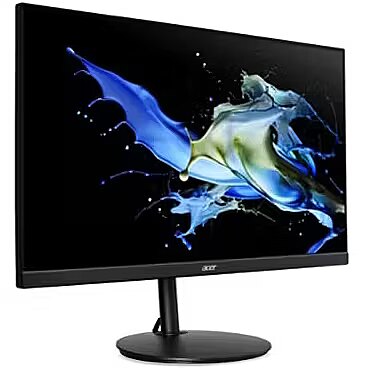
Title - Acer CB2 CB242YP6bipr computer monitor 60.5 cm (23.8") 1920 x 1080 pixels Full HD LCD Black
Touch screen - No
Transreflective technology - LED
TV tuner built-in - No
URL - https://www.acer.com/gb-en/monitors/business/cb2
vendpn - UM.QB2EE.602
VESA - 100 x 100
Viewing angle, horizontal - 178 °
Viewing angle, vertical - 178 °
Visible area, horizontal - 527 mm
Visible area, vertical - 296 mm
Warranty - 24
Warranty - 24 month(s)
WarrantyInfo - 3 years
Web camera - None
Weight - 2.64 kg
Weight & dimensions - Depth (without stand) - 48.7 mm
Weight & dimensions - Depth (with stand) - 245.1 mm
Weight & dimensions - Height (without stand) - 318.2 mm
Weight & dimensions - Height (with stand) - 531.6 mm
Weight & dimensions - Weight (without stand) - 2.64 kg
Weight & dimensions - Weight (with stand) - 4.99 kg
Weight & dimensions - Width (without stand) - 540.3 mm
Weight & dimensions - Width (with stand) - 540.3 mm
Weight with stand - 4.99 kg
Width - 539.5 mm
WiFi - No




 DVI is a digital standard and ensures high image quality, however, thanks to the big size of the plug and the inability of the standard to develop further due to a few technical restrictions this type of connection is gradually losing its popularity to modern HDMI and DisplayPort standards.




