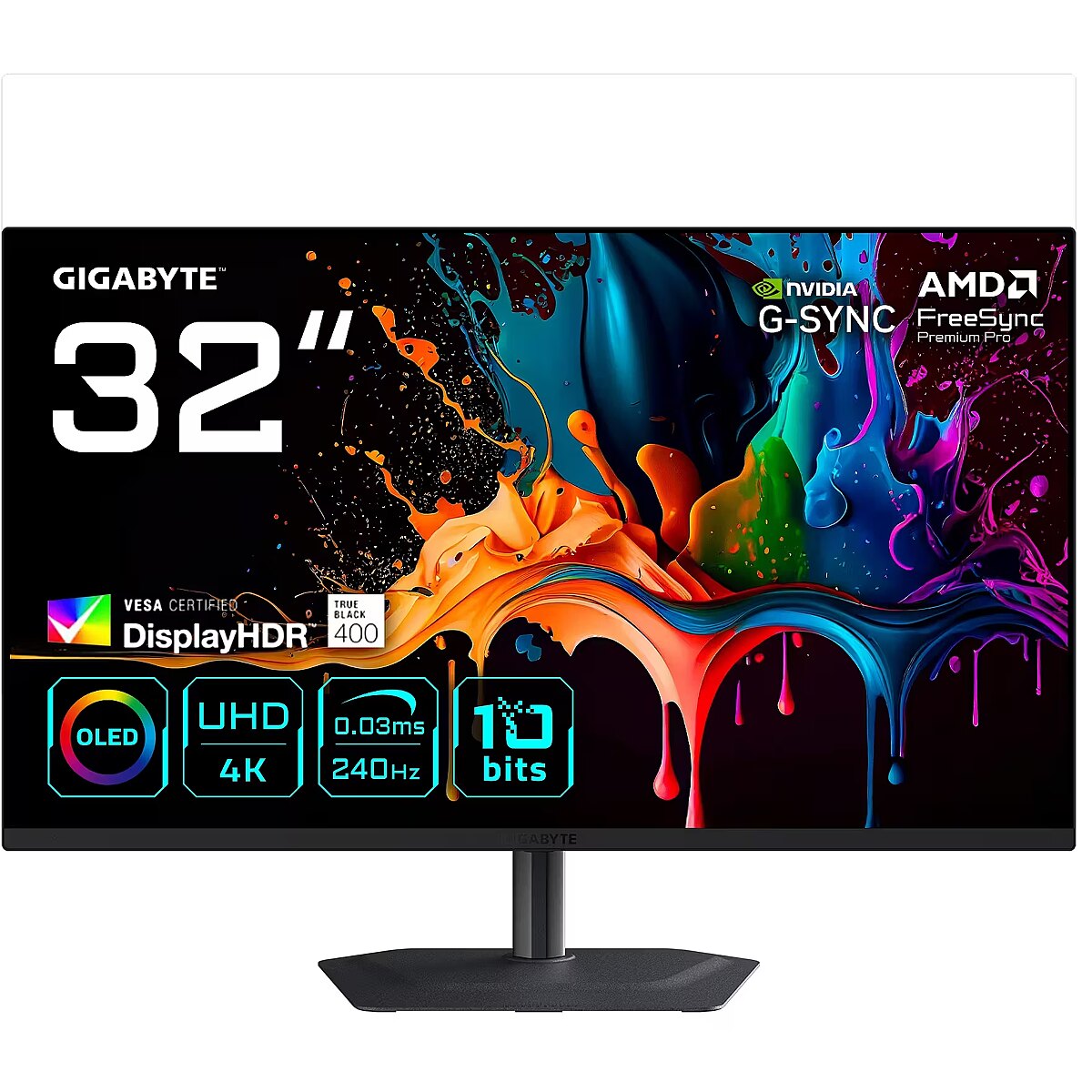
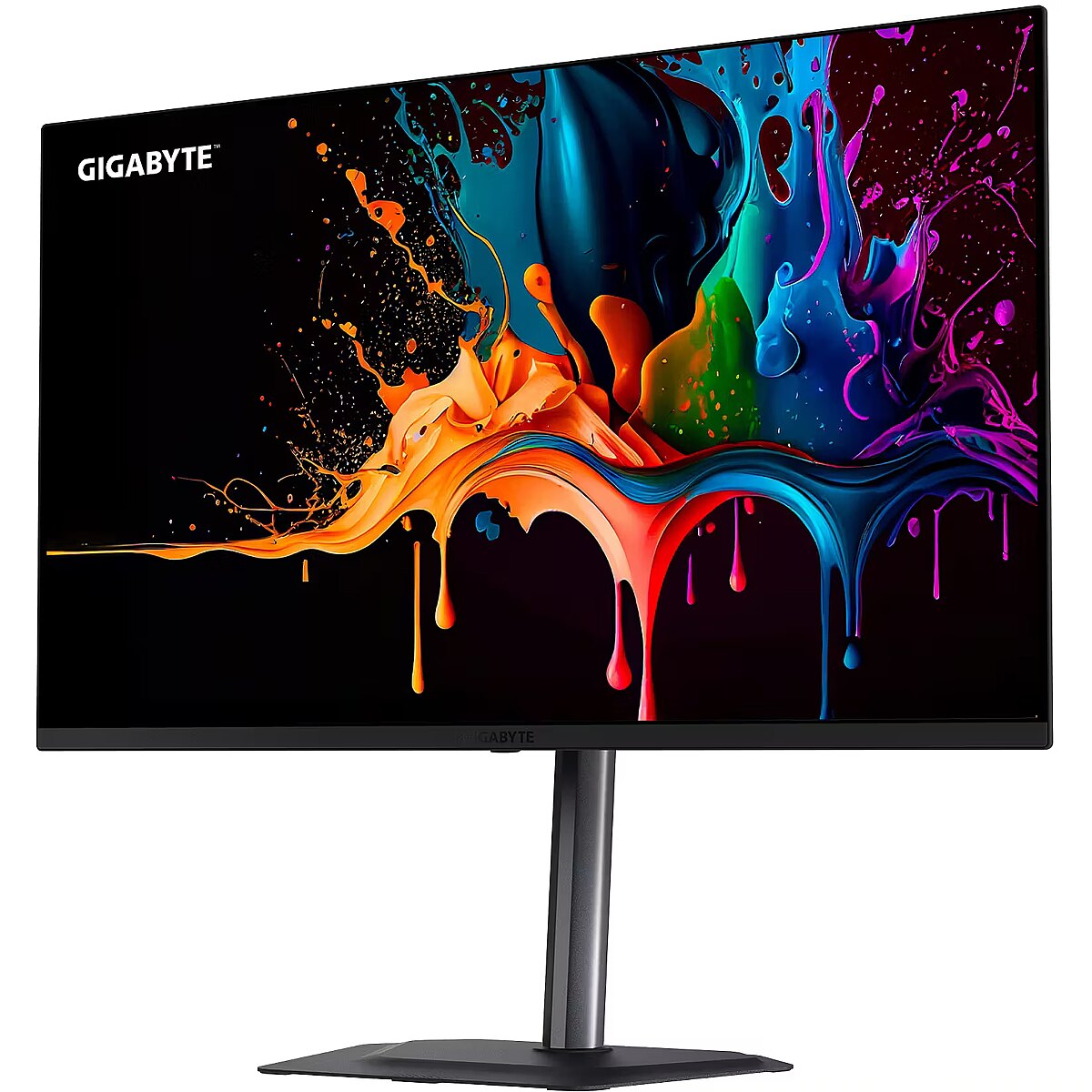
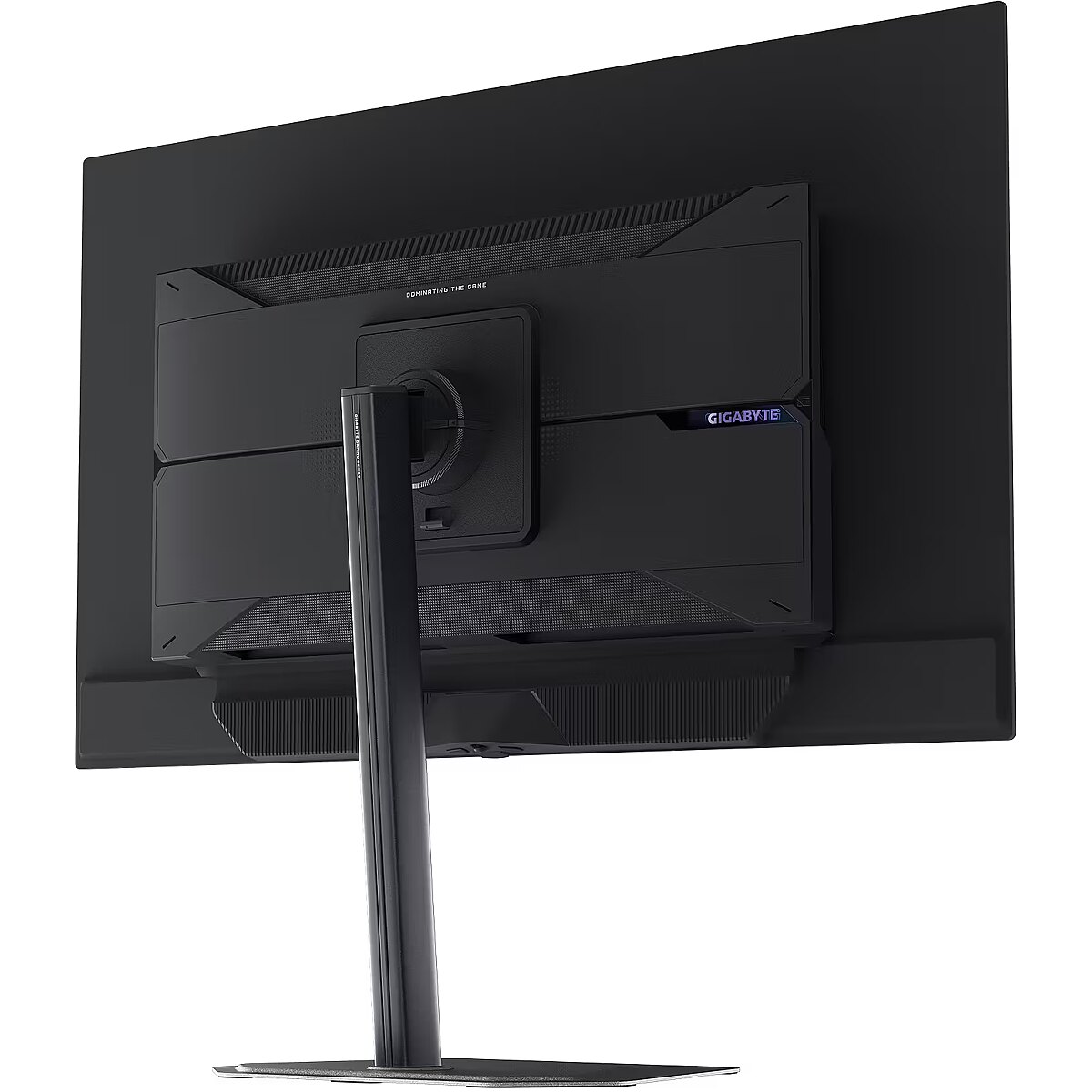
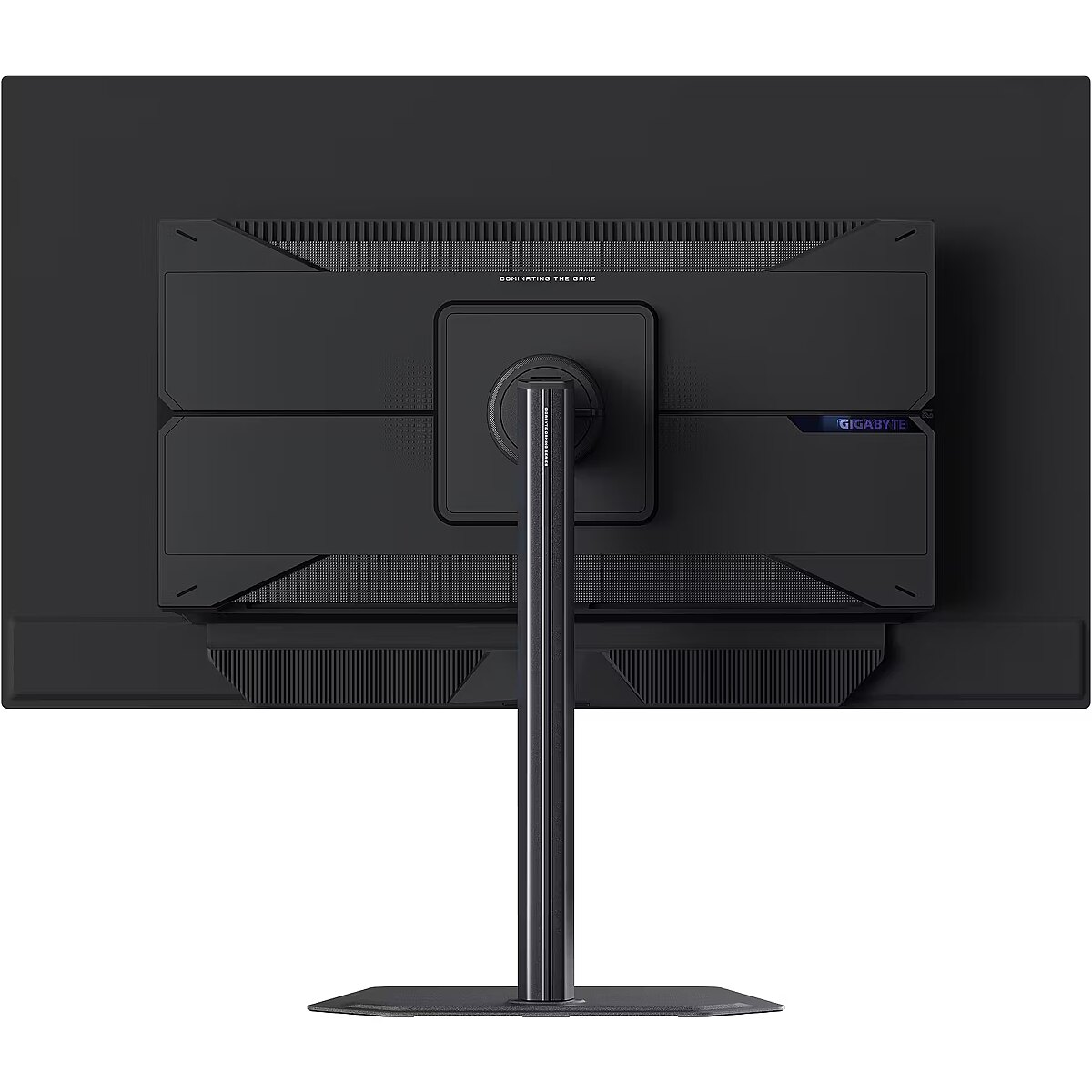
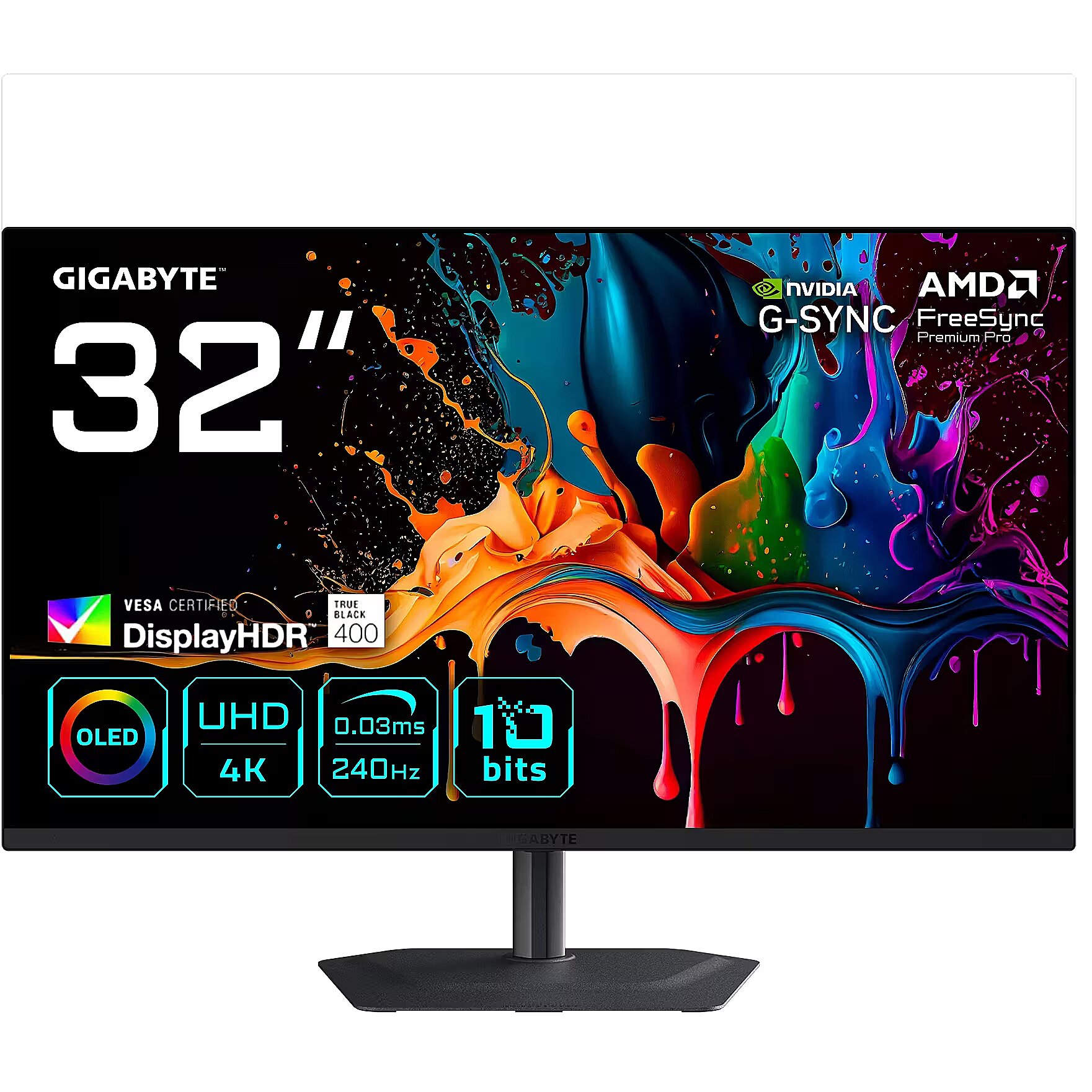
Gigabyte MO32U2, 31.5"

Picture may differ from actual product, there can be accessories and parts not supplied with the actual product.
News
ID: 1385458 Product code: MO32U2 EK
Can be ordered 8 units Availability: 14 days after order approval
Warranty: 3 years
838.03 €
Ready for dispatch
10.03.2026
starting from 0 €
Delivery options
  • Receiving goods at the Dateks office
    0.00 €
  • Delivery throughout Latvia.
    Within 1-2 working days
    4.99 €
Main product parameters All parameters
  • Curved: Nav
  • Panel Type: OLED
  • Refresh rate: 240 Hz
  • Response time: 0.03ms
  • Contrast ratio: 1500:1
  • Brightness: 250cd/m2
  • Size: 31.5"
  • Resolution: 4K UHD 3840x2160
Description

This Gigabyte MO32U2, 31.5" gaming monitor with 4K UHD 3840x2160 resolution offers an expanded workspace and crystal-clear picture. It's a great choice for gamers who appreciate realistic graphics, rich details and smooth gameplay on a large screen.

Thanks to independent pixel illumination, the OLED display shows smoother colors and reduces motion blur. This provides a realistic image for watching movies, editing photos, and dynamic applications.

AMD FreeSync dynamically synchronizes the panel's refresh rate with the variable frame rate, reducing motion artifacts. Thanks to a flexible synchronization range, the technology improves motion accuracy and reduces flickering in scenes with rapid transitions.

This monitor is compatible with NVIDIA G-SYNC (G-SYNC Compatible). NVIDIA G-SYNC uses a hardware module to precisely synchronize the monitor's refresh rate with the video card's frame rate. This approach reduces image tearing, stabilizes the representation of moving objects, and minimizes brightness fluctuations. The technology ensures smooth dynamic scene rendering with minimal artifacts.

The frequency of 240 Hz allows the panel to refresh frames as quickly as possible, reducing tearing and artifacts. This makes dynamic scenes more predictable and comfortable for reactive control, which is especially important for professional gamers and e-sports athletes, where every fraction of a second is critical.

Flicker-Free reduces the frequency flickering common to some brightness adjustment methods. This reduces visual stress and ensures a smooth, pleasant image for the eyes. The technology is particularly useful for working in darker rooms and during prolonged viewing sessions.

The Pivot technology allows the screen to be rotated into vertical orientation, ensuring more efficient use of workspace when working with text, documents, or long lists. This design improves readability, reduces the need for scrolling, and enhances convenience.

The Swivel technology allows the monitor to be rotated left and right around the vertical axis, ensuring precise screen positioning in relation to the user. Such a design improves the viewing angle, reduces neck strain, and makes the workspace more comfortable for collaboration or material demonstration.

Tilt mechanism allows to change the screen's vertical angle without moving the whole construction. Such adjustment improves workplace ergonomics, ensures stable image quality and helps to adapt the monitor to the user's individual preferences or specific tasks.

VESA wall mount provides a standardized mounting hole layout, allowing you to safely attach the monitor to the wall using compatible brackets. This type of installation frees up desk space, reduces vibrations from the table, and ensures a stable screen position for prolonged work.

The built-in speakers provide direct sound playback, eliminating the need for external audio devices. This simplifies the setup of the work system and saves space. The speakers are suitable for everyday needs, including online meetings, training, and video viewing, providing adequate sound level.

HDMI provides video and audio transmission with a single cable, which enhances connection stability and reduces the risk of interference. The interface reduces the number of connections and maintains the integrity of the digital signal. HDMI supports modern formats and ensures reliable operation with a wide range of devices.

DisplayPort is the latest monitor interface standard that ensures stable image transmission with high resolution and refresh intensity. It supports HDR, frame synchronization and multiple monitor systems, maintaining detail accuracy and image quality for professional and gaming work.

The USB-C connection combines image, sound, data and power transmission into one cable, reducing workplace load and speeding up device connectivity. It is compatible with many modern laptops and provides a stable signal, making monitor usage more convenient and technically effective.

Multiple USB-C ports expand monitor functions when using modern digital devices. Each port provides power, signal, and data transmission through a single cable, reducing the complexity of the connection. This allows for simultaneous use of various devices and optimal cable placement.

USB Power Delivery support allows the monitor to power connected devices directly without separate adapters. This reduces the amount of cables and simplifies the working environment. Data transmission and simultaneous charging makes the use of peripheral devices more comfortable and efficient.

The presence of a USB-C video input allows the monitor to receive audio and video signals through a single universal cable, reducing the need for separate interfaces. Support for modern standards ensures quality data transmission and wide compatibility, making the connection more convenient and technically justified.

Warranty

Gigabyte provides this model with a 3 year warranty at all certified service centres.
All parameters
Model : MO32U2
Display characteristics
AMD FreeSync : Ir
Curved : Nav
NVIDIA G-SYNC : Compatible
Panel Type OLED

Teh monitor panel is the main feature of the visible part of the screen or the technology where the display of the colour dots (pixels) is implemented.

TN is the standard technology with average contract, brightness and colour compliance indices.

IPS is the matrix with high colour compliance and good response speed, therefore it is well suited for graphics tasks and photo editing. IPS matrix provide an excellent viewing angle maintaining the colours and contrast from almost any angle.

VA matrix ensures superior colour compliance, however, the response time of this matrix is lagging behind that of the IPS and TN; the viewing angle is somewhere between both these technologies.

The TN type monitor is fully sufficient for an average user. If you have more money available the VA or IPS can be chosen.

Refresh rate : 240 Hz
Touchscreen : NO
VESA DisplayHDR : DisplayHDR True Black 400
Response time 0.03ms
The response time of the monitor screen determines how fast the monitor will display moving images (films, games, animations, etc.). The response time is measured in miliseconds. The less the response time the better the ability of the monitor to display moving images.
www.dateks.lv recommends to buy monitors with 5ms response time or lower.
Contrast ratio 1500:1

Ekrāna kontrasts nosaka attēla asumu. Tā ir atšķirība starp vistumšāko (pilnīgi melnu) un visgaišāko (pilnīgi baltu) pikseli. Jo lielāks kontrasts, jo skaidrāk salasāms teksts uz ekrāna, kontrasts arī nosaka, cik izteiksmīgas līnijas būs redzamas monitora attēlā.

Augsts kontrasts ir nozīmīgs faktors izvēloties monitoru biroja, vai mācību vajadzībām, kad lielākoties tiek strādāts ar tekstuālu informāciju.

Mājas vajadzībām svarīgāks izvēles rādītājs ir gaišums un attēla reakcijas laiks. Kontrastu labāk novērtēt tumšā istabā.
Lielākais LCD monitoru trūkums ir tas, ka samazinot attēla spilgtumu, kontrasts var pazust.

Brightness 250cd/m2

Monitora gaišums ir attēla redzamības rādītājs, kas nosaka, cik labi saskatāms ir attēls pie spēcīga ārējā apgaismojuma (saules gaisma, gaiša telpa, utt.). LCD monitoru gaišums tiek mērīts kandelās uz kvadrātmetru (Cd/m2).
Izvēloties monitoru jāņem vērā - jo lielāks gaišuma rādītājs, jo labāka attēla redzamība.

Ikdienas vajadzībām Dateks.lv iesaka iegādāties monitoru ar gaišumu, ne mazāku par 250 cd/m2.

Basic information
Application : Gaming
Aspect ratio : 16:9
Color : Black
Size 31.5"

The size of the monitor screen is measured in inches across the diagonal. The screen size must be proportionate to the resolution of the screen for achieving the maximum utilisation of the desktop and details of the image.

Mainly two forms of LCD monitors are available: with standard width and height proportion 4:3 or the widescreen proportion 16:9 or 16:10. A widescreen monitor is wider and its resolution is higher than that of the monitors with standard proportion.

The bigger the monitor size the higher resolution usually is supported. Possibilities to increase the resolution of the screen usually depend on the size and possibilities of the monitor and the type of the video card.

Resolution 4K UHD 3840x2160

The resolution of the monitor screen determines the number of colour dots (pixels) a monitor can display. It refers to the clarity of the text and images displayed on the screen. The higher the resolution the sharper the items look.

The applied resolution depends on the resolution supported by the monitor. LCD monitors, including the screens of laptop computers usually work best if their local resolution has been set. The setting of this resolution for the monitor is not mandatory, but usually it is recommended to set it for ensuring the highest possible sharpness of texts and images. The bigger the monitor size the higher resolution usually is supported.

Possibilities to increase the resolution of the screen usually depend on the size and possibilities of the monitor and the type of the video card.
• 19 inches screen (standard proportions): 1280x1024 pixels
• 20 inches screen (standard proportions): 1600x1200 pixels
• 22 inches screen (widescreen): 1680x1050 pixels
• 24 inches screen (widescreen): 1900x1200 pixels

Functionality
Flicker-free : Ir
Height adjustment : Ir
Pivot : Ir
Swivel : And
Tilt : YES
VESA wall mount : 100x100 mm
Ports and equipment
D-SUB Nav

D-SUB is the classic (analogous) monitor connection plug. This standard is gradually disappearing from the market giving the place to the higher quality HDMI or DisplayPort (digital) plugs.

If the resolution of the monitor is FullHD or below the average user will experience no problems with this connection. Those who want to achieve higher image quality and resolution should look for the monitor with the DisplayPort or HDMI connection slot.

DisplayPort 1

DisplayPort is the digital connection for transmitting the image via a single wire at a high quality level. Contrary to the HDMI, this connection allows to connect several external monitors to the computer via a single connector.

Prior to buying the monitor with the DisplayPort you should verify whether your computer has the DisplayPort plug available!

DVI Nav

DVI is a digital standard and ensures high image quality, however, thanks to the big size of the plug and the inability of the standard to develop further due to a few technical restrictions this type of connection is gradually losing its popularity to modern HDMI and DisplayPort standards.

DVI is compatible with HDMI and transitions of both directions are available.

DVI is not compatible with DisplayPort, however, there are DualMode DisplayPort connectors which contains the HDMI/DVI signal, and in the relevant direction DisplayPort -> DVI can transmit an image.

If the monitor resolution exceeds 1920px in any direction a graphics card with the DVI-D Dual Link support and the relevant quality cable will be required.

Before buying a monitor you should verify whether your graphics card has the corresponding connection slot!

HDMI port 2

HDMI is the digital high quality image transmission standard that allows to connect the monitor to the computer via a thin cable by using an elegant small-size connector. HDMI is compatible with DVI if the relevant transition or cable is used.

Speakers Ir

Some monitors may have built-in speakers that quite often allow to give up external speakers thus freeing a space on the desk and saving money. The sound quality of built-in speakers is quite moderate and therefore we recommend to use this possibility just for infrequent needs.

For enjoying music, movies and games we recommend buying the corresponding quality and capacity speakers.

USB Hub : YES
USB-C Power Delivery : 18W
USB-C video input : 1
More detailed specification
Brand - GIGABYTE
BrandPartCode - MO32U2 EK
Category - Computer Monitors
Category_1 - Monitors and TV
Category_2 - LED Monitors 31 inches and up
Design - Feet colour - Black
Design - Market positioning - Gaming
Design - Product colour - Black
Display - Anti-glare screen - Yes
Display - Colour gamut - 99%
Display - Colour gamut standard - DCI-P3
Display - Contrast ratio (typical) - 1500:1
Display - Display brightness (typical) - 250 cd/m²
Display - Display diagonal - 80 cm (31.5")
Display - Display number of colours - 1.07 billion colours
Display - Display resolution - 3840 x 2160 pixels
Display - Display technology - QD-OLED
Display - HD type - 4K Ultra HD
Display - High Dynamic Range (HDR) supported - Yes
Display - High Dynamic Range (HDR) technology - DisplayHDR 400 True Black
Display - Maximum refresh rate - 240 Hz
Display - Native aspect ratio - 16:9
Display - Panel type - OLED
Display - Pixel pitch - 0.181 x 0.181 mm
Display - Response time - 0.03 ms
Display - Response time measurement type - GTG (Gray to Gray)
Display - Screen shape - Flat
Display - Touchscreen - No
Display - Viewable size, horizontal - 69.9 cm
Display - Viewable size, vertical - 39.5 cm
Display - Viewing angle, horizontal - 178°
Display - Viewing angle, vertical - 178°
EAN_code - 4719331871918
Ergonomics - Adjustable height (max) - 13 cm
Ergonomics - Cable lock slot - Yes
Ergonomics - Cable lock slot type - Kensington
Ergonomics - Height adjustment - Yes
Ergonomics - On Screen Display (OSD) - Yes
Ergonomics - Panel mounting interface - 100 x 100 mm
Ergonomics - Pivot - Yes
Ergonomics - Pivot angle - 0 - 90°
Ergonomics - Swivel angle range - -15 - 15°
Ergonomics - Swivelling - Yes
Ergonomics - Tilt adjustment - Yes
Ergonomics - Tilt angle range - -5 - 21°
Ergonomics - VESA mounting - Yes
GTIN - 4719331871918
LongDesc - Experience the ultimate gaming upgrade with the GIGABYTE MO32U2. Designed to enhance your competitive edge with 4K QD-OLED technology, a remarkable 240Hz refresh rate, unique Tactical Switch, and AI-based OLED Care, the GIGABYTE MO32U2 gaming monitor empowers you to achieve triumph without compromise.
LongProductName - MO32U2 32” OLED 4K UHD Gaming Monitor - 3840 x 2160, 240Hz, 0.03ms, 250 cd/m², G-Sync Compatible, FreeSync Premium Pro, Display HDR True Black 400, HDMI 2.1, Displayport 1.4
LongSummaryDescription - GIGABYTE MO32U2 32” OLED 4K UHD Gaming Monitor - 3840 x 2160, 240Hz, 0.03ms, 250 cd/m², G-Sync Compatible, FreeSync Premium Pro, Display HDR True Black 400, HDMI 2.1, Displayport 1.4. Display diagonal: 80 cm (31.5"), Display resolution: 3840 x 2160 pixels, HD type: 4K Ultra HD, Display technology: QD-OLED, Response time: 0.03 ms, Native aspect ratio: 16:9, Viewing angle, horizontal: 178°, Viewing angle, vertical: 178°. Built-in speaker(s). Built-in USB hub. VESA mounting, Height adjustment. Product colour: Black
Manufacturer - GigaByte
Manufacturer_code - MO32U2 EK
Multimedia - Built-in camera - No
Multimedia - Built-in speaker(s) - Yes
Multimedia - Number of speakers - 2
Multimedia - RMS rated power - 10 W
Name - GigaByte MO32U2 QD-OLED (80 cm (31.5 inches), black, UltraHD/4K, HDMI, DP, USB hub, KVM, 240Hz panel)
Other features - Brand specific technologies - Black Equalizer, Crosshair
Other features - Warranty period - 3 year(s)
Packaging content - Cables included - DisplayPort, Power
Packaging content - Quick start guide - Yes
Packaging content - Stand included - Yes
Packaging data - Package depth - 168 mm
Packaging data - Package height - 545 mm
Packaging data - Package type - Box
Packaging data - Package weight - 11.3 kg
Packaging data - Package width - 980 mm
Performance - AMD FreeSync - Yes
Performance - AMD FreeSync type - FreeSync Premium Pro
Performance - Flicker-free technology - Yes
Performance - NVIDIA G-SYNC - Yes
Performance - NVIDIA G-SYNC type - G-SYNC Compatible
Ports & interfaces - Built-in USB hub - Yes
Ports & interfaces - DisplayPorts quantity - 1
Ports & interfaces - DisplayPort version - 1.4
Ports & interfaces - DVI port - No
Ports & interfaces - HDMI - Yes
Ports & interfaces - HDMI ports quantity - 2
Ports & interfaces - HDMI version - 2.1
Ports & interfaces - Headphone out - Yes
Ports & interfaces - Headphone outputs - 1
Ports & interfaces - Number of downstream ports - 2
Ports & interfaces - Number of upstream ports - 1
Ports & interfaces - Number of USB Type-C upstream ports quantity - 1
Ports & interfaces - USB Power Delivery (USB PD) - Yes
Ports & interfaces - USB Power Delivery up to - 18 W
Ports & interfaces - USB Type-C DisplayPort Alternate Mode - Yes
Ports & interfaces - USB upstream port type - USB Type-C
Power - AC input frequency - 50/60 Hz
Power - AC input voltage - 100 - 240 V
Power - Energy consumption (HDR) per 1000 hours - 38 kWh
Power - Energy consumption (SDR) per 1000 hours - 33 kWh
Power - Energy efficiency class (HDR) - G
Power - Energy efficiency class (SDR) - G
Power - Energy efficiency scale - A to G
Power - Power consumption (off) - 0.3 W
Power - Power consumption (standby) - 0.5 W
Power - Power consumption (typical) - 48 W
ProductName - MO32U2 32” OLED 4K UHD Gaming Monitor - 3840 x 2160, 240Hz, 0.03ms, 250 cd/m², G-Sync Compatible, FreeSync Premium Pro, Display HDR True Black 400, HDMI 2.1, Displayport 1.4
ShortSummaryDescription - GIGABYTE MO32U2 32” OLED 4K UHD Gaming Monitor - 3840 x 2160, 240Hz, 0.03ms, 250 cd/m², G-Sync Compatible, FreeSync Premium Pro, Display HDR True Black 400, HDMI 2.1, Displayport 1.4, 80 cm (31.5"), 3840 x 2160 pixels, 4K Ultra HD, QD-OLED, 0.03 ms, Black
Title - GIGABYTE MO32U2 32” OLED 4K UHD Gaming Monitor - 3840 x 2160, 240Hz, 0.03ms, 250 cd/m², G-Sync Compatible, FreeSync Premium Pro, Display HDR True Black 400, HDMI 2.1, Displayport 1.4
URL - https://www.gigabyte.com/
WarrantyInfo - 3 years
Weight - 11,05
Weight & dimensions - Depth (without stand) - 64.2 mm
Weight & dimensions - Depth (with stand) - 240 mm
Weight & dimensions - Height (without stand) - 417.5 mm
Weight & dimensions - Height (with stand) - 610.5 mm
Weight & dimensions - Weight (without stand) - 6 kg
Weight & dimensions - Weight (with stand) - 7.95 kg
Weight & dimensions - Width (without stand) - 718.3 mm
Weight & dimensions - Width (with stand) - 718.3 mm
838.03 €
Gigabyte MO32U2, 31.5"
Tālr. 67275758 gsm 26117175 (p.o.t.c.p. 9:00-18:00)
Intel technology provider Platinum 2020
All categories