AC adapter output voltage Power - 19 V
AC input frequency Power - 50/60 Hz
AC input voltage Power - 100 - 240 V
Adjustable height (max) Ergonomics - 11 cm
AMD FreeSync Performance - Yes
AMD FreeSync type Performance - FreeSync Premium
Bluetooth Network - No
Brand - LG
BrandPartCode - 27G610A-B.AEUQ
Brand specific technologies Other features - Black Stabilizer, Crosshair
Built-in camera Multimedia - No
Built-in speaker(s) Multimedia - No
Built-in USB hub Ports & interfaces - No
Cables included Packaging content - DisplayPort
Category - Computer Monitors
category - Monitors|Gaming Monitors|from 144 Hz
Category - Spēļu zona :: Monitori spēlēm
Category Code - LC3
Code - 27G610A-B
code - 27G610A-B
Colour gamut standard Display - sRGB
Contrast ratio (typical) Display - 1000:1
Country of origin Other features - Vietnam
Data Sheet (Link) Energy Efficiency - https://eprel.ec.europa.eu/api/product/2396692/fiches?language=EN
DC-in jack Ports & interfaces - Yes
Depth (without stand) Weight & dimensions - 48 mm
Depth (with stand) Weight & dimensions - 224 mm
Desc - Izliekts: Nav, Ekrāna izmērs: 27", Izšķirtspēja: 2560 x 1440, Panelis: IPS, Atjaunošanās frekvence: 200 Hz, Reakcijas laiks: 1 ms, Spilgtums: 320 cd/m2, Skata leņķis - vertikāls/horizontāls: 178° / 178°, Saliekšana (Tilt): Ir, Rotācija (Swivel): Nav, Pivot: Ir, Regulējams augstums: Ir, DisplayPort: Ir, HDMI: Ir, VGA (D-sub): Nav, DVI: Nav, USB: Nav, USB-C: Nav, Audio ieeja: Nav, Audio izeja: Nav, VESA stiprinājums: Ir, Garantija: 2 gadi
Description - Vivid Color, Fast Response, Total Control
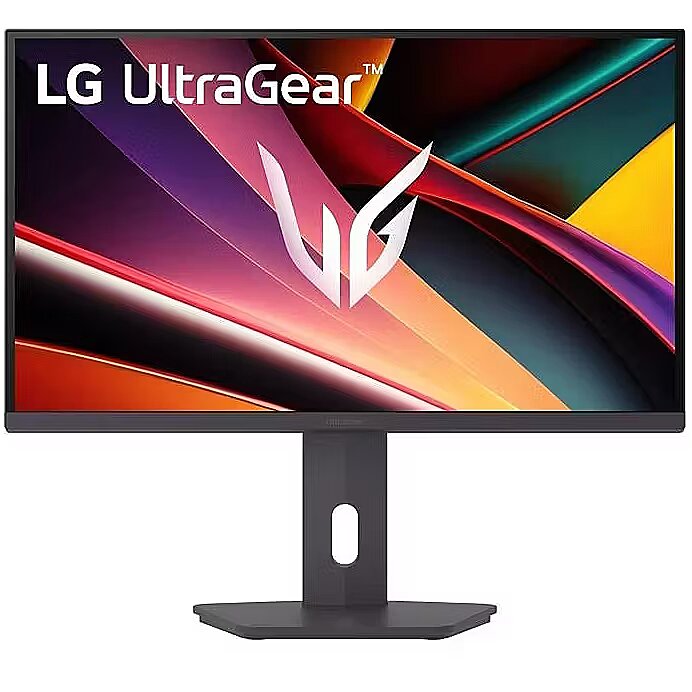
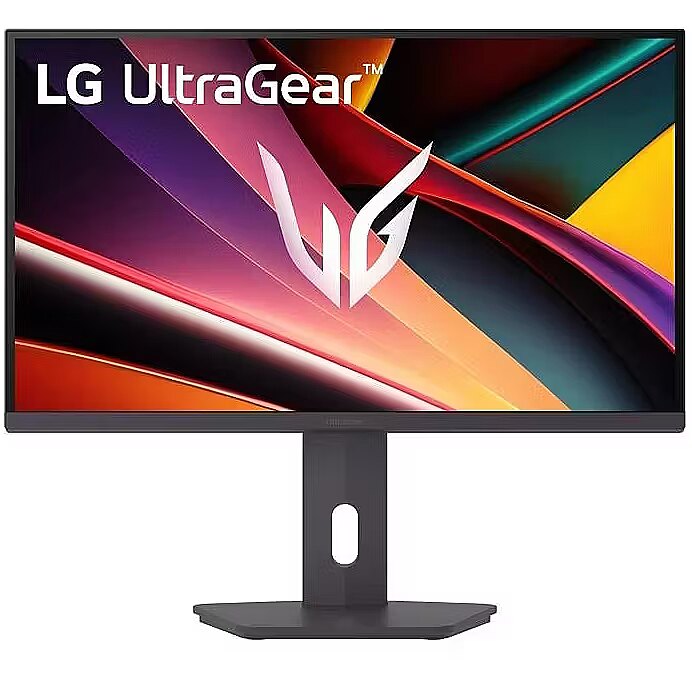
The 27" UltraGear™ QHD (2560 x 1440) IPS gaming monitor delivers vivid VESA DisplayHDR™ 400, ultra-smooth 200Hz speed, and 1ms response time clarity. FreeSync™ Premium keeps gameplay tear-free. The sleek, slim design keep you focused and in control. QHD clarity, bold colors, and DisplayHDR™ 400 brilliance
Bold QHD on a 27” IPS display with up to 99% sRGB color coverage. Experience deeper blacks, vibrant hues, and enhanced contrast with VESA DisplayHDR™ 400, delivering breathtaking detail and crisp visuals for captivating gaming and entertainment. Blazing 200Hz Speed. Every Frame Counts..
Enjoy fluid, crystal-clear gameplay with a fast 200Hz native refresh rate. Minimized motion blur keeps every frame sharp, so you can stay locked in on the action. 1ms Response (GtG) for Crisp Gameplay
1ms Response Time (GtG) keeps fast-paced gameplay sharp by minimizing blur and ghosting. Whether you're tracking enemies or racing to the finish, every frame stays crisp—giving you the edge when it matters most. Ultimate Frame Sync: FreeSync™ Premium
Say goodbye to screen tearing and stutter. With AMD FreeSync™ Premium, this UltraGear™ monitor delivers ultra-smooth, tear-free visuals, giving you frame sync across PC and next-gen console gaming. Unlock Your Potential with Advanced Gaming Features
- Dynamic Action Sync reduces input lag for real-time response.
- Black Stabilizer brightens dark scenes to see what's hidden
- FPS Counter shows your real-time frame rate
- Crosshair enhances precision for deadly accuracy Customize Your Screen View with the Switch App
The Switch app transforms your screen into a multitasking hub for work, gaming, and streaming. Effortlessly split the screen into up to 6 sections, customize display layouts, or launch video calls with a single hotkey. Battlestation upgrade Adjustable to Gamer Specs
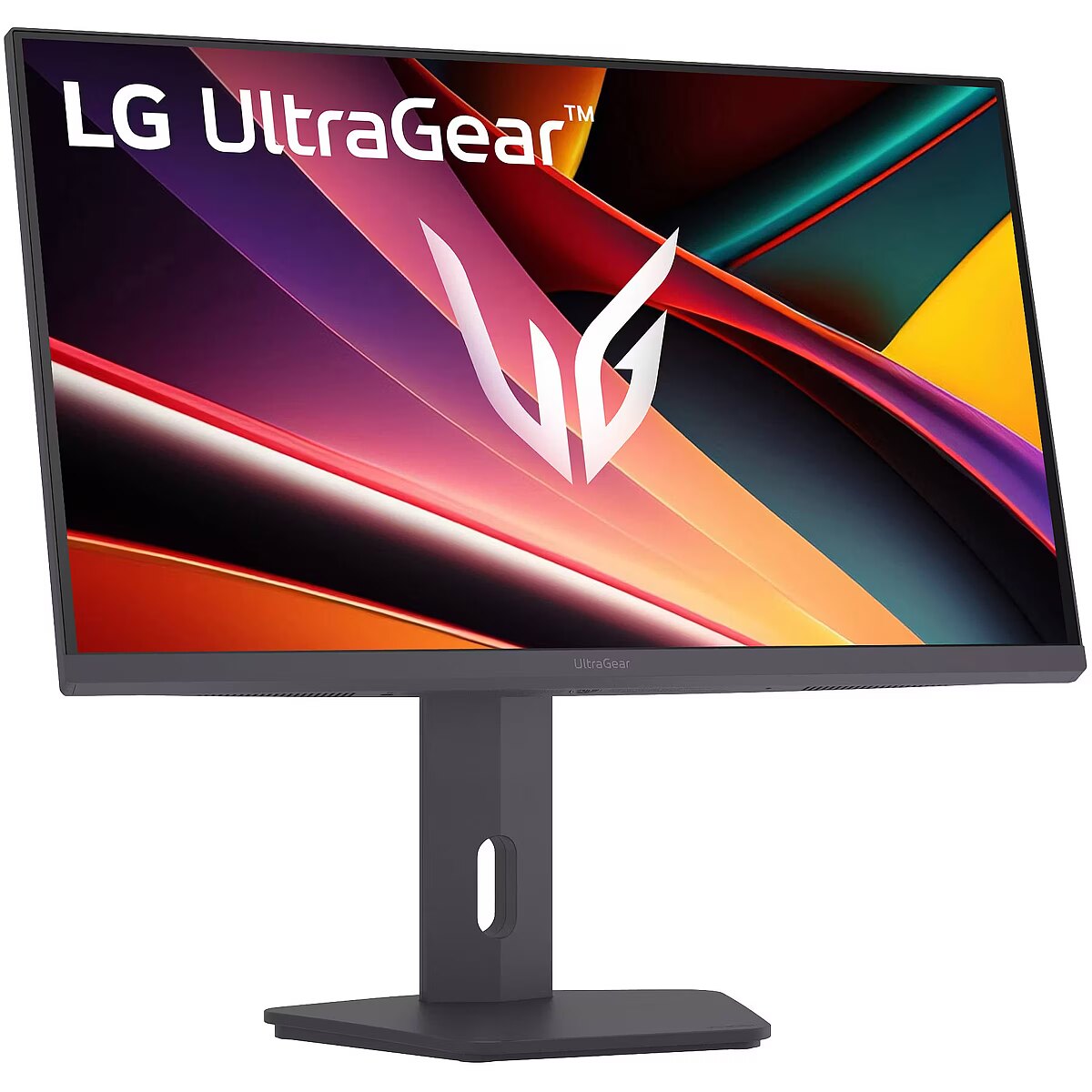
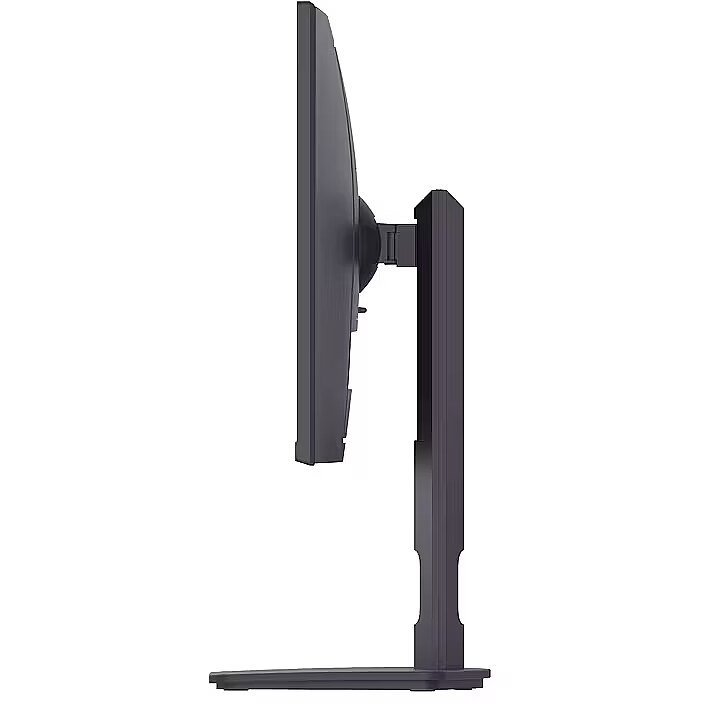
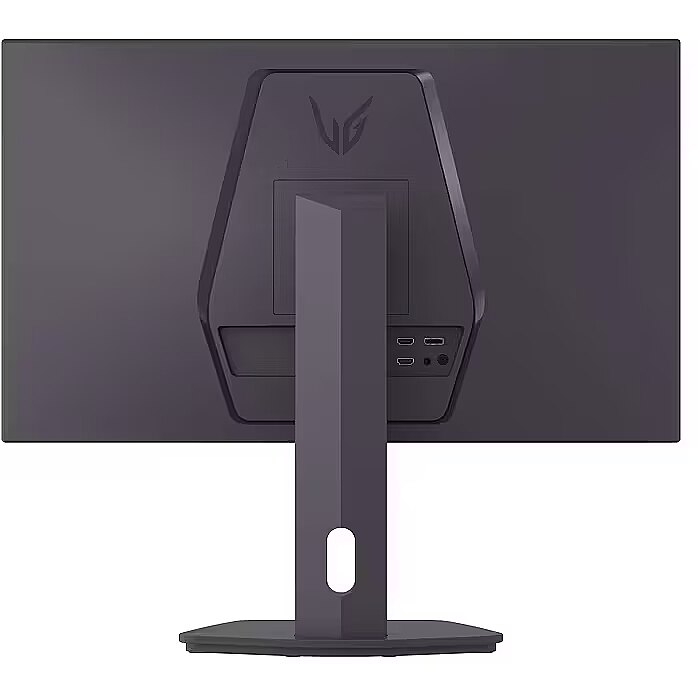
Go big with the narrow bezel, 27” IPS screen. UltraGear's sleek, slim design offers adjustable height, tilt, swivel and pivot control for your ideal view.Crisp QHD clarity, deep blacks, and DisplayHDR 400 provide breathtaking gaming visualsEnjoy fluid, fast blur-free gameplay with a 200Hz refresh rate¹1ms Response Time (GtG) for sharper, cleaner fast-moving gameplaySeamless frame sync with FreeSync™ Premium and G-SYNC® for stutter-free gaming.Advanced gaming features unlock your in-game potentialLG Switch app splits your screen, customizes layouts, and streamlines work and play²Sleek 27" slim virtually borderless design with adjustable height, tilt, swivel, and pivot
Design - Feet colour - Black
Design - Front bezel colour - Black
Design - Market positioning - Gaming
Design - Product colour - Black
Display - Anti-glare screen - Yes
Display - Colour depth - 8 bit
Display - Colour gamut standard - sRGB
Display - Contrast ratio (typical) - 1000:1
Display - Display brightness (peak) - 400 cd/m²
Display - Display brightness (typical) - 320 cd/m²
Display - Display diagonal - 68.6 cm (27")
Display - Display diagonal (metric) - 68.4 cm
Display - Display number of colours - 16.7 million colours
Display - Display resolution - 2560 x 1440 pixels
Display - Display technology - LCD
Display - HD type - Quad HD
Display - High Dynamic Range (HDR) supported - Yes
Display - High Dynamic Range (HDR) technology - DisplayHDR 1000, DisplayHDR 400
Display - Maximum refresh rate - 200 Hz
Display - Native aspect ratio - 16:9
Display - Panel type - IPS
Display - Pixel pitch - 0.2331 x 0.2331 mm
Display - Response time - 1 ms
Display - Response time measurement type - GTG (Gray to Gray)
Display - Screen shape - Flat
Display - sRGB coverage (typical) - 99%
Display - Viewing angle, horizontal - 178°
Display - Viewing angle, vertical - 178°
Display brightness (min) Display - 320 cd/m²
Display brightness (typical) Display - 400 cd/m²
Display diagonal (metric) Display - 68 cm
Display diagonal Display - 68.6 cm (27")
Display number of colours Display - 16.7 million colours
DisplayPorts quantity Ports & interfaces - 1
DisplayPort version Ports & interfaces - 1.4
Display resolution Display - 2560 x 1440 pixels
Display technology Display - LCD
EAN - 8806096597187
ean - 8806096597187
Energy consumption (HDR) per 1000 hours Power - 29 kWh
Energy consumption (SDR) per 1000 hours Power - 20 kWh
Energy efficiency class (HDR) Power - G
Energy efficiency class (SDR) Power - E
Energy efficiency class Energy Efficiency - E
Energy efficiency scale Power - A to G
EPREL Registration Number Energy Efficiency - 2396692
EPREL Version Number Energy Efficiency - 1
Ergonomics - Adjustable height (max) - 11 cm
Ergonomics - Height adjustment - Yes
Ergonomics - Panel mounting interface - 100 x 100 mm
Ergonomics - Pivot - Yes
Ergonomics - Pivot angle - -30 - 30°
Ergonomics - Tilt adjustment - Yes
Ergonomics - Tilt angle range - -5 - 20°
Ergonomics - VESA mounting - Yes
Ergonomics - Wall mountable - Yes
Factory calibration report Other features - Yes
Feet colour Design - Black
Flicker-free technology Performance - Yes
FPS counter Other features - Yes
Frameless design Design - No
Front bezel colour Design - Black
GTIN - 8806096597187
HDMI Ports & interfaces - Yes
HDMI ports quantity Ports & interfaces - 2
HDMI version Ports & interfaces - 2.0
HD type Display - Quad HD
Headphone out Ports & interfaces - Yes
Height (max) Weight & dimensions - 54.4 cm
Height (min) Weight & dimensions - 43.4 cm
Height (without stand) Weight & dimensions - 366 mm
Height (with stand) Weight & dimensions - 544 mm
Height adjustment Ergonomics - Yes
High Dynamic Range (HDR) supported Display - Yes
High Dynamic Range (HDR) technology Display - DisplayHDR 400, HDR Effect, High Dynamic Range 10 (HDR10)
Illuminated stand Design - No
Input current Power - 1.2 A
LargeDescHTML -
LongSummaryDescription - LG 27G610A-B. Display diagonal: 68.6 cm (27"), Display resolution: 2560 x 1440 pixels, HD type: Quad HD, Display technology: LCD, Response time: 1 ms, Native aspect ratio: 16:9, Viewing angle, horizontal: 178°, Viewing angle, vertical: 178°. VESA mounting, Height adjustment. Product colour: Black
Market positioning Design - Gaming
Maximum refresh rate Display - 200 Hz
Model - 27G610A
name - LG UltraGear G 27G610A-B 27 Zoll WQHD Gaming-Monitor, 200Hz, IPS, FreeSync Premium
Name - Monitors LG UltraGear 27G610A-B IPS
Native aspect ratio Display - 16:9
NVIDIA G-SYNC Performance - No
Operating temperature (T-T) Operational conditions - 0 - 40 °C
Other features - Brand specific technologies - Black Stabilizer, Crosshair
Other features - FPS counter - Yes
Package depth Packaging data - 140 mm
Package height Packaging data - 434 mm
Package weight Packaging data - 7.12 kg
Package width Packaging data - 867 mm
Packaging content - Cables included - Power
Packaging content - Power cable length - 1.5 m
Packaging content - Stand included - Yes
Packaging data - Package depth - 1400 mm
Packaging data - Package height - 435 mm
Packaging data - Package weight - 7.1 kg
Packaging data - Package width - 865 mm
Panel mounting interface Ergonomics - 100 x 100 mm
Panel type Display - IPS
Performance - AMD FreeSync - Yes
Performance - AMD FreeSync type - FreeSync Premium
Performance - Flicker-free technology - Yes
Performance - Smart modes - Energy saving
Pivot Ergonomics - Yes
Pixel pitch Display - 0.2331 x 0.2331 mm
Plug and Play Ergonomics - Yes
Ports & interfaces - DisplayPorts quantity - 1
Ports & interfaces - DisplayPort version - 1.4
Ports & interfaces - HDMI - Yes
Ports & interfaces - HDMI ports quantity - 2
Ports & interfaces - HDMI version - 2.0
Ports & interfaces - Headphone out - Yes
Ports & interfaces - Headphone outputs - 3
Power - AC input frequency - 50/60 Hz
Power - AC input voltage - 100 - 240 V
Power - Energy consumption (HDR) per 1000 hours - 29 kWh
Power - Energy consumption (SDR) per 1000 hours - 20 kWh
Power - Energy efficiency class (HDR) - G
Power - Energy efficiency class (SDR) - E
Power - Energy efficiency scale - A to G
Power - Power consumption (max) - 20 W
Power - Power consumption (off) - 0.3 W
Power - Power consumption (standby) - 0.5 W
Power - Power consumption (typical) - 20 W
Power consumption (off) Power - 0.3 W
Power consumption (PowerSave) Power - 0.5 W
Power supply type Power - External
Product colour Design - Black
ProductName - 27G610A-B
Product Net Weight - 5.31 kg
Response time Display - 1 ms
Response time measurement type Display - GTG (Gray to Gray)
Screen shape Display - Flat
ShortSummaryDescription - LG 27G610A-B, 68.6 cm (27"), 2560 x 1440 pixels, Quad HD, LCD, 1 ms, Black
Smart modes Performance - Energy saving
sRGB coverage (typical) Display - 99%
Stand included Packaging content - Yes
Storage temperature (T-T) Operational conditions - -20 - 60 °C
Summary - LG 27 Inch UltraGear IPS QHD 1440p 200Hz 1ms Gaming Monitor. Display diagonal: 68.6 cm (27"), Display resolution: 2560 x 1440 pixels, HD type: Quad HD, Display technology: LCD, Response time: 1 ms, Native aspect ratio: 16:9, Viewing angle, horizontal: 178°, Viewing angle, vertical: 178°. VESA mounting, Height adjustment. Product colour: Black
Supported graphics resolutions Display - 2560 x 1440
Supported video modes Display - 1440p
Swivelling Ergonomics - Yes
Tilt adjustment Ergonomics - Yes
Title - LG 27G610A-B computer monitor 68.6 cm (27") 2560 x 1440 pixels Quad HD LCD Black
Touchscreen Display - No
Unit Box Height - 0.14
Unit Box Length - 0.865
Unit Box Width - 0.435
Unit Calculated Volume - 0.05268 cubm
Unit Calculated Weight - 7.1 kg
Units per Pallet - 0
Vendor Homepage - https://www.lg.com/us/monitors/lg-27g610a-b-gaming-monitor
VESA mounting Ergonomics - Yes
Viewing angle, horizontal Display - 178°
Viewing angle, vertical Display - 178°
Wall mountable Ergonomics - Yes
Warranty - 24 months
Weight & dimensions - Depth (without stand) - 49.2 mm
Weight & dimensions - Depth (with stand) - 224.5 mm
Weight & dimensions - Height (without stand) - 364.5 mm
Weight & dimensions - Height (with stand) - 544.2 mm
Weight & dimensions - Weight (without stand) - 3.5 kg
Weight & dimensions - Weight (with stand) - 5.3 kg
Weight & dimensions - Width (without stand) - 613.2 mm
Weight & dimensions - Width (with stand) - 613.2 mm
Weight (without stand) Weight & dimensions - 3.49 kg
Weight (with stand) Weight & dimensions - 5.31 kg
Wi-Fi Network - No
Width (without stand) Weight & dimensions - 612 mm
Width (with stand) Weight & dimensions - 612 mm




 DVI is a digital standard and ensures high image quality, however, thanks to the big size of the plug and the inability of the standard to develop further due to a few technical restrictions this type of connection is gradually losing its popularity to modern HDMI and DisplayPort standards.




