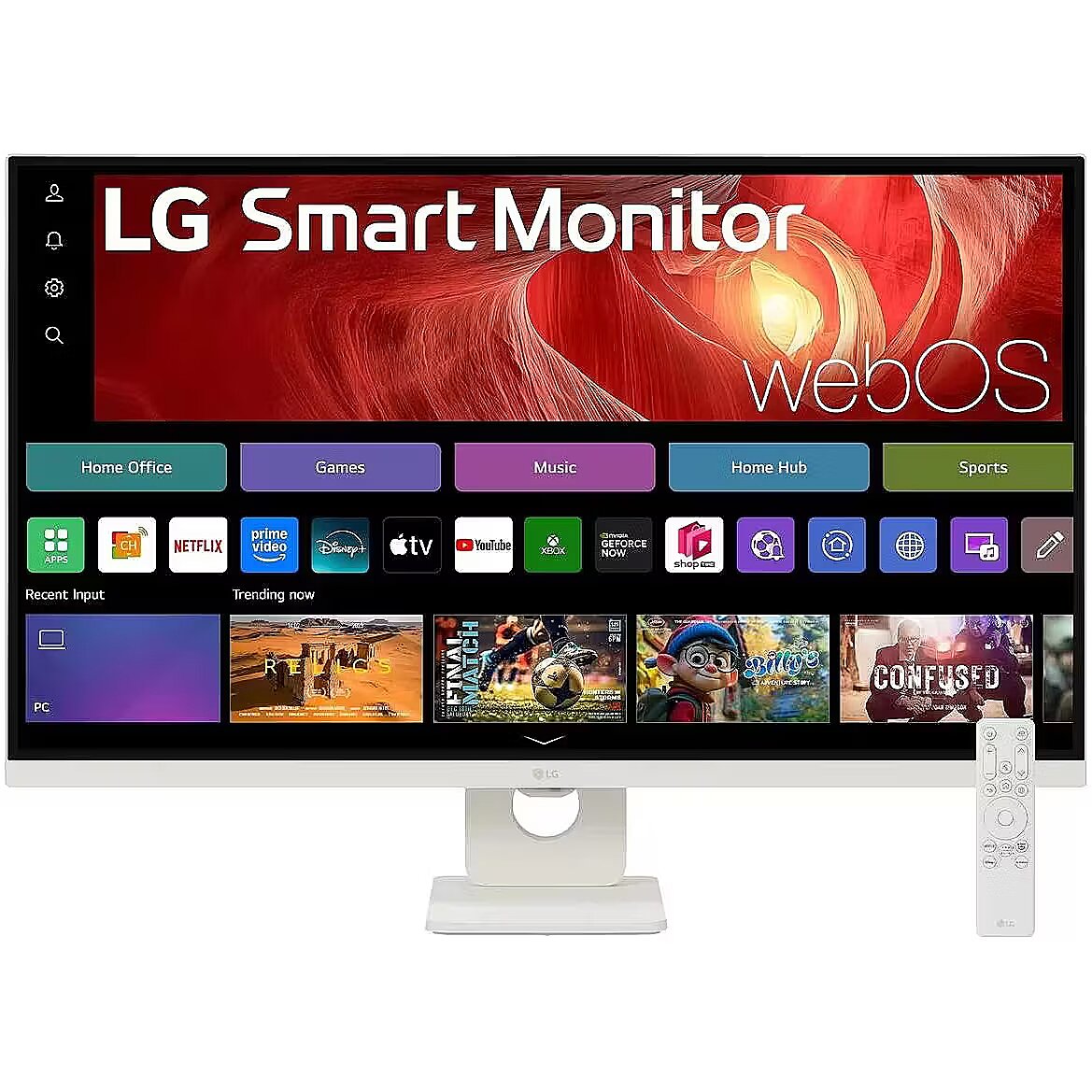
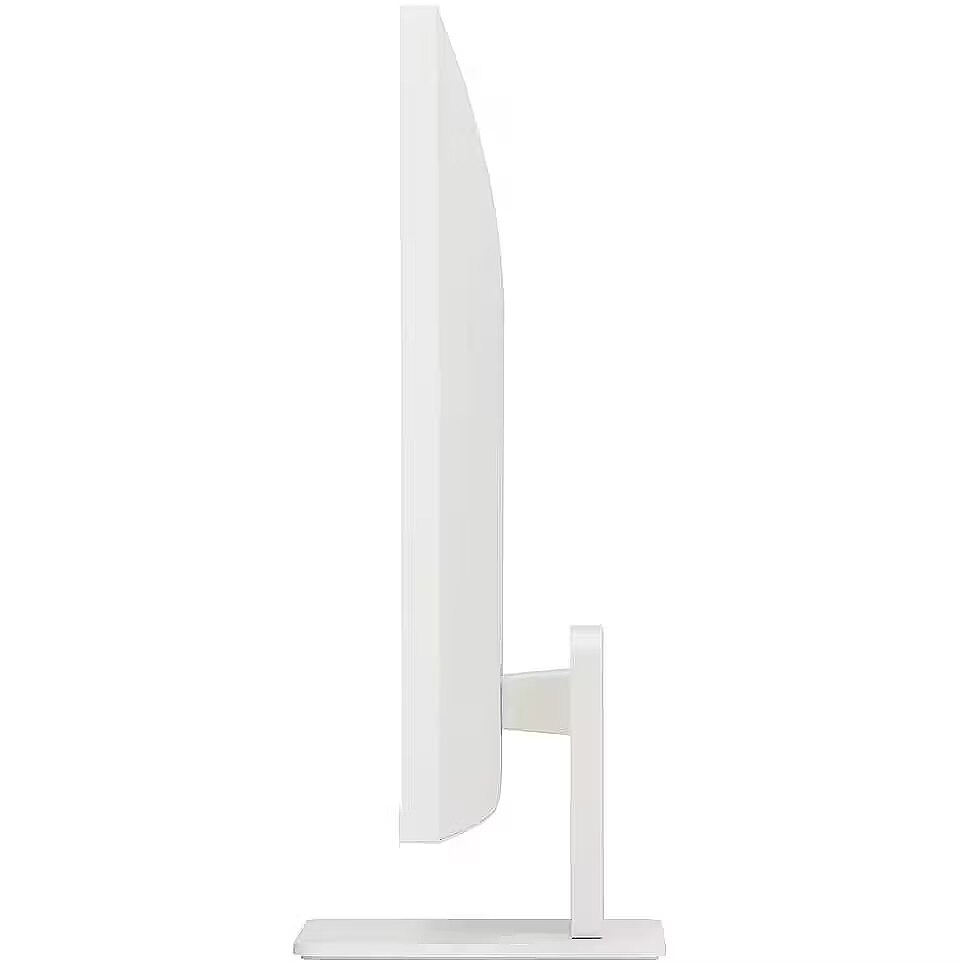
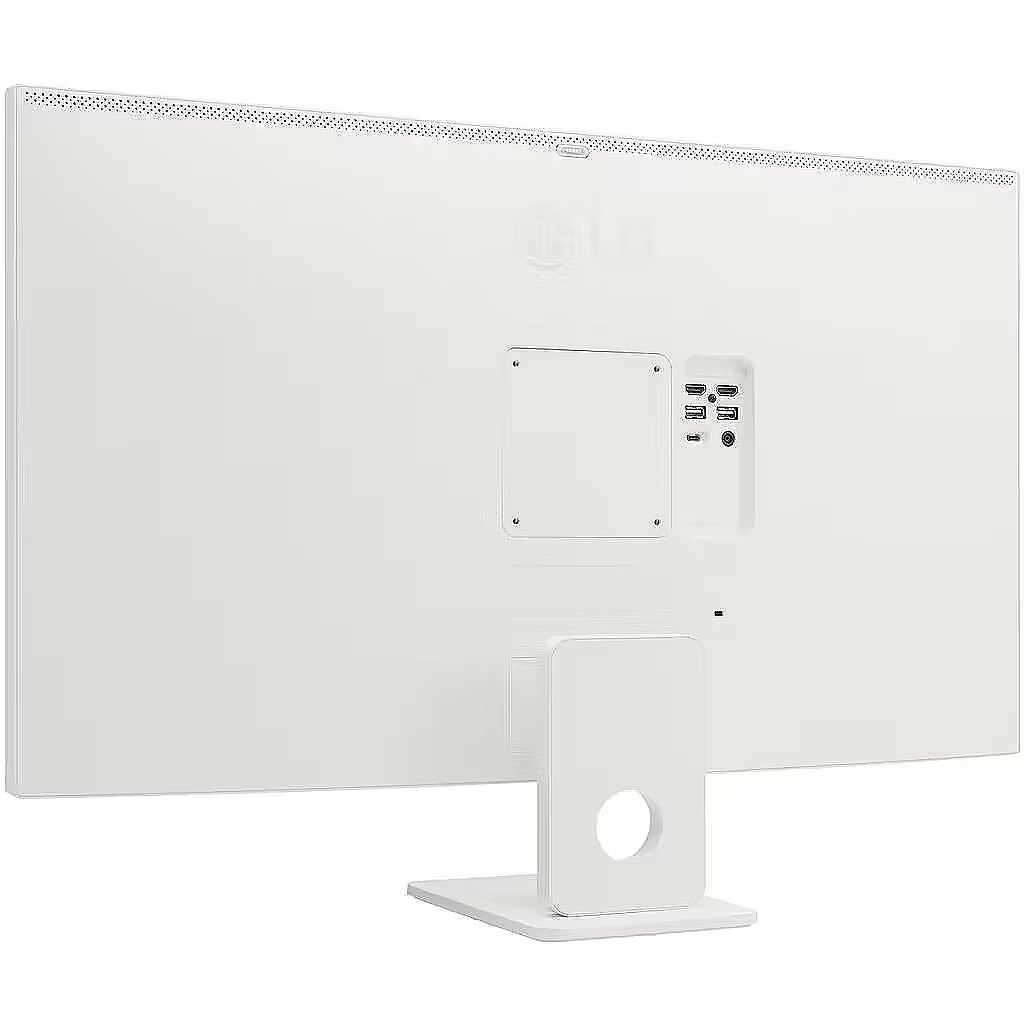
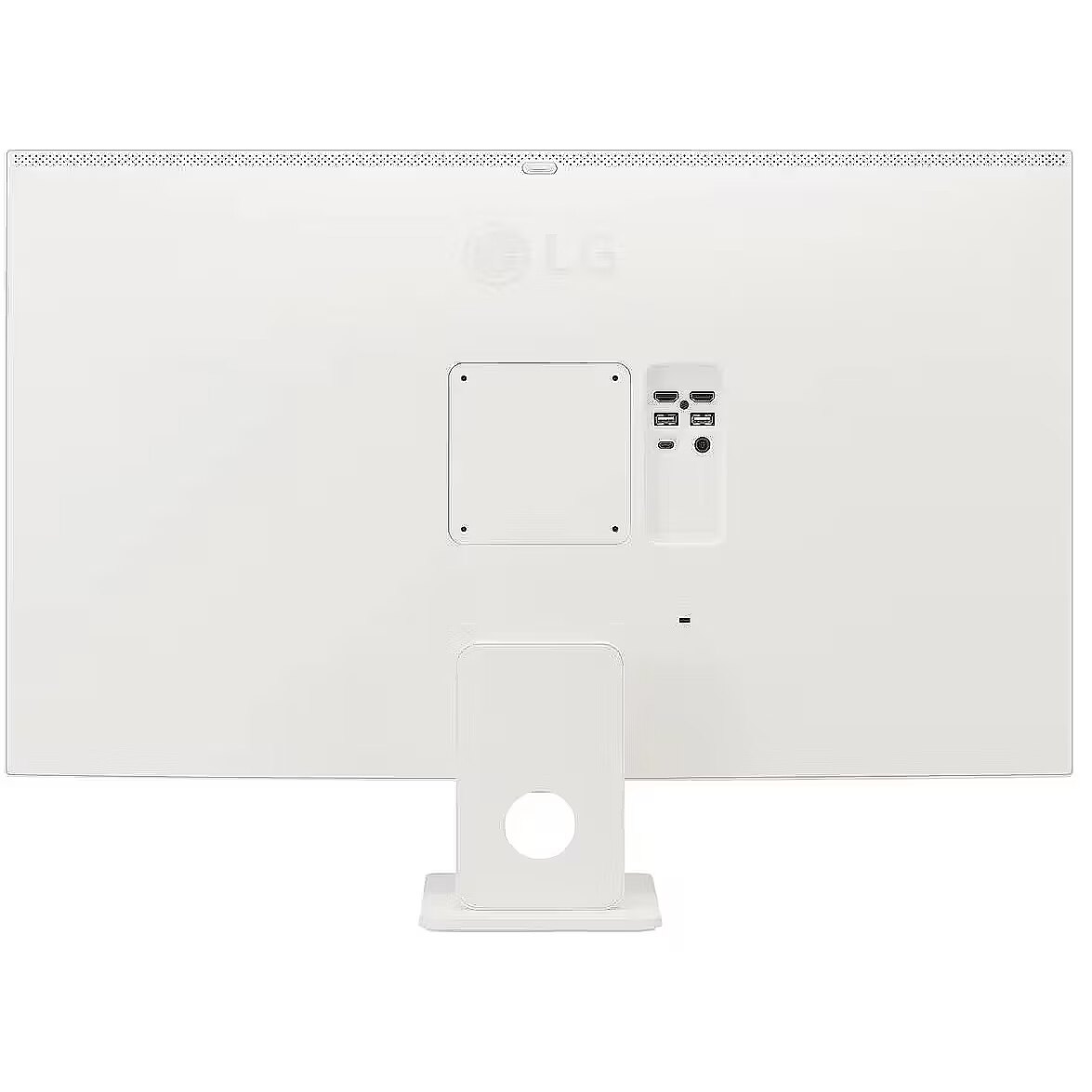
LG 32U721SA-W, 31.5"

Picture may differ from actual product, there can be accessories and parts not supplied with the actual product.
ID: 1260735 Product code: 32U721SA-W.AEU
Can be ordered 73 units Availability: 14 days after order approval
Warranty: 2 years (Warranty for business entities 1 year)
281.41 €
Ready for dispatch
15.01.2026
starting from 0 €
Delivery options
  • Receiving goods at the Dateks office
    0.00 €
  • Delivery throughout Latvia.
    Within 1-2 working days
    4.99 €
Main product parameters All parameters
  • Curved: Nav
  • Panel Type: VA
  • Refresh rate: 60 Hz
  • Response time: 5ms
  • Contrast ratio: 3000:1
  • Brightness: 250cd/m2
  • Size: 31.5"
  • Resolution: 4K UHD 3840x2160
Description

This LG 32U721SA-W, 31.5" monitor with 4K UHD 3840x2160 resolution is suitable for comfortable work with documents, web content, and multimedia. It provides natural image reproduction, comfortable viewing, and stable performance, satisfying user needs for a universal work screen.

The response time 5ms reduces pixel transition delay, thereby minimizing blur and afterimage formation in moving images. Such an indicator is especially useful for dynamic content, ensuring clearer and more stable frame representation. The monitor responds faster to image changes, improving visual accuracy.

VA technology ensures a more uniform brightness distribution and less color inversion angle compared to TN. This allows for more accurately displaying details and more comfortably viewing videos and graphics from various viewing positions.

This monitor with a 60 Hz refresh rate ensures proper motion portrayal and minimal flickering, which is essential for prolonged use. Such a refresh speed is suitable for most domestic and professional scenarios, guaranteeing smooth frame renewal and comfortable image perception even over extended use periods.

Flicker-Free reduces the frequency flickering common to some brightness adjustment methods. This reduces visual stress and ensures a smooth, pleasant image for the eyes. The technology is particularly useful for working in darker rooms and during prolonged viewing sessions.

The Tilt function ensures flexible adjustment of the panel's vertical tilt, allowing for precise adaptation of the screen to the working position. This reduces the risk of discomfort during prolonged use, maintains an optimal viewing angle, and helps avoid image distortion in various lighting conditions.

VESA wall mount allows you to install a monitor on the wall, adhering to a uniform industrial standard. It facilitates the choice of mount, increases the flexibility of workspace organization, and allows you to adjust the height and angle of placement, regardless of the desk or tripod.

The built-in speakers provide direct sound playback, eliminating the need for external audio devices. This simplifies the setup of the work system and saves space. The speakers are suitable for everyday needs, including online meetings, training, and video viewing, providing adequate sound level.

HDMI is a digital interface designed for stable video and audio transmission with a single cable. This approach reduces the number of connections and prevents unnecessary signal conversion. HDMI ensures a reliable connection, high throughput, and precise operation with modern devices without loss of quality.

The USB-C connection combines image, sound, data and power transmission into one cable, reducing workplace load and speeding up device connectivity. It is compatible with many modern laptops and provides a stable signal, making monitor usage more convenient and technically effective. Several USB-C ports make the monitor more versatile for modern devices. Each port can simultaneously transmit video, audio, data and power through a single cable, reducing the number of wires. This allows to connect multiple peripheral devices or signal sources without additional adapters.

USB Power Delivery provides device charging directly from the monitor, reducing the need for separate power blocks. It simplifies device placement and reduces the number of wires. Parallel charging and signal transmission makes the connection more functional and versatile.

USB-C video input ensures the transmission of video and audio signals through a single cable, simplifying the connection and reducing the number of wires. The connector supports modern data transmission protocols and ensures a stable signal. It improves the monitor's compatibility with a wide range of modern devices.

The monitor comes with a 1 year warranty

All parameters
Model : 32U721SA-W
Display characteristics
AMD FreeSync : Nav
Curved : Nav
NVIDIA G-SYNC : Nav
Panel Type VA

Teh monitor panel is the main feature of the visible part of the screen or the technology where the display of the colour dots (pixels) is implemented.

TN is the standard technology with average contract, brightness and colour compliance indices.

IPS is the matrix with high colour compliance and good response speed, therefore it is well suited for graphics tasks and photo editing. IPS matrix provide an excellent viewing angle maintaining the colours and contrast from almost any angle.

VA matrix ensures superior colour compliance, however, the response time of this matrix is lagging behind that of the IPS and TN; the viewing angle is somewhere between both these technologies.

The TN type monitor is fully sufficient for an average user. If you have more money available the VA or IPS can be chosen.

Refresh rate : 60 Hz
Touchscreen : NO
VESA DisplayHDR : Nav
Response time 5ms
The response time of the monitor screen determines how fast the monitor will display moving images (films, games, animations, etc.). The response time is measured in miliseconds. The less the response time the better the ability of the monitor to display moving images.
www.dateks.lv recommends to buy monitors with 5ms response time or lower.
Contrast ratio 3000:1

Ekrāna kontrasts nosaka attēla asumu. Tā ir atšķirība starp vistumšāko (pilnīgi melnu) un visgaišāko (pilnīgi baltu) pikseli. Jo lielāks kontrasts, jo skaidrāk salasāms teksts uz ekrāna, kontrasts arī nosaka, cik izteiksmīgas līnijas būs redzamas monitora attēlā.

Augsts kontrasts ir nozīmīgs faktors izvēloties monitoru biroja, vai mācību vajadzībām, kad lielākoties tiek strādāts ar tekstuālu informāciju.

Mājas vajadzībām svarīgāks izvēles rādītājs ir gaišums un attēla reakcijas laiks. Kontrastu labāk novērtēt tumšā istabā.
Lielākais LCD monitoru trūkums ir tas, ka samazinot attēla spilgtumu, kontrasts var pazust.

Brightness 250cd/m2

Monitora gaišums ir attēla redzamības rādītājs, kas nosaka, cik labi saskatāms ir attēls pie spēcīga ārējā apgaismojuma (saules gaisma, gaiša telpa, utt.). LCD monitoru gaišums tiek mērīts kandelās uz kvadrātmetru (Cd/m2).
Izvēloties monitoru jāņem vērā - jo lielāks gaišuma rādītājs, jo labāka attēla redzamība.

Ikdienas vajadzībām Dateks.lv iesaka iegādāties monitoru ar gaišumu, ne mazāku par 250 cd/m2.

Basic information
Application : Home & Office
Aspect ratio : 16:9
Color : Black, White
Size 31.5"

The size of the monitor screen is measured in inches across the diagonal. The screen size must be proportionate to the resolution of the screen for achieving the maximum utilisation of the desktop and details of the image.

Mainly two forms of LCD monitors are available: with standard width and height proportion 4:3 or the widescreen proportion 16:9 or 16:10. A widescreen monitor is wider and its resolution is higher than that of the monitors with standard proportion.

The bigger the monitor size the higher resolution usually is supported. Possibilities to increase the resolution of the screen usually depend on the size and possibilities of the monitor and the type of the video card.

Resolution 4K UHD 3840x2160

The resolution of the monitor screen determines the number of colour dots (pixels) a monitor can display. It refers to the clarity of the text and images displayed on the screen. The higher the resolution the sharper the items look.

The applied resolution depends on the resolution supported by the monitor. LCD monitors, including the screens of laptop computers usually work best if their local resolution has been set. The setting of this resolution for the monitor is not mandatory, but usually it is recommended to set it for ensuring the highest possible sharpness of texts and images. The bigger the monitor size the higher resolution usually is supported.

Possibilities to increase the resolution of the screen usually depend on the size and possibilities of the monitor and the type of the video card.
• 19 inches screen (standard proportions): 1280x1024 pixels
• 20 inches screen (standard proportions): 1600x1200 pixels
• 22 inches screen (widescreen): 1680x1050 pixels
• 24 inches screen (widescreen): 1900x1200 pixels

Functionality
Flicker-free : Ir
Height adjustment : Nav
Pivot : Nav
Swivel : None
Tilt : YES
VESA wall mount : 100x100 mm
Ports and equipment
D-SUB Nav

D-SUB is the classic (analogous) monitor connection plug. This standard is gradually disappearing from the market giving the place to the higher quality HDMI or DisplayPort (digital) plugs.

If the resolution of the monitor is FullHD or below the average user will experience no problems with this connection. Those who want to achieve higher image quality and resolution should look for the monitor with the DisplayPort or HDMI connection slot.

DisplayPort Nav

DisplayPort is the digital connection for transmitting the image via a single wire at a high quality level. Contrary to the HDMI, this connection allows to connect several external monitors to the computer via a single connector.

Prior to buying the monitor with the DisplayPort you should verify whether your computer has the DisplayPort plug available!

DVI Nav

DVI is a digital standard and ensures high image quality, however, thanks to the big size of the plug and the inability of the standard to develop further due to a few technical restrictions this type of connection is gradually losing its popularity to modern HDMI and DisplayPort standards.

DVI is compatible with HDMI and transitions of both directions are available.

DVI is not compatible with DisplayPort, however, there are DualMode DisplayPort connectors which contains the HDMI/DVI signal, and in the relevant direction DisplayPort -> DVI can transmit an image.

If the monitor resolution exceeds 1920px in any direction a graphics card with the DVI-D Dual Link support and the relevant quality cable will be required.

Before buying a monitor you should verify whether your graphics card has the corresponding connection slot!

HDMI port 2

HDMI is the digital high quality image transmission standard that allows to connect the monitor to the computer via a thin cable by using an elegant small-size connector. HDMI is compatible with DVI if the relevant transition or cable is used.

Speakers Ir

Some monitors may have built-in speakers that quite often allow to give up external speakers thus freeing a space on the desk and saving money. The sound quality of built-in speakers is quite moderate and therefore we recommend to use this possibility just for infrequent needs.

For enjoying music, movies and games we recommend buying the corresponding quality and capacity speakers.

USB Hub : YES
USB-C Power Delivery : 65W
USB-C video input : 1
More detailed specification
Category - Root/Electronics/PC peripherals/Monitors
Dane fizyczne: Głębokość - 209.9 mm
Dane fizyczne: Kolor obudowy - biały
Dane fizyczne: Standard VESA - 100 x 100
Dane fizyczne: Szerokość - 714.2 mm
Dane fizyczne: Waga - 6.6 kg
Dane fizyczne: Wysokość - 509.8 mm
Dane fizyczne: Zakres regulacji pochylenia (Tilt) - 20 °
Dane techniczne: HDR - tak
Dane techniczne: Czas reakcji - 5 ms
Dane techniczne: Częstotliwość odświeżania - 60 Hz
Dane techniczne: Grupa produktowa - Monitory LG
Dane techniczne: Gwarancja - 2 lata w serwisie sprzedawcy
Dane techniczne: Głośniki - tak (2 x 5 W)
Dane techniczne: Jasność - 250 cd/m²
Dane techniczne: Możliwość regulacji - pochył
Dane techniczne: Producent - LG
Dane techniczne: Przekątna - 31.5 cali
Dane techniczne: Rodzaj podświetlenia - LED
Dane techniczne: Rozdzielczość ekranu - 3840 x 2160 (4K Ultra HD) piksele
Dane techniczne: Rozmiar plamki - 0.182 mm
Dane techniczne: Standard portów wideo - HDMI
Dane techniczne: Standard portów wideo - USB-C
Dane techniczne: Typ - do biura i domu
Dane techniczne: Typ ekranu - płaski
Dane techniczne: Typ matrycy - VA
Dodatkowe informacje o matrycy: Format obrazu - 16:9
Dodatkowe informacje o matrycy: Kontrast - 3000:1
Dodatkowe informacje o matrycy: Kąt widzenia w pionie - 178 °
Dodatkowe informacje o matrycy: Kąt widzenia w poziomie - 178 °
Dodatkowe informacje o matrycy: Liczba wyświetlanych kolorów - 1070 mln
Eans - 8806096446539
Efektywność energetyczna: Klasa energetyczna - F
Efektywność energetyczna: Klasa energetyczna w trybie HDR - G
Efektywność energetyczna: Zużycie energii - 30 kWh/1000h
Efektywność energetyczna: Zużycie energii w trybie HDR - 34 kWh/1000h
Informacje podstawowe: Funkcje Smart Home - tak
Informacje podstawowe: Standard HDR - HDR10
Informacje podstawowe: System operacyjny - WebOS
Informacje podstawowe: Wbudowany asystent głosowy - Amazon Alexa
Name - LG SMART 32U721SA-W - 4K | VA | WebOS | 31.5"
Pozostałe cechy: Akcesoria - 1 x pilot
Pozostałe cechy: Akcesoria - kabel HDMI
Pozostałe cechy: Model - LG U721SA
Producent: Nazwa producenta / importera - LG
LG Electronics Deutschland GmbH
Alfred-Herrhausen-Allee 3-5
65760 EschbornProducer - LG
ProducerCode - 32U721SA-W.AEU
ShortDescription - 31,5'' | 3840 x 2160 (4K Ultra HD) | 60Hz | VA
Złącza: Komunikacja bezprzewodowa - Bluetooth
Złącza: Złącza - 1 x USB Type-C
Złącza: Złącza - 2 x HDMI
Złącza: Złącza - 2 x USB
281.41 €
LG 32U721SA-W, 31.5"
Tālr. 67275758 gsm 26117175 (p.o.t.c.p. 9:00-18:00)
Intel technology provider Platinum 2020
All categories