ACinputfrequency - 50/60 Hz
ACinputvoltage - 100 - 240 V
Adjustableheightmax - 15.5 cm
AMDFreeSync - No
Antiglarescreen - Yes
ARTIKEL1 - T34WD-40 34.0 WQHD VA 21:9
ARTIKEL2 - 300CD/M L/T/S ENET USB-C
Aspectratio -
Aspect ratio - 21:9
Audioinput -
Audiooutput -
Backlighttype - W-LED
Brand - Lenovo
BrandPartCode - 64AEGAT1EU
Breite - 0.5
Built-in camera - No
Built-in microphone - No
Built-in speakers - Yes
Builtincamera - No
BuiltinKVMswitch -
Builtinmicrophone - No
Builtinspeakers - No
BuiltinUSBhub - Yes
Bundledsoftware -
Cablelockslot - Yes
Cablesincluded - DisplayPort, USB Type-C to USB Type-C
Category - Computer Monitors
Category 1 - Displays
Category 2 - Monitore
category_en - Computers & Components > Monitors and accessories > LCD monitors
category_lv - Datortehnika > Monitori un aksesuāri > LCD monitori
category_ru - Datortehnika > Monitori un aksesuāri > LCD monitori
Code - 64AEGAT1EU
Colourdepth - 8 bit
Colourgamut - 99%
Colourgamutstandard -
Connections - DisplayPort
Connections - Ethernet (RJ-45)
Connections - HDMI
Connections - usb-a
Connections - usb-c
Contrast ratio (typical) - 3000:1
Contrastratiodynamic - 3000000:1
Contrastratiotypical - 3000:1
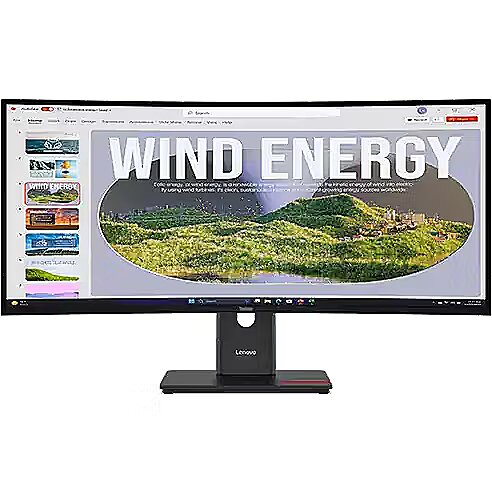
Curved - Yes
Depthwithoutstand - 114.7 mm
Depthwithstand - 220 mm
Description - LENOVO 34" T34WD-40 CURVED WQHD 21:9 120HZ HDMI/DP/USB-C(96W)/RJ45
description_en - The Lenovo ThinkVision T34WD-40 is an ultra-wide 34-inch curved monitor designed for comfortable work and entertainment. It delivers a wide viewing area and high-quality WQHD resolution, supports wide color gamut, and features an ergonomic design with tilt adjustment.
Technical specifications: Screen size: 34 inches (86.36 cm) Panel type: VA, curved (1500R) Resolution: 3440 × 1440 pixels (WQHD) Refresh rate: 100 Hz Response time: 4 ms (GtG) Brightness: 300 cd/m² Contrast ratio: 3000:1 Color gamut: 99% sRGB Viewing angles: 178°/178° Ports: 1×HDMI 2.0, 1×DisplayPort 1.4, 4×USB 3.2, audio jack Built-in speakers: yes (2×3 W) Tilt adjustment: yes
description_lv - Lenovo ThinkVision T34WD-40 ir 34 collu ultraplats izliektas formas monitors, kas paredzēts ērtam darbam un izklaidei. Monitors nodrošina plašu skata lauku un augstas kvalitātes WQHD izšķirtspēju, atbalsta plašu krāsu gammu un ir aprīkots ar ergonomisku dizainu ar slīpuma regulēšanu.
Tehniskās specifikācijas: Ekrāna izmērs: 34 collas (86.36 cm) Panelis: VA, izliektas formas (1500R) Izšķirtspēja: 3440 × 1440 pikseļi (WQHD) Atsvaidzes intensitāte: 100 Hz Reakcijas laiks: 4 ms (GtG) Spilgtums: 300 cd/m² Kontrasta attiecība: 3000:1 Krāsu gammu: 99% sRGB Skata leņķi: 178°/178° Pieslēgvietas: 1×HDMI 2.0, 1×DisplayPort 1.4, 4×USB 3.2, audio ligzda Iebūvētie skaļruņi: jā (2×3 W) Slīpuma regulēšana: jā
description_ru - Lenovo ThinkVision T34WD-40 это ультраширокий изогнутый монитор с диагональю 34 дюйма, предназначенный для комфортной работы и развлечений. Монитор обеспечивает широкое поле зрения и высокое качество изображения с разрешением WQHD, поддерживает широкий цветовой охват и имеет эргономичный дизайн с регулировкой по наклону.
Технические характеристики: Диагональ экрана: 34 дюйма (86.36 см) Тип панели: VA, изогнутая (1500R) Разрешение: 3440 × 1440 пикселей (WQHD) Частота обновления: 100 Гц Время отклика: 4 мс (GtG) Яркость: 300 кд/м² Контрастность: 3000:1 Цветовое покрытие: 99% sRGB Углы обзора: 178°/178° Порты: 1×HDMI 2.0, 1×DisplayPort 1.4, 4×USB 3.2, аудиоразъём Встроенные динамики: есть (2×3 Вт) Настройка по наклону: есть
Design -
Design - Colour name - Eclipse black
Design - Feet colour - Black
Design - Front bezel colour - Black
Design - Market positioning - Office
Design - Product colour - Black
Design > Colour of product - Eclipse black
Design > VESA mounting - Yes
Design > VESA mounting interfaces - 100 x 100 mm
Detachablestand -
Dimensions (W x D x H) with stand, mm - 806.1 x 220.0 x 390.4 - 545.4
Dimensions W x D x H, mm - 806.1 x 114.7 x 356.5
Display -
Display - Anti-glare screen - Yes
Display - Backlight type - W-LED
Display - Colour depth - 8 bit
Display - Colour gamut - 99%
Display - Contrast ratio (dynamic) - 3000000:1
Display - Contrast ratio (typical) - 3000:1
Display - Display brightness (typical) - 300 cd/m²
Display - Display diagonal - 86.4 cm (34")
Display - Display number of colours - 16.7 million colours
Display - Display resolution - 3440 x 1440 pixels
Display - Display technology - LED
Display - HD type - Wide Quad HD
Display - High Dynamic Range (HDR) supported - Yes
Display - High Dynamic Range (HDR) technology - High Dynamic Range 10 (HDR10)
Display - LED backlight - Yes
Display - Maximum refresh rate - 120 Hz
Display - Native aspect ratio - 21:9
Display - Panel type - VA
Display - Pixel density - 110 ppi
Display - Pixel pitch - 0.2318 x 0.2318 mm
Display - Response time - 6 ms
Display - Response time (extreme) - 4 ms
Display - Response time (fast) - 4 ms
Display - Screen curvature rating - 1500R
Display - Screen shape - Curved
Display - sRGB coverage (typical) - 99%
Display - Touchscreen - No
Display - Viewing angle, horizontal - 178°
Display - Viewing angle, vertical - 178°
Display > Aspect ratio - 21:9
Display > Backlight type - WLED
Display > Contrast ratio (typical) - 3000:1
Display > Display - 3440 x 1440 pixels
Display > Display brightness - 300 cd/m²
Display > Display diagonal - 34 "
Display > Display number of colours - 16.7 M
Display > Display surface - Anti-glare
Display > Maximum refresh rate - 120 Hz
Display > Panel type - VA
Display > Response time - 4 ms
Display > Viewing angle, horizontal - 178 °
Display > Viewing angle, vertical - 178 °
Displaybezeltechnology -
Display brightness, cd/m² - 300
Displaybrightnesstypical - 300 cd/m²
Display color - Black
Displaydiagonal - 86.4 cm (34")
Display diagonal, " - 34
Displaydiagonalmetric -
Display number of colours - 16.7 M
Displaynumberofcolours - 16.7 million colours
DisplayPortoutquantity -
DisplayPortoutversion -
DisplayPortsquantity - 1
DisplayPorts quantity - 1
DisplayPortversion - 1.4
Displayresolution - 3440 x 1440 pixels
Display resolution, pixels - 3440 x 1440
Displaysurface -
Displaytechnology - LED
EAN - 198155878633
EAN - 0198155878633
EANCode - 0198155878633
EnergyconsumptionSDRper1000hou - 25 kWh
Energy efficiency class - E
EnergyefficiencyclassHDR - G
EnergyefficiencyclassSDR - E
Energyefficiencyscale - A to G
Ergonomics -
Ergonomics - Adjustable height (max) - 15.5 cm
Ergonomics - Cable lock slot - Yes
Ergonomics - Cable lock slot type - Kensington
Ergonomics - Cable management - Yes
Ergonomics - Height adjustment - Yes
Ergonomics - Panel mounting interface - 100 x 100 mm
Ergonomics - Swivel angle range - -45 - 45°
Ergonomics - Swivelling - Yes
Ergonomics - Tilt adjustment - Yes
Ergonomics - Tilt angle range - -5 - 23.5°
Ergonomics - VESA mounting - Yes
Ergonomics > Pivot - No
Ergonomics > Tilt adjustment - Yes
EthernetLAN - Yes
Ethernet LAN (RJ-45) ports quantity - 1
Fastcharging -
Feetcolour - Black
Flickerfreetechnology -
Gewicht - 13.6
Glossy display - No
Green certifications - Energy Star
Green certifications - EPEAT Gold
Green certifications - TCO 10.0
gross_weight - 8.9 kg
GRUPPE1 - Displays
GRUPPE2 - Led Small Format
GTIN - 0198155878633
GTIN - 198155878633
Hazerate -
HDCP -
HDMI - Yes
HDMIportsquantity - 1
HDMI ports quantity - 1
HDMIversion - 2.1
HDtype - Wide Quad HD
Headphoneconnectivity -
Headphoneout - No
Headphoneoutputs -
Height - 490.000000
Heightadjustment - Yes
Height adjustment - Yes
Height adjustment, mm - 155
Heightwithoutstand - 356.5 mm
Heightwithstand - 545.4 mm
HERSTELLER - LENOVO
HighLights -
Hoehe - 0.19
Horizontalscanrange -
HSTNUMMER - 64AEGAT1EU
InfraredIRsensor -
Laenge - 0.97
LEDbacklight - Yes
Length - 980.000000
Link - https://psref.lenovo.com/Detail/ThinkVision_T34WD_40?M=64AEGAT1EU
LongDesc -
LongDesc - Improve your workflow immersion with the 34-inch VA panel, and its 1500R curvature, while eliminating eye strain with Eye Comfort 5-Star Certification by TÜV Rheinland. Make work convenient with the monitor’s USB-C docking solution and USB hub.
LongProductName - 34", 3440 x 1440 WLED VA, 120Hz, 21:9, 300cd/m², 4ms, 178° / 178°, USB PD (15W)
LongSummaryDescription - Lenovo ThinkVision T34WD-40 Monitor. Display diagonal: 86.4 cm (34"), Display resolution: 3440 x 1440 pixels, HD type: Wide Quad HD, Display technology: LED, Response time: 6 ms, Native aspect ratio: 21:9, Viewing angle, horizontal: 178°, Viewing angle, vertical: 178°. Built-in USB hub. VESA mounting, Height adjustment. Product colour: Black
LowBlueLighttechnology - Yes
Manufacturer - Lenovo
ManufacturerPartNumber - 64AEGAT1EU
ManufDatasheet - https://www.tdbaltic.ee/leaflets/LENOVO/64AEGAT1EU.pdf
Marketpositioning - Office
Maximumrefreshrate - 120 Hz
Megapixelapprox -
Model - Lenovo
MPN - 64AEGAT1EU
Multimedia -
Multimedia - Built-in camera - No
Multimedia - Built-in microphone - No
Multimedia - Built-in speaker(s) - No
Multimedia > Built-in speaker(s) - No
Name - 86,4cm/34" (3440x1440) Lenovo ThinkVision T34WD-40 21:9 WQHD VA Curved 4ms 120Hz HDMI DisplayPort USB-C USB-A RJ45 VESA Kensington
Name - Lenovo | ThinkVision | T34WD-40 | 34 " | VA | 21:9 | 120 Hz | 4 ms | 3440 x 1440 pixels | 300 cd/m² | HDMI ports quantity 1 | Eclipse black | Warranty 36 month(s)
Nativeaspectratio - 21:9
Network -
Network - Ethernet LAN - Yes
Numberofspeakers -
NumberofUSBTypeBupstreamportsq -
NVIDIAGSYNC - No
OnScreenDisplayOSD -
OperatingrelativehumidityHH -
OperatingtemperatureTT -
Operationalconditions -
Other features - Certification - EU Energy Label (E-class)
TCO Certified 10.0
TCO Edge 2.1
Eyesafe® Certified 2.0
TÜV Rheinland® Eye Comfort Certification (5-star)
TÜV Rheinland® Flicker Free
TÜV Rheinland® Low Blue Light (Hardware Solution)
Other features - Compliance certificates - RoHS
Other features - Ethernet LAN (RJ-45) ports - 1
Other features - Ethernet LAN data rates - 10,100,1000 Mbit/s
Other features - Video colour modes - BT.709
Packagedepth - 186 mm
Package features > Embeeded battery - No
Package features > Gross depth (mm) - 693.00 mm
Package features > Gross height (mm) - 420.00 mm
Package features > Gross width (mm) - 150.00 mm
Package features > Packing quantity - 1.00 pc(s)
Package features > Palette Qty - 40 pc(s)
Package features > Paper/Pasteboard - 2000.00 g
Package features > Plastic (No PET) - 800.00 g
Package features > Tare weight (kg) - 2.80 kg
Package features > Volume (m3) - 0.04 m³
Package features > WEE classification - CL109:2:2017-04-01
Package features > WEEE tax - Yes
Packageheight - 495 mm
Packagetype -
Packageweight - 13.7 kg
Packagewidth - 980 mm
Packagingcontent -
Packaging content - Cables included - DisplayPort, USB Type-C to USB Type-C
Packaging content - Quick start guide - Yes
Packaging content - Stand included - Yes
Packagingdata -
Packaging data - Package depth - 186 mm
Packaging data - Package height - 495 mm
Packaging data - Package weight - 13.7 kg
Packaging data - Package width - 980 mm
Panelmountinginterface - 100 x 100 mm
Paneltype - VA
Panel type - VA
PDF - https://www.blobs.lt/products/2/6/6/0/7/4/e54487b1bfb845ccd880efdd045cb923/original.pdf
Performance -
Performance - AMD FreeSync - No
Performance - Low Blue Light technology - Yes
Performance - NVIDIA G-SYNC - No
Performance - Windows operating systems supported - Windows 10, Windows 11
Performance > TV tuner integrated - No
PeriodofWarranty - 36 M
Pivot -
Pivot - No
Pivotangle -
Pixeldensity - 110 ppi
Pixelpitch - 0.2318 x 0.2318 mm
Pixel pitch, mm - 0.2318 x 0.2318
Ports & interfaces - Built-in USB hub - Yes
Ports & interfaces - DisplayPorts quantity - 1
Ports & interfaces - DisplayPort version - 1.4
Ports & interfaces - HDMI - Yes
Ports & interfaces - HDMI ports quantity - 1
Ports & interfaces - HDMI version - 2.1
Ports & interfaces - Headphone out - No
Ports & interfaces - Number of upstream ports - 1
Ports & interfaces - Number of USB Type-C upstream ports quantity - 1
Ports & interfaces - USB Power Delivery (USB PD) - Yes
Ports & interfaces - USB Power Delivery up to - 100 W
Ports & interfaces - USB Type-A downstream ports quantity - 3
Ports & interfaces - USB Type-C DisplayPort Alternate Mode - Yes
Ports & interfaces - USB Type-C downstream ports quantity - 1
Ports & interfaces - USB upstream port type - USB Type-C
Ports & interfaces > DisplayPorts quantity - 1
Ports & interfaces > Ethernet LAN (RJ-45) ports - Yes
Ports & interfaces > HDMI ports quantity - 1
Portsinterfaces -
Power -
Power - AC input frequency - 50/60 Hz
Power - AC input voltage - 100 - 240 V
Power - Energy consumption (HDR) per 1000 hours - 36 kWh
Power - Energy consumption (SDR) per 1000 hours - 25 kWh
Power - Energy efficiency class (HDR) - G
Power - Energy efficiency class (SDR) - E
Power - Energy efficiency scale - A to G
Power - Power consumption (max) - 200 W
Power - Power consumption (off) - 0.5 W
Power - Power consumption (standby) - 0.5 W
Power - Power consumption (typical) - 30 W
Power - Power supply type - Internal
Power consumption (max.), W - 200
Power consumption, W - 30
Powerconsumptionmax - 200 W
Powerconsumptionoff - 0.5 W
Powerconsumptionstandby - 0.5 W
Powerconsumptiontypical - 30 W
Powersupplytype - Internal
ProdDesc - Lenovo ThinkVision T34wd-40 - UWQHD - Curved
Producer - Lenovo
Productcolour - Black
Productcondition - Original
ProductHighLights -
- 34" WLED VA
- , 21:9, 3440 x 1440
- 120Hz, 4ms, 300cd/m²
- USB Hub, USB PD (15W)
ProductName - ThinkVision T34WD-40 Monitor
ProductPicture - https://www.tdbaltic.ee/images/products/LENOVO/64AEGAT1EU_1.jpg
ProductPicture1 - https://www.tdbaltic.ee/images/products/LENOVO/64AEGAT1EU_2.jpg
ProductPicture2 - https://www.tdbaltic.ee/images/products/LENOVO/64AEGAT1EU_3.jpg
ProductPicture3 - https://www.tdbaltic.ee/images/products/LENOVO/64AEGAT1EU_4.jpg
ProductPicture4 - https://www.tdbaltic.ee/images/products/LENOVO/64AEGAT1EU_5.jpg
ProductPicture5 - https://www.tdbaltic.ee/images/products/LENOVO/64AEGAT1EU_6.jpg
ProductPicture6 - https://www.tdbaltic.ee/images/products/LENOVO/64AEGAT1EU_7.jpg
ProductPicture7 - https://www.tdbaltic.ee/images/products/LENOVO/64AEGAT1EU_8.jpg
ProductPicture8 - https://www.tdbaltic.ee/images/products/LENOVO/64AEGAT1EU_9.jpg
Quickstartguide - Yes
Refresh rate, Hz - 120
Remotelyoperated -
Responsetime - 6 ms
Response time, ms - 6
Responsetimefast - 4 ms
Responsetimemeasurementtype -
RMSratedpower -
Screenshape - Curved
ShortSummaryDescription - Lenovo ThinkVision T34WD-40 Monitor, 86.4 cm (34"), 3440 x 1440 pixels, Wide Quad HD, LED, 6 ms, Black
SRGBcoveragetypical - 99%
Stck_Kart - 1
Stck_Pal - 12
StoragerelativehumidityHH -
Storno - Y
Supportedgraphicsresolutions -
Surfacehardness -
Sustainability - Sustainability certificates - ENERGY STAR, EPEAT Gold
Swivelanglerange - -45 - 45°
Swivelling - Yes
Technical details > Gross weight - 10.70 kg
Technical details > Height adjustment - Yes
Technical details > Net weight - 7.90 kg
Technical details > Producer - Lenovo
Technical details > Producer product family - ThinkVision
Technical details > Producer product name - T34WD-40
Technical details > Swivelling - Yes
Technical details > USB-C - Yes
Technical details > USB-C power delivery - 15W
Tiltadjustment - Yes
Tiltanglerange - -5 - 23.5°
Title - Lenovo ThinkVision T34WD-40 Monitor
title_en - Lenovo ThinkVision T34WD-40 LED Wide Quad HD Monitor 34"
title_lv - Lenovo ThinkVision T34WD-40 LED Wide Quad HD Monitors 34"
title_ru - Lenovo ThinkVision T34WD-40 LED Wide Quad HD Монитор 34"
Touchscreen - No
Touch sensitive screen - No
URL - https://www.lenovo.com/gb/en/
USB-C charging power max, W - 100
USB-C power delivery - Yes
USBhubversion -
USBPowerDeliveryUSBPD - Yes
USB Type-C ports quantity - 1
USBTypeAdownstreamportsquantit - 3
USBTypeCDisplayPortAlternateMo - Yes
Verticalscanrange -
VESA-standard, mm - 100 x 100
VESAmounting - Yes
Viewablesizediagonal -
Viewablesizehorizontal -
Viewablesizevertical -
Viewing angle, horizontal, ° - 178
Viewing angle, vertical, ° - 178
Viewinganglehorizontal - 178°
Viewinganglevertical - 178°
Warranty - 12 months
Warranty - 36
Warranty - 36 month(s)
Warrantyandmisc -
WarrantyInfo - 3-year
weight - 7.4 kg
Weight - 14
Weight - 14.200000
Weight & dimensions - Bezel width (bottom) - 1.22 cm
Weight & dimensions - Bezel width (side) - 2 mm
Weight & dimensions - Bezel width (top) - 2 mm
Weight & dimensions - Depth (without stand) - 114.7 mm
Weight & dimensions - Depth (with stand) - 220 mm
Weight & dimensions - Height (without stand) - 356.5 mm
Weight & dimensions - Height (with stand) - 545.4 mm
Weight & dimensions - Weight (without stand) - 6.4 kg
Weight & dimensions - Weight (with stand) - 9.2 kg
Weight & dimensions - Width (without stand) - 806.1 mm
Weight & dimensions - Width (with stand) - 806.1 mm
Weight, g - 6400
Weightdimensions -
Weightwithoutstand - 6.4 kg
Weightwithstand - 9.2 kg
Weight with stand, g - 9200
Width - 190.000000
Widthwithoutstand - 806.1 mm
Widthwithstand - 806.1 mm






 DVI is a digital standard and ensures high image quality, however, thanks to the big size of the plug and the inability of the standard to develop further due to a few technical restrictions this type of connection is gradually losing its popularity to modern HDMI and DisplayPort standards.




