ACinputfrequency -
ACinputvoltage - 100 - 240 V
Adjustableheightmax - 11 cm
AMDFreeSync - No
Antiglarescreen - Yes
ARTIKEL1 - PD2706U 27IN 16:9 3840X2160 400
ARTIKEL2 - NITS 1200:1 5MS HDMI
Aspectratio -
Audioinput -
Audiooutput -
Backlighttype -
Brand - BenQ
BrandPartCode - 9H.LLJLB.QBE
BrandPartCode - 9H.LLJLB.QEE
Breite - 0.52
Builtincamera - No
BuiltinKVMswitch -
Builtinmicrophone -
Builtinspeakers - Yes
BuiltinUSBhub - Yes
Bundledsoftware -
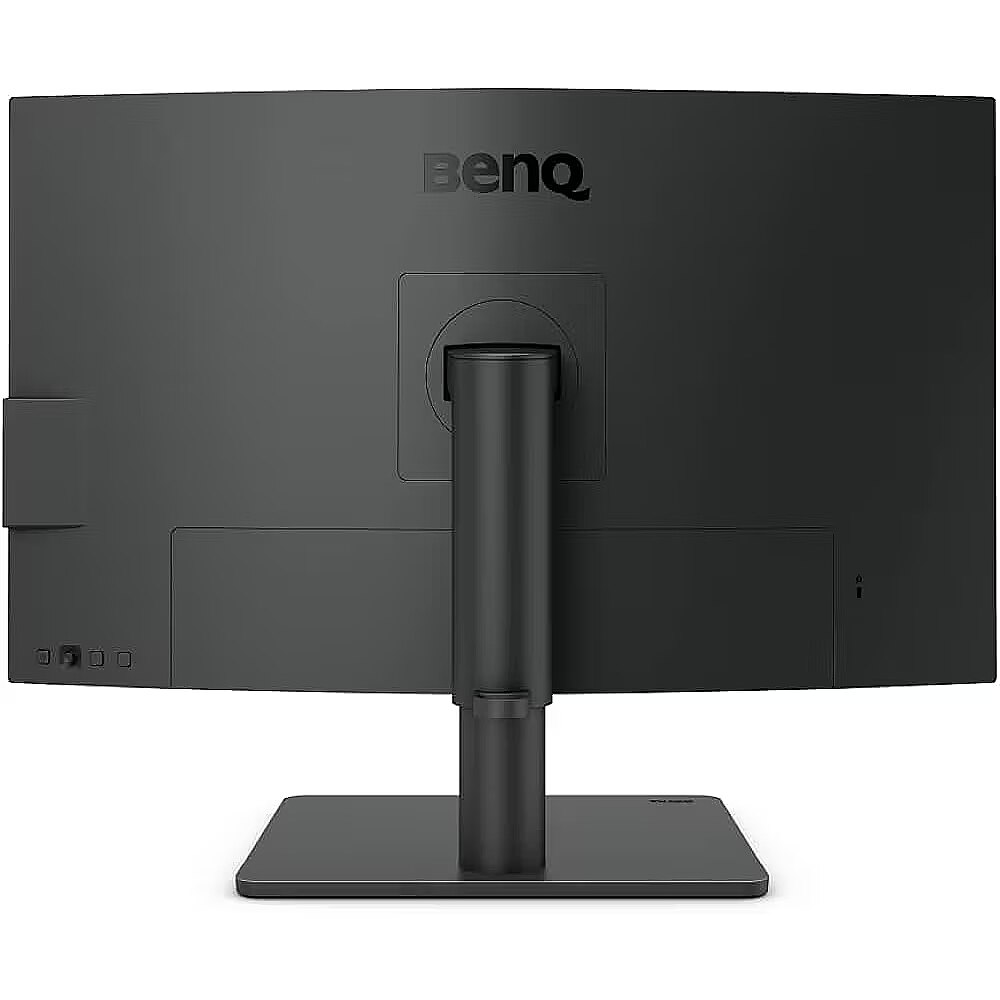
Cablelockslot - Yes
Cablesincluded - DisplayPort, HDMI, USB, USB Type-C
Category - Computer Monitors
Category - Root/Electronics/PC peripherals/Monitors
Category 1 - Displays
Category 2 - Monitore
Category_1 - Monitors and TV
Category_2 - LED Monitors up to 27 inches
Colourdepth - 10 bit
Colourgamut - 95%
Colourgamutstandard - DCI-P3
Contrastratiodynamic -
Contrastratiotypical - 1200:1
Dane fizyczne: Głębokość - 238.3 mm
Dane fizyczne: Kolor obudowy - czarny
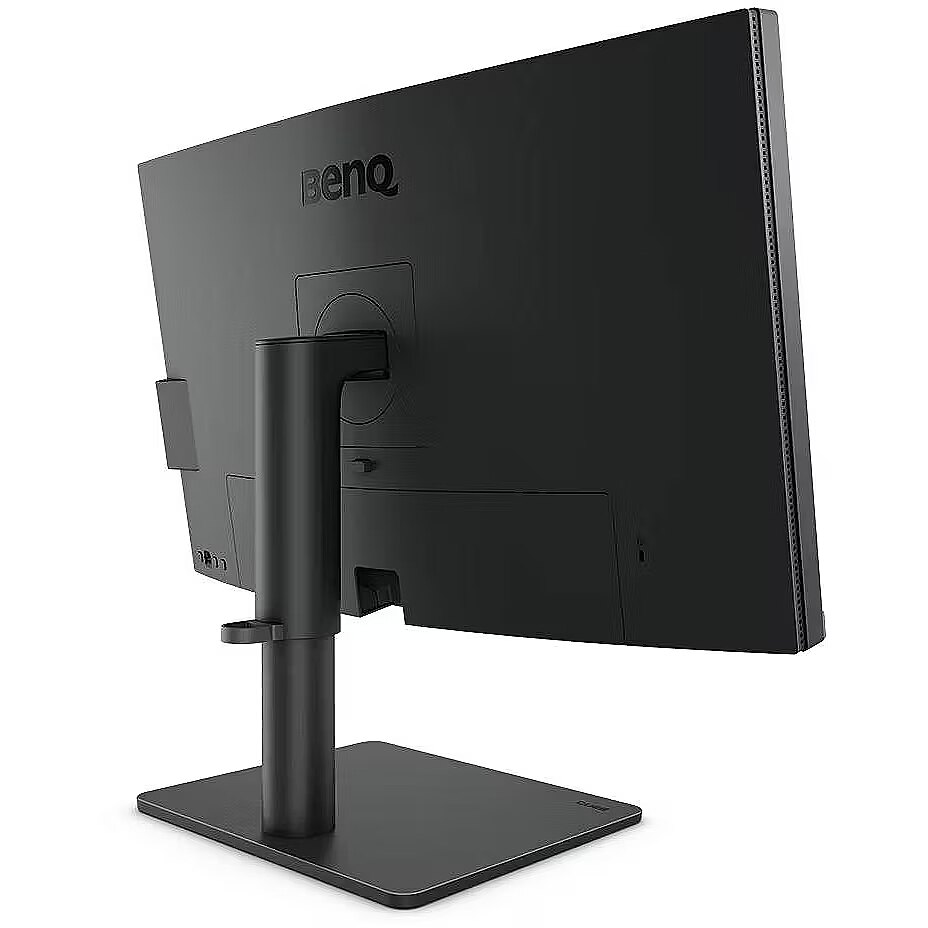
Dane fizyczne: Standard VESA - 100 x 100
Dane fizyczne: Szerokość - 613.8 mm
Dane fizyczne: Waga - 8.3 kg
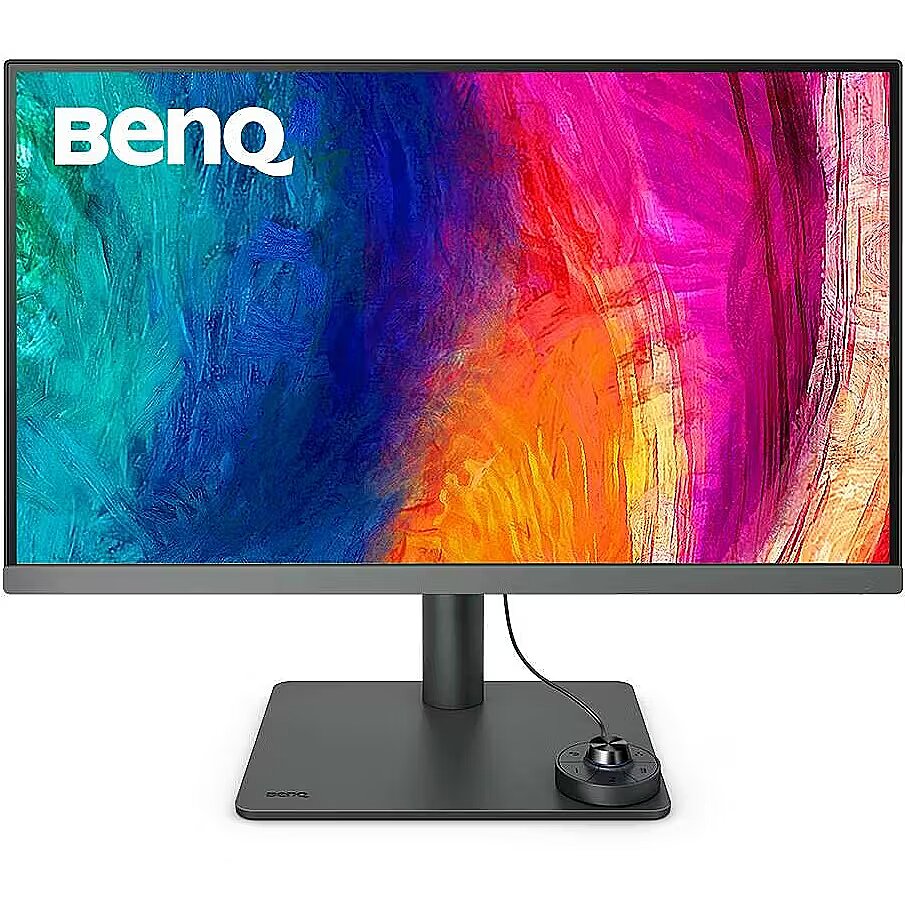
Dane fizyczne: Wysokość - 450.9 mm (450,9-561 mm)
Dane techniczne: HDR - tak
Dane techniczne: Czas reakcji - 5 ms
Dane techniczne: Częstotliwość odświeżania - 60 Hz
Dane techniczne: Grupa produktowa - Monitory BenQ
Dane techniczne: Gwarancja - 2 lata w serwisie zewnętrznym
Dane techniczne: Głośniki - tak
Dane techniczne: Jasność - 400 cd/m²
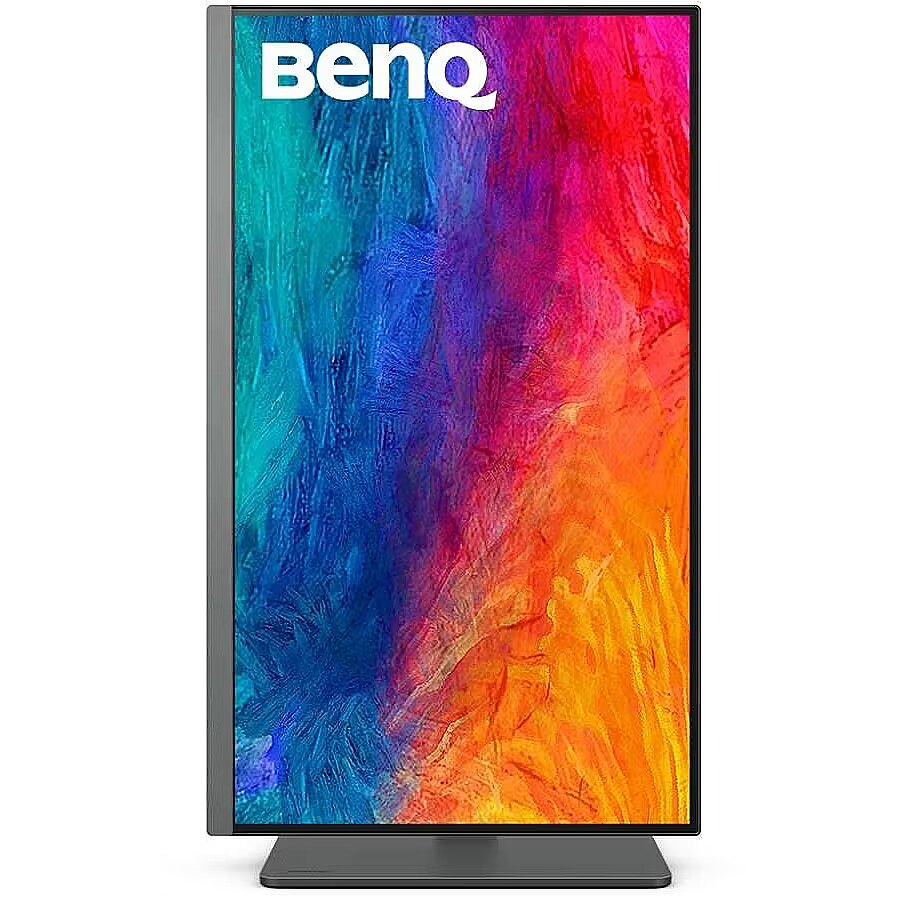
Dane techniczne: Możliwość regulacji - obrotowy ekran (pivot)
Dane techniczne: Możliwość regulacji - obrót na podstawie (swivel)
Dane techniczne: Możliwość regulacji - pochył
Dane techniczne: Możliwość regulacji - wysokość
Dane techniczne: Powłoka matrycy - antyrefleksyjna
Dane techniczne: Producent - BenQ
Dane techniczne: Przekątna - 27 cali
Dane techniczne: Rodzaj podświetlenia - LED
Dane techniczne: Rozdzielczość ekranu - 3840 x 2160 (4K Ultra HD) piksele
Dane techniczne: Standard portów wideo - DisplayPort 1.4
Dane techniczne: Standard portów wideo - HDMI 2.0
Dane techniczne: Standard portów wideo - USB-C
Dane techniczne: Typ - graficzny
Dane techniczne: Typ ekranu - płaski
Dane techniczne: Typ matrycy - IPS
Depthwithoutstand - 87.7 mm
Depthwithstand - 238.3 mm
Design -
Design - Market positioning - Graphics design
Design - Product colour - Black
Detachablestand -
Display -
Display - Anti-glare screen - Yes
Display - Backlight type - LED
Display - Colour depth - 10 bit
Display - Colour gamut - 95%
Display - Colour gamut standard - DCI-P3
Display - Contrast ratio (typical) - 1200:1
Display - Display brightness (peak) - 400 cd/m²
Display - Display brightness (typical) - 350 cd/m²
Display - Display diagonal - 68.6 cm (27")
Display - Display number of colours - 1.07 billion colours
Display - Display resolution - 3840 x 2160 pixels
Display - Display technology - LCD
Display - HD type - 4K Ultra HD
Display - High Dynamic Range (HDR) supported - Yes
Display - High Dynamic Range (HDR) technology - High Dynamic Range (HDR) 400
Display - Horizontal scan range - 27 - 135 kHz
Display - LED backlight - Yes
Display - Maximum refresh rate - 60 Hz
Display - Native aspect ratio - 16:9
Display - Panel type - IPS
Display - Pixel density - 163 ppi
Display - Response time - 5 ms
Display - Screen shape - Flat
Display - sRGB coverage (typical) - 100%
Display - Touchscreen - No
Display - Vertical scan range - 24 - 76 Hz
Display - Viewable size, horizontal - 59.7 cm
Display - Viewable size, vertical - 33.6 cm
Display - Viewing angle, horizontal - 178°
Display - Viewing angle, vertical - 178°
Displaybezeltechnology -
Displaybrightnesstypical - 350 cd/m²
Displaydiagonal - 68.6 cm (27")
Displaydiagonalmetric -
Displaynumberofcolours - 1.07 billion colours
DisplayPortoutquantity -
DisplayPortoutversion -
DisplayPortsquantity - 1
DisplayPortversion - 1.4
Displayresolution - 3840 x 2160 pixels
Displaysurface -
Displaytechnology - LCD
Dodatkowe informacje o matrycy: Format obrazu - 16:9
Dodatkowe informacje o matrycy: Kontrast - 1200:1
Dodatkowe informacje o matrycy: Kąt widzenia w pionie - 178 °
Dodatkowe informacje o matrycy: Kąt widzenia w poziomie - 178 °
Dodatkowe informacje o matrycy: Liczba wyświetlanych kolorów - 1070 mln
EAN - 4718755094460
EANCode - 4718755094460
Eans - 4718755090363
EAN_code - 4718755090363
EAN_code - 4718755094460
Efektywność energetyczna: Klasa energetyczna - G
Efektywność energetyczna: Zużycie energii w trybie pracy - 45 W
EnergyconsumptionSDRper1000hou - 42 kWh
EnergyefficiencyclassHDR - G
EnergyefficiencyclassSDR - G
Energyefficiencyscale - A to G
Ergonomics -
Ergonomics - Adjustable height (max) - 11 cm
Ergonomics - Cable lock slot - Yes
Ergonomics - Height adjustment - Yes
Ergonomics - On Screen Display (OSD) - Yes
Ergonomics - On Screen Display (OSD) languages - Arabic, Simplified Chinese, Traditional Chinese, German, Dutch, English, Spanish, French, Hungarian, Italian, Japanese, Korean, Polish, Portuguese, Romanian, Russian, Swedish
Ergonomics - Panel mounting interface - 100 x 100 mm
Ergonomics - Pivot - Yes
Ergonomics - Pivot angle - -90 - 90°
Ergonomics - Swivel angle range - -15 - 15°
Ergonomics - Swivelling - Yes
Ergonomics - Tilt adjustment - Yes
Ergonomics - Tilt angle range - -5 - 20°
Ergonomics - VESA mounting - Yes
EthernetLAN -
Fastcharging -
Feetcolour -
Flickerfreetechnology - Yes
Gewicht - 13.12
GRUPPE1 - Displays
GRUPPE2 - Lcd Monitor
GTIN - 4718755090363
GTIN - 4718755094460
Hazerate -
HDCP - Yes
HDMI - Yes
HDMIportsquantity - 1
HDMIversion - 2.0
HDtype - 4K Ultra HD
Headphoneconnectivity -
Headphoneout - Yes
Headphoneoutputs -
Heightadjustment - Yes
Heightwithoutstand - 367.6 mm
Heightwithstand - 560.9 mm
HERSTELLER - BENQ
HighLights -
Hoehe - 0.19
Horizontalscanrange - 27 - 135 kHz
HSTNUMMER - 9H.LLJLB.QEE
Informacje podstawowe: Moc głośników - 2 x 2.5W
Informacje podstawowe: Standard HDR - HDR10
InfraredIRsensor -
Laenge - 0.85
LEDbacklight - Yes
LongDesc -
LongDesc - Industry Leading Color PerformanceIncredible Color Space CoveragePD2706U covers 95% P3, 99% sRGB, and 99% Rec.709 color spaces and has amazing Delta E ≤ 3 color reproduction to ensure superb accuracy and absolute color confidence.Industry Leading Color PerformanceAttentive Color Modes for CreatorsOne Click Syncs Mac Device ColorsBenQ exclusive M-book mode provides active color syncing, creating an additional layer of color precision assurance.
LongProductName - 27", IPS, LED (3840x2160), 5ms (GtG), 16:9, 1.07 billion colors, 60Hz, 230W, 560.9 x 613.8 x 238.3mm, 8.3 kg
LongProductName - 27-inch 4K UHD 95% P3 HDR400 USB Type-C Designer Monitor
LongSummaryDescription - BenQ PD2706U. Display diagonal: 68.6 cm (27"), Display resolution: 3840 x 2160 pixels, HD type: 4K Ultra HD, Display technology: LCD, Response time: 5 ms, Native aspect ratio: 16:9, Viewing angle, horizontal: 178°, Viewing angle, vertical: 178°. Built-in speaker(s). Built-in USB hub, USB hub version: 3.2 Gen 1 (3.1 Gen 1). VESA mounting, Height adjustment. Product colour: Black
LowBlueLighttechnology - Yes
Manufacturer - BenQ
Manufacturer - BenQ Deutschland
Manufacturer_code - 9H.LLJLB.QBE
Manufacturer_code - 9H.LLJLB.QEE
ManufDatasheet - https://www.tdbaltic.ee/leaflets/BENQ/9H.LLJLB.QEE.pdf
Marketpositioning - Graphics design
Maximumrefreshrate - 60 Hz
Megapixelapprox -
MPN - 9H.LLJLB.QEE
Multimedia -
Multimedia - Built-in camera - No
Multimedia - Built-in speaker(s) - Yes
Multimedia - Number of speakers - 2
Multimedia - RMS rated power - 5 W
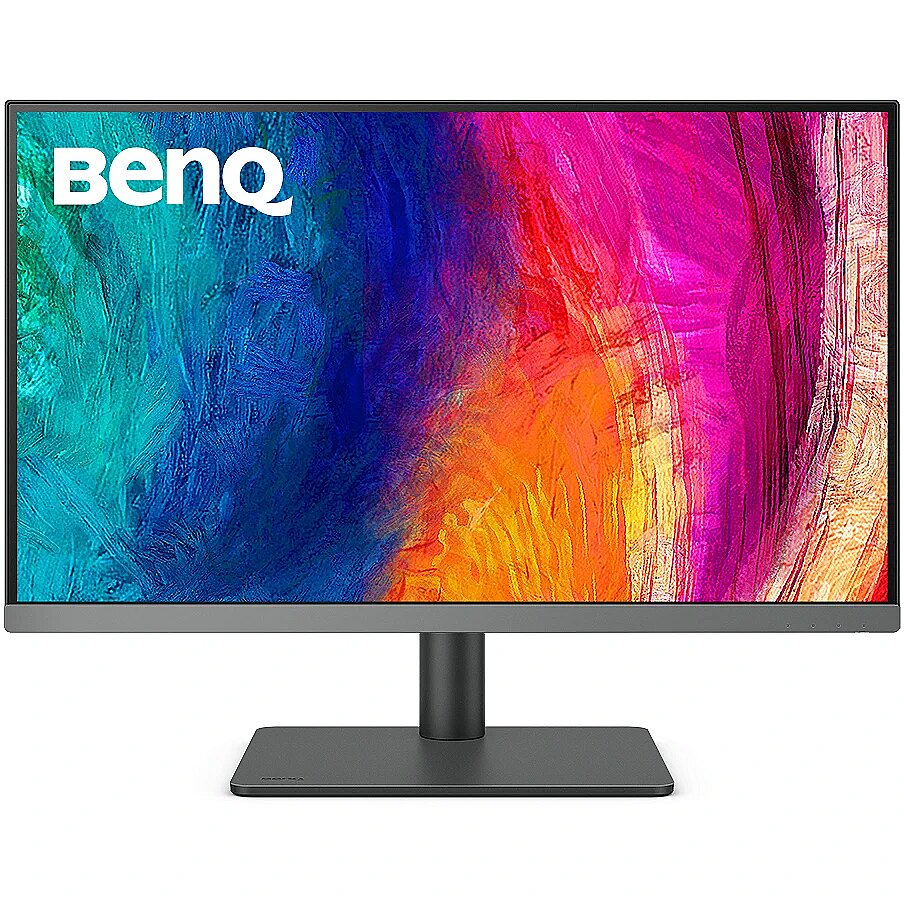
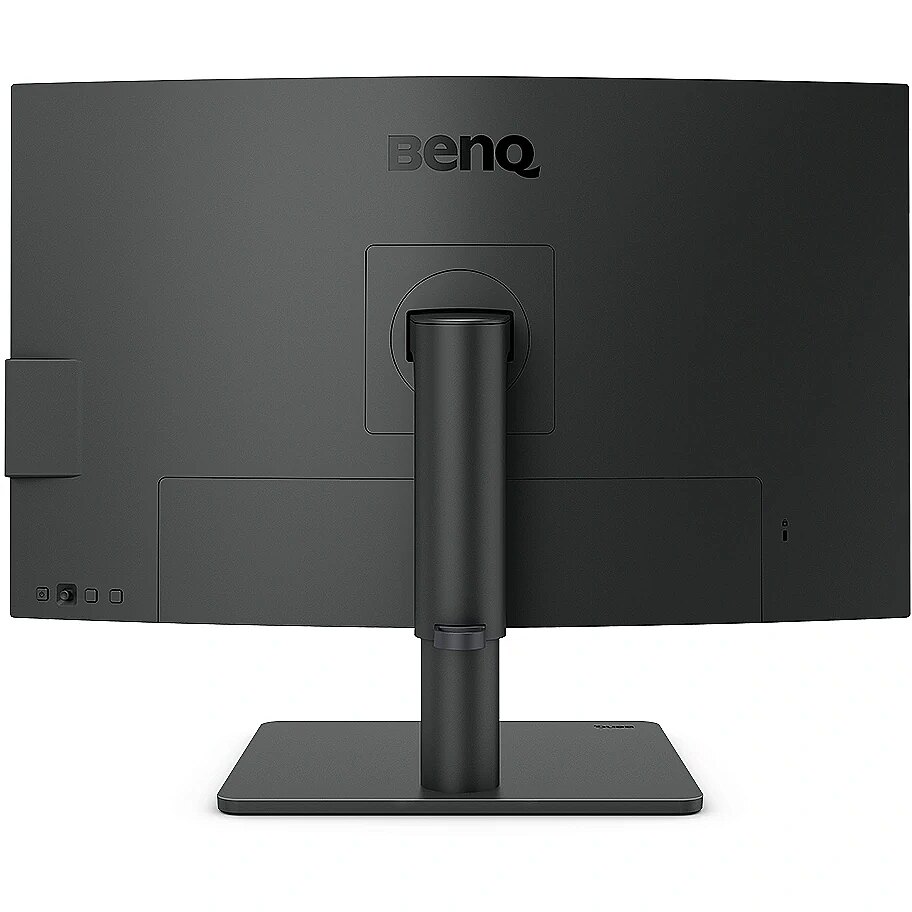
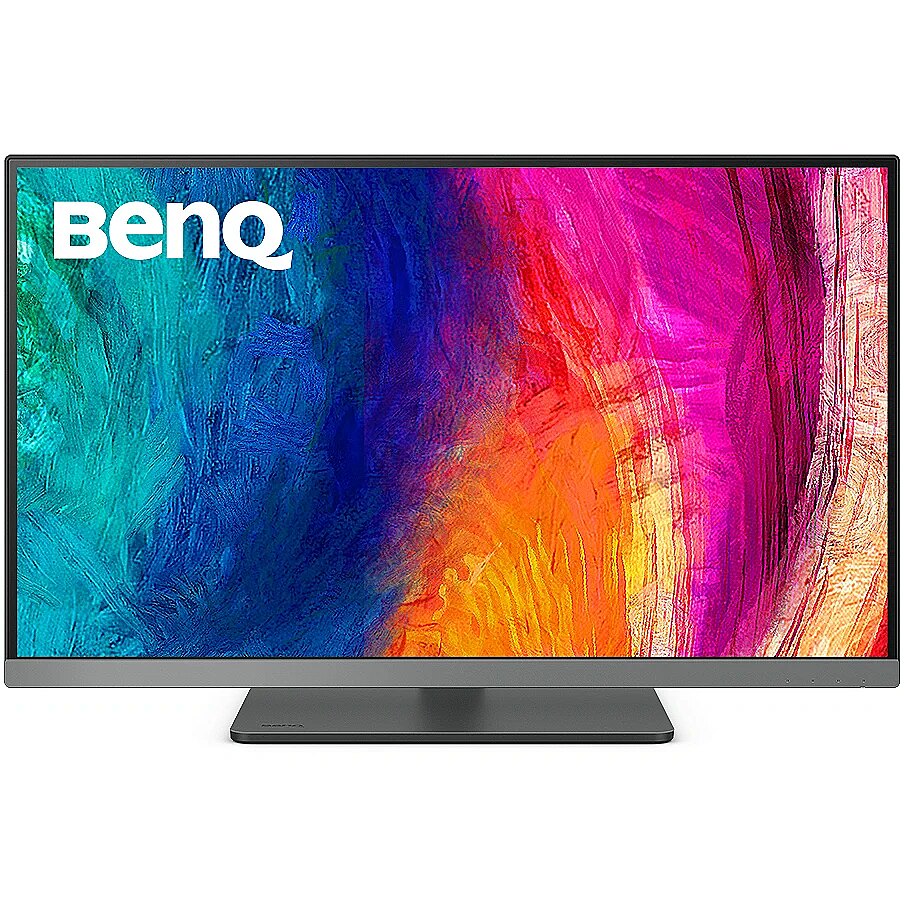
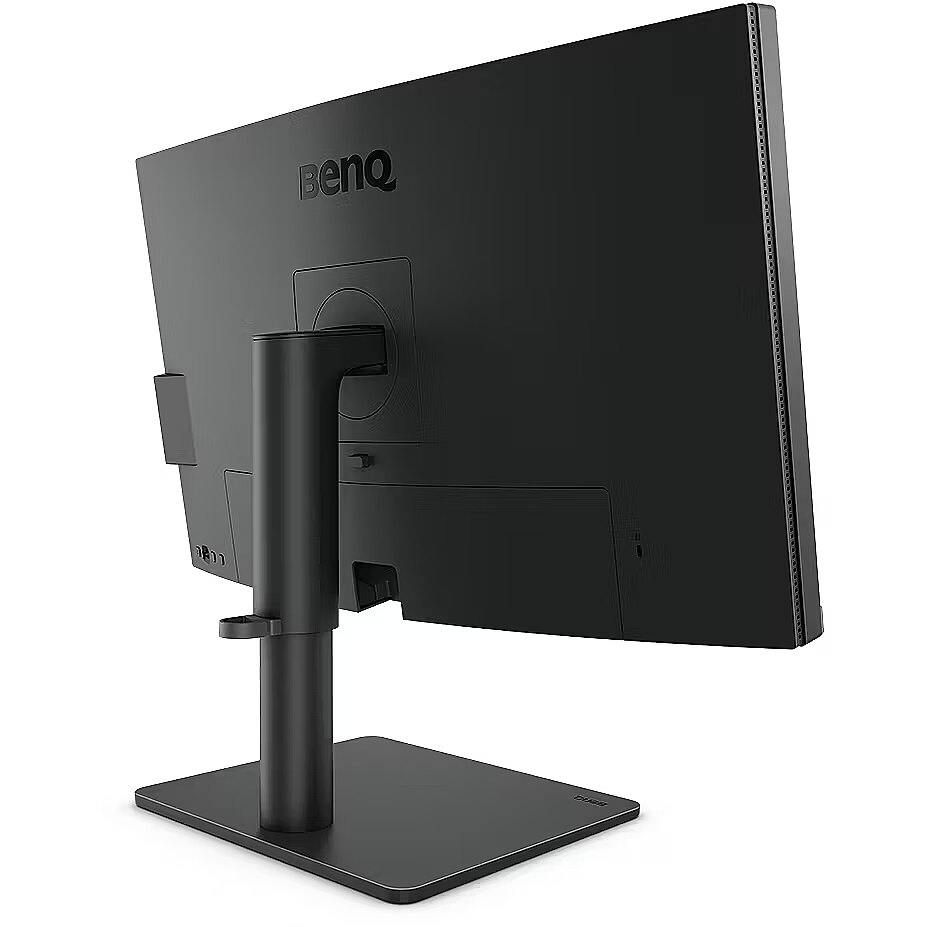
Name - BenQ PD2706U
Name - BenQ PD2706U, LED monitor - 27 - black, UltraHD/4K, USB-C, HDMI
Name - BenQ PD2706U - 27 - black, UltraHD/4K, IPS, USB-C, USB hub
Name - BenQ PD2706U - 60Hz | 4K | 27'' | IPS | 5ms
Nativeaspectratio - 16:9
Network -
Numberofspeakers - 2
NumberofUSBTypeBupstreamportsq -
NVIDIAGSYNC - No
Ochrona oczu: Filtr światła niebieskiego - tak
Ochrona oczu: Redukcja migotania - tak
OnScreenDisplayOSD - Yes
OperatingrelativehumidityHH -
OperatingtemperatureTT -
Operationalconditions -
Packagedepth - 186 mm
Packageheight - 515 mm
Packagetype -
Packageweight - 11.6 kg
Packagewidth - 847 mm
Packagingcontent -
Packaging content - Cables included - DisplayPort, HDMI, USB, USB Type-C
Packaging content - DisplayPort cable length - 1.8 m
Packaging content - HDMI cable length - 1.8 m
Packaging content - Stand included - Yes
Packagingdata -
Packaging data - Package depth - 186 mm
Packaging data - Package height - 515 mm
Packaging data - Package weight - 11.6 kg
Packaging data - Package width - 847 mm
Panelmountinginterface - 100 x 100 mm
Paneltype - IPS
Performance -
Performance - AMD FreeSync - No
Performance - Flicker-free technology - Yes
Performance - Low Blue Light technology - Yes
Performance - NVIDIA G-SYNC - No
Performance - Smart modes - Animation
Pivot - Yes
Pivotangle - -90 - 90°
Pixeldensity - 163 ppi
Pixelpitch -
Ports & interfaces - Built-in USB hub - Yes
Ports & interfaces - DisplayPorts quantity - 1
Ports & interfaces - DisplayPort version - 1.4
Ports & interfaces - HDCP - Yes
Ports & interfaces - HDCP version - 2.2
Ports & interfaces - HDMI - Yes
Ports & interfaces - HDMI ports quantity - 1
Ports & interfaces - HDMI version - 2.0
Ports & interfaces - Headphone out - Yes
Ports & interfaces - Number of upstream ports - 1
Ports & interfaces - USB hub version - 3.2 Gen 1 (3.1 Gen 1)
Ports & interfaces - USB Power Delivery (USB PD) - Yes
Ports & interfaces - USB Power Delivery up to - 90 W
Ports & interfaces - USB Type-A downstream ports quantity - 2
Ports & interfaces - USB Type-C DisplayPort Alternate Mode - Yes
Ports & interfaces - USB Type-C downstream ports quantity - 1
Ports & interfaces - USB upstream port type - USB Type-A
Portsinterfaces -
Power -
Power - AC input voltage - 100 - 240 V
Power - Energy consumption (HDR) per 1000 hours - 44 kWh
Power - Energy consumption (SDR) per 1000 hours - 42 kWh
Power - Energy efficiency class (HDR) - G
Power - Energy efficiency class (SDR) - G
Power - Energy efficiency scale - A to G
Power - Power consumption (max) - 230 W
Power - Power consumption (standby) - 0.5 W
Power - Power consumption (typical) - 42 W
Power - Power supply type - Internal
Powerconsumptionmax - 230 W
Powerconsumptionoff -
Powerconsumptionstandby - 0.5 W
Powerconsumptiontypical - 42 W
Powersupplytype - Internal
Pozostałe cechy: Akcesoria - instrukcja
Pozostałe cechy: Akcesoria - instrukcja bezpieczeństwa
Pozostałe cechy: Model - BenQ PD06U
ProdDesc - 27W VERTICAL & PROFESSIONAL DISPLAY PD2706U DARK GREY
Producent: Nazwa producenta / importera - BenQ
BenQ Europe B.V.
Meerenakkerweg
1-17, 5652 AR Eindhoven, The Netherlands Producer - BenQ
ProducerCode - 9H.LLJLB.QEE
Productcolour - Black
Productcondition - Original
ProductHighLights -
- 27” 4K UHD 16:9 IPS LED monitor with 90W USB Type-C connectivity
- Covers 95% P3 and offer Delta E ≤ 3 color consistency
- KVM & BenQ ICCsync boost work efficiency
ProductName - PD2706U
ProductPicture - https://www.tdbaltic.ee/images/products/BENQ/9H.LLJLB.QEE_1.jpg
ProductPicture1 -
ProductPicture2 -
ProductPicture3 -
ProductPicture4 -
ProductPicture5 -
ProductPicture6 -
ProductPicture7 -
ProductPicture8 -
Quickstartguide -
Remotelyoperated -
Responsetime - 5 ms
Responsetimefast -
Responsetimemeasurementtype -
RMSratedpower - 5 W
Screenshape - Flat
ShortDescription - 27'' | IPS | 4K | HDR
ShortSummaryDescription - BenQ PD2706U, 68.6 cm (27"), 3840 x 2160 pixels, 4K Ultra HD, LCD, 5 ms, Black
SRGBcoveragetypical - 100%
Stck_Kart - 1
Stck_Pal - 6
StoragerelativehumidityHH -
Storno - Y
Supportedgraphicsresolutions -
Surfacehardness -
Swivelanglerange - -15 - 15°
Swivelling - Yes
Tiltadjustment - Yes
Tiltanglerange - -5 - 20°
Title - BenQ PD2706U computer monitor 68.6 cm (27") 3840 x 2160 pixels 4K Ultra HD LCD Black
Touchscreen - No
URL - https://www.benq.com/en-ap/monitor/professional/pd2706u.html?__hstc=82969737.4b44870ec4a577029c49e44b73bd3bee.1687564800778.1687564800779.1687564800780.1&__hssc=82969737.1.1687564800781&__hsfp=3513966422
URL - https://www.benq.com/en-us/monitor/professional/pd2706u/buy.html
USBhubversion - 3.2 Gen 1 (3.1 Gen 1)
USBPowerDeliveryUSBPD - Yes
USBTypeAdownstreamportsquantit - 2
USBTypeCDisplayPortAlternateMo - Yes
Verticalscanrange - 24 - 76 Hz
VESAmounting - Yes
Viewablesizediagonal -
Viewablesizehorizontal - 59.7 cm
Viewablesizevertical - 33.6 cm
Viewinganglehorizontal - 178°
Viewinganglevertical - 178°
Warranty - 36 months
Warrantyandmisc -
WarrantyInfo -
Weight - 11,40
Weight - 13
Weight - 13,05
Weight & dimensions - Depth (without stand) - 87.7 mm
Weight & dimensions - Depth (with stand) - 238.3 mm
Weight & dimensions - Height (without stand) - 367.6 mm
Weight & dimensions - Height (with stand) - 560.9 mm
Weight & dimensions - Weight (without stand) - 5.3 kg
Weight & dimensions - Weight (with stand) - 8.3 kg
Weight & dimensions - Width (without stand) - 613.8 mm
Weight & dimensions - Width (with stand) - 613.8 mm
Weightdimensions -
Weightwithoutstand - 5.3 kg
Weightwithstand - 8.3 kg
Widthwithoutstand - 613.8 mm
Widthwithstand - 613.8 mm
Złącza: Złącza - 1 x DisplayPort
Złącza: Złącza - 1 x HDMI 2.0
Złącza: Złącza - 1 x USB 2.0 Type-B
Złącza: Złącza - 1 x USB Type-C
Złącza: Złącza - 3 x USB 3.2 Gen 1 Type A





 DVI is a digital standard and ensures high image quality, however, thanks to the big size of the plug and the inability of the standard to develop further due to a few technical restrictions this type of connection is gradually losing its popularity to modern HDMI and DisplayPort standards.




