Accessories included -
AC input frequency Power - 50/60 Hz
AC input voltage Power - 100 - 240 V
Adjustable height (max) Ergonomics - 13 cm
AMD FreeSync Performance - No
Aspect ratio - 21:9
Auto Pivot - No
Bluetooth - No
Brand - ASUS
BrandPartCode - 90LM08JJ-B02170
Brand specific technologies Other features - Eye Care+, SPLENDID
Brightness - 300 cd/m²
Built-in camera Multimedia - No
Built-in speaker(s) Multimedia - Yes
Built-in USB hub Ports & interfaces - Yes
Cable lock slot Ergonomics - Yes
Cable lock slot type Ergonomics - Kensington
Category - Computer Monitors
Category 1 - Displays
Category 2 - Monitore
Category Code - LC3
Category_1 - Monitors and TV
Category_2 - LED Monitors 31 inches and up
Certificates - Energy Star
Certificates - EPEAT
Certificates - TCO
Certificates - TUV
Color - Black
Colour depth Display - 10 bit
Contrast ratio (typical) Display - 3000:1
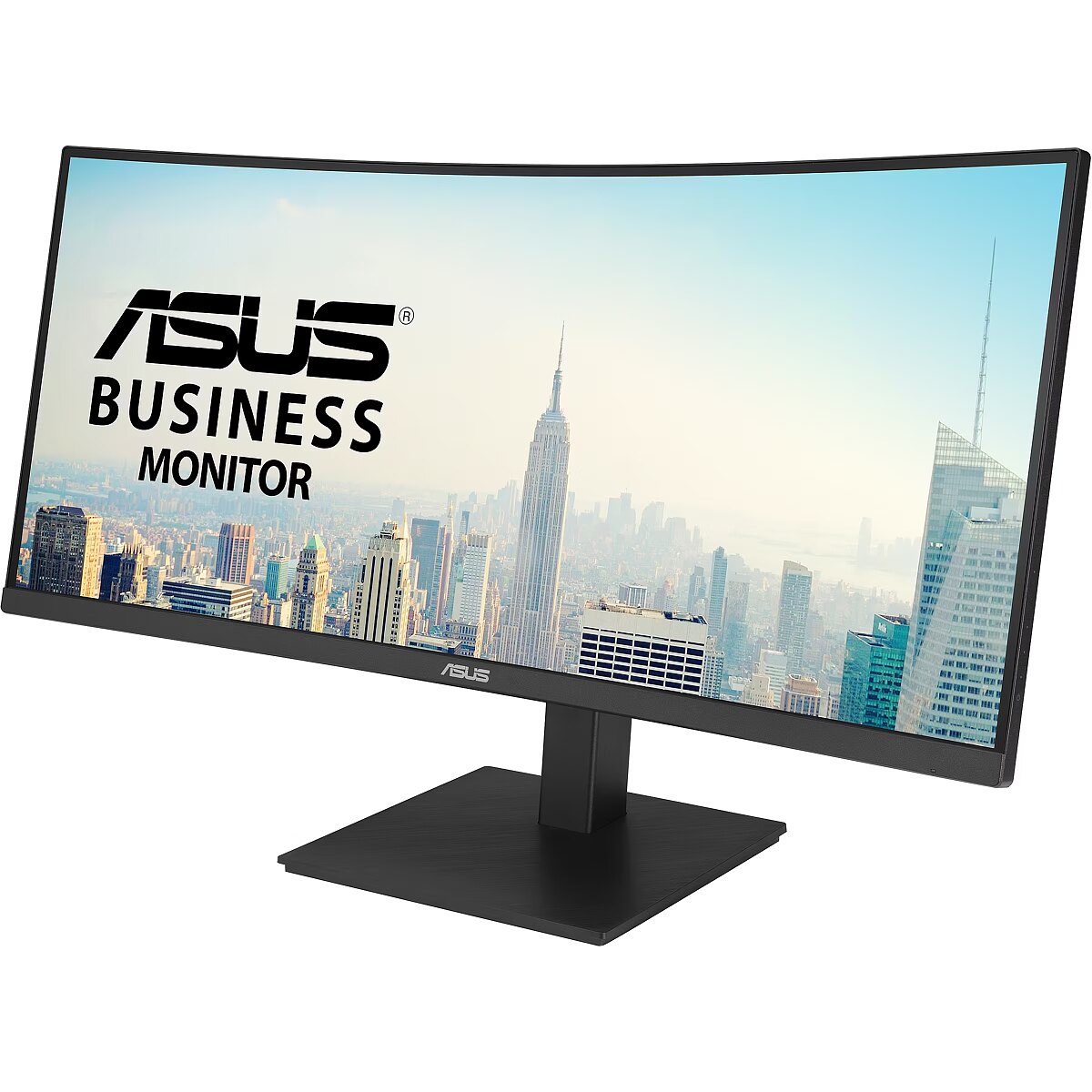
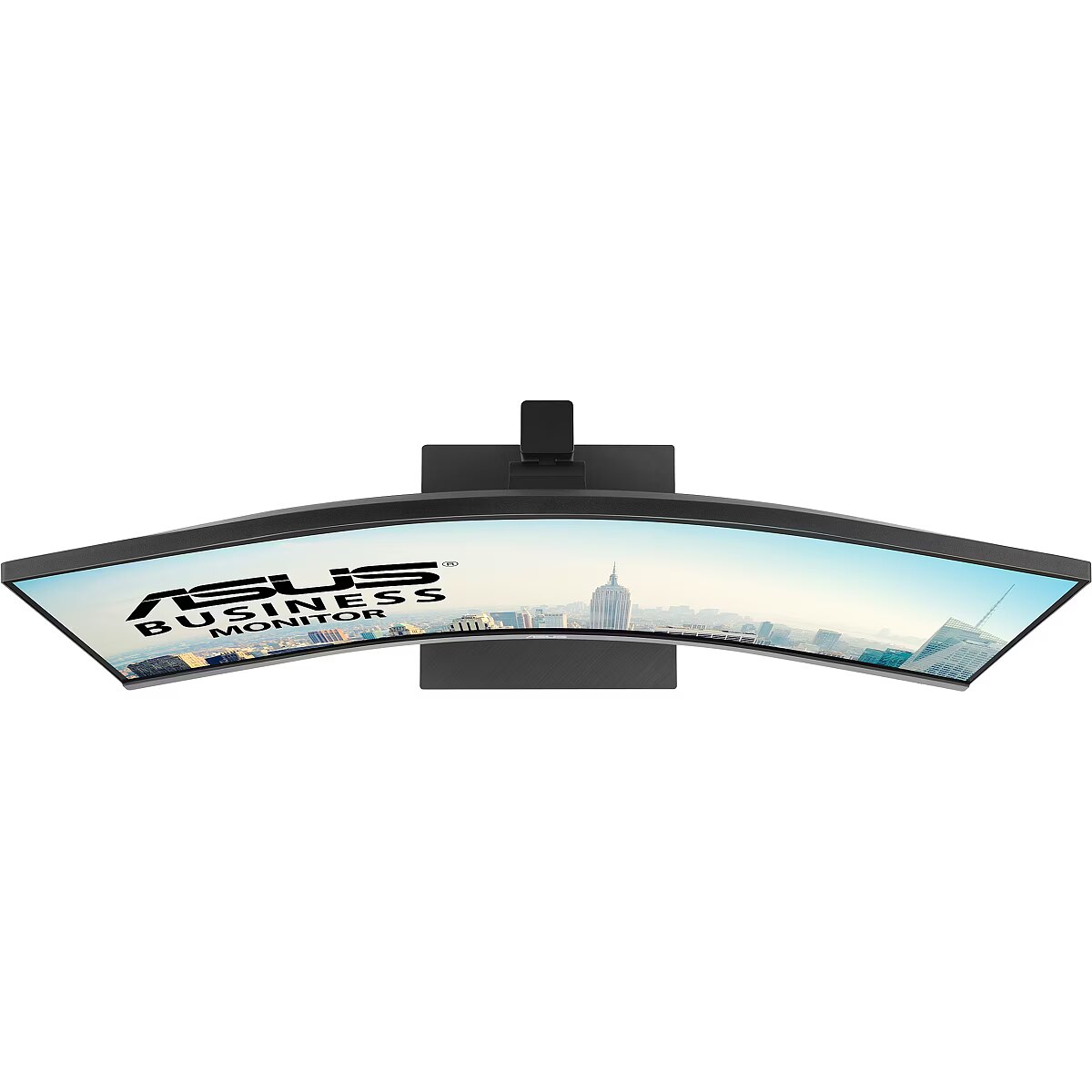
Curved - 1500 R
Data Act - Link
Data Sheet (Link) Energy Efficiency - https://eprel.ec.europa.eu/api/product/2065124/fiches?language=EN
Depth - 365.8 mm
Depth (without stand) Weight & dimensions - 106.7 mm
Depth (with stand) Weight & dimensions - 264.9 mm
Depth with stand - 511 mm
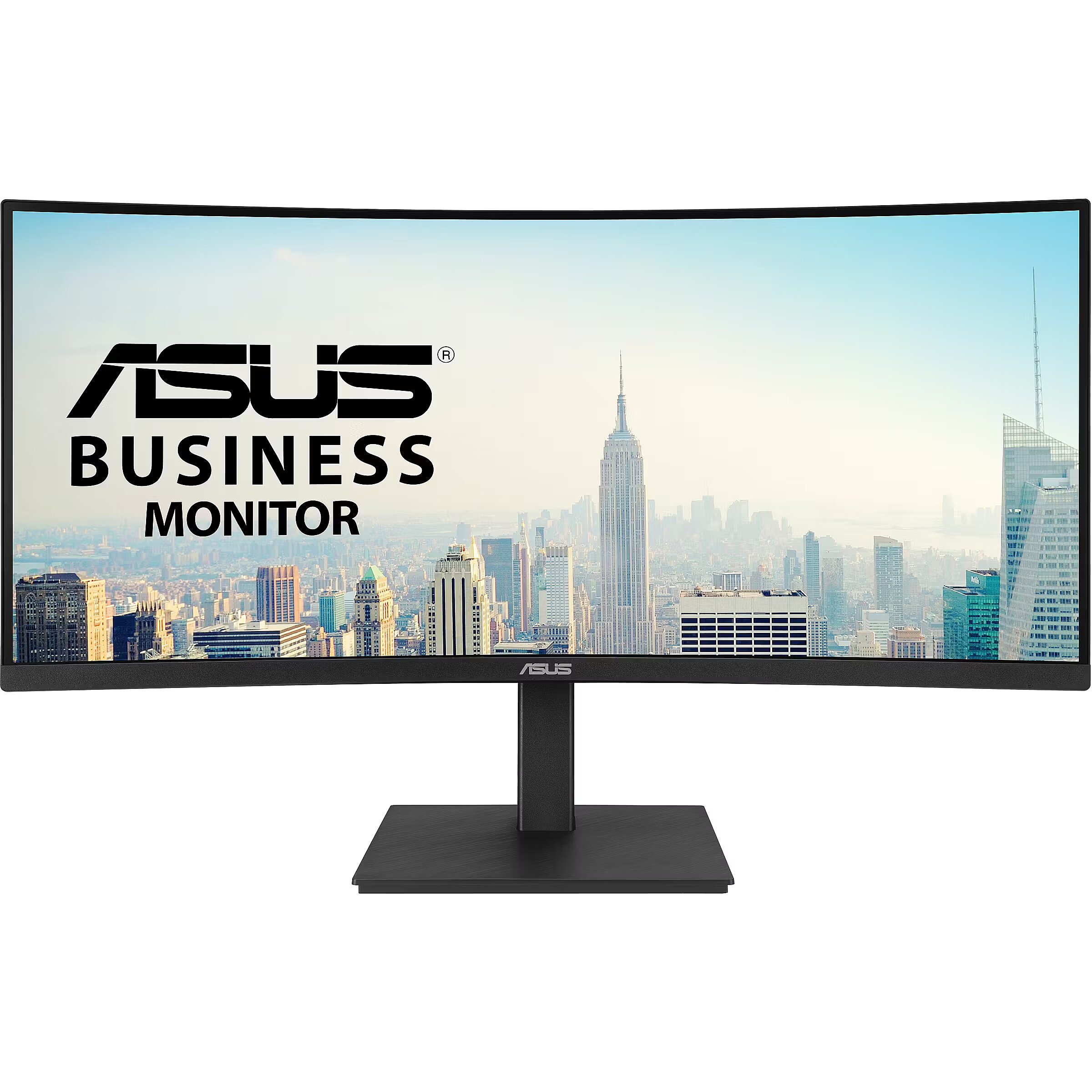
Description - 34-inch WQHD (3440x1440) monitor with a 1500R curve and a 178° wide-viewing angle panel. Extensive connectivity options: HDMI, USB-C, DisplayPort, headphone jack, USB hub, and RJ45 LAN port provide maximum flexibility. The USB-C port allows you to easily connect your laptop, transmit data and video signals to the monitor, and charge your laptop with up to 96W of power, all with a single cable. Ergonomic design with tilt, swivel, and height adjustments ensures comfortable use. ASUS Eye Care monitors are TÜV Rheinland certified and feature flicker- and blue light-reducing technologies for comfortable and eye-safe viewing. Sustainability: Paper packaging and energy-saving environmental standards.
Description - ASUS VA34VCPSR Docking Monitor – 34 inch, WQHD (3440x1440), 1500R Curvature, Frameless, USB-C PD 96W, RJ45, USB hub, Low Blue Light, Flicker Free, Ergonomic Design, Wall Mountable, Green Sustainability ASUS Docking Monitor
Enhance Your Productivity
ASUS VA34VCPSR is a 34 inch 21:9 (3440 x 1440) curved docking monitor delivers incredibly sharp imagery and ultra-wide makes multi-tasking easy. Stable Internet connection and one-cable docking to your laptop with RJ45 and USB-C connection. Up to 100Hz refresh rate with Adaptive-Sync technology to eliminate tracing and ensure crisp and smooth viewing experience. Its highly ergonomic design along with TÜV Rheinland-certified Flicker-free and Low Blue Light provides a comfortable viewing experience. Ultra-wide immersive curvature
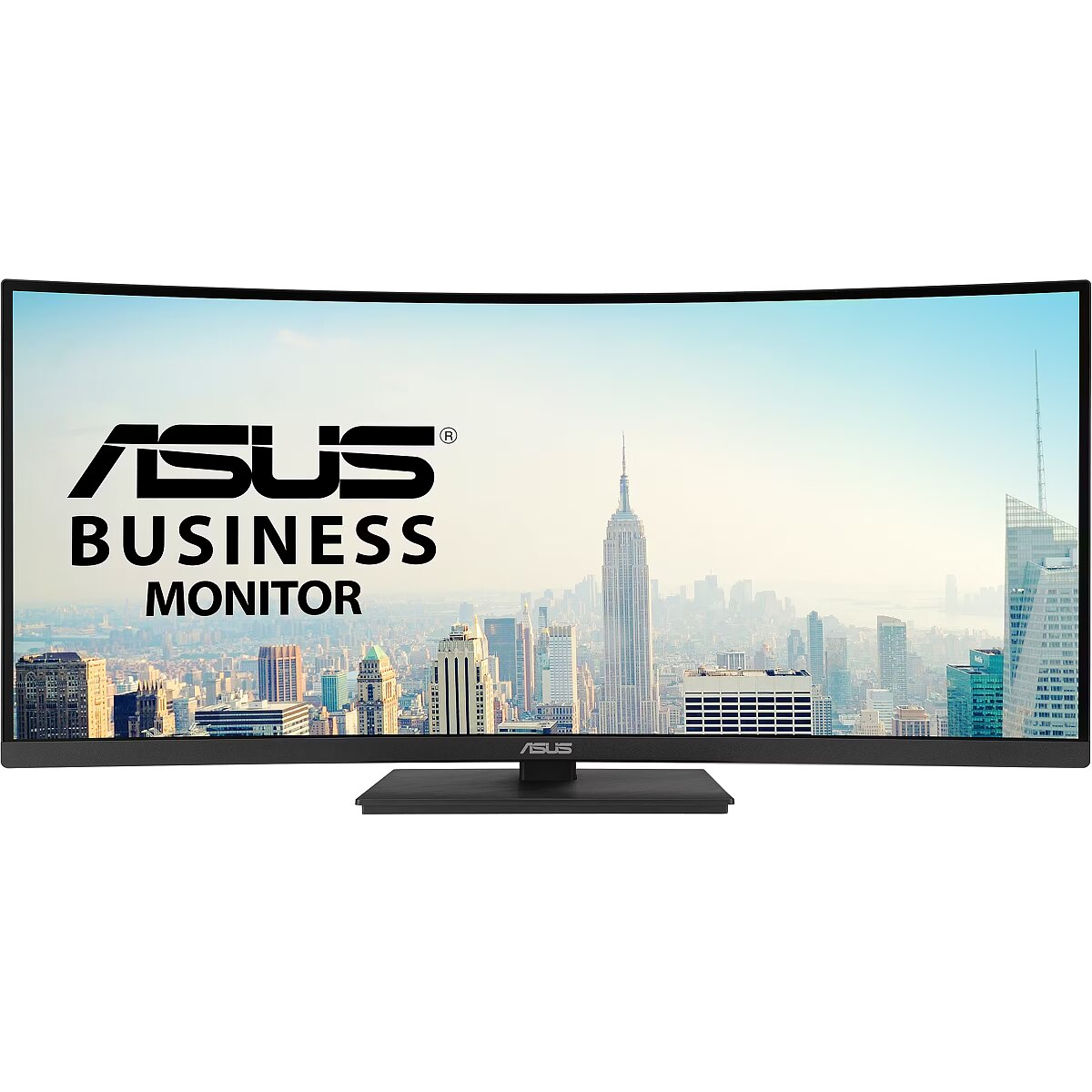
The Ultra-wide 21:9 panel provides 35% more onscreen space than Full HD monitors of a similar size, making multitasking more enjoyable and efficient. 1,500R panel curvature ensures every point on the curved display is equidistant to your eyes, so you get a comfortable viewing experience. The USB-C That Does It All
An included USB-C® port enables superfast data transfers, DisplayPort connectivity and 96W power delivery to charge devices via just one USB-C cable. The monitor also serves as a USB hub: any device connected to the USB Type-A ports gains access to other peripherals hooked up to the other USB ports. Expansive Connectivity
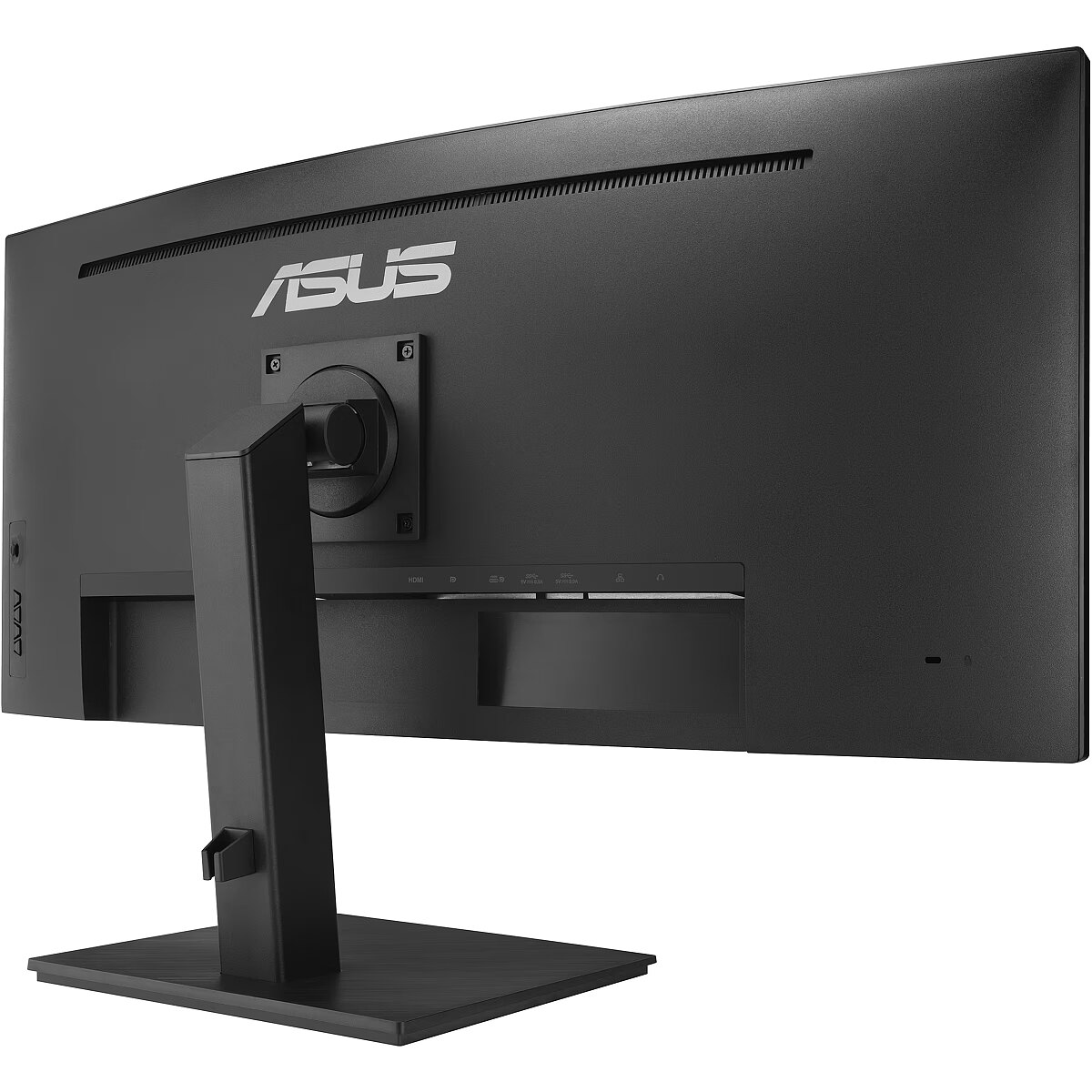
Along with a USB-C port, ASUS VA34VCPSR offers an HDMI, DisplayPort, three USB-A downstream ports and RJ45 ― so its compatible with a wide variety of devices. VA34VCPSR even includes an RJ45 Ethernet port to provide connected devices with a stable Internet connection for more space saving and convenience. It also has pass-through port for the headphone jack input. Built-in stereo speakers for multimedia
With two integrated speakers, VA34VCPSR enhances your audiovisual experiences, for limitless entertainment and multimedia enjoyment. Ergonomic Design
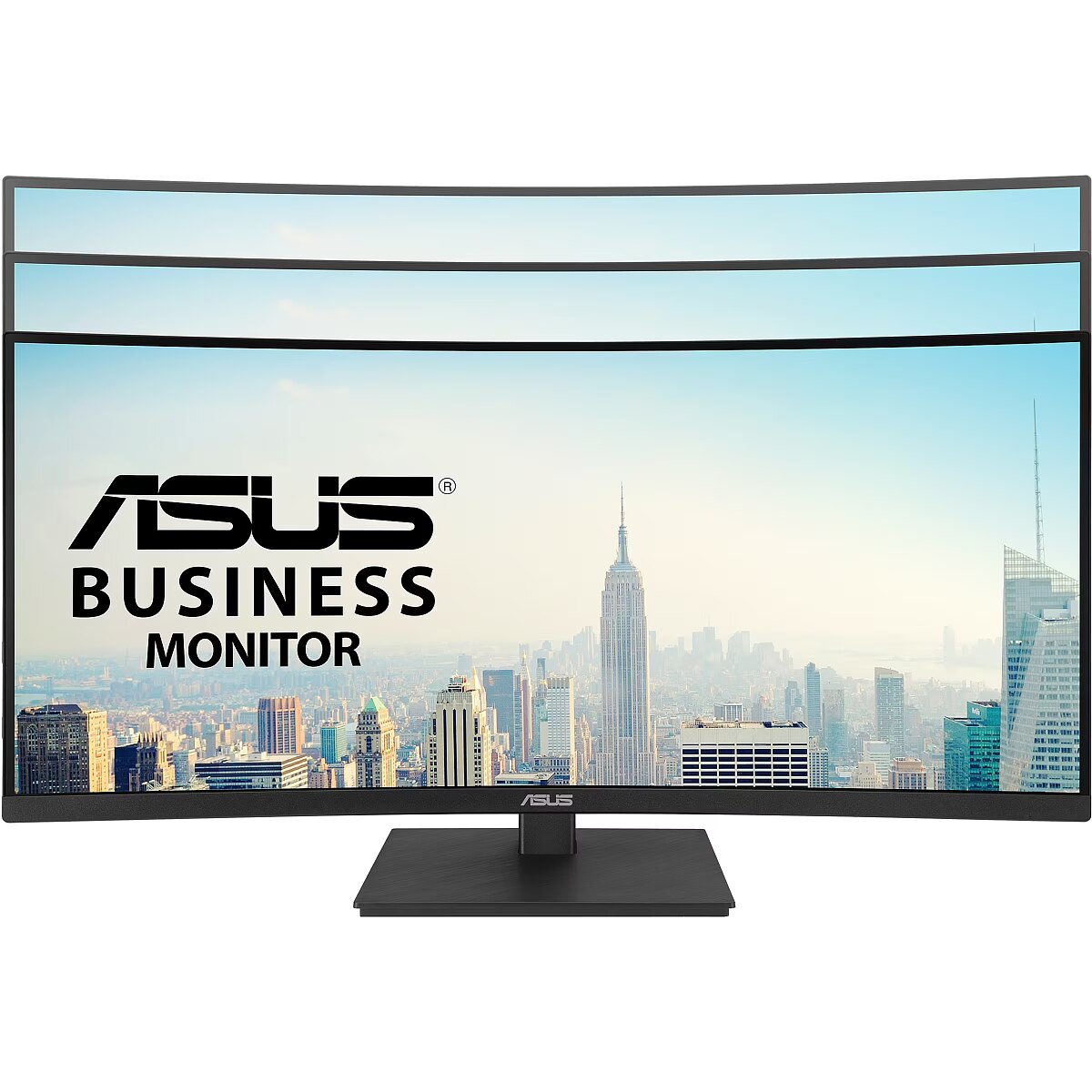
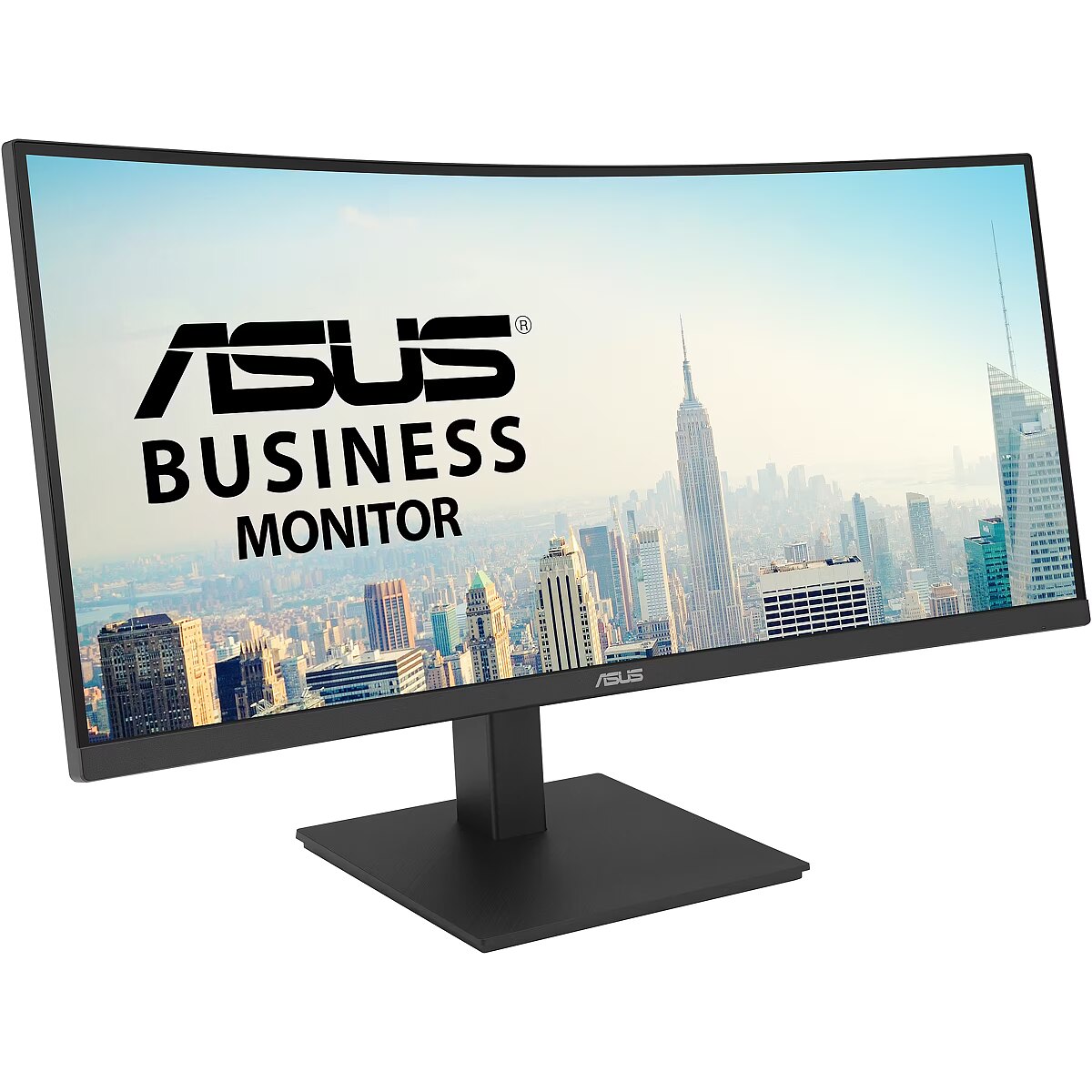
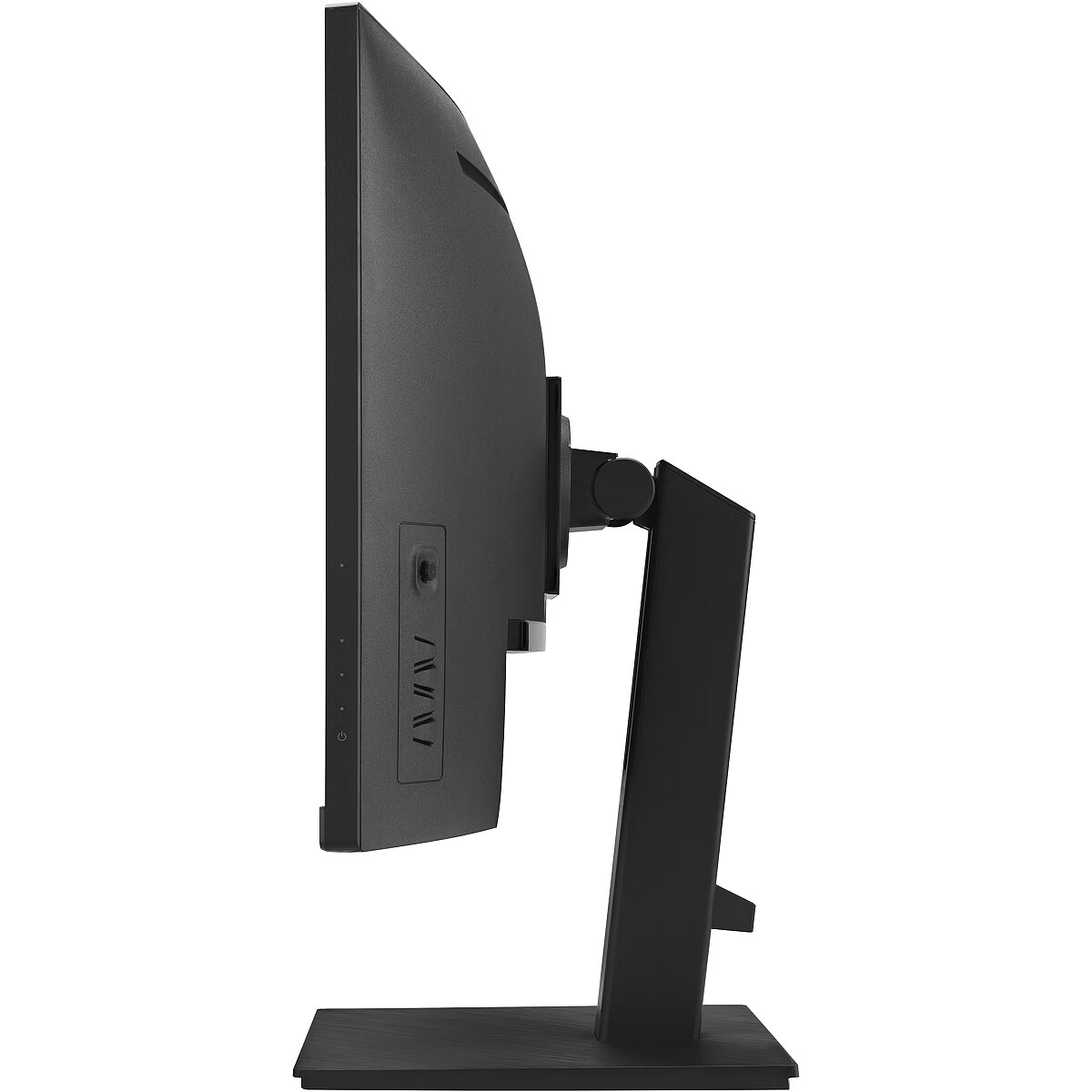
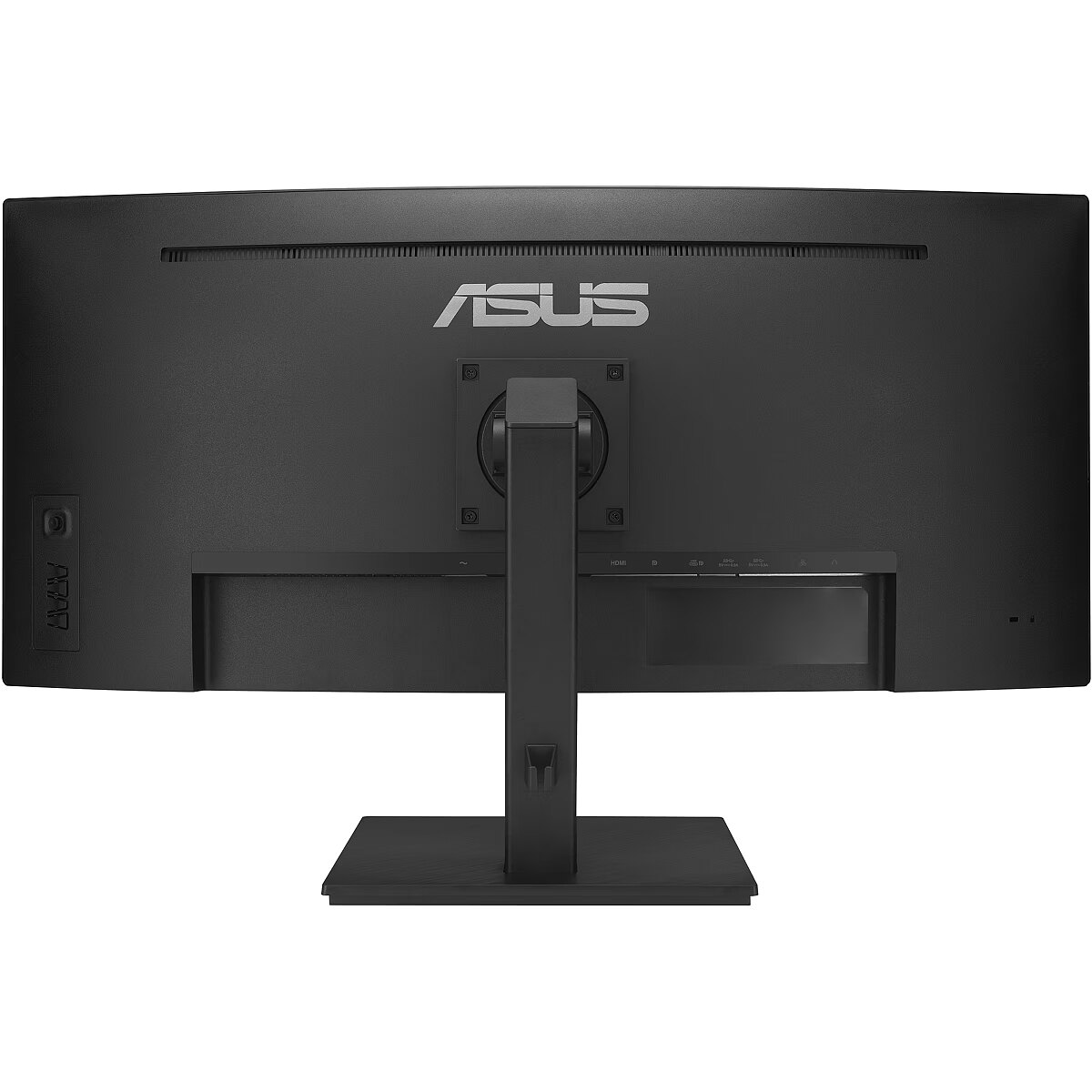
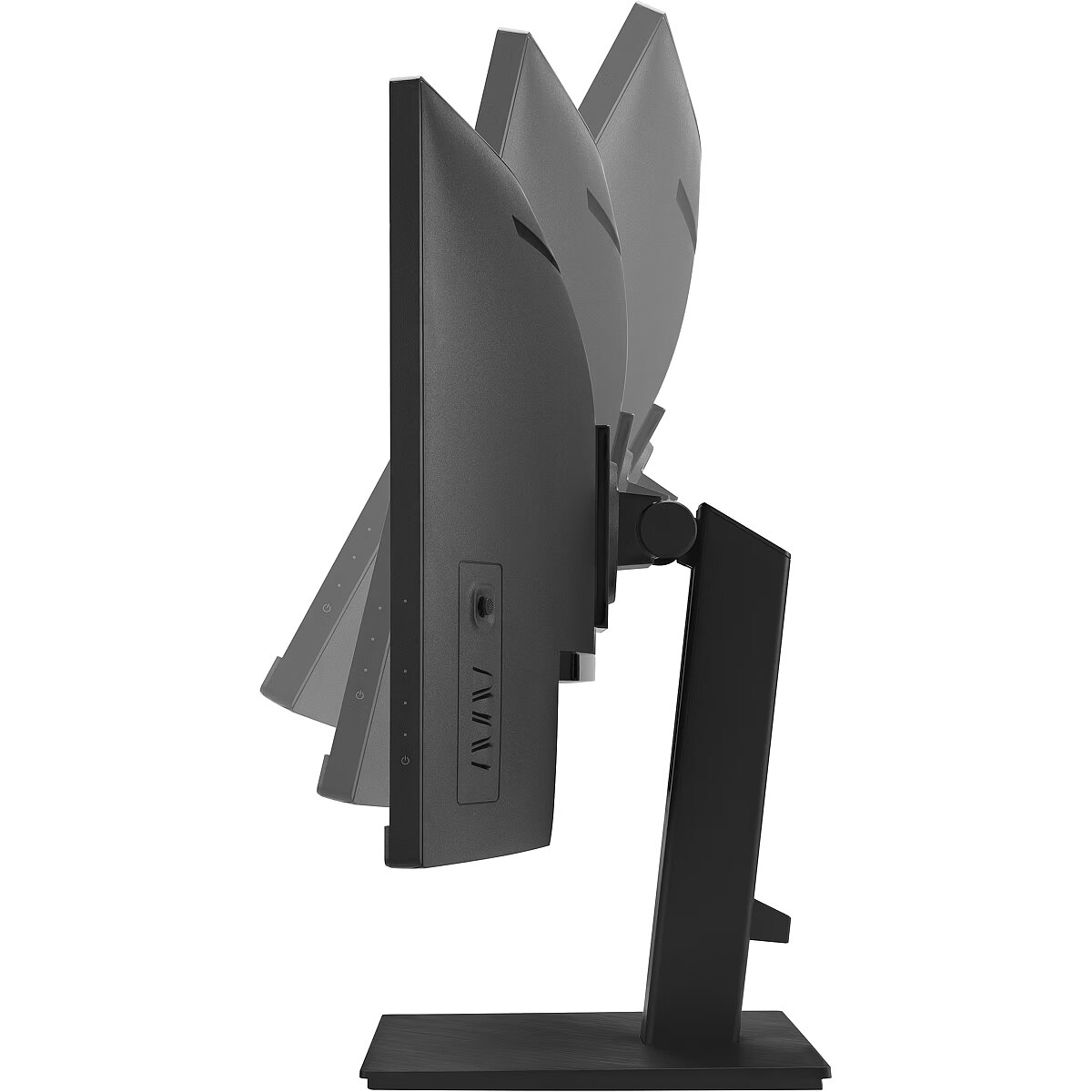
A comfortable viewing position is always within reach thanks to ergonomically-designed stand with tilt, swivel and height adjustments provides a superb range of viewing options for increased productivity and comfort. Protect your eyes with ASUS Eye Care technology ASUS blue light filter
For viewing comfort and for protection from potentially harmful blue light, it offers intuitive and flexible with seamless adjustment that are easily accessed through the onscreen display menu. ASUS Flicker-free technology
It's time to say goodbye to those tired, strained eyes. Flicker-Free technology helps reduce onscreen flicker, giving you a more comfortable, movie-marathon-ready environment. It is designed to minimize eyestrain, headaches and eye fatigue when you spend long, countless hours in front of the display. Smart Cable Management
Cable management design helps you organize and hide various cables to keep your desk area tidy. Sustaining an Incredible Future Environmental Certification*
ASUS VA34VCPSR is stringently tested to meet the requirements of world-leading sustainability certifications. These tests include a comprehensive database of up-to-date criteria, independent verification, and a structured system for continuous improvement. Eco-friendly Packaging
ASUS VA34VCPSR packaging are made of at least 80% recycled cardboard. ASUS has designed the packaging to minimize weight and volume, which helps conserve natural resources and allows more devices to be transported in a single shipping container. Eco-friendly Materials
Extensive research and development ensure ASUS VA34VCPSR is made from eco-friendly materials like 85% post-consumer recycled (PCR) plastics and components like mercury-free panels.34-inch WQHD (3440x1440) 1500R Curvature with 178° wide viewing angle panelExtensive connectivity with HDMI, USB-C, DisplayPort, earphone jack, USB hub and RJ45 LAN port for the most flexibilityUSB-C port allows simple laptop docking for data transmission and video signal to the display, as well as up to 96W charging the laptop via just one cableErgonomic design with tilt, swivel and height adjustments for a comfortable viewing experienceASUS Eye Care monitors feature TÜV Rheinland-certified Flicker-free and Low Blue Light technologies to ensure a comfortable viewing experienceGreen Sustainability: paper packaging and energy-efficient environmental standards*EPEAT registered where applicable. EPEAT registration varies by country. See www.epeat.net for registration status by country.
Products certified by the Federal Communications Commission and Industry Canada will be distributed in the United States and Canada. Please visit the ASUS USA and ASUS Canada websites for information about locally available products.
All specifications are subject to change without notice. Please check with your supplier for exact offers. Products may not be available in all markets.
Specifications and features vary by model, and all images are illustrative. Please refer to specification pages for full details.
PCB color and bundled software versions are subject to change without notice.
Brand and product names mentioned are trademarks of their respective companies.
The terms HDMI and HDMI High-Definition Multimedia Interface, HDMI trade dress and the HDMI Logos are trademarks or registered trademarks of HDMI Licensing Administrator, Inc. in the United States and other countries.
Product Security Update Support Periods : 3 years (until 31/12/2026)
The actual transfer speed of USB 3.0, 3.1, 3.2, and/or Type-C will vary depending on many factors including the processing speed of the host device, file attributes and other factors related to system configuration and your operating environment.
Please avoid hanging headphones or attaching any items that don't belong to the monitor itself to prevent reducing the monitor’s lifespan.
Design - Feet colour - Black
Design - Market positioning - Business
Design - Product colour - Black
Designation - CE+WEEE
Digital horizontal frequency Display - 30 - 225 kHz
Digital vertical frequency Display - 48 - 100 Hz
dimension depth - 1065 mm
dimension height - 490 mm
dimension weight - 14100 g
dimension width - 185 mm
Display - Colour depth - 10 bit
Display - Contrast ratio (typical) - 3000:1
Display - Digital horizontal frequency - 30 - 225 kHz
Display - Digital vertical frequency - 48 - 100 Hz
Display - Display brightness (typical) - 300 cd/m²
Display - Display diagonal - 86.4 cm (34")
Display - Display diagonal (metric) - 86 cm
Display - Display number of colours - 1.073 billion colours
Display - Display resolution - 3440 x 1440 pixels
Display - Display surface - Gloss
Display - Display technology - LCD
Display - HD type - Wide Quad HD
Display - High Dynamic Range (HDR) supported - Yes
Display - High Dynamic Range (HDR) technology - High Dynamic Range 10 (HDR10)
Display - LED backlight - Yes
Display - Maximum refresh rate - 100 Hz
Display - Native aspect ratio - 21:9
Display - Panel type - VA
Display - Pixel pitch - 0.2318 x 0.2318 mm
Display - Response time - 4 ms
Display - Response time measurement type - GTG (Gray to Gray)
Display - Screen curvature rating - 1500R
Display - Screen shape - Curved
Display - Touchscreen - No
Display - Viewable size, horizontal - 79.7 cm
Display - Viewable size, vertical - 33.4 cm
Display - Viewing angle, horizontal - 178°
Display - Viewing angle, vertical - 178°
Display brightness (typical) Display - 300 cd/m²
Display diagonal (metric) Display - 86 cm
Display diagonal Display - 86.4 cm (34")
Display number of colours Display - 1.073 billion colours
DisplayPort out version Ports & interfaces - 1.4
DisplayPorts quantity Ports & interfaces - 1
Display resolution Display - 3440 x 1440 pixels
Display surface - Matt
Display surface Display - Gloss
Display technology Display - LCD
Dot pitch - 0.2318 mm
ean - 4711387620748
EAN - 4711387620748
EAN_code - 4711387620748
Energy class - F
Energy consumption (HDR) per 1000 hours Power - 50 kWh
Energy consumption (SDR) per 1000 hours Power - 31 kWh
Energy efficiency class (HDR) Power - G
Energy efficiency class (SDR) Power - F
Energy efficiency class Energy Efficiency - F
Energy efficiency scale Power - A to G
Energy label - Pobierz
EPREL Registration Number Energy Efficiency - 2065124
EPREL Version Number Energy Efficiency - 2
Ergonomics - Adjustable height (max) - 13 cm
Ergonomics - Cable lock slot - Yes
Ergonomics - Cable lock slot type - Kensington
Ergonomics - Height adjustment - Yes
Ergonomics - Panel mounting interface - 100 x 100 mm
Ergonomics - Swivel angle range - 180 - -180°
Ergonomics - Swivelling - Yes
Ergonomics - Tilt adjustment - Yes
Ergonomics - Tilt angle range - 35 - -5°
Ergonomics - VESA mounting - Yes
Ethernet LAN (RJ-45) ports Other features - 1
Feet colour Design - Black
Flicker-free technology Performance - Yes
Frequency, horizontal max. - 225 kHz
Frequency, horizontal min. - 30 kHz
Frequency, vertical max. - 100 Hz
Frequency, vertical min. - 48 Hz
GTIN - 0197105620742
GTIN - 197105620742
GTIN - 0197105620759
GTIN - 197105620759
GTIN - 4711387620748
guarantee - 36
guarantee_type - external
HDCP Ports & interfaces - Yes
HDCP version Ports & interfaces - 2.2
HDMI Ports & interfaces - Yes
HDMI ports quantity Ports & interfaces - 1
HDMI version Ports & interfaces - 2.0
HD type Display - Wide Quad HD
Headphone connectivity Ports & interfaces - 3.5 mm
Headphone out Ports & interfaces - Yes
Headphone outputs Ports & interfaces - 1
Height - 106.7 mm
Height (without stand) Weight & dimensions - 365.8 mm
Height (with stand) Weight & dimensions - 511 mm
Height adjustment - Yes
Height adjustment Ergonomics - Yes
Height adjustment range - 130 mm
Height with stand - 264.9 mm
High Dynamic Range (HDR) supported Display - Yes
High Dynamic Range (HDR) technology Display - High Dynamic Range 10 (HDR10)
I/O connectors - 1 x 3,5 mm minijack
I/O connectors - 1 x DisplayPort
I/O connectors - 1 x HDMI
I/O connectors - 1 x RJ-45 LAN
I/O connectors - 1 x USB (Type C)
I/O connectors - 3 x USB 3.2 Type-A Gen 1
LED backlight Display - Yes
LongDesc - ASUS VA34VCPSR Docking Monitor – 34 inch, WQHD (3440x1440), 1500R Curvature, Frameless, USB-C PD 96W, RJ45, USB hub, Low Blue Light, Flicker Free, Ergonomic Design, Wall Mountable, Green SustainabilityASUS Docking MonitorEnhance Your ProductivityASUS VA34VCPSR is a 34 inch 21:9 (3440 x 1440) curved docking monitor delivers incredibly sharp imagery and ultra-wide makes multi-tasking easy. Stable Internet connection and one-cable docking to your laptop with RJ45 and USB-C connection. Up to 100Hz refresh rate with Adaptive-Sync technology to eliminate tracing and ensure crisp and smooth viewing experience. Its highly ergonomic design along with TÜV Rheinland-certified Flicker-free and Low Blue Light provides a comfortable viewing experience.Ultra-wide immersive curvatureThe Ultra-wide 21:9 panel provides 35% more onscreen space than Full HD monitors of a similar size, making multitasking more enjoyable and efficient. 1,500R panel curvature ensures every point on the curved display is equidistant to your eyes, so you get a comfortable viewing experience.The USB-C That Does It AllAn included USB-C® port enables superfast data transfers, DisplayPort connectivity and 96W power delivery to charge devices via just one USB-C cable. The monitor also serves as a USB hub: any device connected to the USB Type-A ports gains access to other peripherals hooked up to the other USB ports.Expansive ConnectivityAlong with a USB-C port, ASUS VA34VCPSR offers an HDMI, DisplayPort, three USB-A downstream ports and RJ45 ― so its compatible with a wide variety of devices. VA34VCPSR even includes an RJ45 Ethernet port to provide connected devices with a stable Internet connection for more space saving and convenience. It also has pass-through port for the headphone jack input.Built-in stereo speakers for multimediaWith two integrated speakers, VA34VCPSR enhances your audiovisual experiences, for limitless entertainment and multimedia enjoyment.Ergonomic DesignA comfortable viewing position is always within reach thanks to ergonomically-designed stand with tilt, swivel and height adjustments provides a superb range of viewing options for increased productivity and comfort.Protect your eyes with ASUS Eye Care technologyASUS blue light filterFor viewing comfort and for protection from potentially harmful blue light, it offers intuitive and flexible with seamless adjustment that are easily accessed through the onscreen display menu.ASUS Flicker-free technologyIt's time to say goodbye to those tired, strained eyes. Flicker-Free technology helps reduce onscreen flicker, giving you a more comfortable, movie-marathon-ready environment. It is designed to minimize eyestrain, headaches and eye fatigue when you spend long, countless hours in front of the display.Smart Cable ManagementCable management design helps you organize and hide various cables to keep your desk area tidy.Sustaining an Incredible FutureEnvironmental Certification*ASUS VA34VCPSR is stringently tested to meet the requirements of world-leading sustainability certifications. These tests include a comprehensive database of up-to-date criteria, independent verification, and a structured system for continuous improvement.Eco-friendly PackagingASUS VA34VCPSR packaging are made of at least 80% recycled cardboard. ASUS has designed the packaging to minimize weight and volume, which helps conserve natural resources and allows more devices to be transported in a single shipping container.Eco-friendly MaterialsExtensive research and development ensure ASUS VA34VCPSR is made from eco-friendly materials like 85% post-consumer recycled (PCR) plastics and components like mercury-free panels.
LongProductName - 34" WQHD 3440 x 1440, 1500R, 21:9, 100Hz, 1073.7M, 4ms, USB-C, DisplayPort, HDMI, RJ-45, 32W, 100-240V, 50/60Hz
LongSummaryDescription - ASUS VA34VCPSR. Display diagonal: 86.4 cm (34"), Display resolution: 3440 x 1440 pixels, HD type: Wide Quad HD, Display technology: LCD, Display surface: Gloss, Response time: 4 ms, Native aspect ratio: 21:9, Viewing angle, horizontal: 178°, Viewing angle, vertical: 178°. Built-in speaker(s). Built-in USB hub, USB hub version: 3.2 Gen 1 (3.1 Gen 1). VESA mounting, Height adjustment. Product colour: Black
Low Blue Light technology Performance - Yes
Manufacturer - Asus
Manufacturer - ASUS
Manufacturer_code - 90LM08JJ-B02170
Market positioning Design - Business
Matrix type - VA
Maximum refresh rate Display - 100 Hz
Model - VA34VCPSR
Model name - VA34VCPSR
MPN - 90LM08JJ-B02170
Multimedia - Built-in camera - No
Multimedia - Built-in speaker(s) - Yes
Multimedia - Number of speakers - 2
Multimedia - RMS rated power - 4 W
Name - ASUS ProArt VA34VCPSR 86.7cm (21:9) WQHD HDMI DP
Name - Asus VA34VCPSR - 34 - black, WQHD, VA, curved, USB-C, HDR10, 100Hz panel
name - Monitor VA34VCPSR 34 inches WQHD USB-C65W RJ45 1500R 21:9 DP HDMI
Native aspect ratio Display - 21:9
Number of colors - 1,07 mld
Number of speakers Multimedia - 2
Number of upstream ports Ports & interfaces - 1
Number of USB Type-C upstream ports quantity Ports & interfaces - 1
NVIDIA G-SYNC Performance - No
Optional accessory -
Other features -
Other features - Brand specific technologies - Eye Care+, SPLENDID
Other features - Ethernet LAN (RJ-45) ports - 1
Package depth Packaging data - 186 mm
Package height Packaging data - 490 mm
Package type Packaging data - Box
Package weight Packaging data - 14.1 kg
Package width Packaging data - 1070 mm
Packaging content - Stand included - Yes
Packaging data - Package depth - 186 mm
Packaging data - Package height - 490 mm
Packaging data - Package type - Box
Packaging data - Package weight - 14.1 kg
Packaging data - Package width - 1070 mm
Panel mounting interface Ergonomics - 100 x 100 mm
Panel type Display - VA
Performance - AMD FreeSync - No
Performance - Flicker-free technology - Yes
Performance - Low Blue Light technology - Yes
Performance - NVIDIA G-SYNC - No
Performance - VESA Adaptive Sync support - Yes
Pixel pitch Display - 0.2318 x 0.2318 mm
Ports & interfaces - Built-in USB hub - Yes
Ports & interfaces - DisplayPort out version - 1.4
Ports & interfaces - DisplayPorts quantity - 1
Ports & interfaces - HDCP - Yes
Ports & interfaces - HDCP version - 2.2
Ports & interfaces - HDMI - Yes
Ports & interfaces - HDMI ports quantity - 1
Ports & interfaces - HDMI version - 2.0
Ports & interfaces - Headphone connectivity - 3.5 mm
Ports & interfaces - Headphone out - Yes
Ports & interfaces - Headphone outputs - 1
Ports & interfaces - Number of upstream ports - 1
Ports & interfaces - Number of USB Type-C upstream ports quantity - 1
Ports & interfaces - USB hub version - 3.2 Gen 1 (3.1 Gen 1)
Ports & interfaces - USB Power Delivery (USB PD) - Yes
Ports & interfaces - USB Power Delivery up to - 96 W
Ports & interfaces - USB Type-A downstream ports quantity - 3
Ports & interfaces - USB Type-C DisplayPort Alternate Mode - Yes
Ports & interfaces - USB upstream port type - USB Type-C
Power - AC input frequency - 50/60 Hz
Power - AC input voltage - 100 - 240 V
Power - Energy consumption (HDR) per 1000 hours - 50 kWh
Power - Energy consumption (SDR) per 1000 hours - 31 kWh
Power - Energy efficiency class (HDR) - G
Power - Energy efficiency class (SDR) - F
Power - Energy efficiency scale - A to G
Power - Power consumption (off) - 0.3 W
Power - Power consumption (PowerSave) - 0.5 W
Power - Power consumption (typical) - 32 W
Power consumption - 32 W
Power consumption (off) Power - 0.3 W
Power consumption (PowerSave) Power - 0.5 W
Power consumption (typical) Power - 32 W
producer - Asus
Product colour Design - Black
ProductName - VA34VCPSR
Product Net Weight - 9.32 kg
Refresh rate - 100 Hz
Resolution - 3440 x 1440
Response time - 4 ms
Response time Display - 4 ms
Response time measurement type Display - GTG (Gray to Gray)
RMS rated power Multimedia - 4 W
Screen curvature rating Display - 1500R
Screen shape Display - Curved
Screen size (diag.) - 34''
ShortSummaryDescription - ASUS VA34VCPSR, 86.4 cm (34"), 3440 x 1440 pixels, Wide Quad HD, LCD, 4 ms, Black
Speakers built-in - Yes
Stand included Packaging content - Yes
Static contrast - 3 000:1
Summary - ASUS VA34VCPSR. Display diagonal: 86.4 cm (34"), Display resolution: 3440 x 1440 pixels, HD type: Wide Quad HD, Display technology: LCD, Display surface: Gloss, Response time: 4 ms, Native aspect ratio: 21:9, Viewing angle, horizontal: 178°, Viewing angle, vertical: 178°. Built-in speaker(s). Built-in USB hub, USB hub version: 3.2 Gen 1 (3.1 Gen 1). VESA mounting, Height adjustment. Product colour: Black
Sustainability - Sustainability certificates - ENERGY STAR, EPEAT Gold, Forest Stewardship Council (FSC) Mix, TCO
Sustainability certificates Sustainability - ENERGY STAR, EPEAT Gold, Forest Stewardship Council (FSC) Mix, TCO
Swivel angle range Ergonomics - 180 - -180°
Swivelling Ergonomics - Yes
Tilt adjustment Ergonomics - Yes
Tilt angle range Ergonomics - 35 - -5°
Title - ASUS VA34VCPSR computer monitor 86.4 cm (34") 3440 x 1440 pixels Wide Quad HD LCD Black
Touch screen - No
Touchscreen Display - No
Transreflective technology - LED
TV tuner built-in - No
Unit Box Height - 0.485
Unit Box Length - 1.06
Unit Box Width - 0.18
Unit Calculated Volume - 0.09254 cubm
Unit Calculated Weight - 13.9 kg
Units per Pallet - 0
URL - https://www.asus.com/displays-desktops/monitors/business/va34vcpsr/
USB hub version Ports & interfaces - 3.2 Gen 1 (3.1 Gen 1)
USB Power Delivery (USB PD) Ports & interfaces - Yes
USB Power Delivery up to Ports & interfaces - 96 W
USB Type-A downstream ports quantity Ports & interfaces - 3
USB Type-C DisplayPort Alternate Mode Ports & interfaces - Yes
USB upstream port type Ports & interfaces - USB Type-C
Vendor Homepage - https://www.asus.com/displays-desktops/monitors/business/va34vcpsr/
vendpn - VA34VCPSR
VESA - 100 x 100
VESA Adaptive Sync support Performance - Yes
VESA mounting Ergonomics - Yes
Viewable size, horizontal Display - 79.7 cm
Viewable size, vertical Display - 33.4 cm
Viewing angle, horizontal - 178 °
Viewing angle, horizontal Display - 178°
Viewing angle, vertical - 178 °
Viewing angle, vertical Display - 178°
Visible area, horizontal - 333.7 mm
Visible area, vertical - 797.2 mm
Warranty -
Warranty - 36 months
WarrantyInfo -
Web camera - None
Weight - 6.4 kg
Weight - 13,80
Weight - 14
Weight & dimensions - Depth (without stand) - 106.7 mm
Weight & dimensions - Depth (with stand) - 264.9 mm
Weight & dimensions - Height (without stand) - 365.8 mm
Weight & dimensions - Height (with stand) - 511 mm
Weight & dimensions - Weight (without stand) - 6.4 kg
Weight & dimensions - Weight (with stand) - 9.32 kg
Weight & dimensions - Width (without stand) - 809.3 mm
Weight & dimensions - Width (with stand) - 809.3 mm
Weight (without stand) Weight & dimensions - 6.4 kg
Weight (with stand) Weight & dimensions - 9.32 kg
Weight with stand - 9.32 kg
Width - 809.3 mm
Width (without stand) Weight & dimensions - 809.3 mm
Width (with stand) Weight & dimensions - 809.3 mm
WiFi - No





 DVI is a digital standard and ensures high image quality, however, thanks to the big size of the plug and the inability of the standard to develop further due to a few technical restrictions this type of connection is gradually losing its popularity to modern HDMI and DisplayPort standards.




