Accessories included -
Aspect ratio - 16:9
Auto Pivot - Yes
Bluetooth - No
Brand - ASUS
BrandPartCode - 90LM04P1-B04370
Brightness - 250 cd/m²
Category - Computer Monitors
Category - Root/Electronics/PC peripherals/Monitors
Category 1 - Displays
Category 2 - Monitore
Category_1 - Monitory i TV
Category_2 - Monitory LED do 27 cali
Certificates - Energy Star
Certificates - EPEAT
Certificates - TCO
Certificates - TUV
Color - Black
Data Act - Link
Depth - 56.1 mm
Depth with stand - 224 mm
Description -
Design - Feet colour - Black
Design - Market positioning - Business
Design - Product colour - Black
Designation - CE+WEEE
dimension depth - 705 mm
dimension height - 475 mm
dimension weight - 10000 g
dimension width - 160 mm
Display - Contrast ratio (typical) - 1300:1
Display - Digital horizontal frequency - 30 - 110 kHz
Display - Digital vertical frequency - 50 - 100 Hz
Display - Display brightness (typical) - 250 cd/m²
Display - Display diagonal - 68.6 cm (27")
Display - Display diagonal (metric) - 69 cm
Display - Display number of colours - 16.7 million colours
Display - Display resolution - 1920 x 1080 pixels
Display - Display technology - LCD
Display - HD type - Full HD
Display - LED backlight - Yes
Display - Maximum refresh rate - 100 Hz
Display - Native aspect ratio - 16:9
Display - Panel type - IPS
Display - Pixel pitch - 0.311 x 0.311 mm
Display - Response time - 5 ms
Display - Response time measurement type - GTG (Gray to Gray)
Display - Screen shape - Flat
Display - sRGB coverage (typical) - 99%
Display - Touchscreen - No
Display - Viewable size, horizontal - 59.8 cm
Display - Viewable size, vertical - 33.6 cm
Display - Viewing angle, horizontal - 178°
Display - Viewing angle, vertical - 178°
Display surface - Matt
Dot pitch - 0.311 mm
ean - 4711387699010
EAN - 4711387699010
Eans - 4711387699010
EAN_code - 4711387699010
Energy class - C
Energy label - Pobierz
Ergonomics - Adjustable height (max) - 15 cm
Ergonomics - Cable lock slot - Yes
Ergonomics - Cable lock slot type - Kensington
Ergonomics - Height adjustment - Yes
Ergonomics - Panel mounting interface - 100 x 100 mm
Ergonomics - Pivot - Yes
Ergonomics - Pivot angle - 90 - -90°
Ergonomics - Swivel angle range - 180 - -180°
Ergonomics - Swivelling - Yes
Ergonomics - Tilt adjustment - Yes
Ergonomics - Tilt angle range - 35 - -5°
Ergonomics - VESA mounting - Yes
Ergonomics - Wall mountable - Yes
Frequency, horizontal max. - 110 kHz
Frequency, horizontal min. - 30 kHz
Frequency, vertical max. - 100 Hz
Frequency, vertical min. - 50 Hz
GTIN - 0197105699021
GTIN - 197105699021
GTIN - 4711387699010
guarantee - 36
guarantee_type - external
Height - 395.8 mm
Height adjustment - Yes
Height adjustment range - 130 mm
Height with stand - 553.3 mm
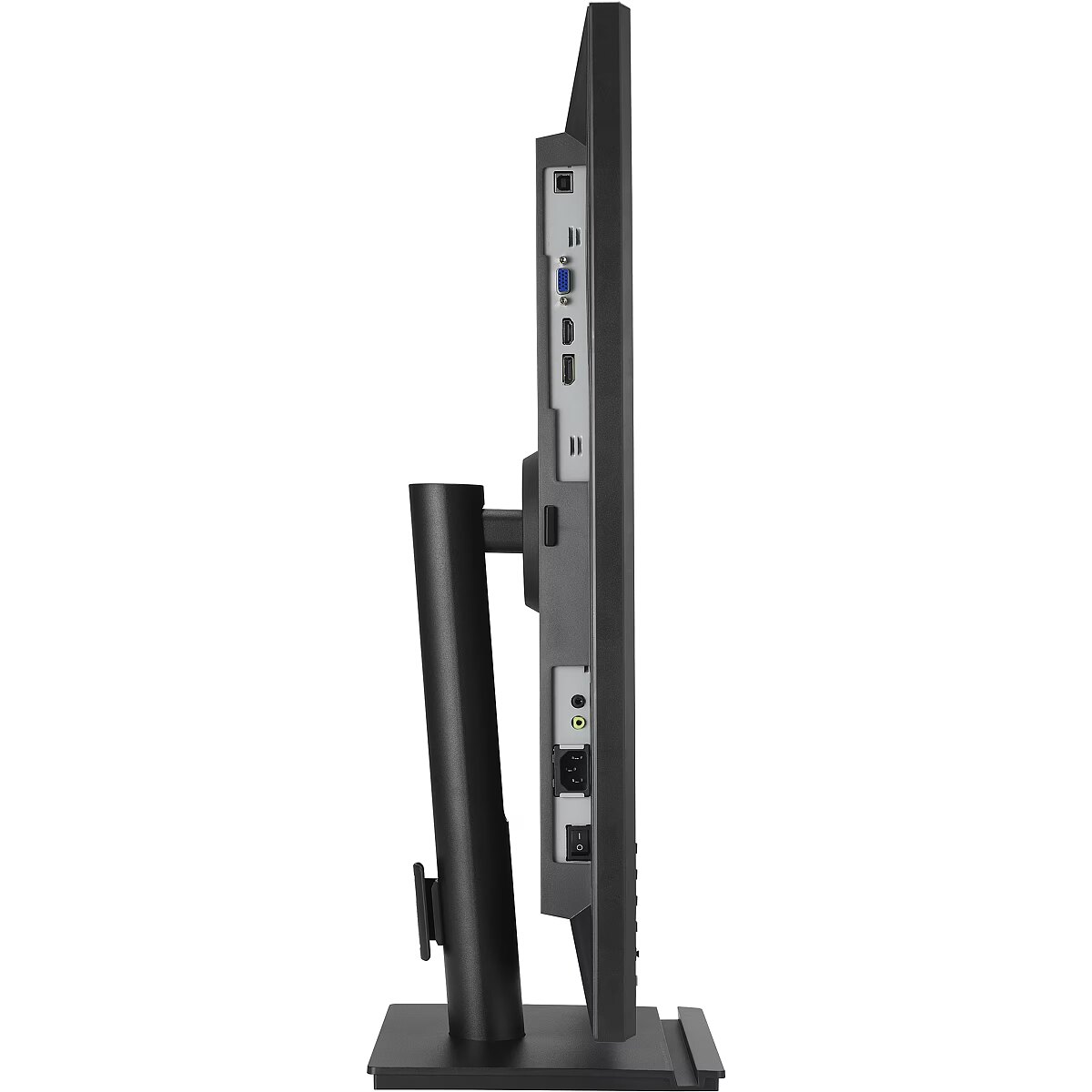
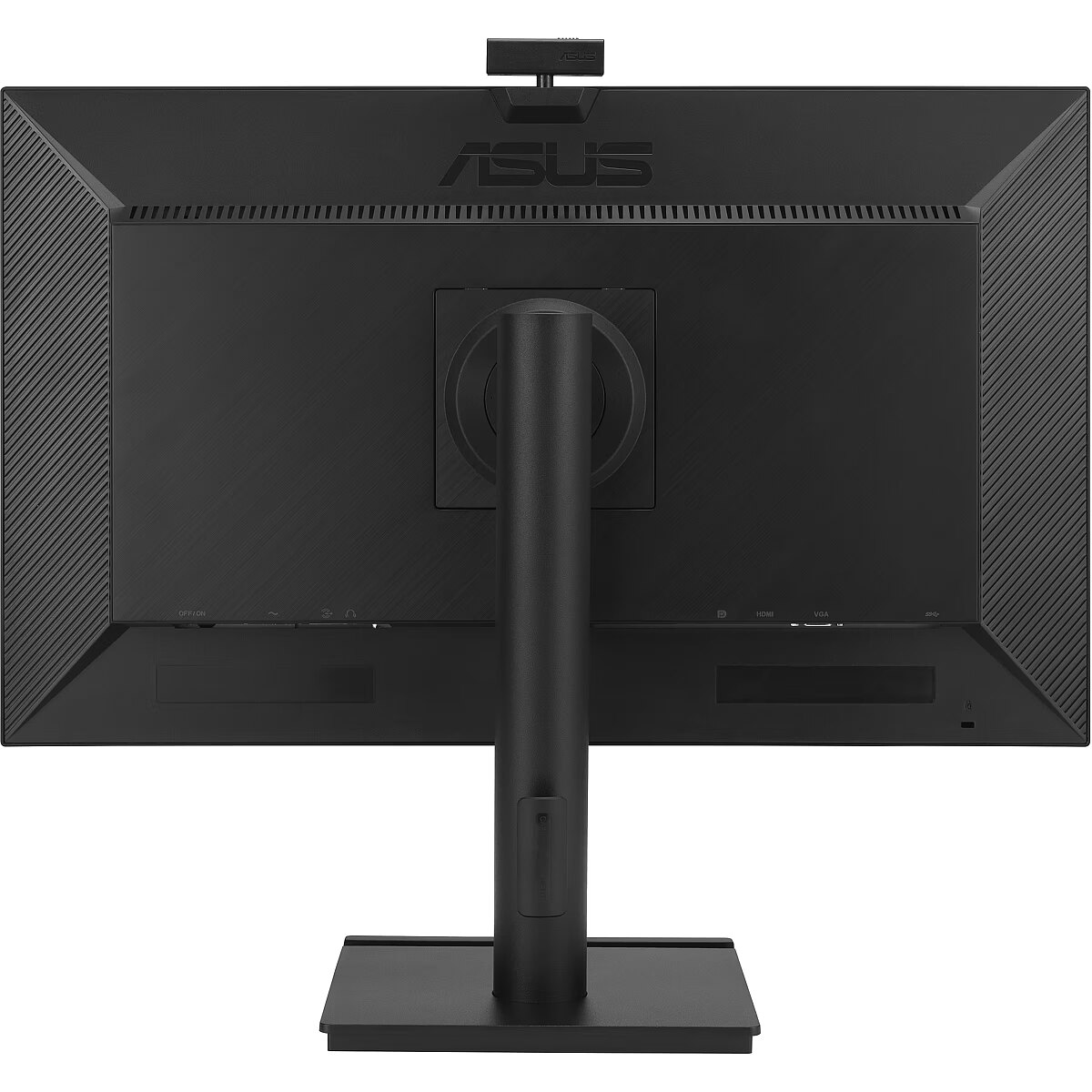
I/O connectors - 1 x 3,5 mm minijack
I/O connectors - 1 x 15-pin D-Sub
I/O connectors - 1 x Audio in
I/O connectors - 1 x DisplayPort
I/O connectors - 1 x HDMI
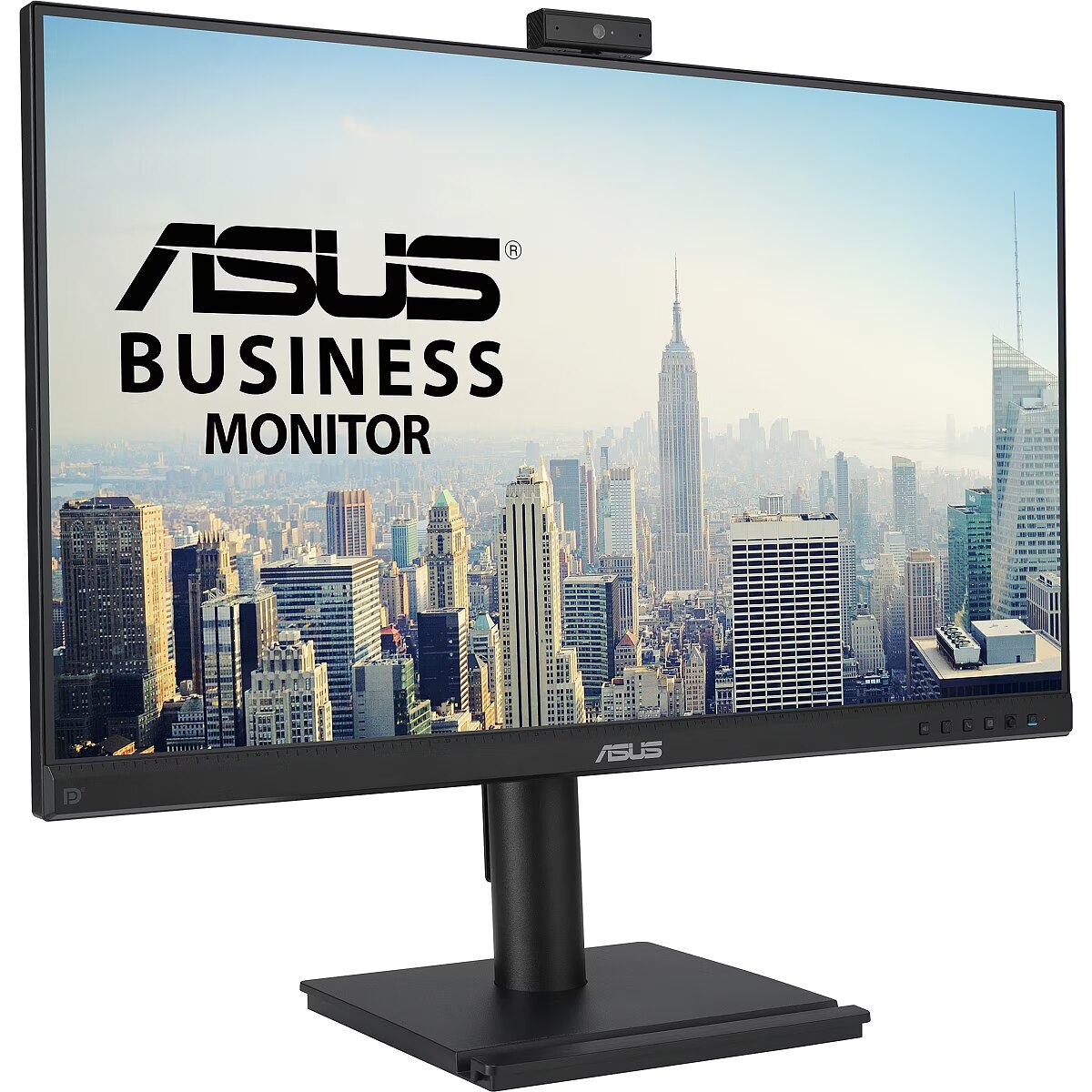
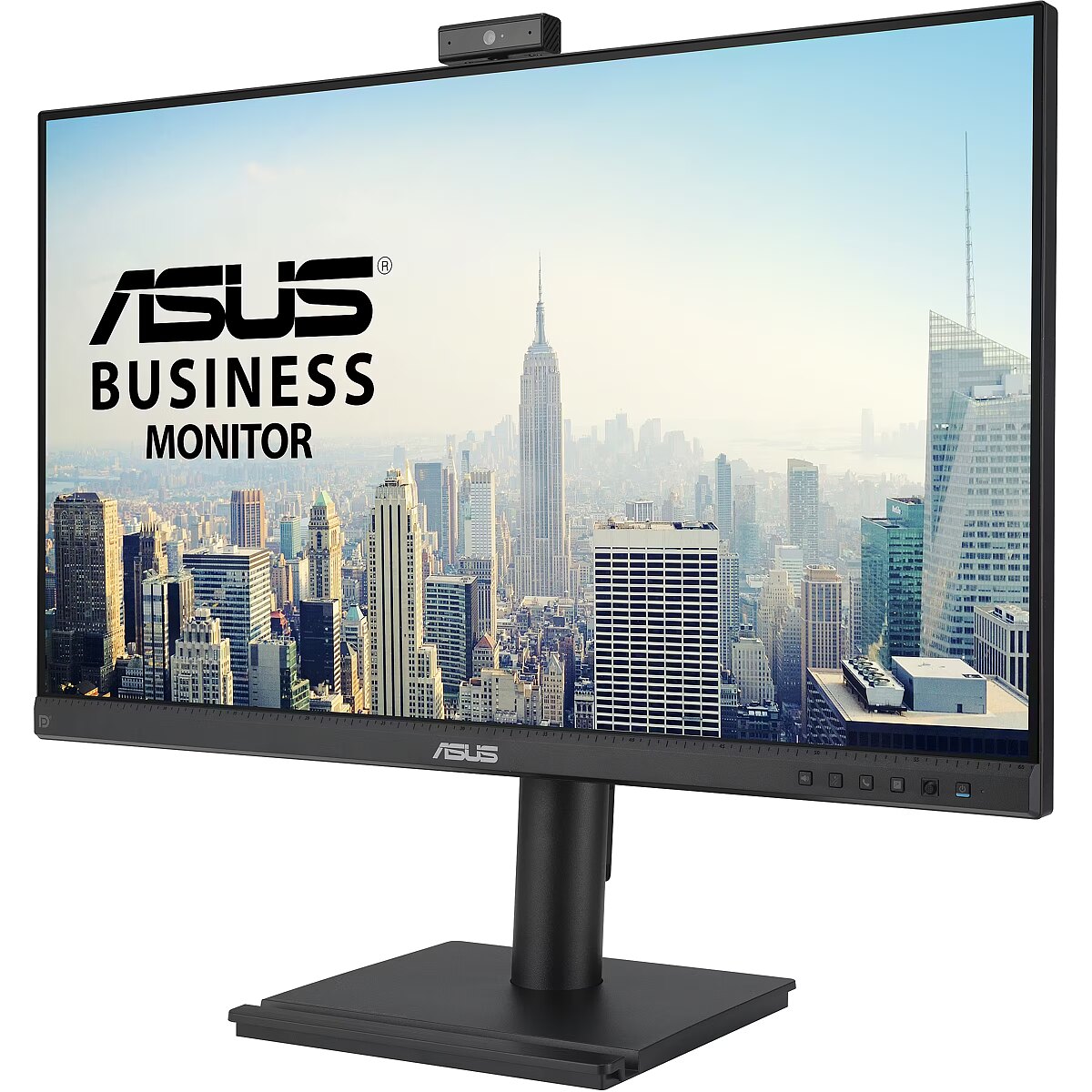
LongDesc - ASUS BE279QFK Video Conferencing Monitor - 27 inch, Full HD, IPS, 100Hz, Frameless, Full HD Webcam, Mic Array, Stereo Speakers, Height Adjustable, Ergonomic Design, HDMI, Eye Care, Low Blue Light, Flicker Free, Wall Mountable, SustainabilityASUS Webcam MonitorThe Complete Videoconferencing SolutionASUS BE279QFK is a 27-inch Full HD monitor that features an integrated Full HD (2MP) webcam, microphone array and stereo speakers for video conferencing and live-streaming. With Full HD resolution, 100Hz refresh rate and wide-viewing IPS panel, it delivers incredibly stunning imagery and smooth video playback. Its ergonomic design with tilt, swivel, pivot and height adjustments provides a comfortable viewing experience, and compatibility with a standard 100 x 100mm VESA mount allows flexible wall mounting or installation on a display arm.Easy Video Streaming with Integrated FHD WebcamThe 2 MP FHD webcam is ready-made for videoconferencing and livestreaming. It offers 315° of rotation in both directions and 10° tilt adjustment ― so you stay in frame, whatever your workstation setup. It also includes a sliding lens cover for privacy.Compatible with Major Videoconferencing SoftwareWith a built-in 2MP Full HD webcam and mic-array, BE279QFK is ready-made for web video-conferencing and live-streaming, as well as built-in stereo speakers providing loud and clear audio through the monitor. It is also compatible with popular videoconferencing applications such as Microsoft® Teams, Cisco Webex™ and Google Meet™.Videoconferencing Shortcuts*Buttons on the front panel make it easy to adjust volume, mute the mic or end the call.*Shortcuts support will depend on the videoconferencing software. Please refer to FAQ for detail informationFluid Viewing Experience with 100Hz SmoothMotionASUS BE279QFK with fast 100Hz refresh rate helps eliminate screen tearing and choppy frame rates. It refreshes content on the display 1.67-time faster than the one with a standard 60Hz refresh rate, giving you more fluid animation in video content streaming and day-to-day work, can all benefit from the smoother-than-ever experience.Expansive ConnectivityBE279QFK features a host of connectivity options that include HDMI, DisplayPort, D-sub, so hooks up easily to a wide variety of PCs, laptops, consoles, media boxes. It also has pass-through ports for the line-in and headphone jack inputs, putting the audio connections conveniently right in front of you.Ergonomic DesignFlexible tilt, swivel, pivot and height adjustments make it easy to find the most comfortable viewing position. The screen can also be rotated a full 90° into a portrait orientation, which is ideal for working with long documents, writing code or browsing websites.Protect Your Eyes with ASUS Eye Care TechnologyBlue Light FilterFor viewing comfort and for protection from potentially harmful blue light, it offers intuitive and flexible with seamless adjustment that are easily accessed through the onscreen display menu.Without Blue Light FilterASUS Flicker-free TechnologyIt's time to say goodbye to those tired, strained eyes. Flicker-Free technology helps reduce onscreen flicker, giving you a more comfortable, movie-marathon-ready environment. It is designed to minimize eyestrain, headaches and eye fatigue when you spend long, countless hours in front of the display.Mini-PC Mountable Stand+Phone Holder for Space SavingSelected ASUS monitors are compatible with ASUS designed mini-PC kit* (MKT03), it allows users to mount NUC / Mini-PCs on the rear of monitor stand, making the desktop clutter-free and space saving. Also comes with a phone holder in front of your monitor for easy access, viewing, and stability.*The Mini-PC Kit (MKT03) is an optional accessory or sold separately, varied by regionASUS DisplayWidget CenterEasily adjust your monitor settings through this intuitive app, without having to touch the physical buttons on the monitor.Eco-Friendly Products for a Sustainable FutureEnvironmental CertificationASUS products are stringently tested to meet the requirements of world-leading sustainability certifications. These tests include a comprehensive database of up-to-date criteria, independent verification, and a structured system for continuous improvement.Eco-friendly PackagingThe sustainable packaging box is made of FSC® Mix-certified paper and 100% recyclable. The lightweight, eco-friendly cardboard box that it’s packed in is designed to keep overall volume to a minimum, for more efficient shipping.Energy-Efficient DesignASUS BE279QFK has an energy-saving eco mode to help reduce power consumption and achieve zero-watt power consumption with hard switch off, recognized by the certification of ENERGY STAR Most Efficient 2024.Eco-friendly MaterialsExtensive research and development ensure ASUS products are made from eco-friendly materials like post-consumer recycled (PCR) plastics or components like mercury-free panels.
LongProductName - 27" Full HD 1920x1080 IPS, 1300:1, 16.7M, DisplayPort, HDMI, VGA, 12W, 100-240V, 50/60Hz
LongSummaryDescription - ASUS BE279QFK. Display diagonal: 68.6 cm (27"), Display resolution: 1920 x 1080 pixels, HD type: Full HD, Display technology: LCD, Response time: 5 ms, Native aspect ratio: 16:9, Viewing angle, horizontal: 178°, Viewing angle, vertical: 178°. Built-in speaker(s). VESA mounting, Height adjustment. Product colour: Black
Manufacturer - Asus
Manufacturer - ASUS
Manufacturer_code - 90LM04P1-B04370
Matrix type - TFT IPS
Microphone - Tak
Model - BE279QFK
MPN - BE279QFK
Multimedia - Built-in camera - Yes
Multimedia - Built-in microphone - Yes
Multimedia - Built-in speaker(s) - Yes
Multimedia - Megapixel (approx.) - 2 MP
Multimedia - Number of speakers - 2
Multimedia - RMS rated power - 4 W
Name - ASUS BE279QFK - 100Hz | Full HD | 27'' | IPS | 5ms
Name - ASUS BE279QFK video conference monitor, LED monitor - 27 - black, FullHD, IPS, webcam, microphone, 100Hz panel
Name - ASUS Business BE279QFK 68.58cm (16:9) FHD HDMI DP
name - Monitor 27 inch BE279QFK IPS HDMI DP 100Hz WEB
Number of colors - 16,7 mln
Optional accessory -
Other features -
Other features - Brand specific technologies - Eye Care+, SPLENDID
Packaging data - Package depth - 162 mm
Packaging data - Package height - 479 mm
Packaging data - Package type - Box
Packaging data - Package weight - 9.3 kg
Packaging data - Package width - 713 mm
Performance - AMD FreeSync - No
Performance - Flicker-free technology - Yes
Performance - Low Blue Light technology - Yes
Performance - NVIDIA G-SYNC - No
Ports & interfaces - Built-in USB hub - No
Ports & interfaces - DisplayPorts quantity - 1
Ports & interfaces - DisplayPort version - 1.2
Ports & interfaces - HDCP - Yes
Ports & interfaces - HDCP version - 1.4
Ports & interfaces - HDMI - Yes
Ports & interfaces - HDMI ports quantity - 1
Ports & interfaces - HDMI version - 1.4
Ports & interfaces - Headphone connectivity - 3.5 mm
Ports & interfaces - Headphone out - Yes
Ports & interfaces - Headphone outputs - 1
Ports & interfaces - PC Audio in - Yes
Ports & interfaces - VGA (D-Sub) ports quantity - 1
Power - AC input frequency - 50/60 Hz
Power - AC input voltage - 100 - 240 V
Power - Energy consumption (SDR) per 1000 hours - 14 kWh
Power - Energy efficiency class (HDR) - Not available
Power - Energy efficiency class (SDR) - C
Power - Energy efficiency scale - A to G
Power - Power consumption (PowerSave) - 0.5 W
Power - Power consumption (typical) - 12 W
Power consumption - 14 W
producer - Asus
Producer - Asus
ProducerCode - BE279QFK
ProductName - BE279QFK
Refresh rate - 100 Hz
Resolution - 1920 x 1080 (FHD 1080)
Response time - 5 ms
Screen size (diag.) - 27"
ShortDescription - 27" | IPS | Full HD | 100Hz
ShortSummaryDescription - ASUS BE279QFK, 68.6 cm (27"), 1920 x 1080 pixels, Full HD, LCD, 5 ms, Black
Speakers built-in - Yes
Static contrast - 1 300:1
TCO Certified - Yes
Title - ASUS BE279QFK computer monitor 68.6 cm (27") 1920 x 1080 pixels Full HD LCD Black
Touch screen - No
Transreflective technology - LED
TV tuner built-in - No
URL - https://www.asus.com/displays-desktops/monitors/business/be279qfk/
vendpn - BE279QFK
VESA - 100 x 100
Viewing angle, horizontal - 178 °
Viewing angle, vertical - 178 °
Visible area, horizontal - 597.89 mm
Visible area, vertical - 336.31 mm
Warranty -
WarrantyInfo -
Web camera - 2,0 MPix
Weight - 4.46 kg
Weight - 9,70
Weight - 10
Weight & dimensions - Depth (without stand) - 56.1 mm
Weight & dimensions - Depth (with stand) - 224 mm
Weight & dimensions - Height (without stand) - 395.8 mm
Weight & dimensions - Height (with stand) - 553.3 mm
Weight & dimensions - Weight (without stand) - 4.46 kg
Weight & dimensions - Weight (with stand) - 6.46 kg
Weight & dimensions - Width (without stand) - 610.7 mm
Weight & dimensions - Width (with stand) - 610.7 mm
Weight with stand - 6.46 kg
Width - 610.7 mm
WiFi - No







 DVI is a digital standard and ensures high image quality, however, thanks to the big size of the plug and the inability of the standard to develop further due to a few technical restrictions this type of connection is gradually losing its popularity to modern HDMI and DisplayPort standards.




