Accessories included -
Aspect ratio - 16:9
Auto Pivot - Yes
Bluetooth - No
Brand - BenQ
BrandPartCode - 9H.LMNLB.QBL
Brightness - 250 nits
Built-in camera - No
Built-in speakers - Yes
Category - Computer Monitors
Category - Root/Electronics/PC peripherals/Monitors
Certificates - Energy Star
Certificates - EPEAT
Certificates - TCO
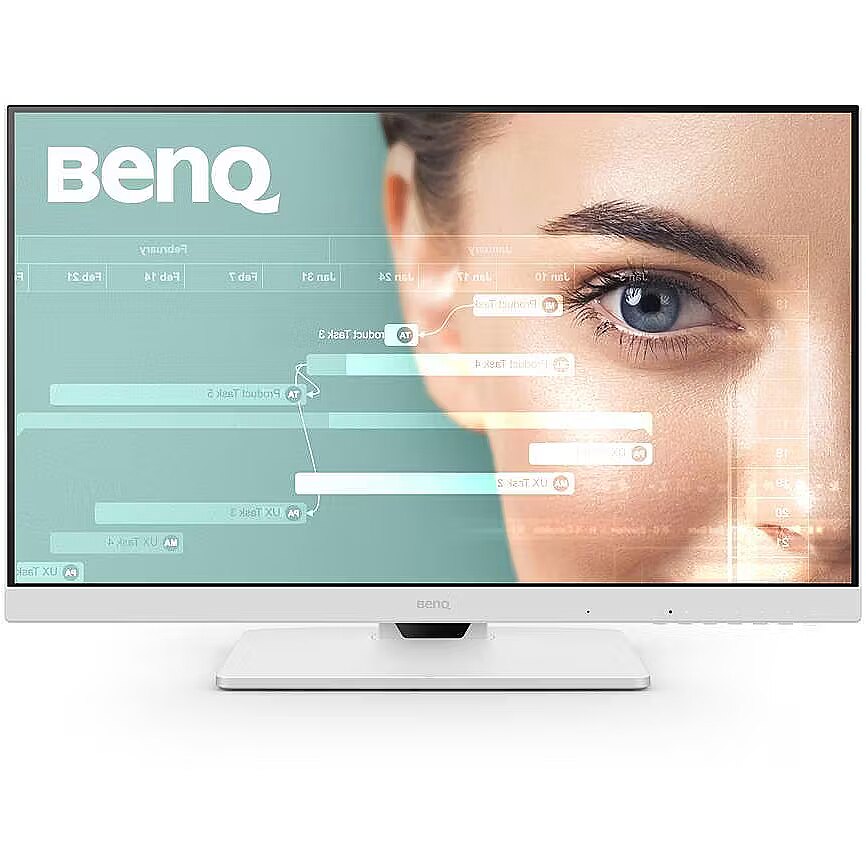
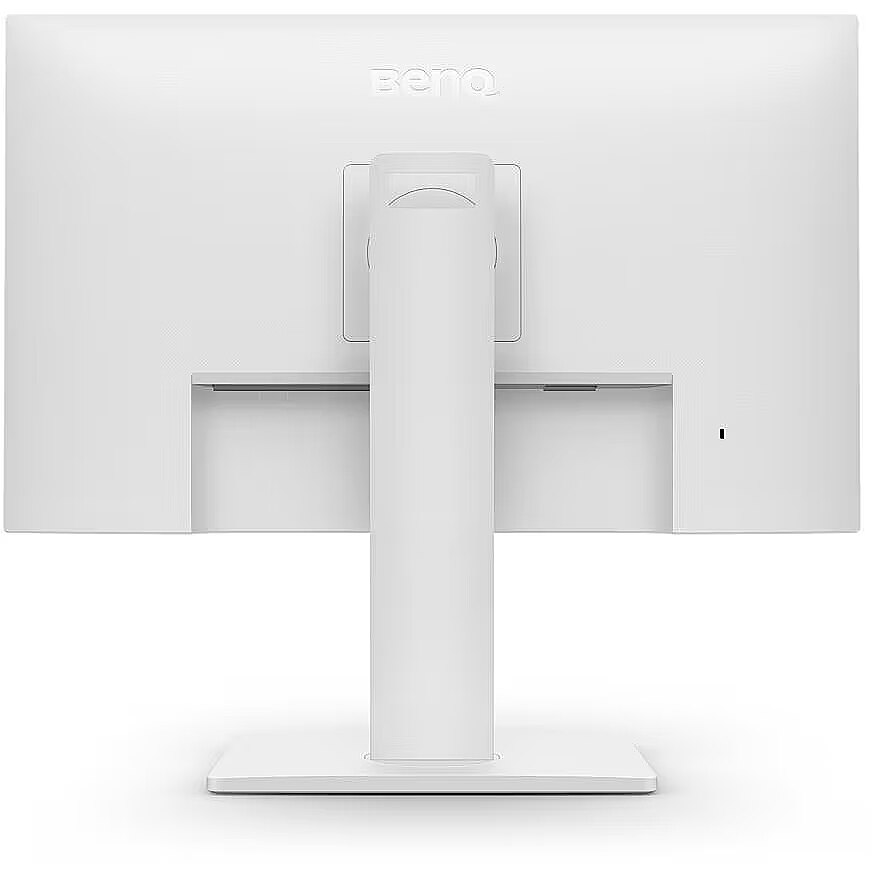
Color - White
Connections - Audio (3.5mm)
Connections - DisplayPort
Connections - HDMI
Connections - USB-A
Connections - USB-C
Contrast ratio (typical) - 1300:1
Curved - No
Dane fizyczne: Głębokość - 56.1 mm
Dane fizyczne: Kolor obudowy - biały
Dane fizyczne: Standard VESA - 100 x 100
Dane fizyczne: Szerokość - 612.3 mm
Dane fizyczne: Waga - 4.9 kg
Dane fizyczne: Wysokość - 407 mm
Dane techniczne: Czas reakcji - 5 ms
Dane techniczne: Częstotliwość odświeżania - 100 Hz
Dane techniczne: Grupa produktowa - Monitory BenQ
Dane techniczne: Gwarancja - 2 lata w serwisie zewnętrznym
Dane techniczne: Głośniki - tak
Dane techniczne: Jasność - 250 cd/m²
Dane techniczne: Możliwość regulacji - obrotowy ekran (pivot)
Dane techniczne: Możliwość regulacji - obrót na podstawie (swivel)
Dane techniczne: Możliwość regulacji - pochył
Dane techniczne: Możliwość regulacji - wysokość
Dane techniczne: Powłoka matrycy - antyrefleksyjna
Dane techniczne: Producent - BenQ
Dane techniczne: Przekątna - 27 cali
Dane techniczne: Rodzaj podświetlenia - LED
Dane techniczne: Rozdzielczość nominalna - 1920 x 1080 (Full HD) piksele
Dane techniczne: Standard portów wideo - DisplayPort
Dane techniczne: Standard portów wideo - HDMI
Dane techniczne: Standard portów wideo - USB-C
Dane techniczne: Typ - do biura i domu
Dane techniczne: Typ ekranu - płaski
Dane techniczne: Typ matrycy - IPS
Depth - 56.1 mm
Depth with stand - 234.9 mm
Description - BENQ GW2786TC 27" FHD IPS 100HZ HDMI/DP/SPEAKERS HAS USB-C 65W
Description - Versatile Connectivity Drives Your Work Experience
One single USB-C cable simultaneously delivers fast data transfer and 65W power delivery to your laptop and various personal devices. There are two additional USB-A ports that make it easy to connect peripherals.
Expand to Multiple Displays
Connect your computer to create a multi-monitor setup for additional screen space and a clutter-free workspace by daisy-chaining. Use the swivel rotation to adjust views across multiple displays.
Superior Audio Quality for Smooth Communication
The GW2786TC delivers superior audio quality. Jump into meetings with clear vocals delivered by the noise-canceling microphone and built-in speakers.
Adjust for Efficiency
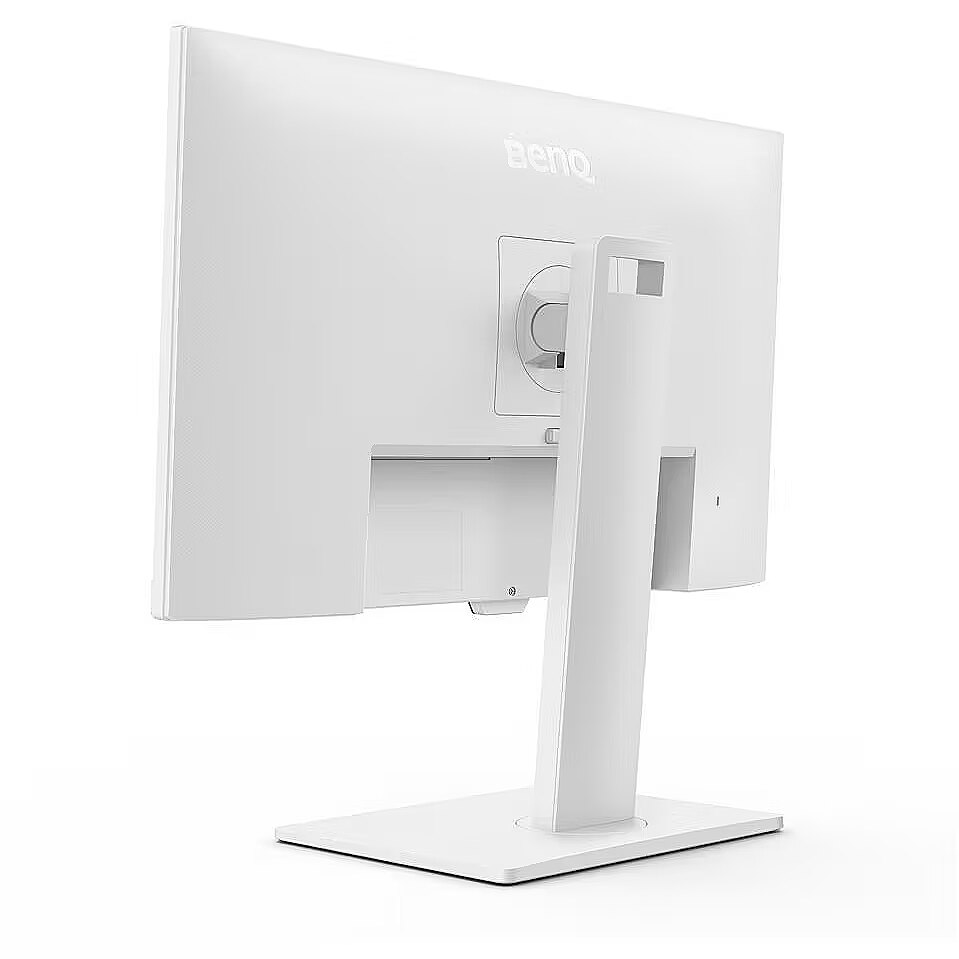
The monitor can be tilted, swivel, and height-adjusted, allowing you to easily adjust it to your individual needs, providing the ideal, comfortable work environment and productivity all day long.
Effortless Viewing: 100Hz Smooth Motion
100Hz refresh rate allows for faster response to changes, resulting in a clearer and smoother user experience, as well as eye comfort when reading webpages, streaming videos, gaming, etc.
Color Modes for Multitasking
With encoding and ePaper modes, you can enjoy easy readability and eye comfort to meet all your needs.
Long-lasting Eye Protection
BenQ Eye-Care Technologies safeguard your eye health with multiple features that ensure every image is clear and comfortable.
Smart Brightness Control Technology
Brightness Intelligence Technology (B.I.Tech.) detects content intensity to avoid overexposure to bright scenes while enhancing dark areas to maintain clear visibility. With a higher degree of adjustment and customizable screen brightness, ideal display performance protects your vision with excellent picture quality tailored to your preferences.
Low Blue Light Plus Technology
BenQ Low Blue Light Plus technology preserves vivid colors while filtering out shorter, more energetic blue-violet radiation that is harmful to the eyes.
TÜV Rheinland Certification
Global safety authority TÜV Rheinland has certified the GW2786TCs Flicker-Free and Low Blue Light technology as truly eye-friendly and safe. Eyesafe 2.0 certification ensures the display reduces blue light while maintaining vivid colors.
Eye-CareU
Leave it to the compatible Eye-CareU software on the GW2486TC to set timers, light reminders, and distance reminders to improve your posture while you focus on what you do best. The pop-up window acts as a guide, allowing for quick navigation and settings via quick on-screen controls.
Design - Market positioning - Home
Design - Product colour - White
Designation - CE+WEEE
dimension depth - 680 mm
dimension height - 510 mm
Dimensions (W x D x H) with stand, mm - 612.3 x 234.9 x 419.9-535.4
Dimensions W x D x H, mm - 612.3 x 56.1 x 371.8
dimension weight - 10000 g
dimension width - 220 mm
Display - Anti-glare screen - Yes
Display - Colour gamut standard - sRGB
Display - Contrast ratio (typical) - 1300:1
Display - Display brightness (typical) - 250 cd/m²
Display - Display diagonal - 68.6 cm (27")
Display - Display number of colours - 16.7 million colours
Display - Display resolution - 1920 x 1080 pixels
Display - Display technology - LED
Display - HD type - Full HD
Display - LED backlight - Yes
Display - Maximum refresh rate - 100 Hz
Display - Native aspect ratio - 16:9
Display - Panel type - IPS
Display - Pixel density - 82 ppi
Display - Response time - 5 ms
Display - Response time measurement type - GTG (Gray to Gray)
Display - Screen shape - Flat
Display - sRGB coverage (typical) - 99%
Display - Touchscreen - No
Display - Viewing angle, horizontal - 178°
Display - Viewing angle, vertical - 178°
Display brightness, cd/m² - 250
Display color - White
Display diagonal, " - 27
Display number of colours - 16.7 M
DisplayPorts quantity - 1
Display resolution, pixels - 1920 x 1080
Display surface - Matt
Dodatkowe informacje o matrycy: Format obrazu - 16:9
Dodatkowe informacje o matrycy: Kontrast - 1300:1
Dodatkowe informacje o matrycy: Kąt widzenia w pionie - 178 °
Dodatkowe informacje o matrycy: Kąt widzenia w poziomie - 178 °
Dodatkowe informacje o matrycy: Liczba wyświetlanych kolorów - 16.7 mln
ean - 4718755094156
Eans - 4718755094156
Efektywność energetyczna: Klasa energetyczna - E
Efektywność energetyczna: Zużycie energii w trybie pracy - 17.3 W
Energy class - E
Energy label - Pobierz
Ergonomics - Adjustable height (max) - 13 cm
Ergonomics - Height adjustment - Yes
Ergonomics - Number of OSD languages - 18
Ergonomics - On Screen Display (OSD) - Yes
Ergonomics - On Screen Display (OSD) languages - Arabic, Simplified Chinese, Traditional Chinese, Czech, German, Dutch, English, Spanish, French, Hungarian, Italian, Japanese, Korean, Polish, Portuguese, Romanian, Russian, Swedish
Ergonomics - Panel mounting interface - 100 x 100 mm
Ergonomics - Pivot - Yes
Ergonomics - Pivot angle - -90 - 90°
Ergonomics - Swivel angle range - -45 - 45°
Ergonomics - Swivelling - Yes
Ergonomics - Tilt adjustment - Yes
Ergonomics - Tilt angle range - -5 - 20°
Ergonomics - VESA mounting - Yes
Green certifications - Energy Star 8.0
Green certifications - EPEAT Bronze
Green certifications - TCO 9.0
Green certifications - TÜV
GTIN - 0840046050481
GTIN - 840046050481
GTIN - 4718755094156
guarantee - 36
guarantee_type - external
HDMI ports quantity - 1
Height - 371.8 mm
Height - 510.000000
Height (max) - 535.4 mm
Height adjustment - Yes
Height adjustment, mm - 130
Height adjustment range - 130 mm
Height with stand - 407 mm
I/O connectors - 1 x 3,5 mm minijack
I/O connectors - 1 x HDMI
I/O connectors - 1 x USB (Type C)
I/O connectors - 2 x DisplayPort
I/O connectors - 2 x USB 3.2 Type-A Gen 1
Informacje podstawowe: Moc głośników - 2 x 2W
Length - 680.000000
LongDesc - Versatile Connectivity Directs Your WorkflowPerfect ports reduce cable clutter. One single USB-C™ cable simultaneously provides fast data transfer and 65W power delivery for your laptop and various personal devices. There are two extra USB-A ports make it easy to connect your peripherals.Expand to Multiple DisplaysConnect your computer to create a multi-monitor setup for extra screen real estate and a decluttered workspace by daisy-chaining. Utilize pivot rotation to customize views on multiple displays.Premium Audio Quality for Smooth CommunicationGW2786TC provides premium audio quality. Jump into meetings with clear vocals transmitted through a Noise Cancellation Microphone and built-in speakers.Noise Cancellation Microphone Separating Signal from NoiseWith the integrated Noise Cancellation Microphone, ambient sound is filtered in your environment while bringing out important vocal cues.Adjust for Better EfficiencyThe monitor has tilt, pivot, swivel, and height adjustment to offer easy customization for flexibility in an ideal comfortable user environment, ensuring productivity throughout the day.Seamless Viewing: 100Hz Smooth Motion100Hz refresh rate reacts more quickly to changes, resulting in a clearer and smoother user experience with eye comfort for webpage reading, video streaming, gaming, etc.Lasting Well-Being on Your EyesBenQ Eye-Care technologies safeguard your eye health with multiple features, ensuring that you see every image with clarity and comfortability.Brightness Intelligence TechnologyThe Brightness Intelligence Technology (B.I.Tech.) detects content intensity to avoid overexposure of bright scenes while enhancing dark areas to maintain clear visibility. With a higher degree of adjustability and customizable screen brightness, the ideal display performance protects your vision with superb imagery quality tailored to your preferences.TÜV Rheinland CertifiedGlobal safety authority, TÜV Rheinland, certified the GW2786TC's Flicker-Free and Low Blue Light Technology as truly friendly and safe for your eyes. Eyesafe 2.0 certification ensures that the display reduces blue light while maintaining vivid colors.Eye-CareULeave it to the compatible software of Eye-CareU on the GW2786TC to set timers, light reminders, and distance reminders to correct your posture as you focus on what you do best. The pop-up works as an assistant, allowing for quick navigation and settings via its quick on-screen control.
LongProductName - 68.6cm (27") Full HD 1920 x 1080 IPS, 16:9, 250cd/m², 16.7M, 5ms, 178°/178°, 1300:1
LongSummaryDescription - BenQ GW2786TC. Display diagonal: 68.6 cm (27"), Display resolution: 1920 x 1080 pixels, HD type: Full HD, Display technology: LED, Response time: 5 ms, Native aspect ratio: 16:9, Viewing angle, horizontal: 178°, Viewing angle, vertical: 178°. Built-in speaker(s). Built-in USB hub. VESA mounting, Height adjustment. Product colour: White
Manufacturer - BenQ
Manufacturer's estimate: Product life cycle used in emission assessments, years - 6.6
Manufacturer?s estimate: Manufacturing-related CO2 emissions, kg - 413
Manufacturer?s estimate: Product life cycle CO2 emissions, kg - 589
ManufacturerPartNumber - 9H.LMNLB.QBE
Matrix type - TFT IPS
Model - GW2786TC
Multimedia - Built-in camera - No
Multimedia - Built-in microphone - Yes
Multimedia - Built-in speaker(s) - Yes
Multimedia - Number of speakers - 2
Multimedia - RMS rated power - 4 W
Name - BenQ GW2786TC - 100Hz | Full HD | 27'' | IPS | 5ms
name - Monitor 27 inches GW2786TC LED 5ms/IPS/HDMI/100Hz
Number of colors - 16,7 mln
Ochrona oczu: Filtr światła niebieskiego - tak
Ochrona oczu: Redukcja migotania - tak
Optional accessory -
Other features -
Panel type - IPS
Performance - Flicker-free technology - Yes
Performance - Game mode - Yes
Performance - Low Blue Light technology - Yes
Performance - Smart modes - Custom, Eco, Game, M-Book, Movie, Standard, ePaper
PeriodofWarranty - 36 M
Pivot - Yes
Ports & interfaces - Built-in USB hub - Yes
Ports & interfaces - DisplayPort out quantity - 1
Ports & interfaces - DisplayPorts quantity - 1
Ports & interfaces - DisplayPort version - 1.2
Ports & interfaces - HDCP - Yes
Ports & interfaces - HDCP version - 1.4
Ports & interfaces - HDMI - Yes
Ports & interfaces - HDMI ports quantity - 1
Ports & interfaces - HDMI version - 1.4
Ports & interfaces - Headphone out - Yes
Ports & interfaces - Headphone outputs - 1
Ports & interfaces - USB Power Delivery (USB PD) - Yes
Ports & interfaces - USB Power Delivery up to - 65 W
Ports & interfaces - USB Type-A downstream ports quantity - 2
Ports & interfaces - USB Type-C DisplayPort Alternate Mode - Yes
Ports & interfaces - USB Type-C downstream ports quantity - 1
Power - AC input voltage - 100 - 240 V
Power - Energy consumption (SDR) per 1000 hours - 18 kWh
Power - Energy efficiency class (SDR) - E
Power - Energy efficiency scale - A to G
Power - Power consumption (max) - 120 W
Power - Power consumption (standby) - 0.5 W
Power - Power consumption (typical) - 17.3 W
Power - Power supply type - Internal
Power consumption - 120 W
Power consumption (standby), W - 0.5
Power consumption, W - 17.3
Pozostałe cechy: Akcesoria - kabel zasilający
Pozostałe cechy: Model - BenQ GW86TC
Producent: Nazwa producenta / importera - BenQBenQ Europe B.V. Meerenakkerweg1-17, 5652 AR Eindhoven, The Netherlands HolandiaEmail: Support.BenQ.com
producer - Benq
Producer - BenQ
ProducerCode - 9H.LMNLB.QBE
ProductName - GW2786TC
Refresh rate - 100 Hz
Refresh rate, Hz - 100
Resolution - 1920 x 1080 (FHD 1080)
Response time - 5 ms
Response time, ms - 5
Screen size (diag.) - 27"
ShortDescription - 27" | IPS | QHD | 5 ms | 75 Hz | Brightness Intelligence, Eye-Care
ShortSummaryDescription - BenQ GW2786TC, 68.6 cm (27"), 1920 x 1080 pixels, Full HD, LED, 5 ms, White
Speaker power, W - 2 x 2
Speakers built-in - Yes
Static contrast - 1 300:1
Sustainability - Sustainability certificates - ENERGY STAR, EPEAT Bronze, TCO
Tilt angle, ° - -5 - 20
Title - BenQ GW2786TC computer monitor 68.6 cm (27") 1920 x 1080 pixels Full HD LED White
Touch screen - No
Touch sensitive screen - No
Transreflective technology - LED
Turn, ° - 45 - 45
TV tuner built-in - No
URL - https://www.benq.com/en-us/monitor/home/gw2786tc.html
USB-A (USB 3.2) ports quantity - 2
USB-C charging power max, W - 65
USB-C power delivery - Yes
USB Type-C ports quantity - 1
vendpn - 9H.LMNLB.QBE
VESA - 100 x 100
VESA-standard, mm - 100 x 100
Viewing angle, horizontal - 178 °
Viewing angle, horizontal, ° - 178
Viewing angle, vertical - 178 °
Viewing angle, vertical, ° - 178
Warranty -
WarrantyInfo -
Web camera - None
Weight - 4.9 kg
Weight - 9.390000
Weight & dimensions - Depth (without stand) - 56.1 mm
Weight & dimensions - Depth (with stand) - 234.9 mm
Weight & dimensions - Height (without stand) - 371.8 mm
Weight & dimensions - Height (with stand) - 535.4 mm
Weight & dimensions - Weight (without stand) - 4.9 kg
Weight & dimensions - Weight (with stand) - 7.9 kg
Weight & dimensions - Width (without stand) - 612.3 mm
Weight & dimensions - Width (with stand) - 612.3 mm
Weight with stand - 7.9 kg
Weight with stand, g - 7900
Width - 220.000000
Width - 612.3 mm
WiFi - No
Złącza: Złącza - 1 x DisplayPort
Złącza: Złącza - 1 x HDMI
Złącza: Złącza - 1 x USB Type-C
Złącza: Złącza - 2 x USB 3.2 gen 1 Type A









 DVI is a digital standard and ensures high image quality, however, thanks to the big size of the plug and the inability of the standard to develop further due to a few technical restrictions this type of connection is gradually losing its popularity to modern HDMI and DisplayPort standards.




