Accessories included -
AC input frequency Power - 50/60 Hz
AC input voltage Power - 100 - 240 V
Adjustable height (max) Ergonomics - 120 mm
AMD FreeSync Performance - Yes
AMD FreeSync type Performance - FreeSync Premium
Anti-glare screen Display - Yes
Aspect ratio - 16:9
Auto Pivot - Yes
Backlight type Display - LED
Bluetooth - No
Brand - ASUS
BrandPartCode - 90LM09H0-B01170
Brightness - 350 cd/m²
Built-in camera Multimedia - No
Built-in speaker(s) Multimedia - Yes
Built-in USB hub Ports & interfaces - No
Cable lock slot Ergonomics - Yes
Cable lock slot type Ergonomics - Kensington
Category - Computer Monitors
category - Monitors|By Resolution|Full HD Monitors
Category - Root/Electronics/PC peripherals/Monitors
Category 1 - Displays
Category 2 - Monitore
Category Code - LC3
Category_1 - Monitors and TV
Category_2 - LED Monitors up to 27 inches
category_en - Computers & Components > Monitors and accessories > LCD monitors
category_lv - Datortehnika > Monitori un aksesuāri > LCD monitori
category_ru - Datortehnika > Monitori un aksesuāri > LCD monitori
Certificates - AMD FreeSync Premium
Certificates - TUV
code - 90LM09H0-B01170
Color - Black
Colour gamut Display - 90 %
Colour gamut standard Display - DCI-P3
Contrast ratio (typical) Display - 1000:1
Dane fizyczne: Głębokość - 215 mm
Dane fizyczne: Kolor obudowy - czarny
Dane fizyczne: Standard VESA - 100 x 100
Dane fizyczne: Szerokość - 615 mm
Dane fizyczne: Waga - 5.9 kg
Dane fizyczne: Wysokość - 547 mm
Dane techniczne: HDR - tak
Dane techniczne: Czas reakcji - 1 ms
Dane techniczne: Częstotliwość odświeżania - 180 Hz
Dane techniczne: Grupa produktowa - Monitory Asus
Dane techniczne: Gwarancja - 3 lata w serwisie zewnętrznym
Dane techniczne: Głośniki - tak (2 x 2 W)
Dane techniczne: Jasność - 400 cd/m²
Dane techniczne: Możliwość regulacji - obrotowy ekran (pivot)
Dane techniczne: Możliwość regulacji - obrót na podstawie (swivel)
Dane techniczne: Możliwość regulacji - pochył
Dane techniczne: Możliwość regulacji - wysokość
Dane techniczne: Powłoka matrycy - antyrefleksyjna
Dane techniczne: Producent - Asus
Dane techniczne: Przekątna - 27 cali
Dane techniczne: Rodzaj podświetlenia - LED
Dane techniczne: Rozdzielczość ekranu - 1920 x 1080 (Full HD) piksele
Dane techniczne: Rozmiar plamki - 0.311 mm
Dane techniczne: Standard portów wideo - DisplayPort 1.4
Dane techniczne: Standard portów wideo - HDMI 2.0
Dane techniczne: Typ - dla graczy
Dane techniczne: Typ ekranu - płaski
Dane techniczne: Typ matrycy - IPS
Data Act - Link
Data Sheet (Link) Energy Efficiency - https://eprel.ec.europa.eu/api/product/1806419/fiches?language=EN
Depth - 60 mm
Depth (without stand) Weight & dimensions - 60 mm
Depth (with stand) Weight & dimensions - 215 mm
Depth with stand - 215 mm
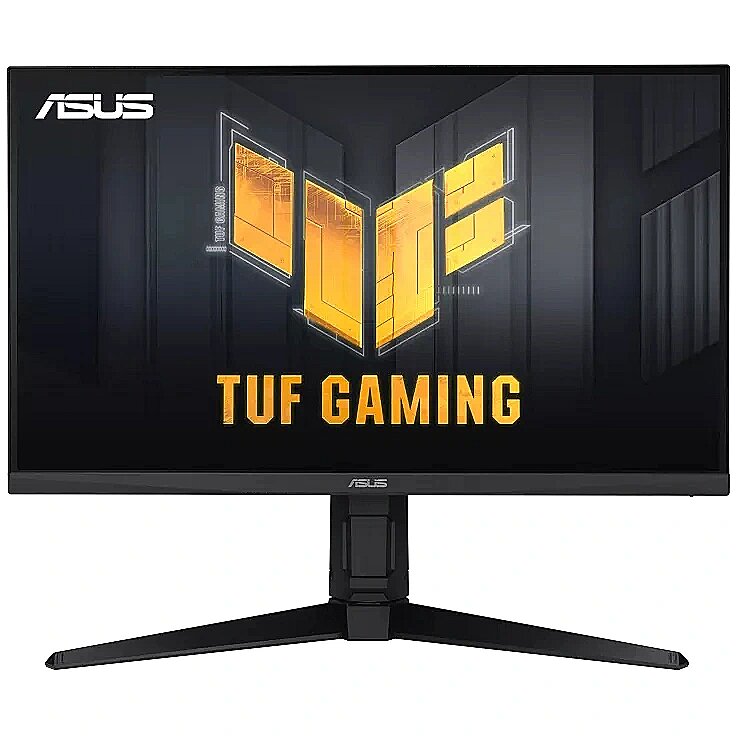
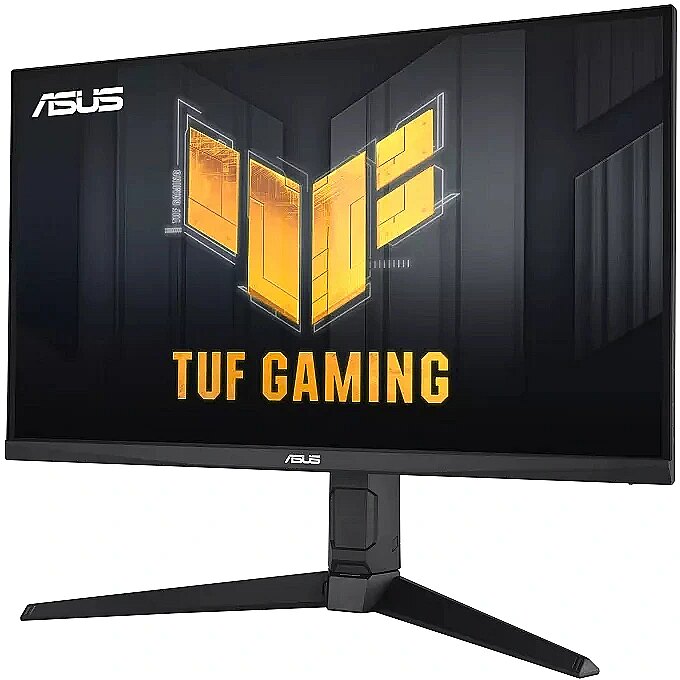
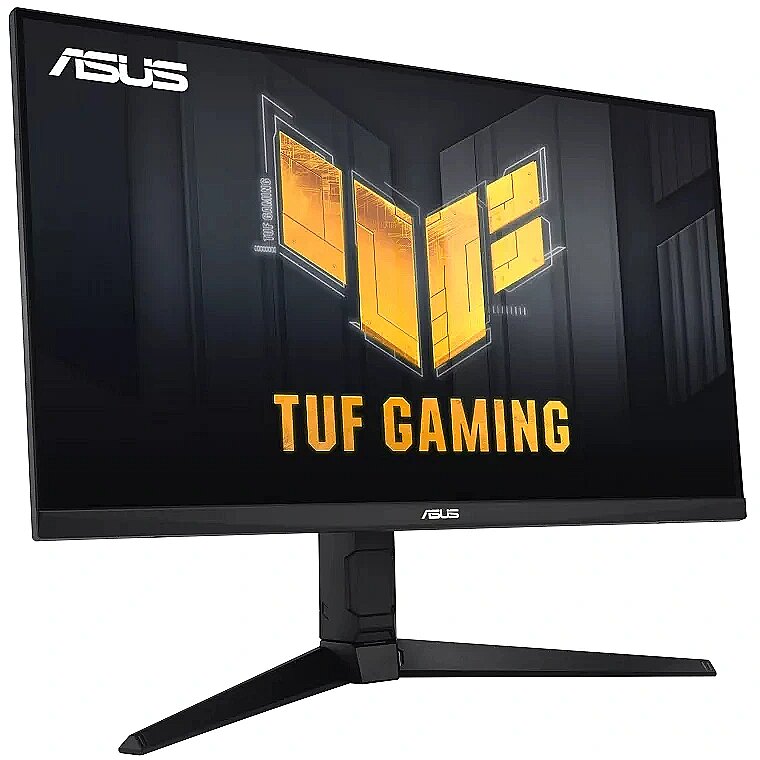
Description - 27-inch Full HD (1920x1080) gaming monitor with fast IPS and 180Hz refresh rate, designed for professional gamers and immersive gameplay 1ms response time (GTG) for smooth gameplay and ASUS Extreme Low Motion Blur (ELMB) technology to further reduce motion blur Compatibility with FreeSync Premium and G-Sync ensures smooth gameplay by enabling VRR (Variable Refresh Rate) by default Shadow Boost improves image detail in dark areas, brightening scenes without overexposing bright areas
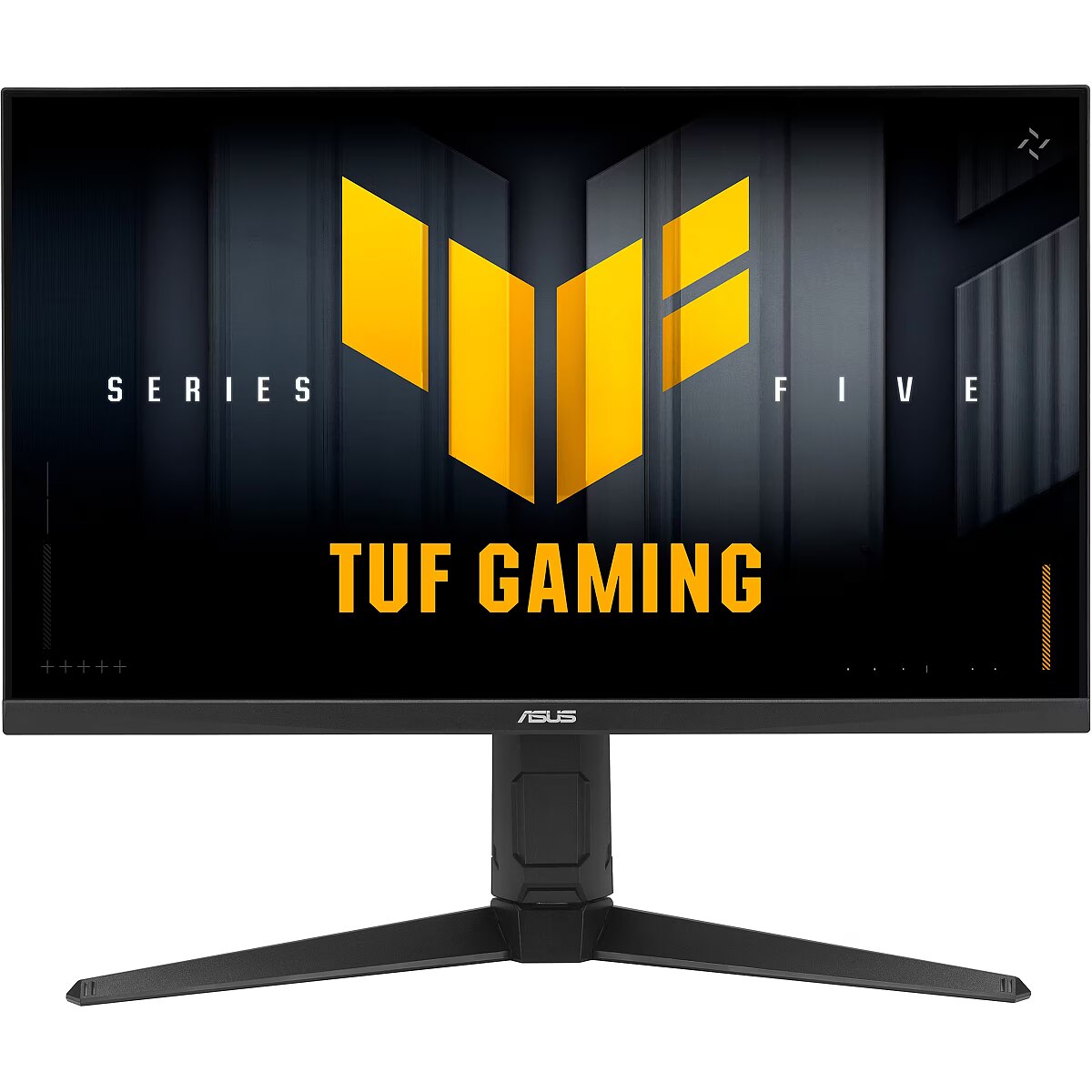
Description - The 27-inch TUF Gaming VG279QL3A Full HD gaming monitor featuring a Fast IPS panel for 180 Hz gaming. ASUS Extreme Low Motion Blur and AMD FreeSync™ Premium, G-SYNC compatible, VESA AdaptiveSync technologies enables buttery-smooth gaming. In addition, it meets VESA DisplayHDR™ 400 standards and has a 125% sRGB color gamut to offer exceptional colors and contrast. GAMING KEY SPEC
180HZ REFRESH RATE AND 1MS (GTG) RESPONSE TIME
With 180Hz refresh rate decimates lag and motion blur to give you the upper hand in first person shooters, racers, real-time strategy, and sports titles. This ultrafast refresh rate lets you play at the highest visual settings and lets you react instantly to what's onscreen — so you'll get that first strike in. GAMING KEY SPEC
ADAPTIVE-SYNC
AMD FreeSync Premium, NVIDIA VESA AdaptiveSync technology ensure supersmooth, tear-free visuals with low latency. COLOR PERFORMANCE
HIGH DYNAMIC RANGE
TUF Gaming VG279QL3A takes advantage of HDR technology to deliver more vivid colors and higher contrast levels compared to traditional monitors. EXCLUSIVE GAMING FEATURE
EXTREME LOW MOTION BLUR (ELMB)
ASUS Extreme Low Motion Blur (ELMB) technology provides a 1 ms GTG response time to eliminate smearing and motion blur. It makes moving objects appear even sharper, so gameplay is more fluid and responsive. EXCLUSIVE GAMING FEATURE
VARIABLE OVERDRIVE
Integrated ASUS Variable Overdrive technology allows the display to dynamically alter its overdrive setting as frame rates fluctuate, ensuring optimal results for any game. You choose how strong you want the overall effect to be, then let the monitor take it from there. INTUITIVE CONTROLS
DisplayWidget Center software upgraded the user interface so that users can easily change monitor settings via a mouse ― so there’s no need to access the OSD menu. EXTENSIVE CONNECTIVITY
A multitude of connectivity options, including two HDMI 2.0, plus DisplayPort™ 1.4, ensures wide compatibility with a variety of input sources.27-inch Full HD(1920x1080) Fast IPS gaming monitor with 180Hz refresh rate designed for professional gamers and immersive gameplay1ms (GTG) response time for smooth gameplay, and ASUS Extreme Low Motion Blur (ELMB ™) technology to further reduce ghosting and motion blurFreeSync Premium and G-Sync compatible delivers a seamless, tear-free gaming experience by enabling VRR (variable refresh rate) by defaultShadow Boost enhances image details in dark areas, brightening scenes without over-exposing bright areas
description_en - Display diagonal: 27 "
Display resolution: 1920 x 1080
HD type: Full HD
Panel type: IPS
Display technology: LCD
Pixel pitch: 0.311 x 0.311
Response time: 1 ms
Contrast ratio (typical): 1000:1
Display brightness (typical): 350 cd/m²
Screen shape: Flat
Built-in USB hub: No
VESA mounting: Yes
Built-in speaker(s): Yes
Product colour: Black
description_lv - Displeja diagonāle: 27 collas
Displeja izšķirtspēja: 1920x1080
HD veids: Full HD
Paneļa tips: IPS
Displeja tehnoloģija: LCD
Pikseļu augstums: 0,311 x 0,311
Reakcijas laiks: 1 ms
Kontrasta attiecība (parasti): 1000:1
Displeja spilgtums (parasti): 350 cd/m²
Ekrāna forma: plakana
Iebūvētais USB centrmezgls: Nē
VESA stiprinājums: Jā
Iebūvētais skaļrunis(-i): Jā
Produkta krāsa: melna
description_ru - Диагональ дисплея: 27 дюймов.
Разрешение дисплея: 1920 x 1080
Тип HD: Full HD
Тип панели: IPS
Технология дисплея: ЖК-дисплей
Шаг пикселя: 0,311 х 0,311
Время отклика: 1 мс
Коэффициент контрастности (типовой): 1000:1
Яркость дисплея (типичная): 350 кд/м²
Форма экрана: Плоский
Встроенный USB-хаб: Нет
Крепление VESA: Да
Встроенный динамик(и): Да
Цвет товара: Черный
Design - Feet colour - Black
Design - Market positioning - Gaming
Design - Product colour - Black
Designation - CE+WEEE
Digital horizontal frequency Display - 30 - 225 kHz
Digital vertical frequency Display - 48 - 180 Hz
dimensionalWeight - 13939
dimension depth - 220 mm
dimension height - 440 mm
dimension weight - 8400 g
dimension width - 725 mm
Display - Anti-glare screen - Yes
Display - Backlight type - LED
Display - Colour gamut - 90%
Display - Colour gamut standard - DCI-P3
Display - Contrast ratio (typical) - 1000:1
Display - Digital horizontal frequency - 30 - 225 kHz
Display - Digital vertical frequency - 48 - 180 Hz
Display - Display brightness (peak) - 400 cd/m²
Display - Display brightness (typical) - 350 cd/m²
Display - Display diagonal - 68.6 cm (27")
Display - Display diagonal (metric) - 69 cm
Display - Display number of colours - 16.7 million colours
Display - Display resolution - 1920 x 1080 pixels
Display - Display technology - LCD
Display - HD type - Full HD
Display - High Dynamic Range (HDR) supported - Yes
Display - High Dynamic Range (HDR) technology - DisplayHDR 400
Display - High Dynamic Range (HDR) technology - DisplayHDR 400, High Dynamic Range 10 (HDR10)
Display - High Dynamic Range (HDR) technology - High Dynamic Range 10 (HDR10)
Display - Maximum refresh rate - 180 Hz
Display - Native aspect ratio - 16:9
Display - Panel type - IPS
Display - Pixel pitch - 0.311 x 0.311 mm
Display - Response time - 1 ms
Display - Screen shape - Flat
Display - sRGB coverage (typical) - 125%
Display - Touchscreen - No
Display - Viewable size, horizontal - 59.8 cm
Display - Viewable size, vertical - 33.6 cm
Display - Viewing angle, horizontal - 178°
Display - Viewing angle, vertical - 178°
Display brightness (peak) Display - 400 cd/m²
Display brightness (typical) Display - 350 cd/m²
Display diagonal (metric) Display - 69 cm
Display diagonal Display - 27 "
Display number of colours Display - 16.7 million colours
DisplayPorts quantity Ports & interfaces - 1
DisplayPort version Ports & interfaces - 1.4
Display resolution Display - 1920 x 1080 pixels
Display surface - Matt
Display technology Display - LCD
Dodatkowe informacje o matrycy: Format obrazu - 16:9
Dodatkowe informacje o matrycy: Kontrast - 1000:1
Dodatkowe informacje o matrycy: Kąt widzenia w pionie - 178 °
Dodatkowe informacje o matrycy: Kąt widzenia w poziomie - 178 °
Dodatkowe informacje o matrycy: Liczba wyświetlanych kolorów - 16.7 mln
Dot pitch - 0.311 mm
ean - 4711387279007
EAN - 4711387279007
Eans - 4711387279007
EAN_code - 4711387279007
Efektywność energetyczna: Klasa energetyczna - D
Efektywność energetyczna: Zużycie energii w trybie pracy - 16 W
Energy class - D
Energy consumption (HDR) per 1000 hours Power - 34 kWh
Energy consumption (SDR) per 1000 hours Power - 17 kWh
Energy efficiency class (HDR) Power - G
Energy efficiency class (SDR) Power - D
Energy efficiency class Energy Efficiency - D
Energy efficiency scale Power - A to G
Energy label - Pobierz
EPREL Registration Number Energy Efficiency - 1806419
EPREL Version Number Energy Efficiency - 3
Ergonomics - Adjustable height (max) - 12 cm
Ergonomics - Cable lock slot - Yes
Ergonomics - Cable lock slot type - Kensington
Ergonomics - Height adjustment - Yes
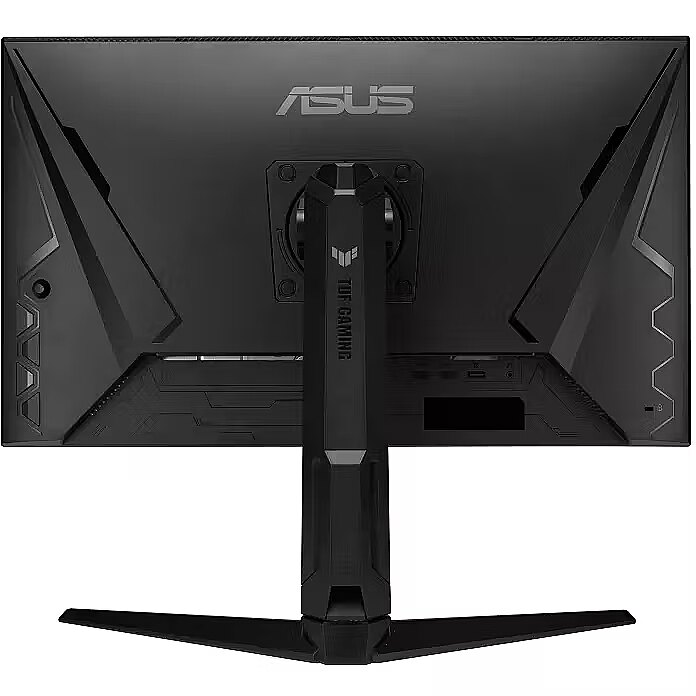
Ergonomics - Panel mounting interface - 100 x 100 mm
Ergonomics - Pivot - Yes
Ergonomics - Pivot angle - -90 - 90°
Ergonomics - Swivel angle range - -15 - 15°
Ergonomics - Swivelling - Yes
Ergonomics - Tilt adjustment - Yes
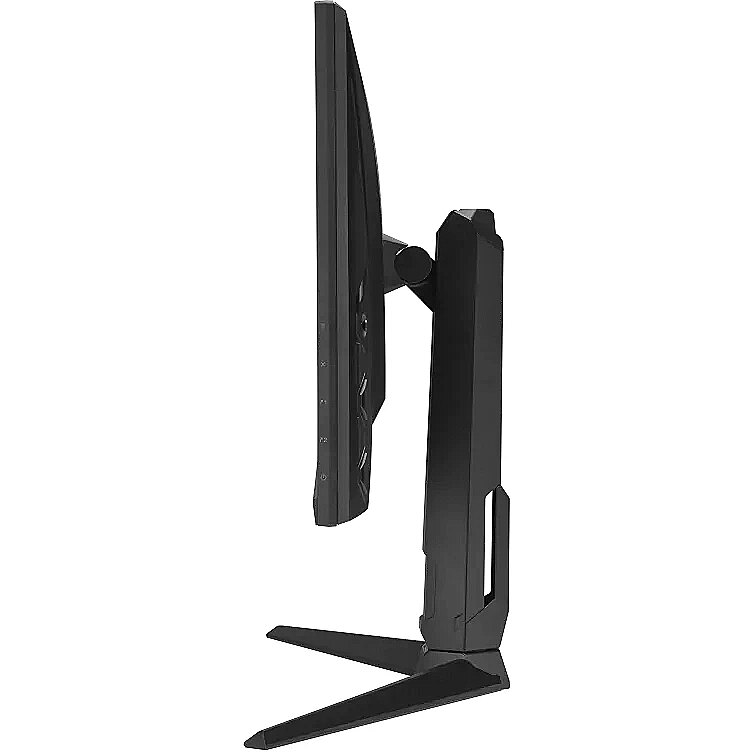
Ergonomics - Tilt angle range - -5 - 23°
Ergonomics - VESA mounting - Yes
Ergonomics - Wall mountable - Yes
European Product Registry for Energy Labelling (EPREL) code Power - 1806419
Feet colour Design - Black
Flicker-free technology Performance - Yes
Frequency, horizontal max. - 225 Hz
Frequency, horizontal min. - 30 Hz
Frequency, vertical max. - 180 Hz
Frequency, vertical min. - 48 Hz
Funkcje Gamingowe: Obsługa FreeSync - tak
Funkcje Gamingowe: Rodzaj FreeSync - FreeSync Premium
Game mode Performance - Yes
gross_weight - 8.4 kg
GTIN - 0197105278998
GTIN - 197105278998
GTIN - 4711387279007
guarantee - 36
guarantee_type - external
HDCP Ports & interfaces - Yes
HDCP version Ports & interfaces - 2.2
HDMI Ports & interfaces - Yes
HDMI ports quantity Ports & interfaces - 2
HDMI version Ports & interfaces - 2.0
HD type Display - Full HD
Headphone out Ports & interfaces - Yes
Headphone outputs Ports & interfaces - 1
Height - 369 mm
Height (max) - 547 mm
Height (without stand) Weight & dimensions - 369 mm
Height (with stand) Weight & dimensions - 547 mm
Height adjustment - Yes
Height adjustment Ergonomics - Yes
Height adjustment range - 120 mm
Height with stand - 427 mm
High Dynamic Range (HDR) supported Display - Yes
High Dynamic Range (HDR) technology Display - DisplayHDR 400/High Dynamic Range 10 (HDR10)
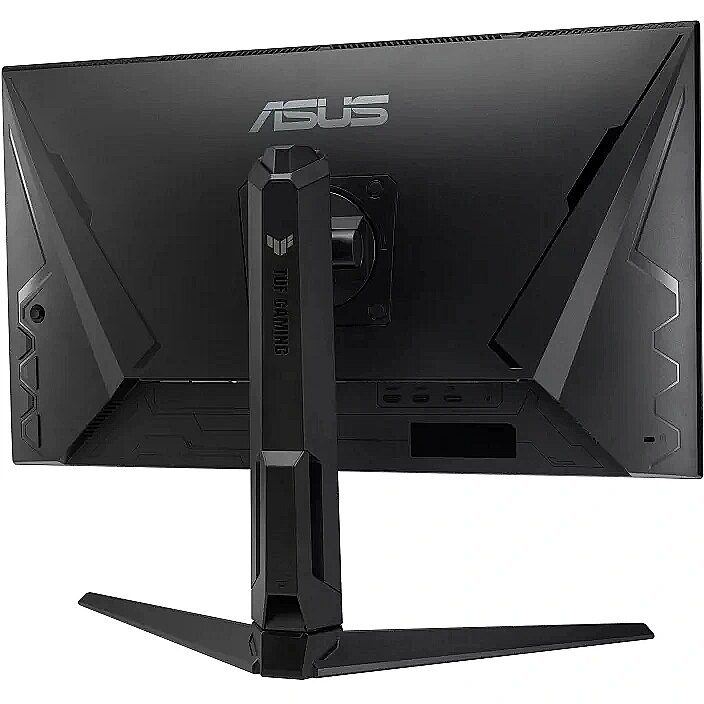
I/O connectors - 1 x 3,5 mm minijack
I/O connectors - 1 x DisplayPort
I/O connectors - 2 x HDMI
LongDesc - The 27-inch TUF Gaming VG279QL3A Full HD gaming monitor featuring a Fast IPS panel for 180 Hz gaming. ASUS Extreme Low Motion Blur and AMD FreeSync™ Premium, G-SYNC compatible, VESA AdaptiveSync technologies enables buttery-smooth gaming. In addition, it meets VESA DisplayHDR™ 400 standards and has a 125% sRGB color gamut to offer exceptional colors and contrast.GAMING KEY SPEC180HZ REFRESH RATE AND 1MS (GTG) RESPONSE TIMEWith 180Hz refresh rate decimates lag and motion blur to give you the upper hand in first person shooters, racers, real-time strategy, and sports titles. This ultrafast refresh rate lets you play at the highest visual settings and lets you react instantly to what's onscreen — so you'll get that first strike in.GAMING KEY SPECADAPTIVE-SYNCAMD FreeSync Premium, NVIDIA VESA AdaptiveSync technology ensure supersmooth, tear-free visuals with low latency.COLOR PERFORMANCEHIGH DYNAMIC RANGETUF Gaming VG279QL3A takes advantage of HDR technology to deliver more vivid colors and higher contrast levels compared to traditional monitors.EXCLUSIVE GAMING FEATUREEXTREME LOW MOTION BLUR (ELMB)ASUS Extreme Low Motion Blur (ELMB) technology provides a 1 ms GTG response time to eliminate smearing and motion blur. It makes moving objects appear even sharper, so gameplay is more fluid and responsive.EXCLUSIVE GAMING FEATUREVARIABLE OVERDRIVEIntegrated ASUS Variable Overdrive technology allows the display to dynamically alter its overdrive setting as frame rates fluctuate, ensuring optimal results for any game. You choose how strong you want the overall effect to be, then let the monitor take it from there.INTUITIVE CONTROLSDisplayWidget Center software upgraded the user interface so that users can easily change monitor settings via a mouse ― so there’s no need to access the OSD menu.EXTENSIVE CONNECTIVITYA multitude of connectivity options, including two HDMI 2.0, plus DisplayPort™ 1.4, ensures wide compatibility with a variety of input sources.
LongProductName - TUF Gaming VG279QL3A Gaming Monitor – 27-inch, Full HD(1920x1080), 180Hz, Fast IPS, ELMB, 1ms (GTG), FreeSync Premium, G-Sync Compatible, Variable Overdrive, 99% sRGB, Height adjustment
LongSummaryDescription - ASUS TUF Gaming VG279QL3A. Display diagonal: 68.6 cm (27"), Display resolution: 1920 x 1080 pixels, HD type: Full HD, Display technology: LCD, Response time: 1 ms, Native aspect ratio: 16:9, Viewing angle, horizontal: 178°, Viewing angle, vertical: 178°. Built-in speaker(s). VESA mounting, Height adjustment. Product colour: Black
Low Blue Light technology Performance - Yes
Manufacturer - Asus
Manufacturer - ASUS
Manufacturer_code - 90LM09H0-B01170
Market positioning Design - Gaming
Matrix type - TFT IPS
Maximum refresh rate Display - 180 Hz
Model - TUF Gaming VG279QL3A
Model - VG279QL3A
Motion blur reduction Other features - Yes
MPN - VG279QL3A
Multimedia - Built-in camera - No
Multimedia - Built-in speaker(s) - Yes
Multimedia - Number of speakers - 2
Multimedia - RMS rated power - 4 W
name - ASUS TUF Gaming VG279QL3A, 68,6 cm (27 Zoll) 180Hz, FreeSync Premium, IPS - DP, 2xHDMI
Name - Asus TUF Gaming VG279QL3A - 27 - black, FullHD, AMD FreeSync Premium, G-SYNC compatible, 180Hz panel
Name - ASUS VG279QL3A - 27' | IPS | Full HD | 1ms | 180Hz | HDR
Name - ASUS VG279QL3A - 180Hz | Full HD | 27'' | IPS | 1ms
name - Monitor 27 inches TUF Gaming VG279QL3A IPS 2xHDMI DP SPEAKERS G-SYNC
Native aspect ratio Display - 16:9
Number of colors - 16,7 mln
Number of speakers Multimedia - 2
NVIDIA G-SYNC Performance - Yes
NVIDIA G-SYNC type Performance - G-SYNC Compatible
Ochrona oczu: Filtr światła niebieskiego - tak
Ochrona oczu: Redukcja migotania - tak
Optional accessory -
Other features -
Other features - Motion blur reduction - Yes
Package depth Packaging data - 224 mm
Package height Packaging data - 446 mm
Package type Packaging data - Box
Package weight Packaging data - 8400 g
Package width Packaging data - 730 mm
Packaging data - Package depth - 224 mm
Packaging data - Package height - 446 mm
Packaging data - Package type - Box
Packaging data - Package weight - 8.4 kg
Packaging data - Package width - 730 mm
Panel mounting interface Ergonomics - 100 x 100 mm
Panel type Display - IPS
Performance - AMD FreeSync - Yes
Performance - AMD FreeSync type - FreeSync Premium
Performance - Flicker-free technology - Yes
Performance - Game mode - Yes
Performance - Low Blue Light technology - Yes
Performance - NVIDIA G-SYNC - Yes
Performance - NVIDIA G-SYNC type - G-SYNC Compatible
Performance - VESA Adaptive Sync support - Yes
Pivot angle Ergonomics - -90 - 90 °
Pivot Ergonomics - Yes
Pixel pitch Display - 0.311 x 0.311 mm
Ports & interfaces - Built-in USB hub - No
Ports & interfaces - DisplayPorts quantity - 1
Ports & interfaces - DisplayPort version - 1.4
Ports & interfaces - HDCP - Yes
Ports & interfaces - HDCP version - 2.2
Ports & interfaces - HDMI - Yes
Ports & interfaces - HDMI ports quantity - 2
Ports & interfaces - HDMI version - 2.0
Ports & interfaces - Headphone out - Yes
Ports & interfaces - Headphone outputs - 1
Power - AC input frequency - 50/60 Hz
Power - AC input voltage - 100 - 240 V
Power - Energy consumption (HDR) per 1000 hours - 34 kWh
Power - Energy consumption (SDR) per 1000 hours - 17 kWh
Power - Energy efficiency class (HDR) - G
Power - Energy efficiency class (SDR) - D
Power - Energy efficiency scale - A to G
Power - European Product Registry for Energy Labelling (EPREL) code - 1806419
Power - Power consumption (off) - 0.3 W
Power - Power consumption (PowerSave) - 0.5 W
Power - Power consumption (typical) - 16 W
Power consumption - 16 W
Power consumption (off) Power - 0.3 W
Power consumption (PowerSave) Power - 0.5 W
Power consumption (typical) Power - 16 W
Pozostałe cechy: Akcesoria - kabel DisplayPort
Pozostałe cechy: Akcesoria - kabel HDMI
Pozostałe cechy: Akcesoria - power cord
Pozostałe cechy: Model - Asus VG9QL3A
Producent: Nazwa producenta / importera - Asus
ASUS COMPUTER GmBH
HARKORT STR. 21-23
40880 RATINGEN
producer - Asus
Producer - ASUS
Producer - Asus
producerCode - VG279QL3A
ProducerCode - VG279QL3A
Product colour Design - Black
productName - ASUS TUF Gaming VG279QL3A computer monitor 68.6 cm (27") 1920 x 1080 pixels Full HD LCD Black
ProductName - VG279QL3A
Product Net Weight - 5.9 kg
productSize - Normal
Refresh rate - 180 Hz
Resolution - 1920 x 1080 (FHD 1080)
Response time - 1 ms
Response time Display - 1 ms
RMS rated power Multimedia - 4 W
Safety warning - Warnings - Avoid direct contact with liquids.
Safety warning - Warnings - Do not expose to water or excessive moisture.
Safety warning - Warnings - The monitor contains materials that may be harmful to the environment; follow local regulations for the disposal of electronic devices.
Screen shape Display - Flat
Screen size (diag.) - 27"
ShortDescription - 27'' | IPS | Full HD | 1ms | 180Hz | HDR
ShortSummaryDescription - ASUS TUF Gaming VG279QL3A, 68.6 cm (27"), 1920 x 1080 pixels, Full HD, LCD, 1 ms, Black
sizeX - 220
sizeY - 720
sizeZ - 440
Speakers built-in - Yes
sRGB coverage (typical) Display - 125 %
Static contrast - 1 000:1
Summary - ASUS TUF Gaming VG279QL3A. Display diagonal: 68.6 cm (27"), Display resolution: 1920 x 1080 pixels, HD type: Full HD, Display technology: LCD, Response time: 1 ms, Native aspect ratio: 16:9, Viewing angle, horizontal: 178°, Viewing angle, vertical: 178°. Built-in speaker(s). VESA mounting, Height adjustment. Product colour: Black
Swivel angle range Ergonomics - -15 - 15 °
Swivelling Ergonomics - Yes
Tilt adjustment Ergonomics - Yes
Tilt angle range Ergonomics - -5 - 23 °
Title - ASUS TUF Gaming VG279QL3A computer monitor 68.6 cm (27") 1920 x 1080 pixels Full HD LCD Black
title_en - Asus VG279QL3A Monitor 27 " / 180 Hz
title_lv - Asus VG279QL3A Monitors 27 " / 180 Hz
title_ru - Asus VG279QL3A Монитор 27 " / 180 Hz
Touch screen - No
Touchscreen Display - No
Transreflective technology - LED
TV tuner built-in - No
Unit Box Height - 0.44
Unit Box Length - 0.73
Unit Box Width - 0.22
Unit Calculated Volume - 0.07066 cubm
Unit Calculated Weight - 8.4 kg
URL - https://www.asus.com/displays-desktops/monitors/tuf-gaming/tuf-gaming-vg279ql3a/
Vendor Homepage - https://www.asus.com/displays-desktops/monitors/tuf-gaming/tuf-gaming-vg279ql3a/
vendpn - VG279QL3A
VESA - 100 x 100
VESA Adaptive Sync support Performance - Yes
VESA mounting Ergonomics - Yes
Viewable size, horizontal Display - 597.736 mm
Viewable size, vertical Display - 335.664 mm
Viewing angle, horizontal - 178 °
Viewing angle, horizontal Display - 178 °
Viewing angle, vertical - 178 °
Viewing angle, vertical Display - 178 °
Visible area, horizontal - 597.736 mm
Visible area, vertical - 335.664 mm
Wall mountable Ergonomics - Yes
Warranty -
Warranty - 36 months
WarrantyInfo -
warrantyLength - 36
warrantyType - G
Web camera - None
Weight - 3.7 kg
weight - 5.9 kg
Weight - 8,10
Weight - 8.4
weight - 8400
Weight & dimensions - Depth (without stand) - 60 mm
Weight & dimensions - Depth (with stand) - 215 mm
Weight & dimensions - Height (without stand) - 369 mm
Weight & dimensions - Height (with stand) - 547 mm
Weight & dimensions - Weight (without stand) - 3.7 kg
Weight & dimensions - Weight (with stand) - 5.9 kg
Weight & dimensions - Width (without stand) - 615 mm
Weight & dimensions - Width (with stand) - 615 mm
Weight (without stand) Weight & dimensions - 3700 g
Weight (with stand) Weight & dimensions - 5900 g
Weight with stand - 5.9 kg
Width - 615 mm
Width (without stand) Weight & dimensions - 615 mm
Width (with stand) Weight & dimensions - 615 mm
WiFi - No
Złącza: Złącza - 1 x DisplayPort
Złącza: Złącza - 1 x HDMI 2.0
Złącza: Złącza - 1 x słuchawkowe


 DVI is a digital standard and ensures high image quality, however, thanks to the big size of the plug and the inability of the standard to develop further due to a few technical restrictions this type of connection is gradually losing its popularity to modern HDMI and DisplayPort standards.




