Accessories included - QSG, Instrukcje dotyczące bezpieczeństwa, Karta gwarancyjna
ACinputfrequency -
ACinputvoltage - 100 - 240 V
Adjustableheightmax - 11 cm
AMDFreeSync -
Antiglarescreen - Yes
ARTIKEL1 - BL3290QT 80.01CM (31.5IN) IPS
ARTIKEL2 - 2560X1440 350 CD/M 16:9 5MS
Aspectratio - 16:9
Aspect ratio - 16:9
Audioinput -
Audiooutput -
Auto Pivot - Yes
Backlighttype - LED
Bluetooth - No
Brand - BenQ
BrandPartCode - 9H.LLMLA.TPE
Brightness - 350 cd/m²
Builtincamera - No
BuiltinKVMswitch -
Builtinmicrophone -
Builtinspeakers - Yes
BuiltinUSBhub - Yes
Bundledsoftware -
Cablelockslot -
Cablesincluded -
Category - Computer Monitors
Category 1 - Displays
Category 2 - Monitore
Category_1 - Monitors and TV
Category_2 - LED Monitors 31 inches and up
Certificates - Energy Star
Certificates - EPEAT
Certificates - TCO
Color - Black
Colourdepth -
Colourgamut -
Colourgamutstandard - sRGB
Contrastratiodynamic -
Contrastratiotypical - 1000:1
Depth - 62.6 mm
Depthwithoutstand - 62.6 mm
Depthwithstand - 251.5 mm
Depth with stand - 251.5 mm
Description - Projekt klasy korporacyjnej zwiększające produktywność w pracy
BL3290QT zwiększa ogólną produktywność, ponieważ jeden kabel USB-C i zintegrowany koncentrator USB łączą wszystko. Dzięki nienagannym szczegółom i jakości model BL3290QT ma konfigurowalną konstrukcję, która zapewnia wysoki poziom elegancji w pracy. Wszechstronna łączność kieruje Twoją pracą
Idealne porty redukują bałagan w kablach. Jeden pojedynczy kabel USB-C zapewnia jednocześnie szybki transfer danych i zasilanie laptopa o mocy 65 W. Przemyślanie rozmieszczone porty umożliwiające przesyłanie danych i zasilanie do telefonu zwiększają wygodę korzystania z różnych urządzeń. Połączenie szeregowe Daisy Chain
Podłącz komputer, aby utworzyć konfigurację z wieloma monitorami, zapewniającą dodatkową przestrzeń ekranową i uporządkowaną przestrzeń roboczą poprzez połączenie łańcuchowe. Wykorzystaj rotację obrotu, aby dostosować widoki na wielu wyświetlaczach. Ergonomiczny
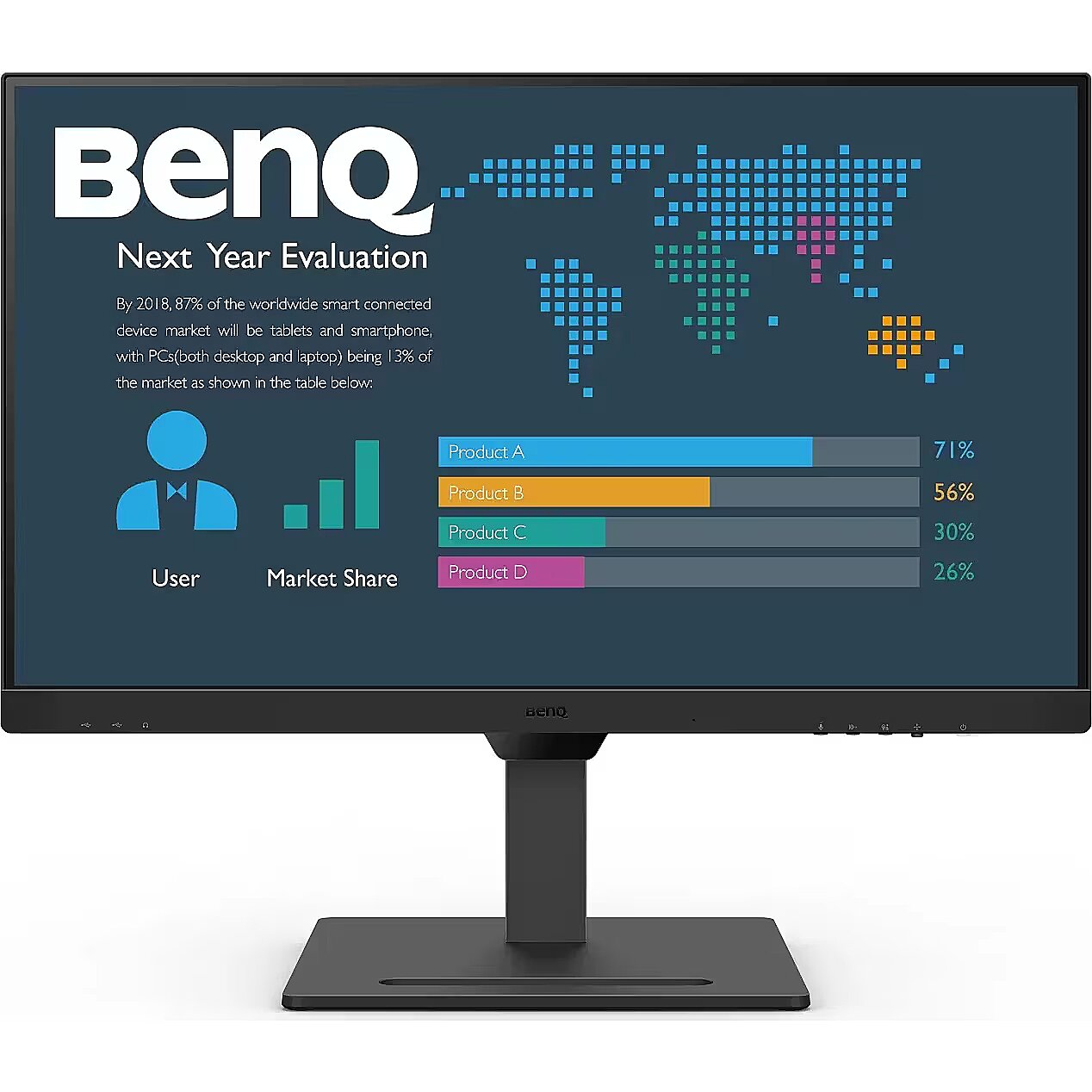
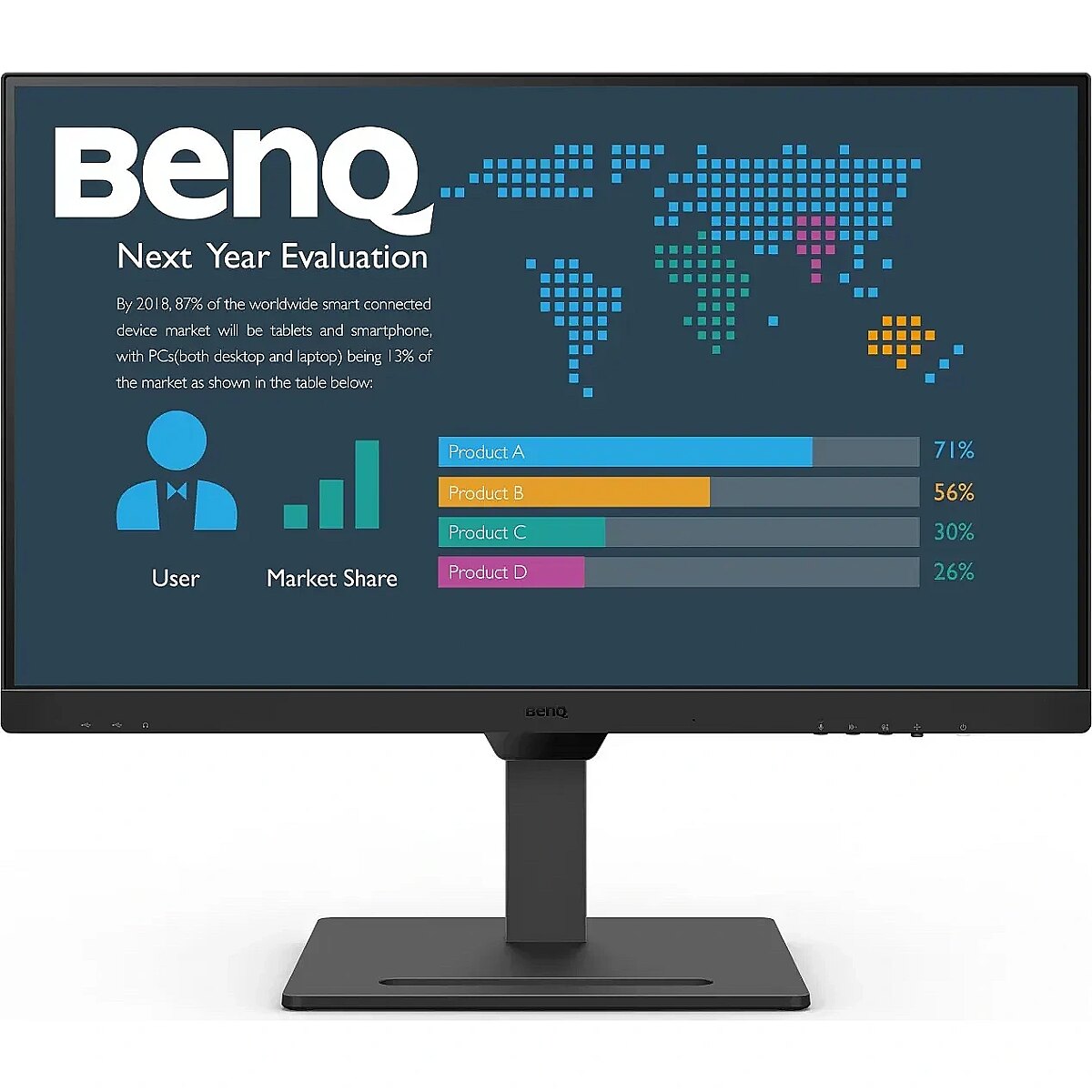
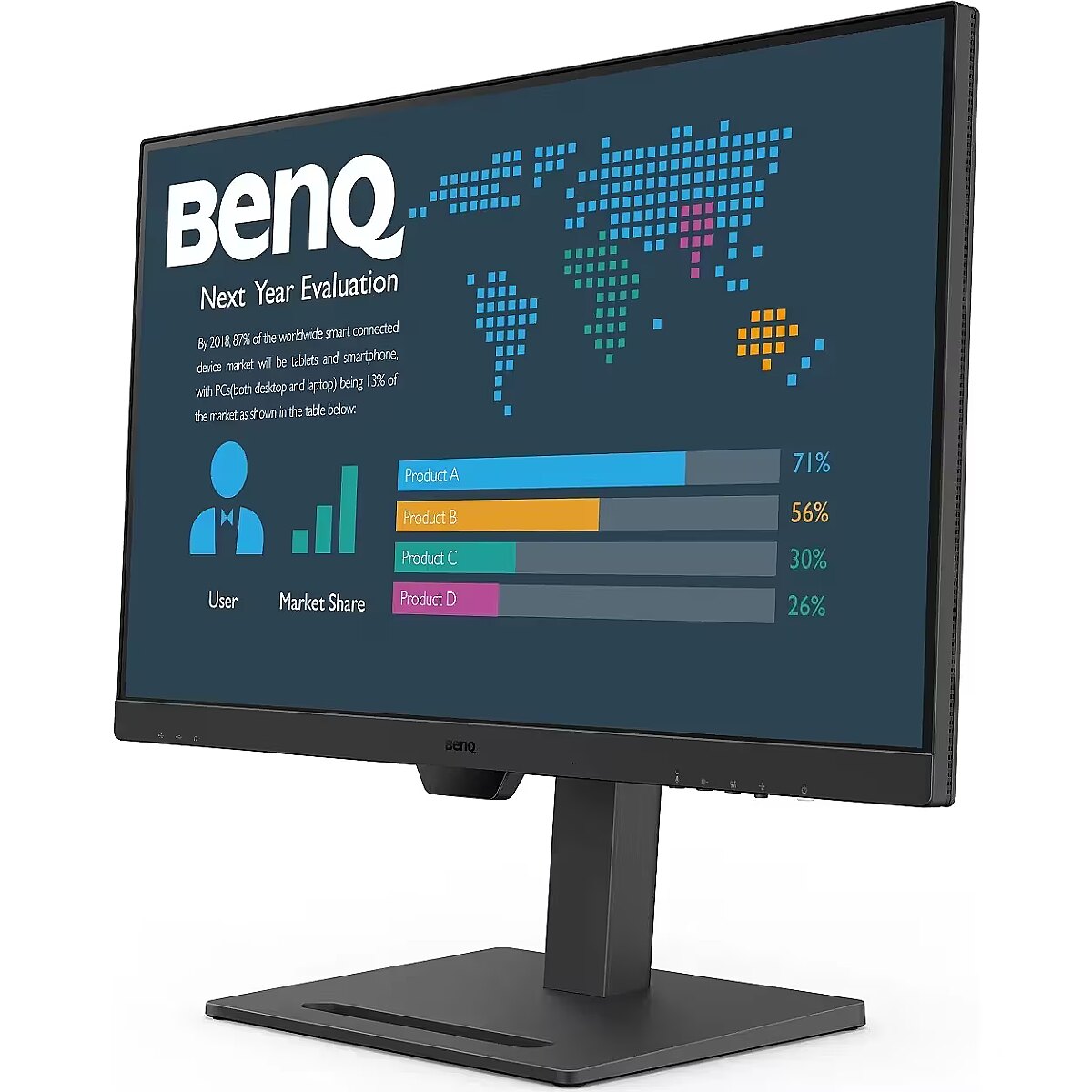
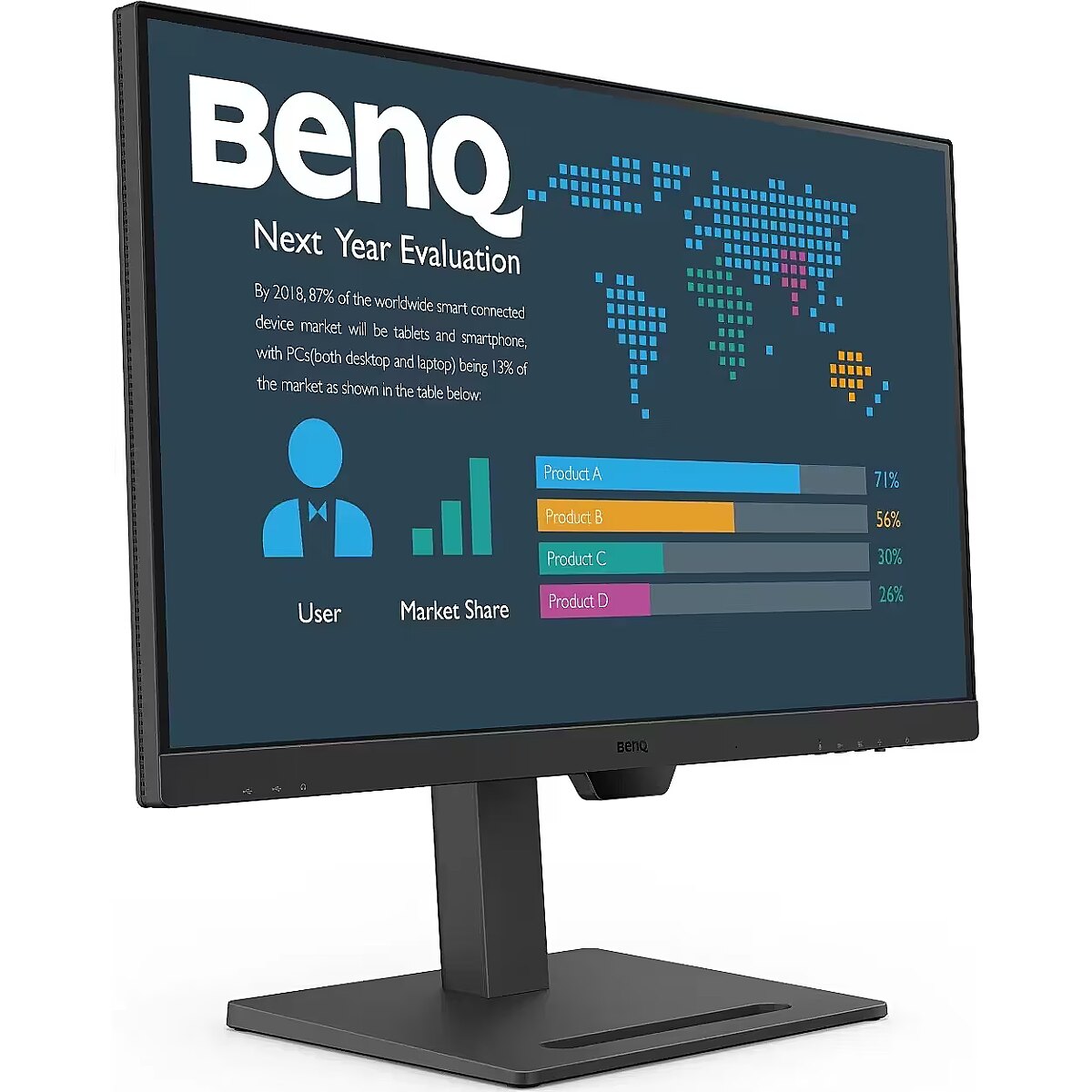
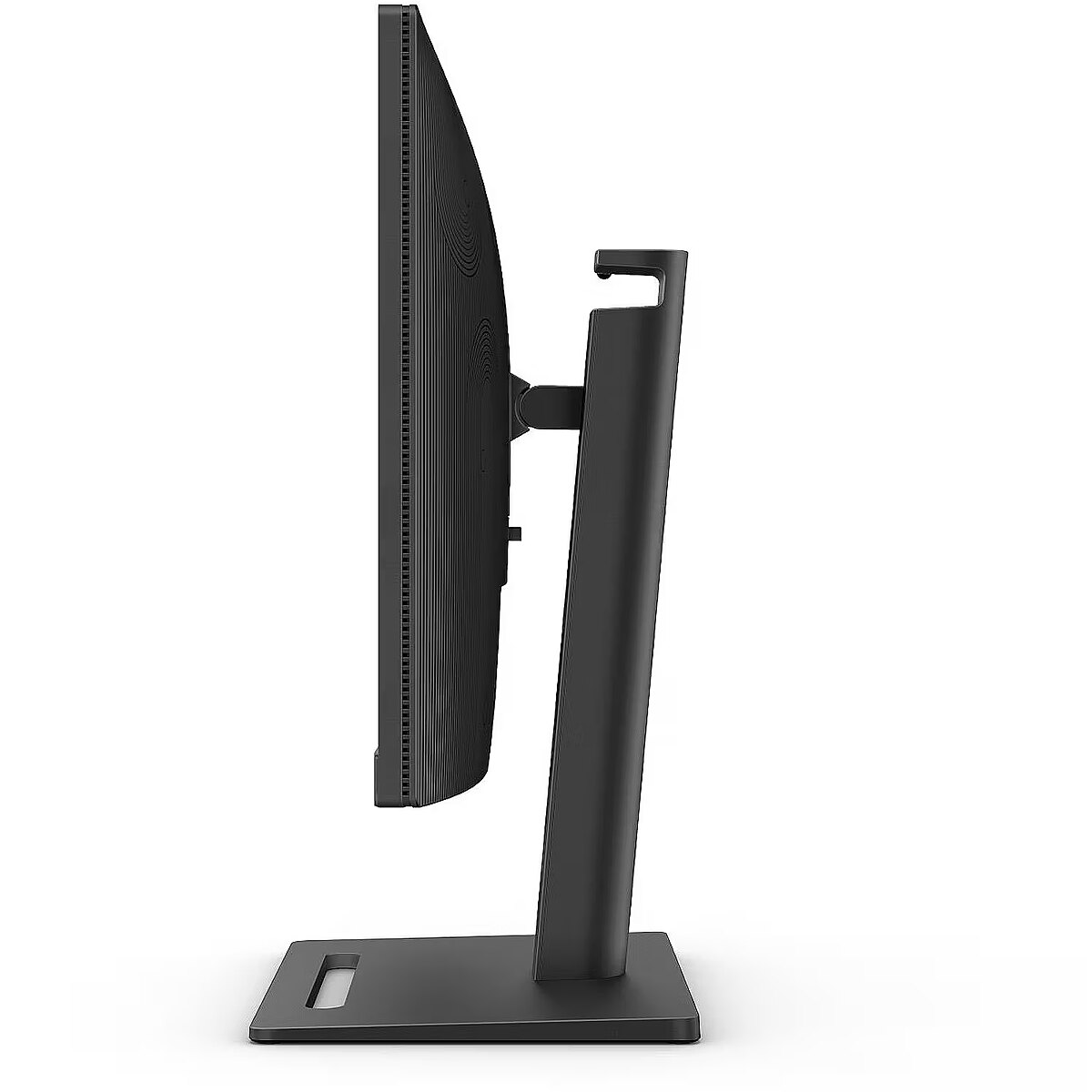
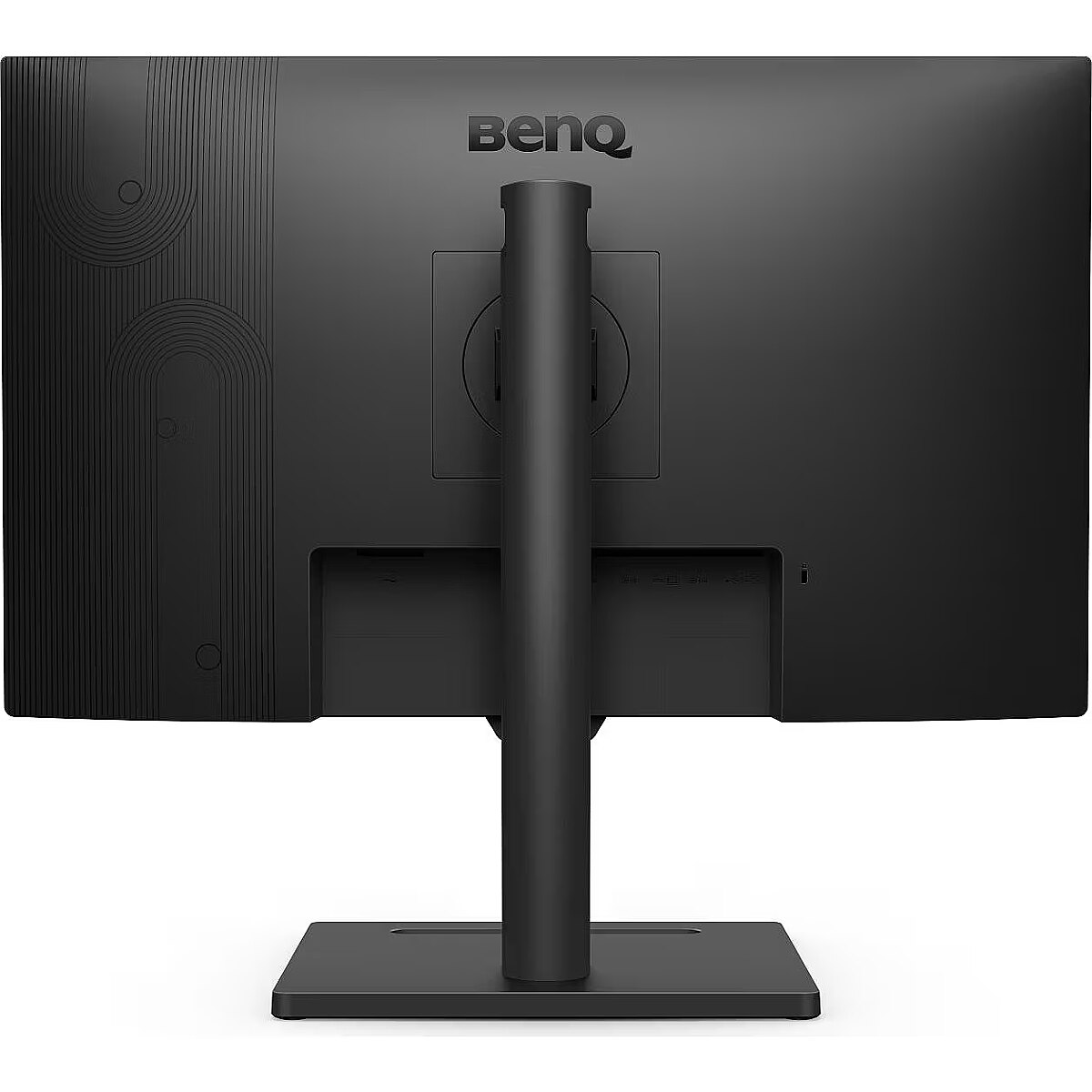
Ergonomiczna konstrukcja umożliwia łatwe dostosowanie wysokości, pochylenia, obrotu i obrotu monitora, zwiększając wydajność w idealnie wygodnym środowisku użytkownika. Zobacz cały obraz i ciesz się obrazami w pełnym kontekście. Szczegóły i doskonała jakość obrazu
Dzięki rozdzielczości 2K QHD, BL3290QT oferuje więcej miejsca na zawartość na ekranie, zapewniając jednocześnie oszałamiające szczegóły nawet przy mniejszych czcionkach. Przełączaj się płynnie jednym kliknięciem
Wygodnie rozmieszczone przyciski do przełączania między mikrofonem, głośnikiem i potrzebami związanymi z pielęgnacją oczu. Wykorzystaj 5-kierunkowy kontroler jako uniwersalny nawigator, aby uzyskać dostęp do wszystkich ustawień. Inteligentna optymalizacja zapewniająca idealną jasność treści
Ekskluzywne technologie Eye-Care firmy BenQ zmniejszają zmęczenie oczu, zapewniając wygodę użytkownika, zwiększają produktywność i zapewniają bezpieczeństwo w miejscu pracy podczas długotrwałego użytkowania. Czujnik Brightness Intelligence wykrywa zmiany oświetlenia w środowisku oglądania i aktywnie dostosowuje jasność ekranu, zapewniając wygodę oglądania. B.I. Gen2 umożliwia wyższy stopień regulacji poprzez dostosowywanie jasności ekranu. Certyfikat TÜV Rheinland
Globalny organ ds. bezpieczeństwa TÜV Rheinland potwierdza, że technologia BL3290QT pozbawiona migotania i charakteryzująca się niskim poziomem niebieskiego światła jest naprawdę przyjazna dla ludzkiego oka. Certyfikat Eyesafe gwarantuje, że wyświetlacz redukuje niebieskie światło, zachowując jednocześnie żywe kolory. Technologia Brightness Intelligence
Technologia Brightness Intelligence (B.I.Tech.) wykrywa intensywność treści, aby uniknąć nadmiernej ekspozycji jasnych scen, jednocześnie poprawiając ciemne obszary, aby zachować wyraźną widoczność, chroniąc wzrok i zapewniając doskonałą jakość obrazu. Zapewnienie certyfikatu ekologicznego
BenQ BL3290QT posiada certyfikaty Energy Star, EPEAT i TCO, aby ułatwić firmom, instytucjom i rządom podejmowanie decyzji zakupowych przyjaznych dla środowiska.
Design -
Design - Feet colour - Black
Design - Market positioning - Home
Design - Product colour - Black
Designation - CE+WEEE
Detachablestand -
dimension depth - 185 mm
dimension height - 500 mm
dimension weight - 12500 g
dimension width - 920 mm
Display -
Display - Anti-glare screen - Yes
Display - Aspect ratio - 16:9
Display - Backlight type - LED
Display - Colour gamut standard - sRGB
Display - Contrast ratio (typical) - 1000:1
Display - Display brightness (typical) - 350 cd/m²
Display - Display diagonal - 80 cm (31.5")
Display - Display number of colours - 16.78 million colours
Display - Display resolution - 2560 x 1440 pixels
Display - Display technology - LED
Display - HD type - Quad HD
Display - Maximum refresh rate - 75 Hz
Display - Native aspect ratio - 16:9
Display - Panel type - IPS
Display - Pixel density - 109 ppi
Display - Response time - 5 ms
Display - Screen shape - Flat
Display - sRGB coverage (typical) - 99%
Display - Viewing angle, horizontal - 178°
Display - Viewing angle, vertical - 178°
Displaybezeltechnology -
Displaybrightnesstypical - 350 cd/m²
Displaydiagonal - 80 cm (31.5")
Displaydiagonalmetric -
Displaynumberofcolours - 16.78 million colours
DisplayPortoutquantity -
DisplayPortoutversion -
DisplayPortsquantity - 2
DisplayPortversion - 1.2
Displayresolution - 2560 x 1440 pixels
Displaysurface -
Display surface - Matt
Displaytechnology - LED
ean - 4718755090745
EAN - 4718755090745
EANCode - 4718755090745
EAN_code - 4718755090745
Energy class - F
EnergyconsumptionSDRper1000hou - 32 kWh
EnergyefficiencyclassHDR -
EnergyefficiencyclassSDR - F
Energyefficiencyscale - A to G
Energy label - Pobierz
Ergonomics -
Ergonomics - Adjustable height (max) - 11 cm
Ergonomics - Height adjustment - Yes
Ergonomics - Number of OSD languages - 18
Ergonomics - On Screen Display (OSD) - Yes
Ergonomics - On Screen Display (OSD) languages - Arabic, Simplified Chinese, Czech, Dutch, English, French, Hungarian, Italian, Japanese, Korean, Norwegian, Polish, Portuguese, Romanian, Russian, Swedish
Ergonomics - Panel mounting interface - 100 x 100 mm
Ergonomics - Pivot - Yes
Ergonomics - Pivot angle - -90 - 90°
Ergonomics - Swivel angle range - -20 - 20°
Ergonomics - Swivelling - Yes
Ergonomics - Tilt adjustment - Yes
Ergonomics - Tilt angle range - -5 - 20°
Ergonomics - VESA mounting - Yes
EthernetLAN -
Fastcharging -
Feetcolour - Black
Flickerfreetechnology - Yes
GRUPPE1 - Displays
GRUPPE2 - Lcd Monitor
GTIN - 4718755090745
guarantee - 36
guarantee_type - external
Hazerate -
HDCP - Yes
HDMI - Yes
HDMIportsquantity - 1
HDMIversion - 1.4
HDtype - Quad HD
Headphoneconnectivity -
Headphoneout - Yes
Headphoneoutputs -
Height - 428.7 mm
Height (max) - 597.7 mm
Heightadjustment - Yes
Height adjustment - Yes
Height adjustment range - 110 mm
Heightwithoutstand - 428.7 mm
Height with stand - 488.1 mm
Heightwithstand - 735.9 mm
HERSTELLER - BENQ
HighLights -
Horizontalscanrange -
HSTNUMMER - 9H.LLMLA.TPE
I/O connectors - 1 x DisplayPort
I/O connectors - 1 x HDMI
I/O connectors - 1 x USB (Type C)
I/O connectors - 2 x USB 3.1
InfraredIRsensor -
LEDbacklight -
LongDesc -
LongDesc - Enterprise-Class Designs to Enhance Productivity at WorkBL3290QT enhances the overall productivity as one USB-C cable* and integrated USB-hub connects all. With impeccable details and quality, the BL3290QT comes with a customizable design that boasts an elevated level of elegance at work.Versatile Connectivity Directs Your WorkflowPerfect ports reduce cable clutter. One single USB-C™ cable* simultaneously provides fast data transfer and 65W power delivery for your laptop. The thoughtfully-placed ports downstream data and power to your phone and heighten convenience for various devices.Daisy ChainConnect your computer to create a multi-monitor setup for extra screen real estate and a decluttered workspace by daisy-chaining*. Utilize pivot rotation to customize views on multiple displays.ErgonomicThe ergonomic design offers easy customization of the height, tilt, pivot and swivel of the monitor, boosting efficiency in an ideally comfortable user environment. See the whole picture and enjoy images in their full context.Details with Brilliant Picture QualityWith 2K QHD resolution, BL3290QT showcases more space for contents on screen while delivering stunning details even in smaller fonts.M-Book ModeDedicated to minimize the visual differences between the monitor and the connected MacBook series product.Coding ModeDevised to make every color pop out for easy readability with optimized contrast and saturation of dark mode.Switch Seamlessly with One ClickConveniently-placed buttons for switching between microphone, speaker, and Eye-Care needs. Utilize the 5-way controller as one-stop navigator to reach all settings.Smart Optimization for Perfect Content BrightnessBenQ's exclusive Eye-Care technologies reduce eye fatigue for user's comfort, enhance productivity and ensure workplace safety during extended use. The Brightness Intelligence sensor detects light changes in your viewing environment and actively adjusts screen brightness for comfortable viewing experiences. B.I. Gen2 allows higher degree of adjustability via customizable screen brightness.Brightness Intelligence TechnologyThe Brightness Intelligence Technology (B.I.Tech.) detects content intensity to avoid overexposure of bright scenes while enhancing dark areas to maintain a clear visibility, protecting your vision with superb image quality.
LongProductName - 31.5" LED IPS QHD, 2560 x 1440, 350cd/m², 5ms, 1000:1
LongSummaryDescription - BenQ BL3290QT. Display diagonal: 80 cm (31.5"), Display resolution: 2560 x 1440 pixels, HD type: Quad HD, Display technology: LED, Response time: 5 ms, Native aspect ratio: 16:9, Viewing angle, horizontal: 178°, Viewing angle, vertical: 178°. Built-in speaker(s). Built-in USB hub. VESA mounting, Height adjustment. Product colour: Black
LowBlueLighttechnology - Yes
Manufacturer - BenQ
Manufacturer - BenQ Deutschland
Manufacturer_code - 9H.LLMLA.TPE
ManufDatasheet - https://www.tdbaltic.ee/leaflets/BENQ/9H.LLMLA.TPE.pdf
Marketpositioning - Home
Matrix type - TFT IPS
Maximumrefreshrate - 75 Hz
Megapixelapprox -
Model - BL3290QT
MPN - 9H.LLMLA.TPE
Multimedia -
Multimedia - Built-in camera - No
Multimedia - Built-in speaker(s) - Yes
Multimedia - Number of speakers - 2
Multimedia - RMS rated power - 4 W
Name - BenQ 80.0cm BL3290QT 16:9 DP/USB-C/HDMI bk.lift/piv QHD
Name - BenQ BL3290QT, LED monitor - 31.5 - black, QHD, IPS, USB-C
name - Monitor 31.5 inches BL3290QT 2K 4ms/IPS/75HZ/HDMI/Black
Nativeaspectratio - 16:9
Network -
Number of colors - 1,07 mld
Numberofspeakers - 2
NumberofUSBTypeBupstreamportsq -
NVIDIAGSYNC -
OnScreenDisplayOSD - Yes
OperatingrelativehumidityHH -
OperatingtemperatureTT -
Operationalconditions -
Optional accessory -
Other features -
Packagedepth - 185 mm
Packageheight - 515 mm
Packagetype -
Packageweight - 12.6 kg
Packagewidth - 930 mm
Packagingcontent -
Packaging content - Stand included - Yes
Packagingdata -
Packaging data - Package depth - 185 mm
Packaging data - Package height - 515 mm
Packaging data - Package weight - 12.6 kg
Packaging data - Package width - 930 mm
Panelmountinginterface - 100 x 100 mm
Paneltype - IPS
Performance -
Performance - Flicker-free technology - Yes
Performance - Game mode - Yes
Performance - Low Blue Light technology - Yes
Performance - Smart modes - Custom, Game, M-Book, Movie, Standard, ePaper
Pivot - Yes
Pivotangle - -90 - 90°
Pixeldensity - 109 ppi
Pixelpitch -
Ports & interfaces - Built-in USB hub - Yes
Ports & interfaces - DisplayPorts quantity - 2
Ports & interfaces - DisplayPort version - 1.2
Ports & interfaces - HDCP - Yes
Ports & interfaces - HDCP version - 1.4
Ports & interfaces - HDMI - Yes
Ports & interfaces - HDMI ports quantity - 1
Ports & interfaces - HDMI version - 1.4
Ports & interfaces - Headphone out - Yes
Ports & interfaces - Thunderbolt 3 ports quantity - 1
Ports & interfaces - USB Power Delivery (USB PD) - Yes
Ports & interfaces - USB Power Delivery up to - 65 W
Ports & interfaces - USB Type-A downstream ports quantity - 3
Ports & interfaces - USB Type-C DisplayPort Alternate Mode - Yes
Ports & interfaces - USB Type-C downstream ports quantity - 1
Portsinterfaces -
Power -
Power - AC input voltage - 100 - 240 V
Power - Energy consumption (SDR) per 1000 hours - 32 kWh
Power - Energy efficiency class (SDR) - F
Power - Energy efficiency scale - A to G
Power - Power consumption (max) - 150 W
Power - Power consumption (off) - 0.2 W
Power - Power consumption (standby) - 0.3 W
Power - Power consumption (typical) - 20 W
Power - Power supply type - Internal
Power consumption - 152 W
Powerconsumptionmax - 150 W
Powerconsumptionoff - 0.2 W
Powerconsumptionstandby - 0.3 W
Powerconsumptiontypical - 20 W
Powersupplytype - Internal
ProdDesc - BENQ BL3290QT 31.5inch WQHD IPS 16:9 5ms 350cd/m2 HDMI DP USB matt black
producer - Benq
Productcolour - Black
Productcondition - Original
ProductHighLights -
- Low Blue Light Plus Technology
- Flicker-Free Technology
- Color Weakness Mode
- ePaper Mode
ProductName - BL3290QT
ProductPicture - https://www.tdbaltic.ee/images/products/BENQ/9H.LLMLA.TPE_1.jpg
ProductPicture1 - https://www.tdbaltic.ee/images/products/BENQ/9H.LLMLA.TPE_2.jpg
ProductPicture2 - https://www.tdbaltic.ee/images/products/BENQ/9H.LLMLA.TPE_3.jpg
ProductPicture3 - https://www.tdbaltic.ee/images/products/BENQ/9H.LLMLA.TPE_4.jpg
ProductPicture4 - https://www.tdbaltic.ee/images/products/BENQ/9H.LLMLA.TPE_5.jpg
ProductPicture5 - https://www.tdbaltic.ee/images/products/BENQ/9H.LLMLA.TPE_6.jpg
ProductPicture6 - https://www.tdbaltic.ee/images/products/BENQ/9H.LLMLA.TPE_7.jpg
ProductPicture7 - https://www.tdbaltic.ee/images/products/BENQ/9H.LLMLA.TPE_8.jpg
ProductPicture8 - https://www.tdbaltic.ee/images/products/BENQ/9H.LLMLA.TPE_9.jpg
Quickstartguide -
Refresh rate - 75 Hz
Remotelyoperated -
Resolution - 2560 x 1440
Responsetime - 5 ms
Response time - 5 ms
Responsetimefast -
Responsetimemeasurementtype -
RMSratedpower - 4 W
Screenshape - Flat
Screen size (diag.) - 31.5''
ShortSummaryDescription - BenQ BL3290QT, 80 cm (31.5"), 2560 x 1440 pixels, Quad HD, LED, 5 ms, Black
Speakers built-in - Yes
SRGBcoveragetypical - 99%
Static contrast - 1 000:1
Stck_Kart - 1
Stck_Pal - 8
StoragerelativehumidityHH -
Storno - Y
Supportedgraphicsresolutions -
Surfacehardness -
Sustainability - Sustainability certificates - ENERGY STAR, EPEAT Bronze, TCO
Swivelanglerange - -20 - 20°
Swivelling - Yes
TCO Certified - Yes
Tiltadjustment - Yes
Tiltanglerange - -5 - 20°
Title - BenQ BL3290QT computer monitor 80 cm (31.5") 2560 x 1440 pixels Quad HD LED Black
Touchscreen -
Touch screen - No
Transreflective technology - LED
TV tuner built-in - No
URL - https://www.benq.eu/en-eu/monitor/business/bl3290qt.html
USBhubversion -
USBPowerDeliveryUSBPD - Yes
USBTypeAdownstreamportsquantit - 3
USBTypeCDisplayPortAlternateMo - Yes
vendpn - 9H.LLMLA.TPE
Verticalscanrange -
VESA - 100 x 100
VESAmounting - Yes
Viewablesizediagonal -
Viewablesizehorizontal -
Viewablesizevertical -
Viewing angle, horizontal - 178 °
Viewing angle, vertical - 178 °
Viewinganglehorizontal - 178°
Viewinganglevertical - 178°
Warranty -
Warranty - 36 months
Warrantyandmisc -
WarrantyInfo -
Web camera - None
Weight - 5.3
Weight - 7.2 kg
Weight - 12,35
Weight & dimensions - Depth (without stand) - 62.6 mm
Weight & dimensions - Depth (with stand) - 251.5 mm
Weight & dimensions - Height (without stand) - 428.7 mm
Weight & dimensions - Height (with stand) - 735.9 mm
Weight & dimensions - Weight (without stand) - 7.2 kg
Weight & dimensions - Weight (with stand) - 10.1 kg
Weight & dimensions - Width (without stand) - 714.6 mm
Weight & dimensions - Width (with stand) - 428.7 mm
Weightdimensions -
Weightwithoutstand - 7.2 kg
Weightwithstand - 10.1 kg
Weight with stand - 10.1 kg
Width - 714.6 mm
Widthwithoutstand - 714.6 mm
Widthwithstand - 428.7 mm
WiFi - No




 DVI is a digital standard and ensures high image quality, however, thanks to the big size of the plug and the inability of the standard to develop further due to a few technical restrictions this type of connection is gradually losing its popularity to modern HDMI and DisplayPort standards.




