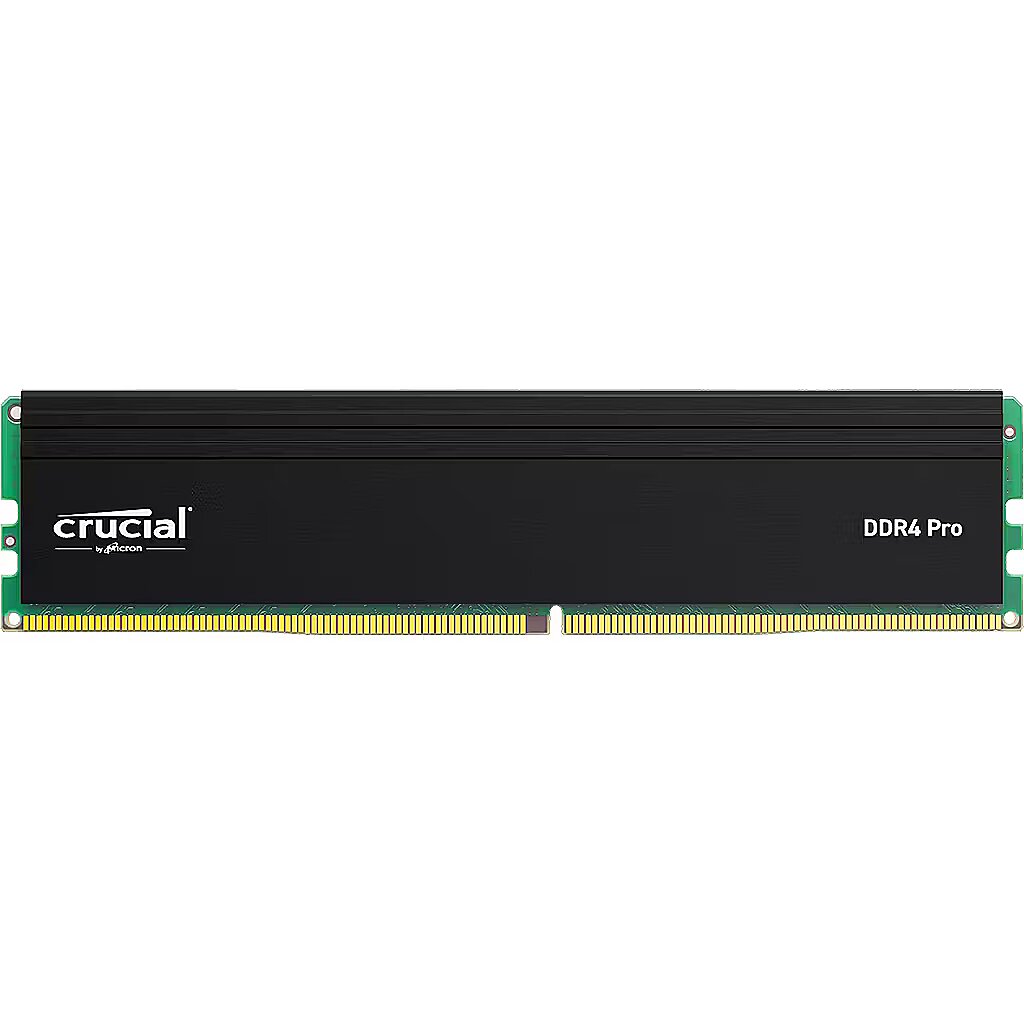
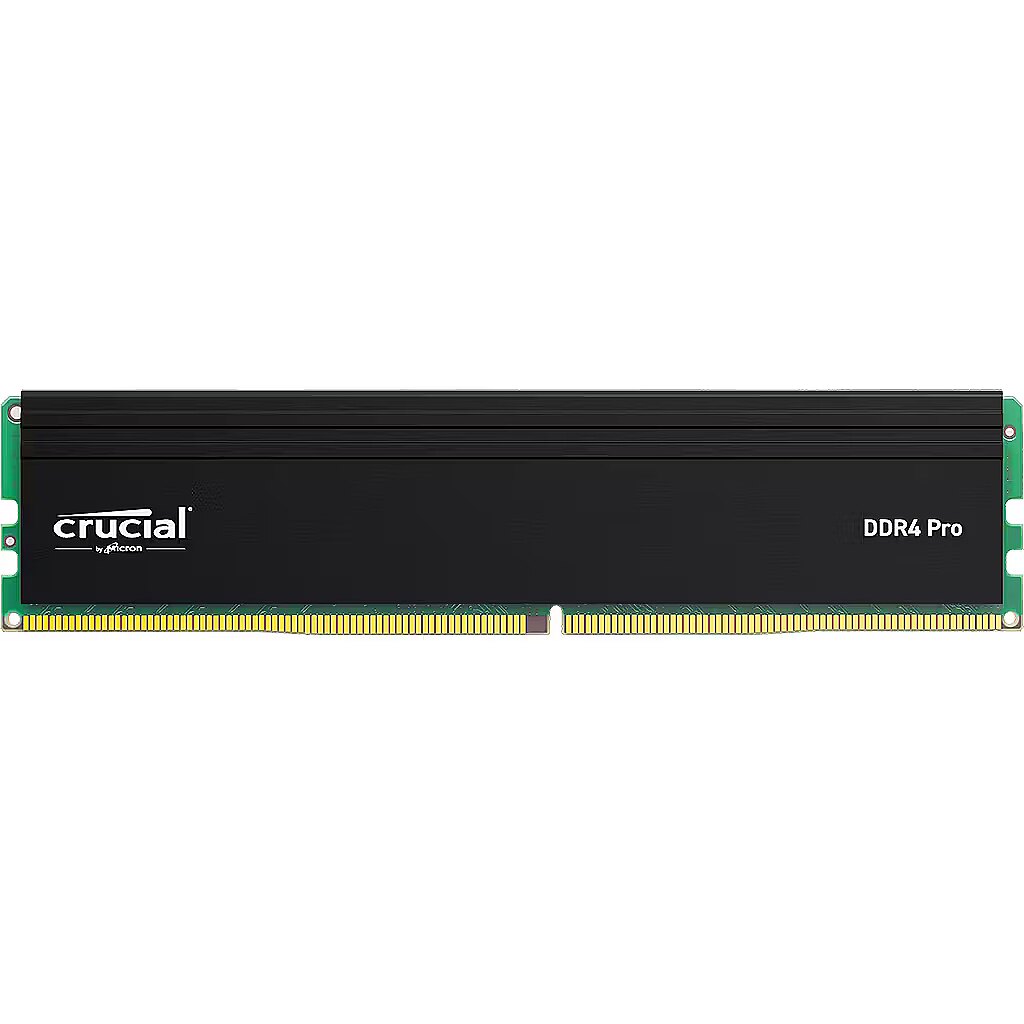





Crucial Pro, DDR4, 16GB, 3200MHz, CL22, Single stick

Picture may differ from actual product, there can be accessories and parts not supplied with the actual product.
News
ID: 1407666 Product code: CP16G4DFRA32A
In stock >50 units
Warranty: 2 years (Warranty for business entities 1 year)
167.42 €
Ready for dispatch
on Monday, 27.04.2026
starting from 0 €
Delivery options
  • Receiving goods at the Dateks office
    0.00 €
  • DPD Pickup Parcel Cabinet
    Within 1-2 working days
    0.00 €
  • Parcel terminal
    Within 1-2 working days
    0.00 €
  • Post Office
    Within 1-2 working days
    0.00 €
  • Omniva parcel machine
    Within 1-2 working days
    0.00 €
  • SmartPosti parcel terminal
    Within 1-2 working days
    0.00 €
  • Unisend parcel terminal
    Within 1-2 working days
    0.00 €
  • Delivery throughout Latvia.
    Within 1-2 working days
    4.99 €
Main product parameters All parameters
  • Capacity: 16 GB
  • Maximum frequency: 3200 MHz
  • Type: DDR4
  • CL: CL 22
  • KIT: Single module
Basic information
Capacity 16 GB

Memory capacity in Megabytes.

The modern operating systems require 1Gb or more RAM for ensuring stable and fast computer operation. At least 2Gb RAM is required for using MS Windows 7 (64 bit) for ensuring full functionality.
For dual memory support it is necessary to install pairs of memory where both memory modules are of equal capacity.

The type of RAM. Only one type of RAM modules can be used in one motherboard.

Parameter standards:
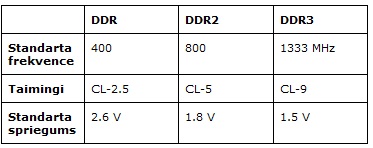
*Prior to buying the RAM you should verify whether the motherboard has a corresponding memory slot and the support for the relevant type of memory.

CL - the delay of memory cycles in miliseconds. It is recommendable to place identical CL memories in one motherboard. A lower CL time means higher operation speed, however, not all the motherboards can ensure stable operation with high-speed memories. Prior to buying the memory you should verify whether the motherboard supports the CL time that you have selected.The maximum high-speed of the memory in Megahertz. The memory of a higher clock frequency ensures stable operation under a lower clock frequency mode, for example, DDRII800 memory will operate under the DDRII667 and DDRII533 modes. However, when DDRII667 is installed together with DDRII800 memory the motherboard will display and operate in DDRII667 mode. Prior to buying a high-speed memory you should verify whether the motherboard supports the corresponding clock frequency (speed).

Maximum frequency 3200 MHz
The maximum high-speed of the memory in Megahertz. The memory of a higher clock frequency ensures stable operation under a lower clock frequency mode, for example, DDRII800 memory will operate under the DDRII667 and DDRII533 modes. However, when DDRII667 is installed together with DDRII800 memory the motherboard will display and operate in DDRII667 mode. Prior to buying a high-speed memory you should verify whether the motherboard supports the corresponding clock frequency (speed).

Memory capacity in Megabytes.

The modern operating systems require 1Gb or more RAM for ensuring stable and fast computer operation. At least 2Gb RAM is required for using MS Windows 7 (64 bit) for ensuring full functionality.
For dual memory support it is necessary to install pairs of memory where both memory modules are of equal capacity.

The type of RAM. Only one type of RAM modules can be used in one motherboard.

Parameter standards:

*Prior to buying the RAM you should verify whether the motherboard has a corresponding memory slot and the support for the relevant type of memory.

CL - the delay of memory cycles in miliseconds. It is recommendable to place identical CL memories in one motherboard. A lower CL time means higher operation speed, however, not all the motherboards can ensure stable operation with high-speed memories. Prior to buying the memory you should verify whether the motherboard supports the CL time that you have selected.
Type DDR4

The type of RAM. Only one type of RAM modules can be used in one motherboard.

Parameter standards:

*Prior to buying the RAM you should verify whether the motherboard has a corresponding memory slot and the support for the relevant type of memory.

Memory capacity in Megabytes.

The modern operating systems require 1Gb or more RAM for ensuring stable and fast computer operation. At least 2Gb RAM is required for using MS Windows 7 (64 bit) for ensuring full functionality.
For dual memory support it is necessary to install pairs of memory where both memory modules are of equal capacity.

CL - the delay of memory cycles in miliseconds. It is recommendable to place identical CL memories in one motherboard. A lower CL time means higher operation speed, however, not all the motherboards can ensure stable operation with high-speed memories. Prior to buying the memory you should verify whether the motherboard supports the CL time that you have selected.The maximum high-speed of the memory in Megahertz. The memory of a higher clock frequency ensures stable operation under a lower clock frequency mode, for example, DDRII800 memory will operate under the DDRII667 and DDRII533 modes. However, when DDRII667 is installed together with DDRII800 memory the motherboard will display and operate in DDRII667 mode. Prior to buying a high-speed memory you should verify whether the motherboard supports the corresponding clock frequency (speed).
CL CL 22
CL - the delay of memory cycles in miliseconds. It is recommendable to place identical CL memories in one motherboard. A lower CL time means higher operation speed, however, not all the motherboards can ensure stable operation with high-speed memories. Prior to buying the memory you should verify whether the motherboard supports the CL time that you have selected.

Memory capacity in Megabytes.

The modern operating systems require 1Gb or more RAM for ensuring stable and fast computer operation. At least 2Gb RAM is required for using MS Windows 7 (64 bit) for ensuring full functionality.
For dual memory support it is necessary to install pairs of memory where both memory modules are of equal capacity.

The type of RAM. Only one type of RAM modules can be used in one motherboard.

Parameter standards:

*Prior to buying the RAM you should verify whether the motherboard has a corresponding memory slot and the support for the relevant type of memory.

The maximum high-speed of the memory in Megahertz. The memory of a higher clock frequency ensures stable operation under a lower clock frequency mode, for example, DDRII800 memory will operate under the DDRII667 and DDRII533 modes. However, when DDRII667 is installed together with DDRII800 memory the motherboard will display and operate in DDRII667 mode. Prior to buying a high-speed memory you should verify whether the motherboard supports the corresponding clock frequency (speed).
KIT Single module
A pair of equal memory module that has been tested in the dual channel mode has been found. It is advisable to buy a Kit of 2 memory set if you want to achieve a guaranteed DualChannel stability.

Memory capacity in Megabytes.

The modern operating systems require 1Gb or more RAM for ensuring stable and fast computer operation. At least 2Gb RAM is required for using MS Windows 7 (64 bit) for ensuring full functionality.
For dual memory support it is necessary to install pairs of memory where both memory modules are of equal capacity.

The type of RAM. Only one type of RAM modules can be used in one motherboard.

Parameter standards:

*Prior to buying the RAM you should verify whether the motherboard has a corresponding memory slot and the support for the relevant type of memory.

CL - the delay of memory cycles in miliseconds. It is recommendable to place identical CL memories in one motherboard. A lower CL time means higher operation speed, however, not all the motherboards can ensure stable operation with high-speed memories. Prior to buying the memory you should verify whether the motherboard supports the CL time that you have selected.The maximum high-speed of the memory in Megahertz. The memory of a higher clock frequency ensures stable operation under a lower clock frequency mode, for example, DDRII800 memory will operate under the DDRII667 and DDRII533 modes. However, when DDRII667 is installed together with DDRII800 memory the motherboard will display and operate in DDRII667 mode. Prior to buying a high-speed memory you should verify whether the motherboard supports the corresponding clock frequency (speed).
Functionality
Cooler colour : Black
Lighting : There is not
Memory profile : Intel XMP
More detailed specification
Buffered memory type Features - Unregistered (unbuffered)
CAS latency Features - 22
Category Code - MEM
Compliance certificates Sustainability - REACH/RoHS
Component for Features - PC/Server
Description - Crucial Pro 16GB CP16G4DFRA32A Make everything on your computer faster Memory is a component in your computer that allows for short-term data access. Since your system’s moment-to-moment operations rely on short-term data access – loading applications, browsing the Web or editing a spreadsheet – the speed and amount of memory in your system plays a critical role. Load apps in seconds by increasing the speed of your memory and installing more of it. Multitask with ease If you’re like us, you use your computer to do a lot of things at once. You might be editing a document, while also looking at pictures and browsing the internet. This naturally leads to a performance problem: every app you’re running requires memory and competes for a limited pool of resources. Overcome this by installing high-density modules in each memory slot for seamless multitasking. Install with ease – no computer skills required With just a screwdriver, your owner’s manual, and a few minutes of time, you can install memory – no computer skills necessary. Just watch one of our three-minute install videos, and we’ll walk you step-by-step through the process. Don’t pay a computer shop to do something you can do in minutes! Maximize the value of your system At a fraction of the cost of a new system, a memory upgrade is one of the most affordable ways to increase performance. Get more out of your laptop by giving it the resources it needs to perform. Micron® quality – a higher level of reliability. As a brand of Micron, one of the largest memory manufacturers in the world, Crucial Desktop Memory is the standard for reliable performance. From the original SDRAM technology all the way to DDR4, we’ve engineered the memory technologies that have powered the world’s computers for 40 years and counting. When you choose Crucial memory, you’re choosing memory that’s backed by a limited lifetime warranty and designed for the world’s leading systems.1 Don’t settle for anything less.
Internal memory Features - 16 GB
Internal memory type Features - DDR4
Memory clock speed Features - 3200 MHz
Memory form factor Features - 288-pin DIMM
Memory layout (modules x size) Features - 1 x 16 GB
Memory voltage Features - 1.2 V
Summary - Crucial Pro CP16G4DFRA32A. Component for: PC/Server, Internal memory: 16 GB, Memory layout (modules x size): 1 x 16 GB, Internal memory type: DDR4, Memory clock speed: 3200 MHz, Memory form factor: 288-pin DIMM, CAS latency: 22
Sustainability compliance Sustainability - Yes
Unit Box Height - 0.01
Unit Box Length - 0.18
Unit Box Width - 0.13
Unit Calculated Volume - 0.000234 cubm
Unit Calculated Weight - 0.06 kg
Units per Pallet - 0
Units per Shipping Box - 1
Vendor Homepage - https://www.crucial.com/memory/ddr4/ct16g4dfra32a
Warranty - X months
167.42 €
Crucial Pro, DDR4, 16GB, 3200MHz, CL22, Single stick
Tālr. 67275758 gsm 26117175 (p.o.t.c.p. 9:00-18:00)
Intel technology provider Platinum 2020
All categories

