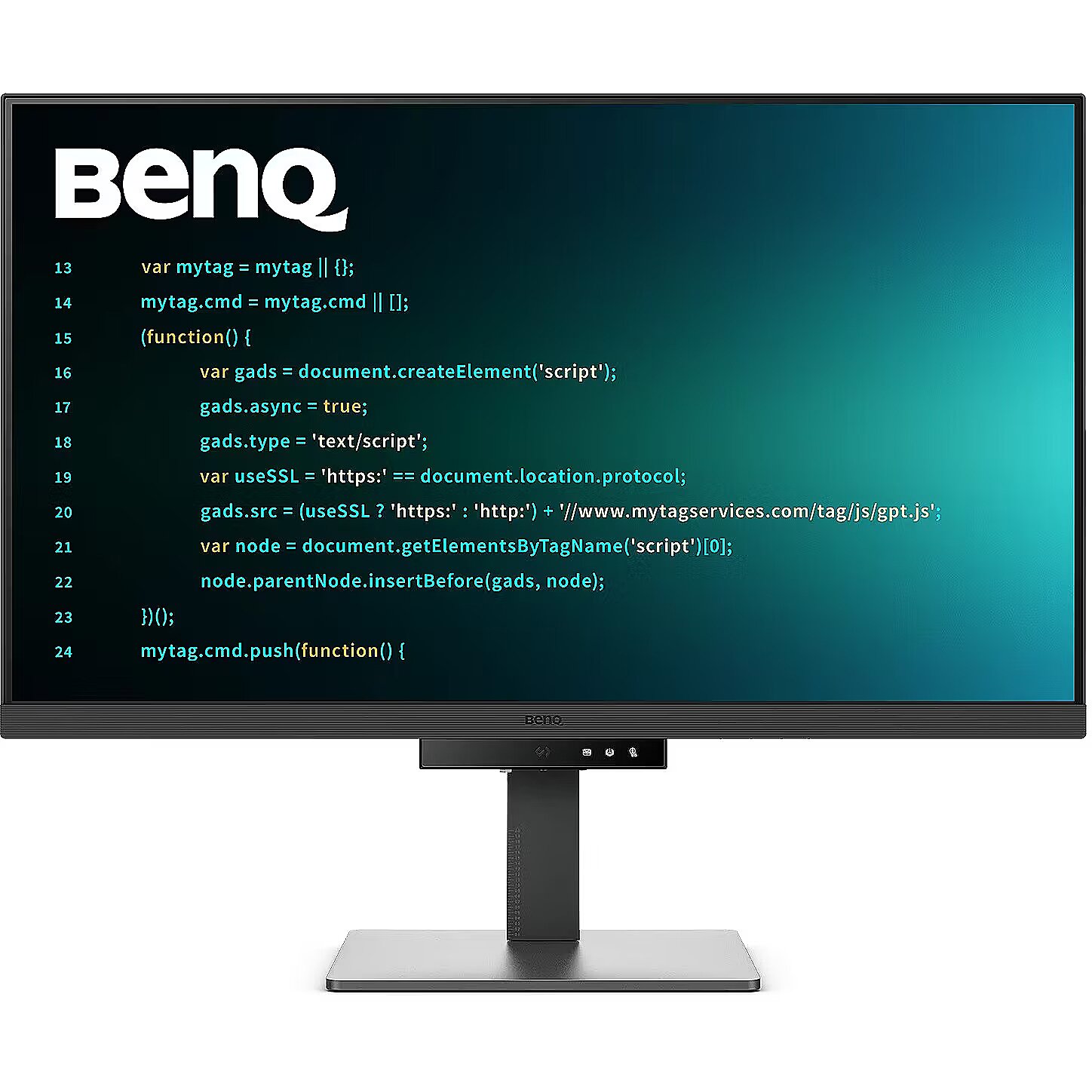
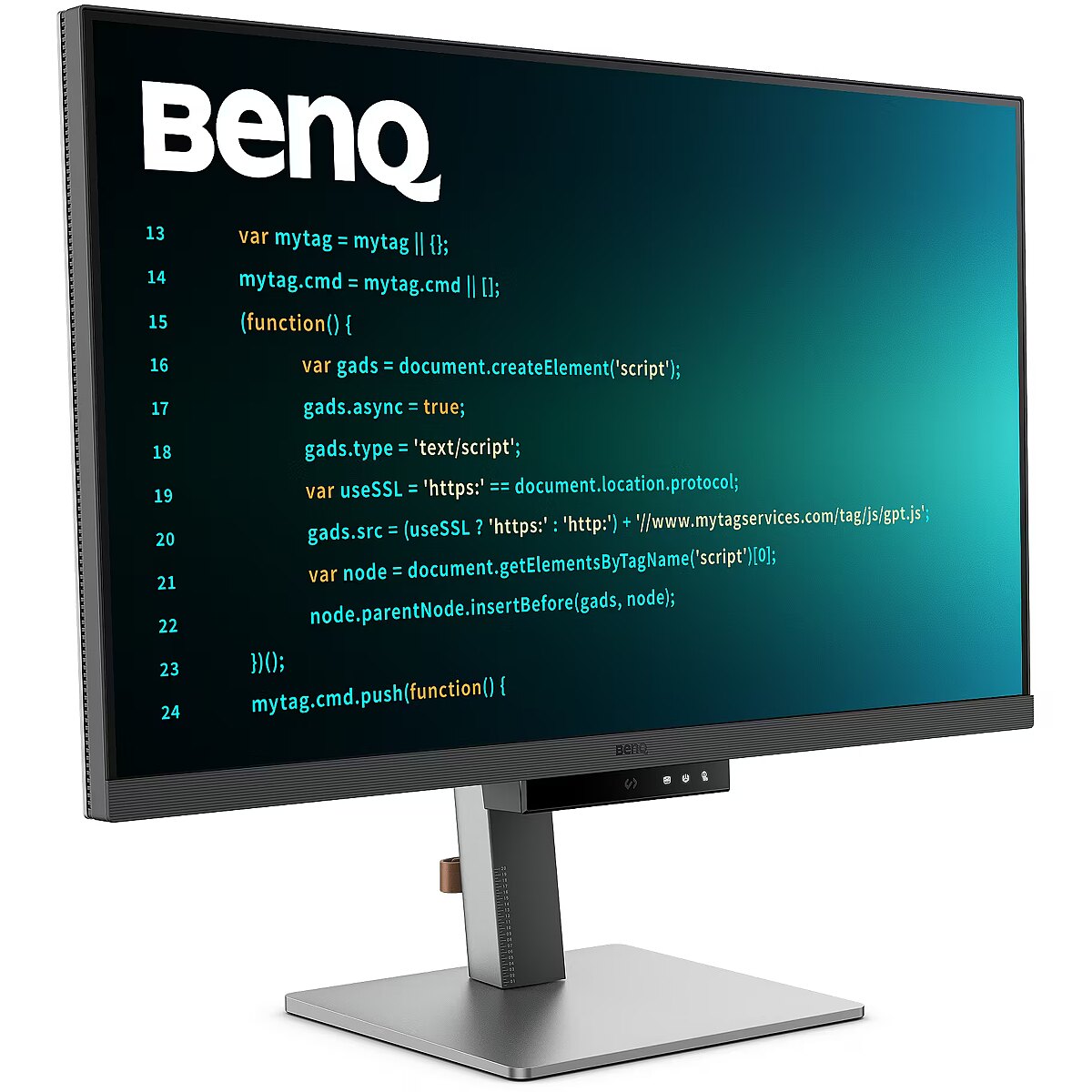
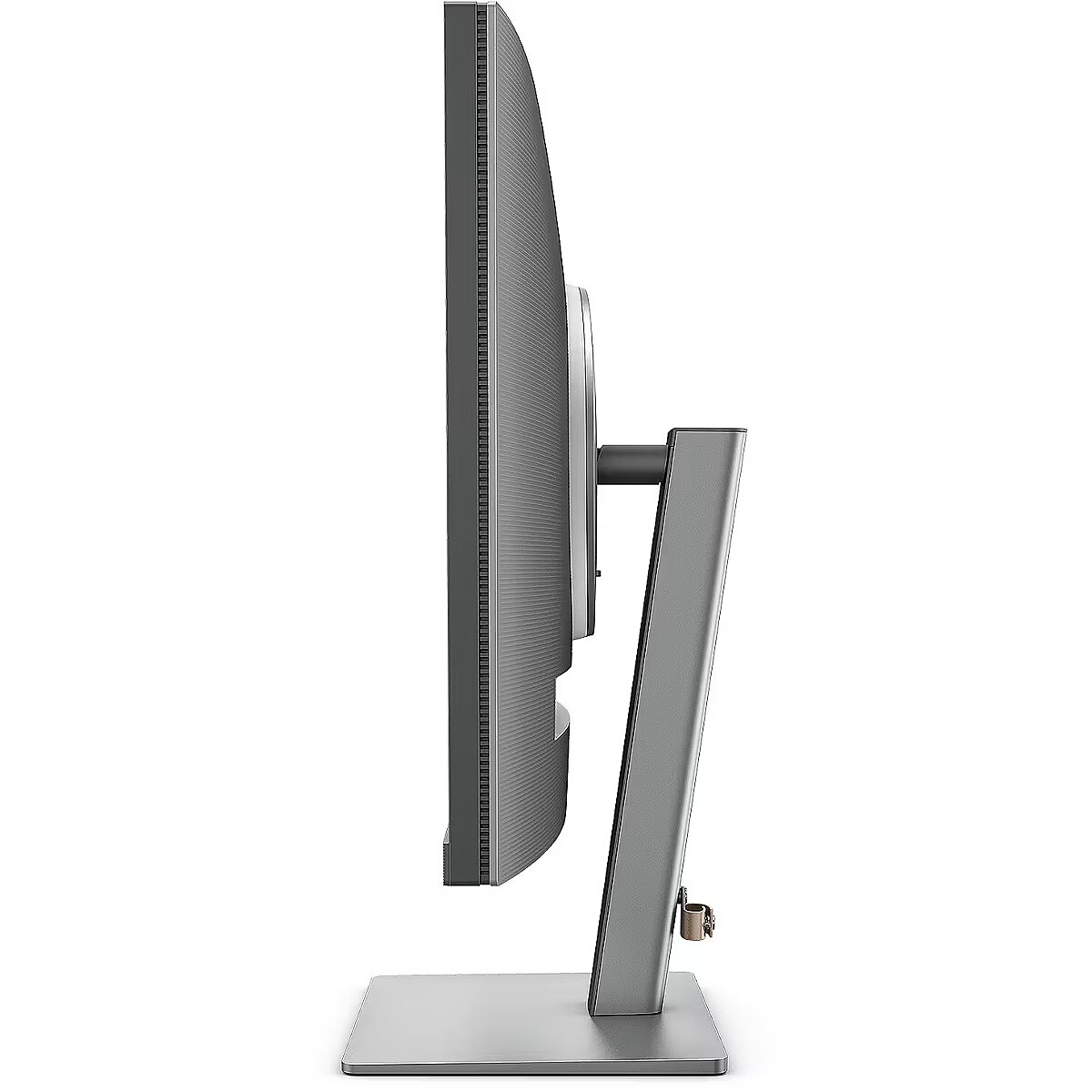
ARTIKEL1 - RD320U 32IN 4K IPS 60HZ
ARTIKEL2 - 3840X2160 2000:1 5MS 16:9 HDMI/D
Aspect ratio - 16:9
Auto Pivot - Yes
Bluetooth - No
Brand - BenQ
BrandPartCode - 9H.LMSLA.TBE
Breite - 0
Brightness - 400 nits
Category - Computer Monitors
Category - Root/Electronics/PC peripherals/Monitors
Category 1 - Displays
Category 2 - Monitore
Category_1 - Monitors and TV
Category_2 - LED Monitors 31 inches and up
Certificates - Energy Star
Certificates - EPEAT
Certificates - TCO
Color - Graphite
Dane fizyczne: Głębokość - 263.1 mm
Dane fizyczne: Kolor obudowy - szary
Dane fizyczne: Standard VESA - 100 x 100
Dane fizyczne: Szerokość - 714 mm
Dane fizyczne: Waga - 10.8 kg
Dane fizyczne: Wysokość - 468.6 mm (468.6-581.6 mm)
Dane techniczne: HDR - tak
Dane techniczne: Czas reakcji - 5 ms
Dane techniczne: Częstotliwość odświeżania - 60 Hz
Dane techniczne: Grupa produktowa - Monitory BenQ
Dane techniczne: Gwarancja - 2 lata w serwisie zewnętrznym
Dane techniczne: Głośniki - tak
Dane techniczne: Jasność - 400 cd/m²
Dane techniczne: Możliwość regulacji - obrót na podstawie (swivel)
Dane techniczne: Możliwość regulacji - pochył
Dane techniczne: Możliwość regulacji - wysokość
Dane techniczne: Powłoka matrycy - antyrefleksyjna
Dane techniczne: Producent - BenQ
Dane techniczne: Przekątna - 31.5 cali
Dane techniczne: Rodzaj podświetlenia - LED
Dane techniczne: Rozdzielczość ekranu - 3840 x 2160 (4K Ultra HD) piksele
Dane techniczne: Standard portów wideo - DisplayPort 1.4
Dane techniczne: Standard portów wideo - HDMI 2.0
Dane techniczne: Standard portów wideo - USB-C
Dane techniczne: Typ - do biura i domu
Dane techniczne: Typ ekranu - płaski
Dane techniczne: Typ matrycy - IPS
Depth - 88.6 mm
Depth with stand - 263.1 mm
Description - Catch Your Coding Flow in Seconds
Get into the coding flow within seconds with BenQ Nano Matte Panel. Featuring low reflectivity to minimize distractions, this advanced technology enhances focus and productivity while delivering exceptional clarity for peak performance. 2000:1 Contrast Ratio for Sharper Coding and Stunning Visuals
Experience exceptional clarity with a 2000:1 contrast ratio. Enjoy deeper blacks and higher contrast on a premium 4K display while coding, watching movies, or gaming, ensuring outstanding visual performance. This enhancement not only improves image quality but also creates a more immersive and engaging viewing experience. Ignite Your Late-Night Coding Inspiration
Whether you prefer working in soft ambient lighting or complete darkness during late-night coding sessions, we have everything you need for long-lasting eye comfort. Effortless Comfort with Night Hours Protection
Reduce eye strain with minimum brightness technology and enjoy enhanced eye protection during nighttime use and in dark environments with Night Hours Protection. Intelligent ambient light detection and automatic switching require minimal user intervention, providing effortless and continuous eye care. Stay Focused Anytime with MoonHalo
Experience BenQ MoonHalo, the integrated rear monitor lighting system. With adjustable color temperature, brightness, and lighting modes, along with Auto Dimming powered by B.I. Gen2, MoonHalo provides optimal eye comfort and focus at any time of day, whether you're working from home or in the office. Exclusive Coding Modes for Enhanced Productivity
BenQ's advanced Coding Modes deliver sharper fonts and improved code differentiation, reducing eye strain. Choose between dark and light themes, and easily adjust brightness, sharpness, and contrast for the ideal coding environment. Start Coding Instantly with the Coding HotKey and Function Bar
Boost your productivity effortlessly with the exclusive Coding HotKey and Function Bar. Simply press the dedicated Coding HotKey located at the center of the Function Bar to jump straight into coding mode. Optimal Posture, Maximum Efficiency
Relieve neck and body strain. BenQ Programming Monitors are designed to maximize your comfort during long coding sessions and extended projects. Fast Plug-and-Play Connectivity
BenQ Programming Monitors offer a wide range of connectivity options, including USB Type-C, providing comprehensive connectivity to support all your multitasking needs. Seamless Integration with the KVM Switch
Maximize efficiency with integrated connectivity across multiple devices and a built-in KVM (Keyboard, Video, Mouse) switch for smooth source switching. Daisy Chain Connectivity with 90W USB Type-C
Multi-Stream Transport (MST) technology enables you to extend your workspace across multiple displays using USB Type-C. The 90W USB Type-C connection transfers images, videos, and data while simultaneously charging your mobile devices with a single cable. Please note that Mac and MacBook devices support daisy chaining only through Thunderbolt. Daisy chain functionality is not supported via HDMI or standard USB ports on any device. Macs with M1 or M2 chips support only one external display. For more information about connecting different Mac models to external displays, please visit Apple's website. Seamless Multi-Device Viewing with PIP/PBP and DualView Plus
DualView Plus simplifies multi-device viewing by allowing different color modes for individual applications or windows. With PIP and PBP support, you can easily manage dual-source or single-source viewing. Optimize Productivity with PIP and PBP
PIP (Picture-in-Picture) and PBP (Picture-by-Picture) maximize screen space efficiently. PIP overlays an additional window for multitasking, while PBP splits the screen to display content from multiple sources, boosting productivity. DualView Plus Displays Independent Color Modes
DualView Plus with PIP/PBP not only displays dual sources simultaneously but also allows different color modes for each screen. Control Display Settings with Your Mouse and Keyboard Using Display Pilot 2
Display Pilot 2 lets you easily manage features such as MoonHalo, Night Hours Protection, and Auto Pivot. Designed specifically for BenQ Programming Monitors, it also includes developer-focused features such as FloW, HotKeys, Desktop Partition, Application Mode, Software Dimming, and Circadian Mode. FloW - Personalized Display Performance Throughout Your Day
We understand the importance of a well-organized workflow. By learning your habits, FloW on the BenQ RD320U seamlessly adapts to your needs, automatically switching between different scenarios based on your predefined schedules to support your busy day. Easily Customize the Built-In MoonHalo Light
Using Display Pilot 2, MoonHalo seamlessly synchronizes with your monitor, allowing you to easily adjust the on/off switch, brightness, color temperature, lighting mode, and continuous lighting mode. Circadian Mode for All-Day Comfort and a Relaxing Atmosphere
BenQ Low Blue Light Plus features Circadian Mode, which automatically adjusts the display's color temperature throughout the day to reflect the natural sunrise-to-sunset cycle. Enjoy comfortable viewing all day long. Assign Different Modes to Different Applications
Application Mode makes it easy to assign different color modes to specific applications and automatically remembers your preferred settings for future use. Customizable Desktop Partitions for Your Workspace
Launch Desktop Partition and simply drag your applications into predefined sections or create your own custom layouts. Double Your Coding Speed with HotKeys
Display Pilot 2 now includes an additional copy-and-paste function set to improve coding efficiency. In addition, BenQ-exclusive HotKeys provide quick access to predefined keyboard shortcuts for specific functions. Keep Your Eyes Free from Fatigue
Experience outstanding visual comfort with Brightness Intelligence Gen2. BenQ Eye-Care Technology is dedicated to enhancing your visual comfort throughout the day. Keep Your Eyes Free from Fatigue
Experience outstanding visual comfort with Brightness Intelligence Gen2. BenQ Eye-Care Technology is dedicated to enhancing your visual comfort throughout the day. TÜV Reflection Free Certification for Refreshed Eyes
The TÜV Reflection Free Certification minimizes visual distractions, enabling a clearer and more efficient coding experience. TÜV Rheinland, a globally recognized safety authority, has also certified the RD320U's Low Blue Light technology as eye-friendly. Eyesafe 2.0 certification ensures reduced blue light while maintaining vivid and accurate colors. BenQ's Eco Commitment: A Vision for Sustainability
BenQ prioritizes environmentally responsible practices throughout product development, reinforcing our commitment to sustainability. 85% PCR
The monitor housing is made from 85% post-consumer recycled (PCR) materials, supporting environmentally responsible manufacturing practices. Recycled Cardboard Packaging
Our monitors are packaged using recycled cardboard materials, minimizing environmental impact and promoting sustainable packaging. Auto Power Off
The Auto Power Off function automatically turns off the display after 10, 20, or 30 minutes of inactivity, helping save energy and support sustainability. EcoPrivacy
Save energy and protect your screen privacy effortlessly with a feature that automatically dims the monitor during periods of inactivity.
Design - Market positioning - Professional
Design - Product colour - Black
Designation - CE+WEEE
dimension depth - 950 mm
dimension height - 510 mm
dimension weight - 16800 g
dimension width - 220 mm
Display - Colour gamut - 98%
Display - Contrast ratio (typical) - 2000:1
Display - Display brightness (typical) - 400 cd/m²
Display - Display diagonal - 80 cm (31.5")
Display - Display number of colours - 1.07 billion colours
Display - Display resolution - 3840 x 2160 pixels
Display - Display surface - Matt
Display - Display technology - LED
Display - HD type - 4K Ultra HD
Display - High Dynamic Range (HDR) supported - Yes
Display - High Dynamic Range (HDR) technology - DisplayHDR 400, High Dynamic Range 10 (HDR10)
Display - LED backlight - Yes
Display - Maximum refresh rate - 60 Hz
Display - Native aspect ratio - 16:9
Display - Panel type - IPS
Display - Response time - 5 ms
Display - Screen shape - Flat
Display - Touchscreen - No
Display - Viewing angle, horizontal - 178°
Display - Viewing angle, vertical - 178°
Display surface - Matt
Dodatkowe informacje o matrycy: Format obrazu - 16:9
Dodatkowe informacje o matrycy: Kontrast - 2000:1
Dodatkowe informacje o matrycy: Kąt widzenia w pionie - 178 °
Dodatkowe informacje o matrycy: Kąt widzenia w poziomie - 178 °
Dodatkowe informacje o matrycy: Liczba wyświetlanych kolorów - 1070 mln
ean - 4718755094392
EAN - 4718755094392
EANCode - 4718755094392
Eans - 4718755094392
EAN_code - 4718755094392
Efektywność energetyczna: Klasa energetyczna - F
Efektywność energetyczna: Zużycie energii w trybie pracy - 30 W
Energy class - F
Energy label - Pobierz
Ergonomics - Adjustable height (max) - 11 cm
Ergonomics - Height adjustment - Yes
Ergonomics - On Screen Display (OSD) - Yes
Ergonomics - On Screen Display (OSD) languages - Multi
Ergonomics - Panel mounting interface - 100 x 100 mm
Ergonomics - Picture-in-Picture - Yes
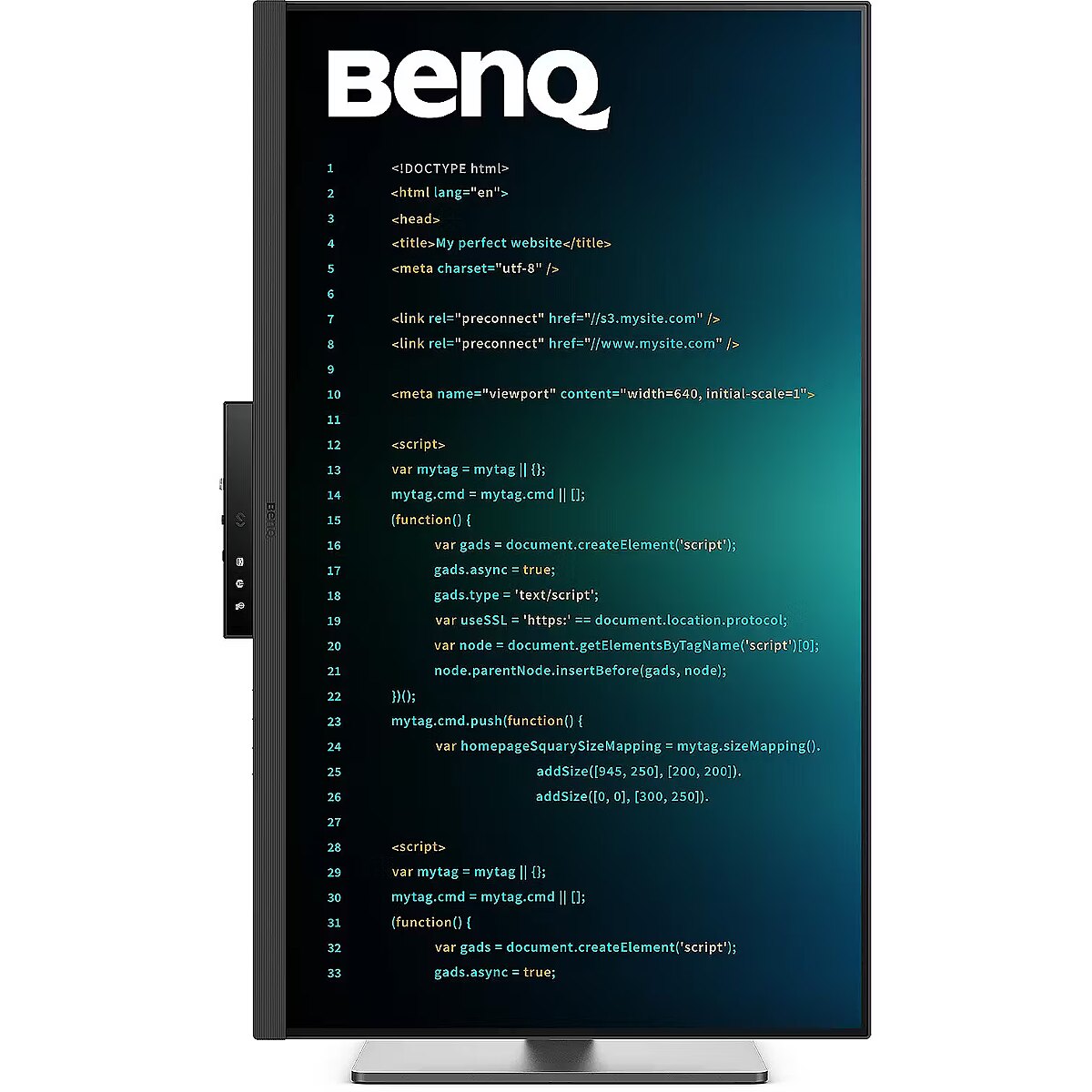
Ergonomics - Pivot - Yes
Ergonomics - Pivot angle - 0 - 90°
Ergonomics - Plug and Play - Yes
Ergonomics - Swivel angle range - -15 - 15°
Ergonomics - Swivelling - Yes
Ergonomics - Tilt adjustment - Yes
Ergonomics - Tilt angle range - -5 - 20°
Ergonomics - VESA mounting - Yes
Gewicht - 17.72
GRUPPE1 - Displays
GRUPPE2 - Led Small Format
GTIN - 0840046050634
GTIN - 840046050634
GTIN - 4718755094392
guarantee - 36
guarantee_type - external
Height - 425 mm
Height (max) - 740.3 mm
Height adjustment - Yes
Height adjustment range - 110 mm
Height with stand - 581.6 mm
HERSTELLER - BENQ
Hoehe - 0
HSTNUMMER - 9H.LMSLA.TBE
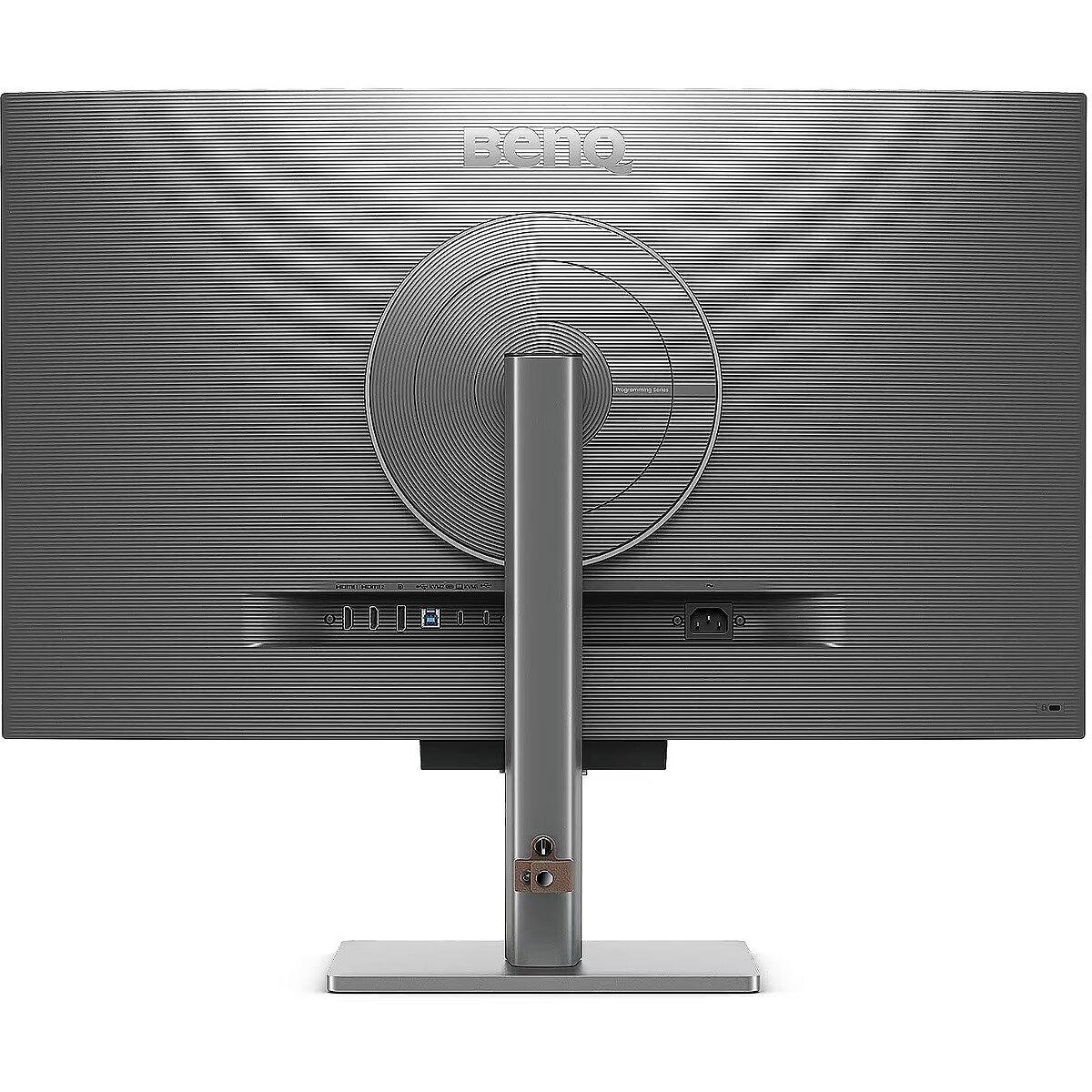
I/O connectors - 1 x 3,5 mm minijack
I/O connectors - 1 x DisplayPort
I/O connectors - 1 x USB 3.2 Type-B Gen 1
I/O connectors - 2 x HDMI
I/O connectors - 2 x USB 3.2 Type-A Gen 2
I/O connectors - 3 x USB 3.2 Type-C Gen 2
Informacje podstawowe: Moc głośników - 2 x 3W
Informacje podstawowe: Standard HDR - HDR400
Laenge - 0
LongDesc - RD320U|32” 4K BenQ Programming Monitor with BacklightAstonishing Clarity for the Ultimate Coding ExperienceCrystal Clear, Entirely FocusedEnter the Coding Flow in SecondsEnter the coding flow in seconds with BenQ Nano Matte Panel. Featuring a low reflection property to minimize distractions, this advanced technology enhances focus and boosts productivity, delivering unparalleled clarity for peak performance.2000:1 Contrast Ratio for Clearer Code and Stunning VisualsExperience unparalleled clarity with a 2000:1 contrast ratio. Enjoy deeper blacks and high contrast with a premium 4K display for coding, movies, and gaming, ensuring exceptional visual performance. This enhancement not only improves image quality but also increases overall immersion, providing a more engaging and captivating experience.Ignite Night Coding InspirationWhether you prefer working in a soft, ambient glow, complete darkness during late-night hours, or complete darkness during late-night work, we've got you covered for long-lasting eye care.Effortless Comfort with Night Hours ProtectionBenefit from minimum brightness technology for reduced eye strain, discover enhanced eye protection during night hours and dark room usage with our Night Hours Protection. Its intelligent ambient light detection and auto-switch capabilities require minimal user intervention, ensuring effortless and consistent eye care.Experience Focus Anytime with MoonHaloExperience MoonHalo by BenQ – an illumination system built into the back of the monitor. With customizable color temperature, brightness, and light modes, along with Auto Dimming powered by B.I. Gen2, MoonHalo ensures optimal eye protection and focus anytime, whether you're working from home or the office.Designed for Coding ExcellenceExclusive Coding Modes Boost ProductivityBenQ's advanced coding modes deliver clear fonts and better code differentiation, reducing eye strain. Choose from dark and light themes and easily adjust brightness, sharpness, and contrast for optimal coding conditions.Instant Coding with Hotkey and Function BarEffortlessly boost productivity with our unique Coding HotKey and Function Bar. With a swift press of the Coding HotKey at the heart of the function bar you can immediately start coding.Infinite Desk Flexibility for ProgrammersEnhance your coding workspace with adjustable height, tilt, pivot, and swivel capabilities for optimal efficiency and comfort.Optimal Posture, Superior OutputRelieve prolonged neck and body aches. BenQ Programming Monitors prioritize your comfort for long-term projects.For a maximum ergonomic and flexible user experience, please consider the BenQ Ergo Arm version, the RD320UA. Quick Connectivity with Easy Plug and PlayBenQ Programming Monitors offer ample port options, including USB Type-C for all-in-one connectivity, meeting your multitasking needs.Unified Integration with KVM SwitchingMaximum efficiency through unified integration with diverse devices and built-in KVM (keyboard, video, mouse) for seamless source switching.Daisy Chain with the 90W USB Type-CMulti-Stream Transport Technology allows you to extend screens across multiple displays using the USB Type-C. The 90W USB Type-C carries images, videos, and other data seamlessly and charges your mobile devices simultaneously with one cable.Please note that Mac and MacBook devices only support daisy chaining via Thunderbolt. Daisy chaining is not supported via HDMI or using regular USB ports on any device. Also, you can only connect a single external display using a Mac device with the M1 or M2 chips. For more information about connecting different models of Mac devices to external displays, please refer to the Apple website. Effortless Multi-Device Display with PIP/PBP and DualView PlusDualView Plus simplifies multi-device displays by letting you customize color modes across applications or windows. With support for PIP and PBP, you can easily manage dual-source or single-source viewing.Optimize Productivity with PIP and PBPPIP (Picture-in-Picture) and PBP (Picture-by-Picture) efficiently optimize screen space. PIP overlays a secondary window for multitasking, while PBP splits the screen to display content from multiple sources, boosting productivity.DualView Plus Displays Versatile Color ModesDualView Plus with PIP/PBP not only displays dual sources simultaneously but also allows different color modes for each screen.Set Displays with Mouse and Keyboard via Display Pilot 2Display Pilot 2 caters to your needs, allowing easy arrangement of functions like MoonHalo, Night Hours Protection, and Auto Pivot. Display Pilot 2 for the BenQ programming series also offers software features specifically designed for programmers, including FloW, Shortcuts, Desktop Partition, Application Mode, Software Dimming, and Circadian Mode.FloW Tailored Screen Performance for Your DayWe understand your need for precise planning. By learning your habits, BenQ RD320U’s FloW will seamlessly adapt to your needs, transitioning between different scenarios and based on preset schedules to support your busy day.Easily Adjust Built-in MoonHalo LightWith Display Pilot 2, MoonHalo seamlessly syncs with your monitor for easy adjustments of switch, brightness, color temperature, light mode, and non-stop mode.Circadian Mode for All-Day Comfort and Soothing AmbianceBenQ Low Blue Light Plus includes Circadian Mode, which automatically adjusts your screen's color temperature throughout the day, mirroring the natural sunrise-to-sunset cycle. Enjoy eye comfort worry-free.Assign Different Modes to ApplicationsApplication Mode makes it easy to assign different color modes and remembers your frequently used settings for upcoming applications.Customizable Desktop Partitions for Your WorkspaceLaunch Desktop Partition and drag the application you're working with into partitions by using preset templates or by customizing your own layouts.Double Your Coding Speed with ShortcutsDisplay Pilot 2 now stores an additional set of copy-and-paste functions, enhancing coding efficiency. Additionally, BenQ’s exclusive Shortcuts allow quick access to pre-set keyboard shortcuts for specific common functions.Keep Your Eyes Fatigue-FreeExperience unmatched eye comfort with our Brightness Intelligence Gen2. BenQ Eye-Care Technology is dedicated to enhancing your visual comfort.Brightness Intelligence Gen2BenQ B.I. Gen2 automatically detects the brightness in your room and adjusts the screen brightness, while also providing the option to manually fine-tune the brightness.TUV Reflection Free Certified for Refreshed EyesBeing TUV Reflection Free Certificated ensures coding with minimized distractions, fostering a clearer and more efficient development process. Global safety authority TÜV Rheinland also certifies RD320U's Low Blue Light as truly friendly to the human eye. Eyesafe 2.0 certification ensures that the display reduces blue light while maintaining vivid color.BenQ’s Green Commitment : A Vision of SustainabilityBenQ prioritizes eco-friendly practices in our product development, underlining our commitment to sustainability.85% PCRThe housing of monitors is made with 85% PCR (Post-Consumer Recycled) materials, contributing to environmentally conscious production practices.Recyclable Cardboard PackingWe package our monitors in recyclable cardboard, minimizing our environmental impact and promoting eco-friendliness.Auto Power OffThe Auto Power Off feature allows users to automatically power down the screen after 10, 20, or 30 minutes of inactivity, conserving energy and further promoting sustainability.EcoPrivacySave power and safeguard screen privacy effortlessly with our feature that automatically dims your monitor during inactivity.
LongProductName - 31.5", IPS, LED, 3840 x 2160, 400 nits, HDR10, 178°/178°, 5 ms, 60 Hz, Black
LongSummaryDescription - BenQ RD320U. Display diagonal: 80 cm (31.5"), Display resolution: 3840 x 2160 pixels, HD type: 4K Ultra HD, Display technology: LED, Display surface: Matt, Response time: 5 ms, Native aspect ratio: 16:9, Viewing angle, horizontal: 178°, Viewing angle, vertical: 178°. Built-in speaker(s). USB hub version: 3.2 Gen 2 (3.1 Gen 2). VESA mounting, Height adjustment. Product colour: Black
Manufacturer - BenQ
Manufacturer - BenQ Deutschland
Manufacturer_code - 9H.LMSLA.TBE
Matrix type - TFT IPS
Model - RD320U
MPN - 9H.LMSLA.TBE
Multimedia - Built-in speaker(s) - Yes
Multimedia - Number of speakers - 3
Multimedia - RMS rated power - 6 W
Name - BenQ 80.0cm RD320U 16:9 HDMI/USB-C/DP sil. lift/piv UHD
Name - BenQ RD320U - 60Hz | 4K | 31.5'' | IPS | 5ms
Name - BenQ RD320U programming monitor (80 cm (31.5 inches), black, UltraHD/4K, IPS, USB-C, USB hub)
name - Monitor 31.5 inches RD320U 4K LED 5ms/60Hz/IPS
Number of colors - 1,07 mld
Ochrona oczu: Filtr światła niebieskiego - tak
Ochrona oczu: Redukcja migotania - tak
Packaging content - Quick start guide - Yes
Performance - Flicker-free technology - Yes
Performance - Low Blue Light technology - Yes
Ports & interfaces - DisplayPorts quantity - 1
Ports & interfaces - DisplayPort version - 1.4
Ports & interfaces - HDCP - Yes
Ports & interfaces - HDCP version - 2.2
Ports & interfaces - HDMI - Yes
Ports & interfaces - HDMI ports quantity - 2
Ports & interfaces - HDMI version - 2.0
Ports & interfaces - Headphone out - Yes
Ports & interfaces - Number of upstream ports - 1
Ports & interfaces - USB hub version - 3.2 Gen 2 (3.1 Gen 2)
Ports & interfaces - USB Power Delivery (USB PD) - Yes
Ports & interfaces - USB Power Delivery up to - 90 W
Ports & interfaces - USB Type-A downstream ports quantity - 2
Ports & interfaces - USB Type-C downstream ports quantity - 2
Ports & interfaces - USB upstream port type - USB Type-B
Power - AC input voltage - 100 - 240 V
Power - Energy consumption (HDR) per 1000 hours - 33 kWh
Power - Energy consumption (SDR) per 1000 hours - 30 kWh
Power - Energy efficiency class (HDR) - G
Power - Energy efficiency class (SDR) - F
Power - Energy efficiency scale - A to G
Power - Power consumption (max) - 220 W
Power - Power consumption (standby) - 0.5 W
Power - Power consumption (typical) - 30 W
Power consumption - 220 W
Pozostałe cechy: Akcesoria - kabel zasilający
Pozostałe cechy: Model - Benq RD0U
Producent: Nazwa producenta / importera - BenQ
BenQ Europe B.V.
Meerenakkerweg
1-17, 5652 AR Eindhoven, The Netherlands producer - Benq
Producer - BenQ
ProducerCode - 9H.LMSLA.TBE
ProductName - RD320U
Refresh rate - 60 Hz
Resolution - 3840 x 2160
Response time - 5 ms
Screen size (diag.) - 31.5''
ShortDescription - 32" | IPS | 3840 x 2160 | 8 ms | 60 Hz | Eye-Care, Pivot
ShortSummaryDescription - BenQ RD320U, 80 cm (31.5"), 3840 x 2160 pixels, 4K Ultra HD, LED, 5 ms, Black
Speakers built-in - Yes
Static contrast - 2 000:1
Stck_Kart - 1
Stck_Pal - 10
Storno - Y
Sustainability - Sustainability certificates - ENERGY STAR, EPEAT Bronze, TCO
TCO Certified - Yes
Title - BenQ RD320U computer monitor 80 cm (31.5") 3840 x 2160 pixels 4K Ultra HD LED Black
Touch screen - No
Transreflective technology - LED
TV tuner built-in - No
URL - https://www.benq.eu/en-eu/monitor/programming/rd320u.html
vendpn - 9H.LMSLA.TBE
VESA - 100 x 100
Viewing angle, horizontal - 178 °
Viewing angle, vertical - 178 °
WarrantyInfo -
Web camera - None
Weight - 7.3 kg
Weight - 16,36
Weight - 17.1
Weight & dimensions - Depth (without stand) - 88.6 mm
Weight & dimensions - Depth (with stand) - 263.1 mm
Weight & dimensions - Height (without stand) - 425 mm
Weight & dimensions - Height (with stand) - 468.6 mm
Weight & dimensions - Weight (without stand) - 7.3 kg
Weight & dimensions - Weight (with stand) - 10.8 kg
Weight & dimensions - Width (without stand) - 714.6 mm
Weight & dimensions - Width (with stand) - 595.4 mm
Weight with stand - 10.8 kg
Width - 714.6 mm
WiFi - No
Złącza: Złącza - 1 x DisplayPort
Złącza: Złącza - 2 x HDMI 2.0
Złącza: Złącza - 2 x USB Type-C
Złącza: Złącza - 3 x USB
Złącza: Złącza - 4 x USB





 DVI - это цифровой стандарт и обеспечивает высокое качества изображения, но он понемногу теряет свою актуальность из-за большого размера порта и некоторых технических огарничений, оставляя место более современным стандартам HDMI и DisplayPort.