ACinputfrequency - 50/60 Hz
ACinputvoltage - 100 - 240 V
Adjustableheightmax -
AMDFreeSync - Yes
Antiglarescreen - Yes
ARTIKEL1 - DELL 27 MONITOR - SE2726H
ARTIKEL2 - .
Aspectratio -
Aspect ratio - 16:9
Audioinput -
Audiooutput -
Backlighttype - Edge LED
Brand - DELL
BrandPartCode - DELL-SE2726H
Breite - 0.46
Built-in camera - No
Built-in speakers - Yes
Builtincamera - No
BuiltinKVMswitch -
Builtinmicrophone -
Builtinspeakers - No
BuiltinUSBhub - No
Bundledsoftware -
Cablelockslot - Yes
Cable lock slot - Yes
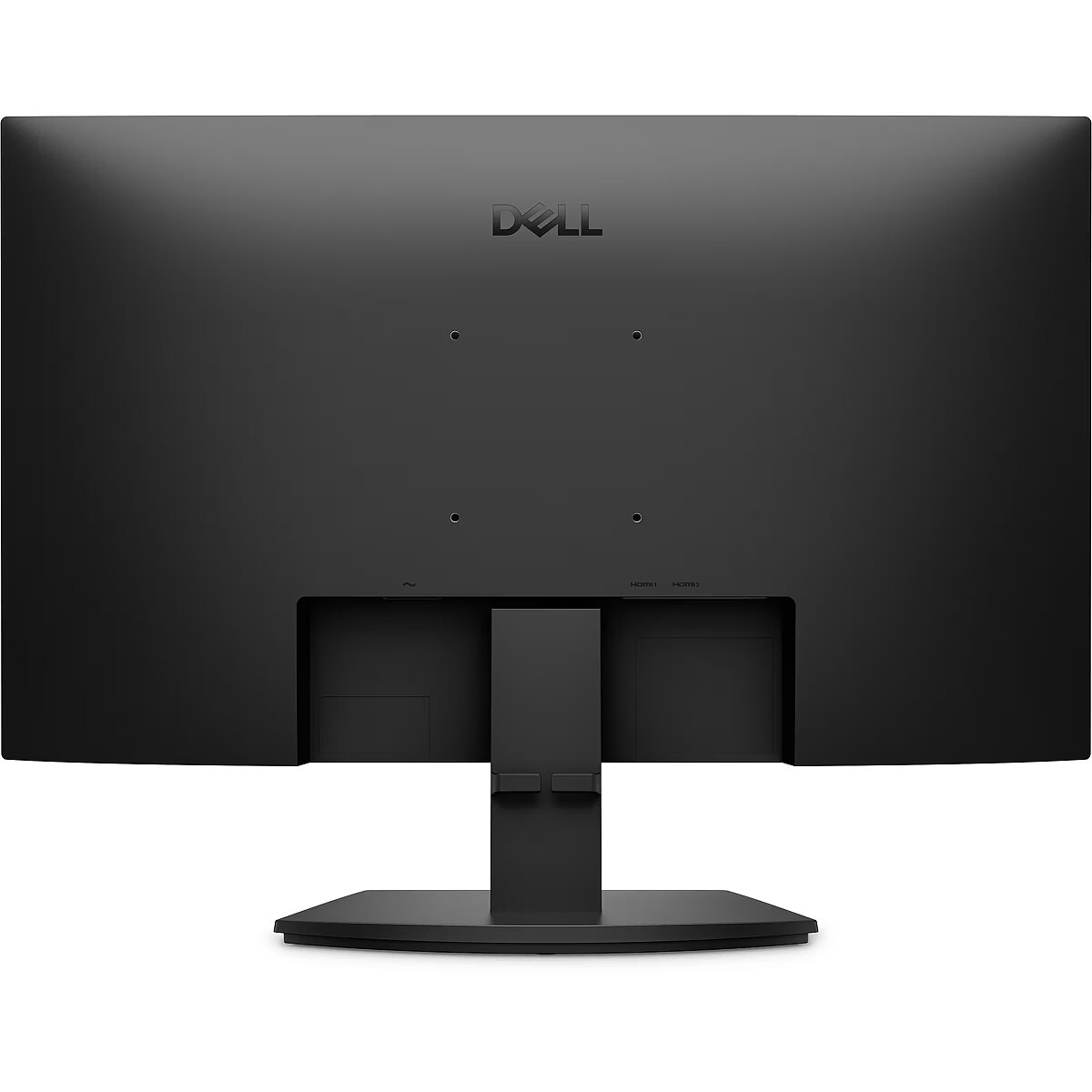
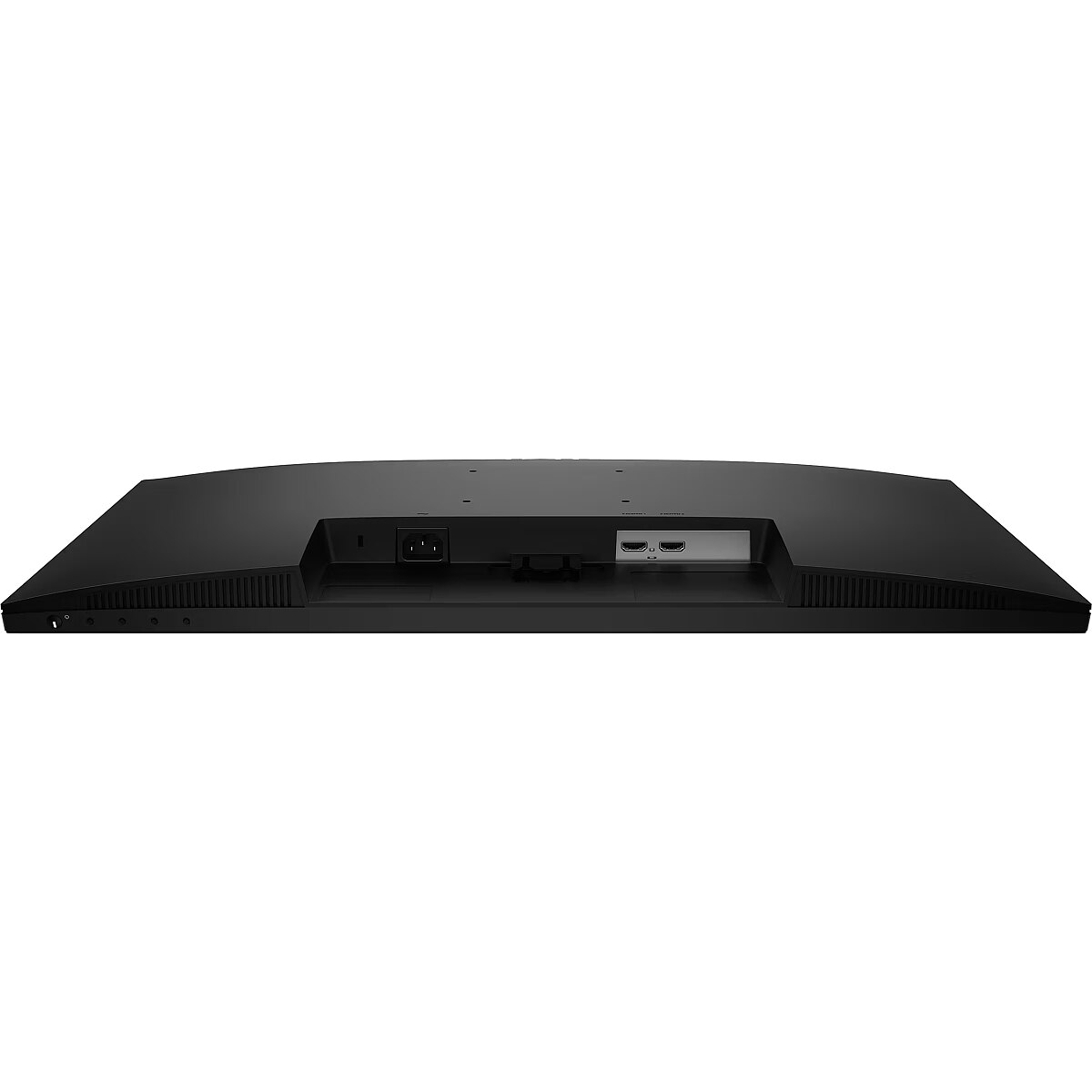
Cablesincluded - AC, HDMI
Carbon footprint - Carbon emissions, end-of-life (kg of CO2e) - 6.6
Carbon footprint - Carbon emissions, energy usage (kg of CO2e) - 68.75
Carbon footprint - Carbon emissions, logistics (kg of CO2e) - 12.56
Carbon footprint - Carbon emissions, manufacturing (kg of CO2e) - 73.26
Carbon footprint - PAIA version - GaBi version 2, 2025
Carbon footprint - Total carbon footprint (kg of CO2e) - 161
Category - Computer Monitors
Category - Root/Electronics/PC peripherals/Monitors
Category1 - Monitors
Code - 210-BVCC
Colourdepth -
Colourgamut -
Colourgamutstandard -
Connections - HDMI
Contrast ratio (typical) - 1000:1
Contrastratiodynamic -
Contrastratiotypical - 1000:1
Curved - No
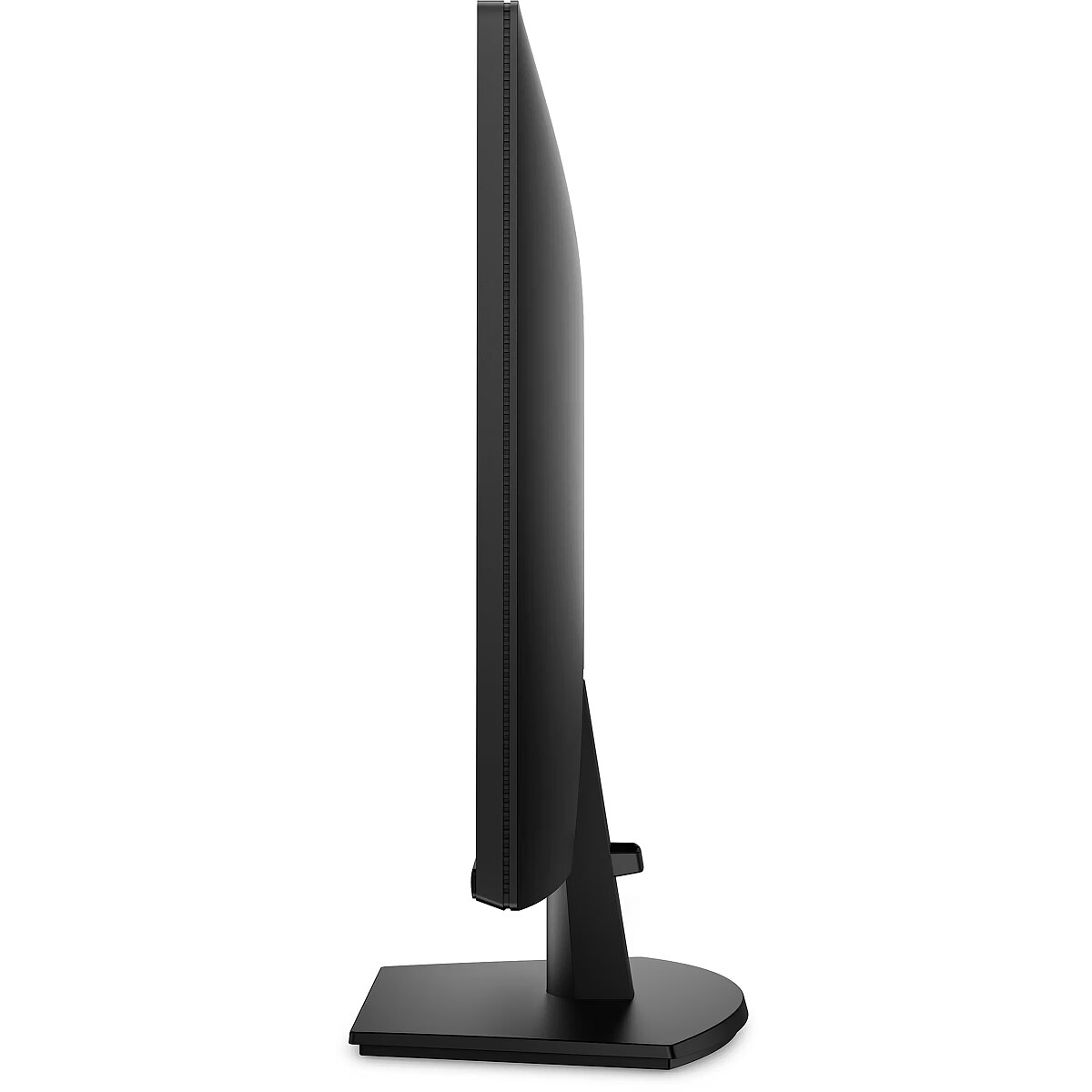
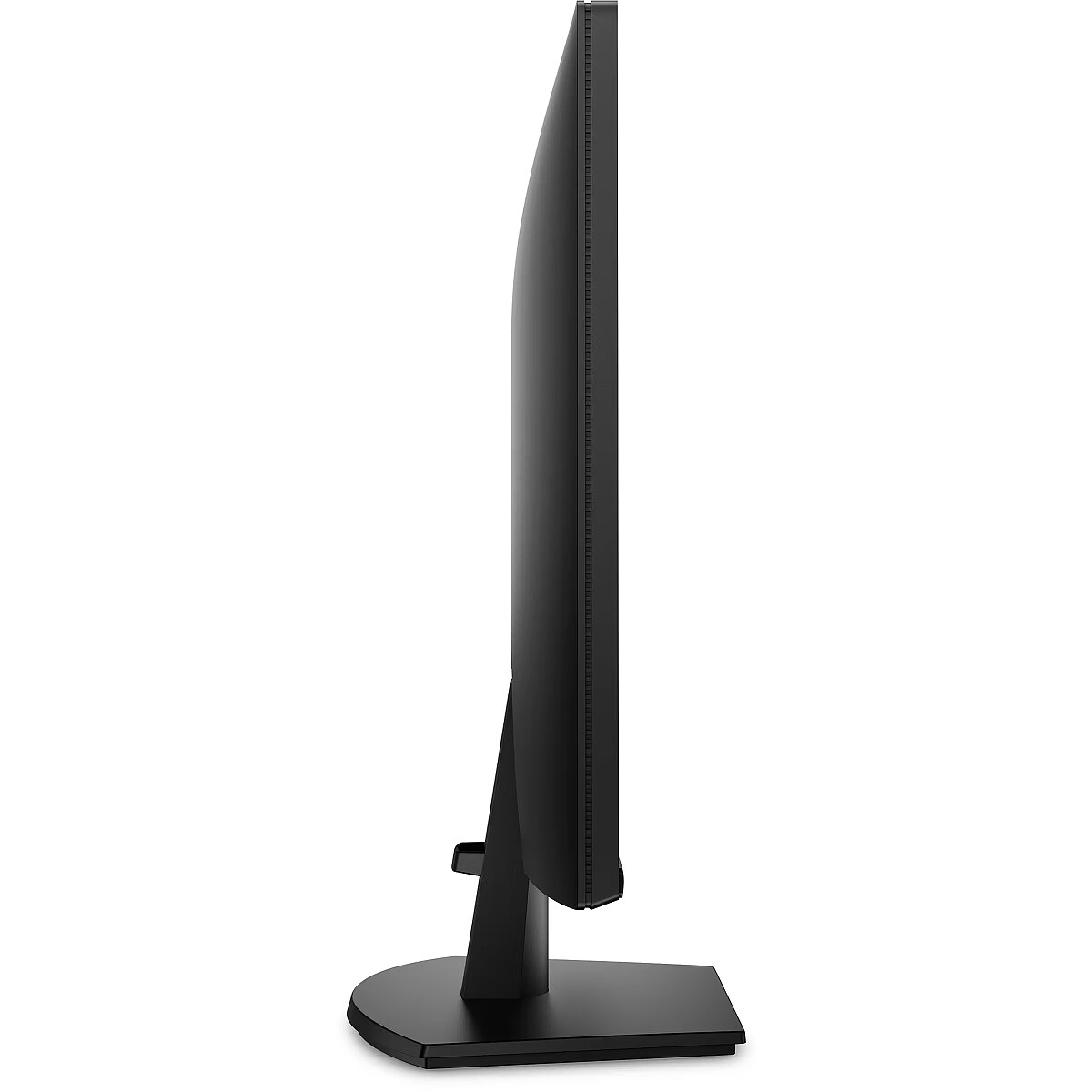
Depthwithoutstand - 49.2 mm
Depthwithstand - 199.9 mm
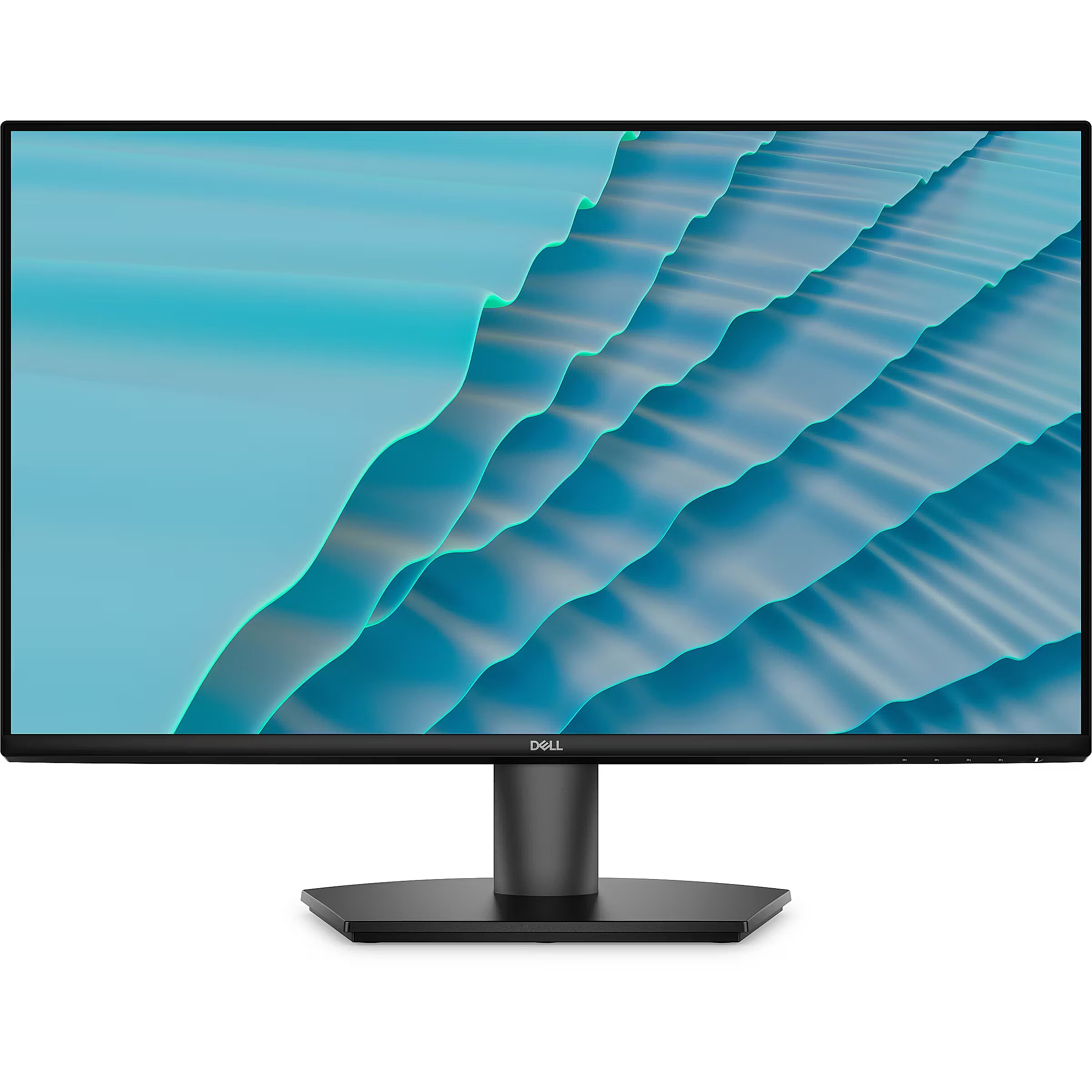
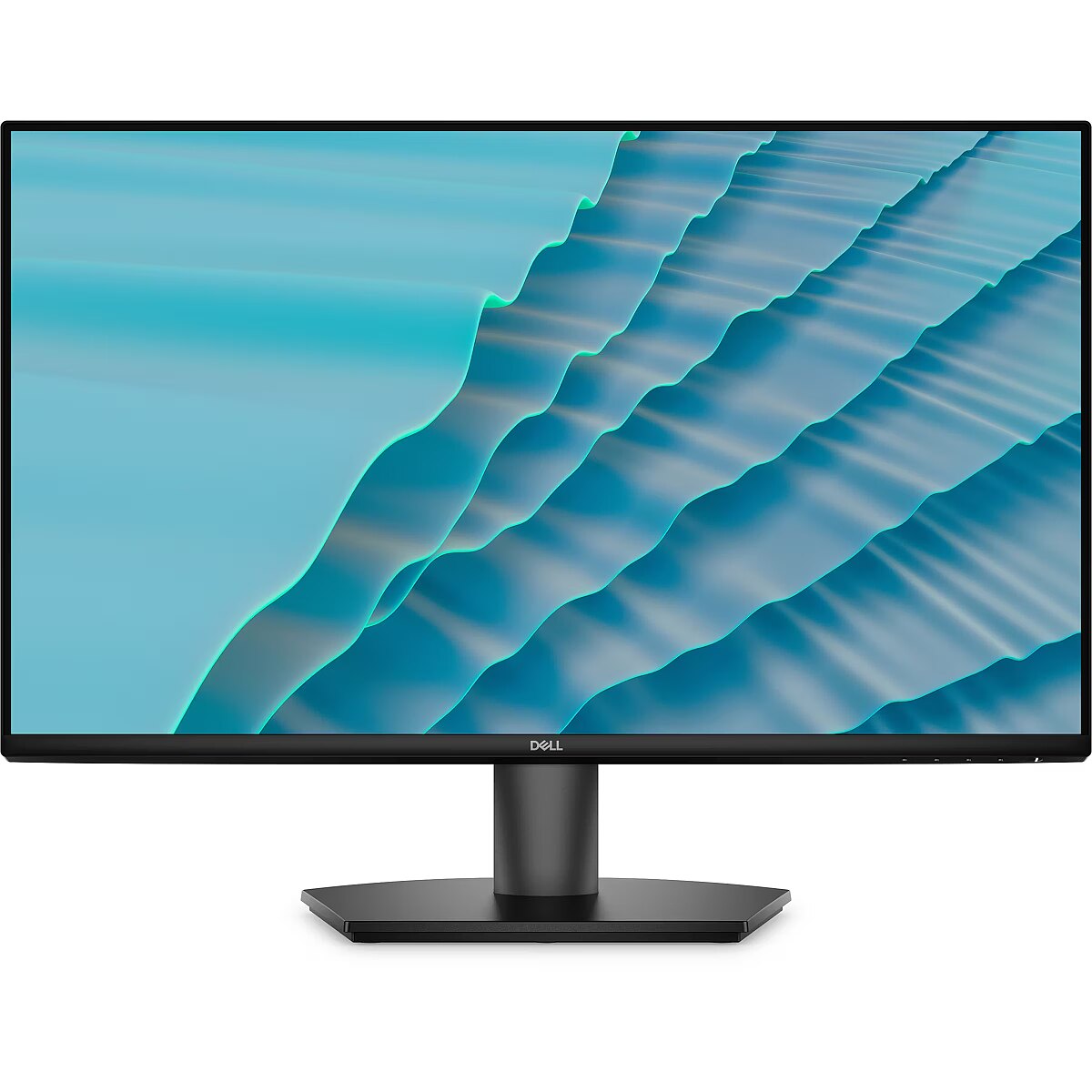
Description - DELL 27 SE2726H FHD IPS 16:9 144HZ
Description1 - DELL LED-Display SE2726H - 68.6 cm (27") - 1920 x 1080 Full HD
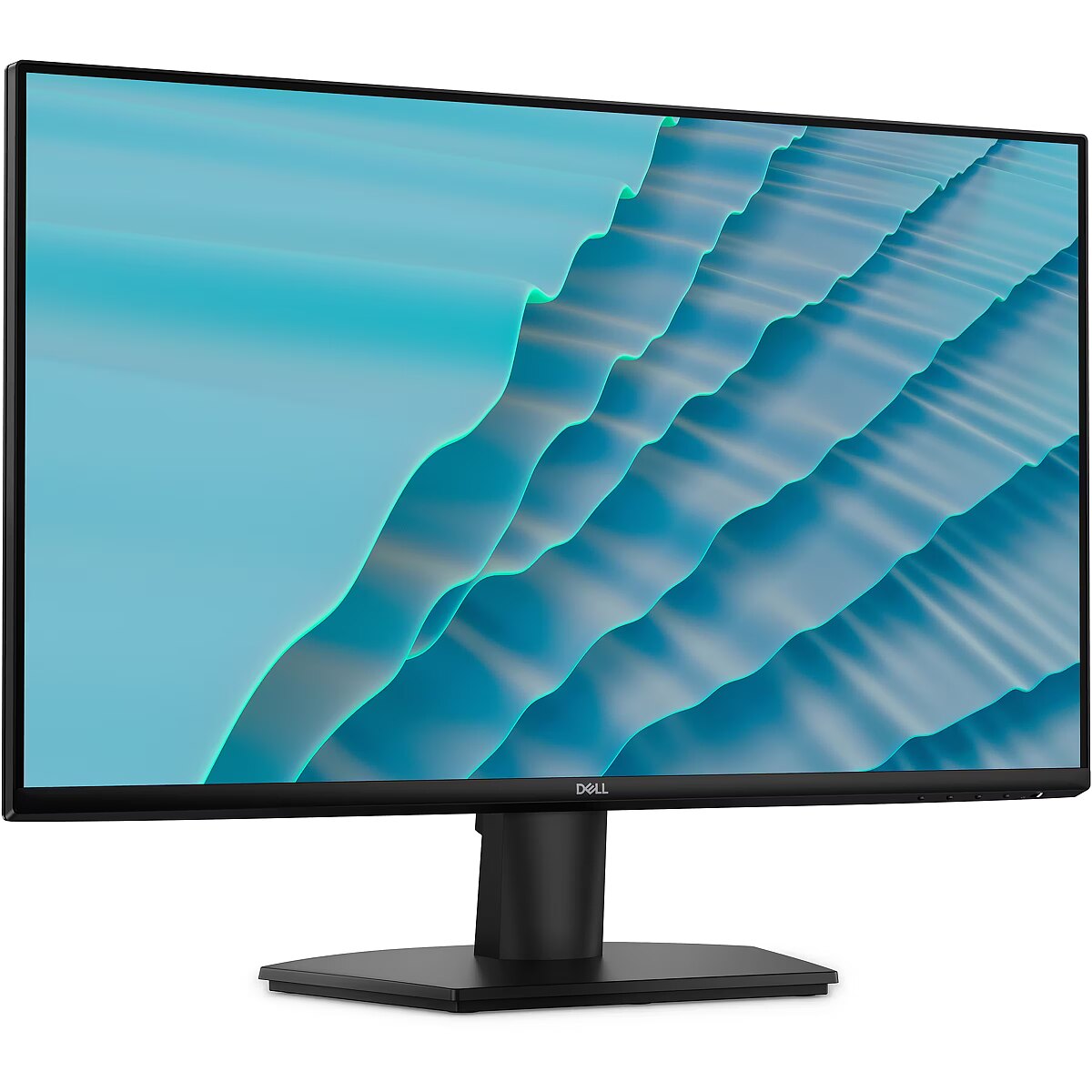
Description2 - The Dell SE2726H is a 27-inch LED-backlit LCD monitor designed to enhance your visual experience. With Full HD 1080p resolution and a color gamut supporting 16.7 million colors, it ensures vibrant and accurate image quality. The IPS technology provides wide viewing angles of 178 degrees both horizontally and vertically, allowing for collaborative work or immersive gaming without distortion. Equipped with AMD FreeSync technology, this monitor minimizes screen tearing, providing a smoother gaming experience. Adjustments like tilt angles from -5 to +21 degrees cater to individual comfort while reducing glare with its anti-glare coating.Designed with energy efficiency in mind, the monitor is ENERGY STAR certified, consuming only 15 kWh per 1000 hours in SDR mode. It supports a flexible connection with two HDMI inputs while maintaining a sleek profile suitable for any desktop setup. Features like cable management and VESA compatibility enhance organization and usability, making it an ideal choice for both work and leisure.
Design -
Design - Detachable stand - Yes
Design - Feet colour - Black
Design - Market positioning - Office
Design - Product colour - Black
Design > Colour of product - Black
Detachablestand - Yes
dimensionalWeight - 8946
Dimensions (W x D x H) with stand, mm - 611.1 x 199.9 x 453.7
Dimensions W x D x H, mm - 611.1 x 49.2 x 361.9
Display -
Display - Anti-glare screen - Yes
Display - Backlight type - Edge LED
Display - Contrast ratio (typical) - 1000:1
Display - Digital horizontal frequency - 30 - 170 kHz
Display - Digital vertical frequency - 48 - 145 Hz
Display - Display brightness (typical) - 300 cd/m²
Display - Display diagonal - 68.6 cm (27")
Display - Display number of colours - 16.7 million colours
Display - Display resolution - 1920 x 1080 pixels
Display - Display technology - LCD
Display - HD type - Full HD
Display - LED backlight - Yes
Display - Maximum refresh rate - 144 Hz
Display - Native aspect ratio - 16:9
Display - NTSC coverage (typical) - 72%
Display - Panel type - IPS
Display - Pixel density - 81 ppi
Display - Pixel pitch - 0.3114 x 0.3114 mm
Display - Response time - 8 ms
Display - Response time (fast) - 4 ms
Display - Response time (MPRT) - 1 ms
Display - Screen shape - Flat
Display - Supported graphics resolutions - 640 x 480 (VGA)
Display - Supported graphics resolutions - 720 x 400
Display - Supported graphics resolutions - 720 x 400, 640 x 480 (VGA), 800 x 600 (SVGA), 1024 x 768 (XGA), 1152 x 864 (XGA+), 1280 x 720 (HD 720), 1280 x 1024 (SXGA), 1600 x 900, 1920 x 1080 (HD 1080)
Display - Supported graphics resolutions - 800 x 600 (SVGA)
Display - Supported graphics resolutions - 1024 x 768 (XGA)
Display - Supported graphics resolutions - 1152 x 864 (XGA+)
Display - Supported graphics resolutions - 1280 x 720 (HD 720)
Display - Supported graphics resolutions - 1280 x 1024 (SXGA)
Display - Supported graphics resolutions - 1600 x 900
Display - Supported graphics resolutions - 1920 x 1080 (HD 1080)
Display - Supported video modes - 480p
Display - Supported video modes - 480p, 576p, 720p, 1080p
Display - Supported video modes - 576p
Display - Supported video modes - 720p
Display - Supported video modes - 1080p
Display - Surface hardness - 3H
Display - Touchscreen - No
Display - Viewable size, horizontal - 59.8 cm
Display - Viewable size, vertical - 33.6 cm
Display - Viewing angle, horizontal - 178°
Display - Viewing angle, vertical - 178°
Display > Aspect ratio - 16:9
Display > Backlight type - LED backlight
Display > Contrast ratio (typical) - 1000:1
Display > Display - 1920 x 1080 pixels
Display > Display brightness - 300 cd/m²
Display > Display diagonal - 27 "
Display > Display surface - Anti-glare
Display > HD type - FHD
Display > Maximum refresh rate - 144 Hz
Display > Panel type - IPS
Display > Response time - 1 ms
Display > Viewing angle, horizontal - 178 °
Display > Viewing angle, vertical - 178 °
Displaybezeltechnology -
Display brightness, cd/m² - 300
Displaybrightnesstypical - 300 cd/m²
Display color - Black
Displaydiagonal - 68.6 cm (27")
Displaydiagonalmetric -
Display number of colours - 16.7 M
Displaynumberofcolours - 16.7 million colours
DisplayPortoutquantity -
DisplayPortoutversion -
DisplayPortsquantity -
DisplayPortversion -
Displayresolution - 1920 x 1080 pixels
Display resolution, pixels - 1920 x 1080
Displaysurface -
Displaytechnology - LCD
EAN - 5397321028734
EANCode - 5397321028734
Eans - 5397321028734
EnergyconsumptionSDRper1000hou - 15 kWh
EnergyefficiencyclassHDR - Not available
EnergyefficiencyclassSDR - D
Energyefficiencyscale - A to G
Ergonomics -
Ergonomics - Cable lock slot - Yes
Ergonomics - Cable lock slot type - Kensington
Ergonomics - Cable management - Yes
Ergonomics - Height adjustment - No
Ergonomics - On Screen Display (OSD) - Yes
Ergonomics - Panel mounting interface - 100 x 100 mm
Ergonomics - Plug and Play - Yes
Ergonomics - Tilt adjustment - Yes
Ergonomics - Tilt angle range - -5 - 21°
Ergonomics - VESA mounting - Yes
Ergonomics - Wall mountable - Yes
Ergonomics > Height adjustment - No
Ergonomics > Tilt adjustment - Yes
Ergonomics > VESA mounting - Yes
Ergonomics > VESA mounting interfaces - 100 x 100 mm
EthernetLAN -
Fastcharging -
Feetcolour - Black
Flickerfreetechnology - Yes
Gewicht - 6.5
Green certifications - Energy Star 8.0
GRUPPE1 - Displays
GRUPPE2 - Lcd Monitor
GTIN - 0884116692065
GTIN - 884116692065
GTIN - 5397321028734
Hazerate -
HDCP - Yes
HDMI - Yes
HDMIportsquantity - 2
HDMI ports quantity - 2
HDMIversion - 1.4
HDtype - Full HD
Headphoneconnectivity -
Headphoneout - No
Headphoneoutputs -
Height - 447.000000
Heightadjustment - No
Height adjustment - No
Heightwithoutstand - 361.9 mm
Heightwithstand - 453.7 mm
HERSTELLER - DELL EMC
HighLights -
Hoehe - 0.14
Horizontalscanrange -
HSTNUMMER - DELL-SE2726H
InfraredIRsensor -
Laenge - 0.71
LEDbacklight - Yes
Length - 710.000000
Link - https://www.dell.com/en-uk/shop/dell-27-monitor-se2726h/apd/210-bvcc/monitors-monitor-accessories
LongDesc -
LongDesc - Dell 27 Monitor with TÜV-certified eye comfort, 144Hz refresh rate, low blue light and compact design.
LongProductName - 68.6cm (27") Full HD 1920 x 1080 Edge LED IPS, 16:9, 300cd/m², 16.7M, 8ms, 178°/178°, 1000:1
LongSummaryDescription - DELL SE2726H. Display diagonal: 68.6 cm (27"), Display resolution: 1920 x 1080 pixels, HD type: Full HD, Display technology: LCD, Response time: 8 ms, Native aspect ratio: 16:9, Viewing angle, horizontal: 178°, Viewing angle, vertical: 178°. VESA mounting. Product colour: Black
LowBlueLighttechnology - Yes
Manufacturer - Dell
Manufacturer - Dell Technologies
ManufacturerID - DELL-SE2726H
ManufacturerPartNumber - DELL-SE2726H
ManufDatasheet - https://www.tdbaltic.ee/leaflets/DELL/210-BVCC.pdf
Marketpositioning - Office
Maximumrefreshrate - 144 Hz
Megapixelapprox -
Multimedia -
Multimedia - Built-in camera - No
Multimedia - Built-in speaker(s) - No
Multimedia > Built-in speaker(s) - No
Multimedia > TV tuner integrated - No
Name - Dell SE2726H - 144Hz | Full HD | IPS | 27" | 1ms
Name - Dell | SE2726H | 27 " | IPS | FHD | 16:9 | 144 Hz | 1 ms | 1920 x 1080 pixels | 300 cd/m² | HDMI ports quantity 2 | Black
Nativeaspectratio - 16:9
Network -
Networking > Ethernet LAN (RJ-45) ports - No
Numberofspeakers -
NumberofUSBTypeBupstreamportsq -
NVIDIAGSYNC - No
OnScreenDisplayOSD - Yes
OperatingrelativehumidityHH -
OperatingtemperatureTT -
Operationalconditions -
Operational conditions - Non-operating altitude - 5000 - 12192 m
Operational conditions - Operating altitude - 0 - 5000 m
Operational conditions - Operating relative humidity (H-H) - 10 - 80%
Operational conditions - Operating temperature (T-T) - 0 - 40 °C
Operational conditions - Storage relative humidity (H-H) - 5 - 90%
Operational conditions - Storage temperature (T-T) - -20 - 60 °C
Other features - Compliance certificates - RoHS
Packagedepth -
Package features > Embeeded battery - No
Package features > Gross depth (mm) - 170.00 mm
Package features > Gross height (mm) - 450.00 mm
Package features > Gross width (mm) - 705.00 mm
Package features > Packing quantity - 1.00 pc(s)
Package features > Palette Qty - 40.00 pc(s)
Package features > Paper/Pasteboard - 1975.00 g
Package features > Plastic (No PET) - 85.00 g
Package features > Tare weight (kg) - 2.06 kg
Package features > Volume (m3) - 0.05 m³
Package features > WEE classification - CL109:2:2017-04-01
Package features > WEEE tax - Yes
Packageheight -
PackageHeight - 454
PackageLength - 704
Packagetype -
Packageweight - 6.26 kg
PackageWeight - 6300
Packagewidth -
PackageWidth - 139
Packagingcontent -
Packaging content - Cables included - AC
Packaging content - Cables included - AC, HDMI
Packaging content - Cables included - HDMI
Packaging content - HDMI cable length - 1.8 m
Packaging content - Stand included - Yes
Packagingdata -
Packaging data - Package weight - 6.26 kg
Panelmountinginterface - 100 x 100 mm
Paneltype - IPS
Panel type - IPS
PDF - https://www.blobs.lt/products/6/1/9/8/0/6/37c5615815ebdf2aeeba97afb170e43d/original.pdf
Performance -
Performance - AMD FreeSync - Yes
Performance - AMD FreeSync type - FreeSync
Performance - Flicker-free technology - Yes
Performance - Low Blue Light technology - Yes
Performance - NVIDIA G-SYNC - No
PeriodofWarranty -
Pivot -
Pivot - No
Pivotangle -
Pixeldensity - 81 ppi
Pixelpitch - 0.3114 x 0.3114 mm
Pixel pitch, mm - 0.31140 x 0.31140
Ports & interfaces - Built-in USB hub - No
Ports & interfaces - HDCP - Yes
Ports & interfaces - HDCP version - 1.4
Ports & interfaces - HDMI - Yes
Ports & interfaces - HDMI ports quantity - 2
Ports & interfaces - HDMI version - 1.4
Ports & interfaces - Headphone out - No
Ports & interfaces > HDMI ports quantity - 2
Portsinterfaces -
Power -
Power - AC input frequency - 50/60 Hz
Power - AC input voltage - 100 - 240 V
Power - Energy consumption (SDR) per 1000 hours - 15 kWh
Power - Energy efficiency class (HDR) - Not available
Power - Energy efficiency class (SDR) - D
Power - Energy efficiency scale - A to G
Power - Power consumption (max) - 35 W
Power - Power consumption (off) - 0.3 W
Power - Power consumption (standby) - 0.3 W
Power - Power consumption (typical) - 15 W
Power - Power supply type - Internal
Power consumption (max.), W - 35
Power consumption (standby), W - 0.3
Power consumption, W - 17
Powerconsumptionmax - 35 W
Powerconsumptionoff - 0.3 W
Powerconsumptionstandby - 0.3 W
Powerconsumptiontypical - 15 W
Powersupplytype - Internal
ProdDesc - Dell 27 Monitor - SE2726H
Producer - Dell
producerCode - 210-BVCC
ProducerCode - 210-BVCC
Productcolour - Black
Productcondition - Original
ProductHighLights -
- 68.6cm (27") Full HD 1920 x 1080 Edge LED IPS
- 8ms, 16:9, 300cd/m², 1000:1
- HDMI
productName - DELL SE2726H computer monitor 68.6 cm (27") 1920 x 1080 pixels Full HD LCD Black
ProductName - SE2726H
ProductPicture - https://www.tdbaltic.ee/images/products/DELL/210-BVCC_1.jpg
ProductPicture1 - https://www.tdbaltic.ee/images/products/DELL/210-BVCC_2.jpg
ProductPicture2 - https://www.tdbaltic.ee/images/products/DELL/210-BVCC_3.jpg
ProductPicture3 - https://www.tdbaltic.ee/images/products/DELL/210-BVCC_4.jpg
ProductPicture4 - https://www.tdbaltic.ee/images/products/DELL/210-BVCC_5.jpg
ProductPicture5 - https://www.tdbaltic.ee/images/products/DELL/210-BVCC_6.jpg
ProductPicture6 -
ProductPicture7 -
ProductPicture8 -
productSize - Normal
Quickstartguide -
Refresh rate, Hz - 144
Remotelyoperated -
Responsetime - 8 ms
Response time, ms - 4
Responsetimefast - 4 ms
Responsetimemeasurementtype -
RMSratedpower -
Safety warning - Warnings - Do not disassemble the monitor casing to avoid risk of electric shock.
Safety warning - Warnings - Place the monitor on a flat and stable surface to avoid tipping and damage.
Safety warning - Warnings - Unplug the monitor from the power source before cleaning.
Screenshape - Flat
ShortDescription - 27'' | IPS | Full HD | 1ms | 144Hz
Short summary -
This 27" Full HD monitor is designed for smooth everyday productivity and entertainment. The IPS panel, 1920 x 1080 resolution and up to 144 Hz refresh rate deliver sharp visuals, smooth motion and wide viewing angles for office work, streaming and light gaming.
Dell 27 Monitor SE2726H combines practical design with a comfortable user experience. Two HDMI ports make it easy to connect multiple devices, while the compact stand, internal power supply and cable management help keep your workspace tidy. The monitor also supports VESA mounting for flexible installation in various work environments.
The monitor is designed for extended daily use. TÜV Rheinland Eye Comfort 3-Star certification, anti-glare 3H coating and up to 144 Hz refresh rate improve viewing comfort and make the display pleasant to use during long sessions.
ShortSummaryDescription - DELL SE2726H, 68.6 cm (27"), 1920 x 1080 pixels, Full HD, LCD, 8 ms, Black
sizeX - 450
sizeY - 710
sizeZ - 140
SRGBcoveragetypical -
Stck_Kart - 1
Stck_Pal - 40
StoragerelativehumidityHH -
Storno - Y
Supportedgraphicsresolutions - 720 x 400, 640 x 480 (VGA), 800 x 600 (SVGA), 1024 x 768 (XGA), 1152 x 864 (XGA+), 1280 x 720 (HD 720), 1280 x 1024 (SXGA), 1600 x 900, 1920 x 1080 (HD 1080)
Surfacehardness - 3H
Sustainability - Doesn't contain - Arsenic
Sustainability - Doesn't contain - Mercury
Sustainability - Doesn't contain - PVC/BFR
Sustainability - Doesn't contain - PVC/BFR, Arsenic, Mercury
Sustainability - European Product Registry for Energy Labelling (EPREL) code - 2455126
Sustainability - Sustainability certificates - ENERGY STAR
Swivelanglerange -
Swivelling -
Technical details > Connectivity - HDMI
Technical details > Gross weight - 6.26 kg
Technical details > Net weight - 4.20 kg
Technical details > Producer - Dell
Technical details > Producer product name - SE2726H
Technical details > USB-C - No
Technical details > USB-C power delivery - N/A
Tiltadjustment - Yes
Tiltanglerange - -5 - 21°
Title - DELL SE2726H computer monitor 68.6 cm (27") 1920 x 1080 pixels Full HD LCD Black
Touchscreen - No
Touch sensitive screen - No
URL - https://www.dell.com/en-uk/shop/
USB-C power delivery - No
USBhubversion -
USBPowerDeliveryUSBPD -
USBTypeAdownstreamportsquantit -
USBTypeCDisplayPortAlternateMo -
Verticalscanrange -
VESA-standard, mm - 100 x 100
VESAmounting - Yes
Viewablesizediagonal -
Viewablesizehorizontal - 59.8 cm
Viewablesizevertical - 33.6 cm
Viewing angle, horizontal, ° - 178
Viewing angle, vertical, ° - 178
Viewinganglehorizontal - 178°
Viewinganglevertical - 178°
Warranty - 36
Warranty - 36 month(s)
Warranty - 36 months
Warrantyandmisc -
WarrantyInfo - 3 Years Base Adv Ex
warrantyLength - 36
warrantyType - F
WEEE - DE83654239
Weight - 6.380000
weight - 7500
Weight & dimensions - Bezel width (bottom) - 1.34 cm
Weight & dimensions - Bezel width (side) - 6.6 mm
Weight & dimensions - Bezel width (top) - 6.6 mm
Weight & dimensions - Depth (without stand) - 49.2 mm
Weight & dimensions - Depth (with stand) - 199.9 mm
Weight & dimensions - Height (without stand) - 361.9 mm
Weight & dimensions - Height (with stand) - 453.7 mm
Weight & dimensions - Weight (without stand) - 3.61 kg
Weight & dimensions - Weight (with stand) - 4.2 kg
Weight & dimensions - Width (without stand) - 611.1 mm
Weight & dimensions - Width (with stand) - 611.1 mm
Weight, g - 3610
Weightdimensions -
Weightwithoutstand - 3.61 kg
Weightwithstand - 4.2 kg
Weight with stand, g - 4460
Width - 140.000000
Widthwithoutstand - 611.1 mm
Widthwithstand - 611.1 mm




 DVI is a digital standard and ensures high image quality, however, thanks to the big size of the plug and the inability of the standard to develop further due to a few technical restrictions this type of connection is gradually losing its popularity to modern HDMI and DisplayPort standards.