ACinputfrequency - 50/60 Hz
ACinputvoltage - 100 - 240 V
Adjustableheightmax - 15.5 cm
AMDFreeSync - No
Antiglarescreen - Yes
ARTIKEL1 - P27Q-40 27.0 2K QHD IPS 16:9
ARTIKEL2 - 350CD/M L/T/P/S
Aspectratio -
Aspect ratio - 16:9
Audioinput -
Audiooutput -
Backlighttype - W-LED
Brand - Lenovo
BrandPartCode - 64A7GAT6EU
Breite - 0.43
Built-in camera - No
Built-in speakers - Yes
Builtincamera - No
BuiltinKVMswitch -
Builtinmicrophone - No
Builtinspeakers - No
BuiltinUSBhub - Yes
Bundledsoftware -
Cablelockslot - Yes
Cablesincluded - DisplayPort, HDMI, USB Type-A to USB Type-B
Category - Computer Monitors
Category - Root/Electronics/PC peripherals/Monitors
Category 1 - Displays
Category1 - Monitors
Category 2 - Monitore
Charging power, W - 15
Code - 64A7GAT6EU
Colourdepth - 10 bit
Colourgamut - 99%
Colourgamutstandard - DCI-P3, sRGB
Connections - DisplayPort
Connections - HDMI
Connections - USB-A
Connections - USB-B
Connections - USB-C
Contrast ratio (typical) - 1500:1
Contrastratiodynamic - 3000000:1
Contrastratiotypical - 1500:1
Curved - No
Dane fizyczne: Głębokość - 46 mm
Dane fizyczne: Kolor obudowy - czarny
Dane fizyczne: Standard VESA - 100 x 100
Dane fizyczne: Szerokość - 613.6 mm
Dane fizyczne: Waga - 6.4 kg
Dane fizyczne: Wysokość - 357.1 mm
Dane fizyczne: Zakres obrotu (PIVOT) - 90 °
Dane fizyczne: Zakres regulacji obrotu (Swivel) - 45 °
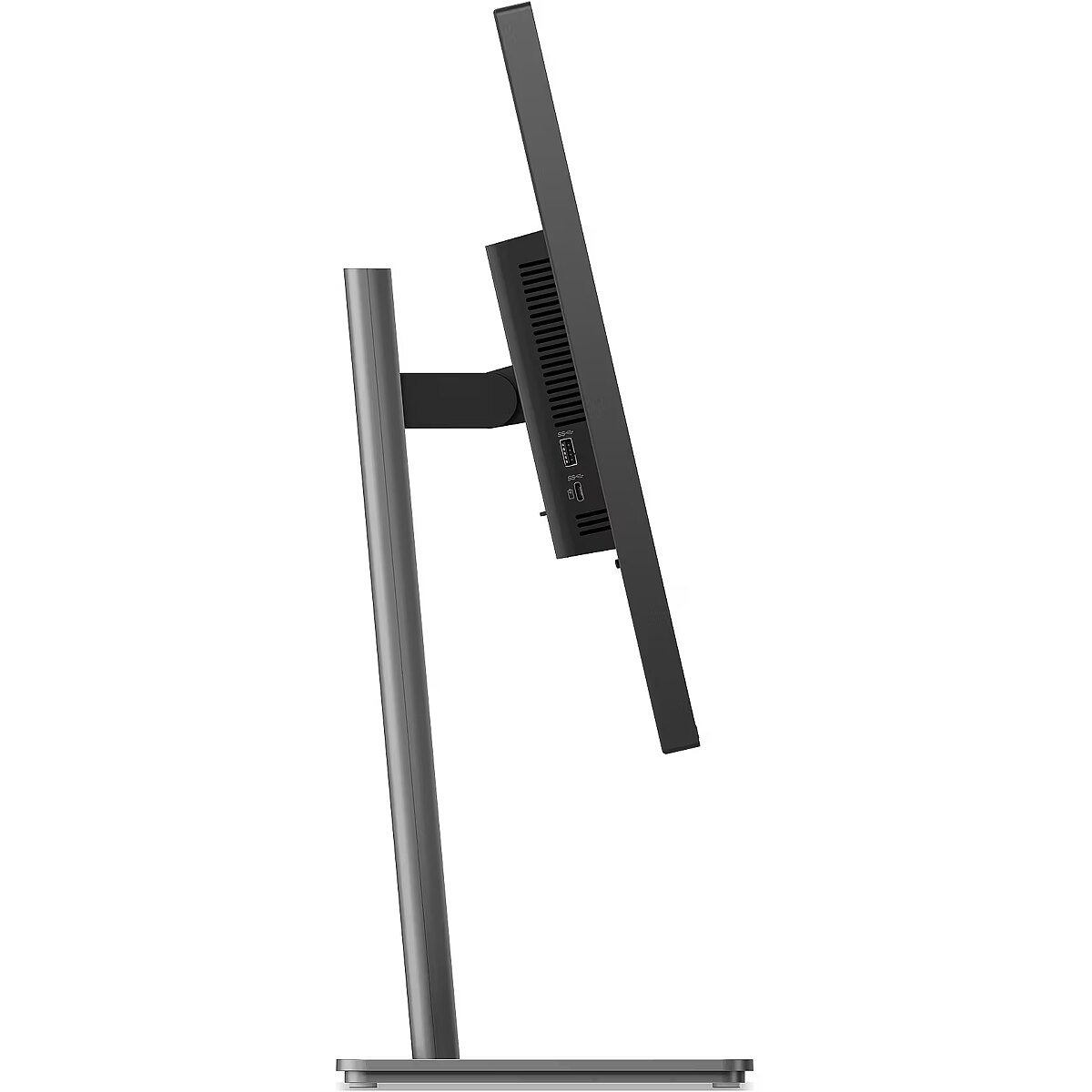
Dane fizyczne: Zakres regulacji pochylenia (Tilt) - 28.5 °
Dane fizyczne: Zakres regulacji wysokości (Height) - 155 mm
Dane techniczne: HDR - tak
Dane techniczne: Czas reakcji - 4 ms
Dane techniczne: Częstotliwość odświeżania - 120 Hz
Dane techniczne: Grupa produktowa - Monitory Lenovo
Dane techniczne: Gwarancja - 2 lata w serwisie sprzedawcy
Dane techniczne: Jasność - 350 cd/m²
Dane techniczne: Możliwość regulacji - obrotowy ekran (pivot)
Dane techniczne: Możliwość regulacji - obrót na podstawie (swivel)
Dane techniczne: Możliwość regulacji - pochył
Dane techniczne: Możliwość regulacji - wysokość
Dane techniczne: Powłoka matrycy - antyrefleksyjna
Dane techniczne: Producent - Lenovo
Dane techniczne: Przekątna - 27 cali
Dane techniczne: Rodzaj podświetlenia - LED
Dane techniczne: Rozdzielczość ekranu - 2560 x 1440 (QHD) piksele
Dane techniczne: Rozmiar plamki - 0.233 mm
Dane techniczne: Standard portów wideo - DisplayPort 1.4
Dane techniczne: Standard portów wideo - HDMI 2.1
Dane techniczne: Typ - do biura i domu
Dane techniczne: Typ ekranu - płaski
Dane techniczne: Typ matrycy - IPS
Depthwithoutstand - 46 mm
Depthwithstand - 195 mm
Description - LENOVO 27" P27Q-40 QHD IPS 120HZ 16:9 DP/HDMI
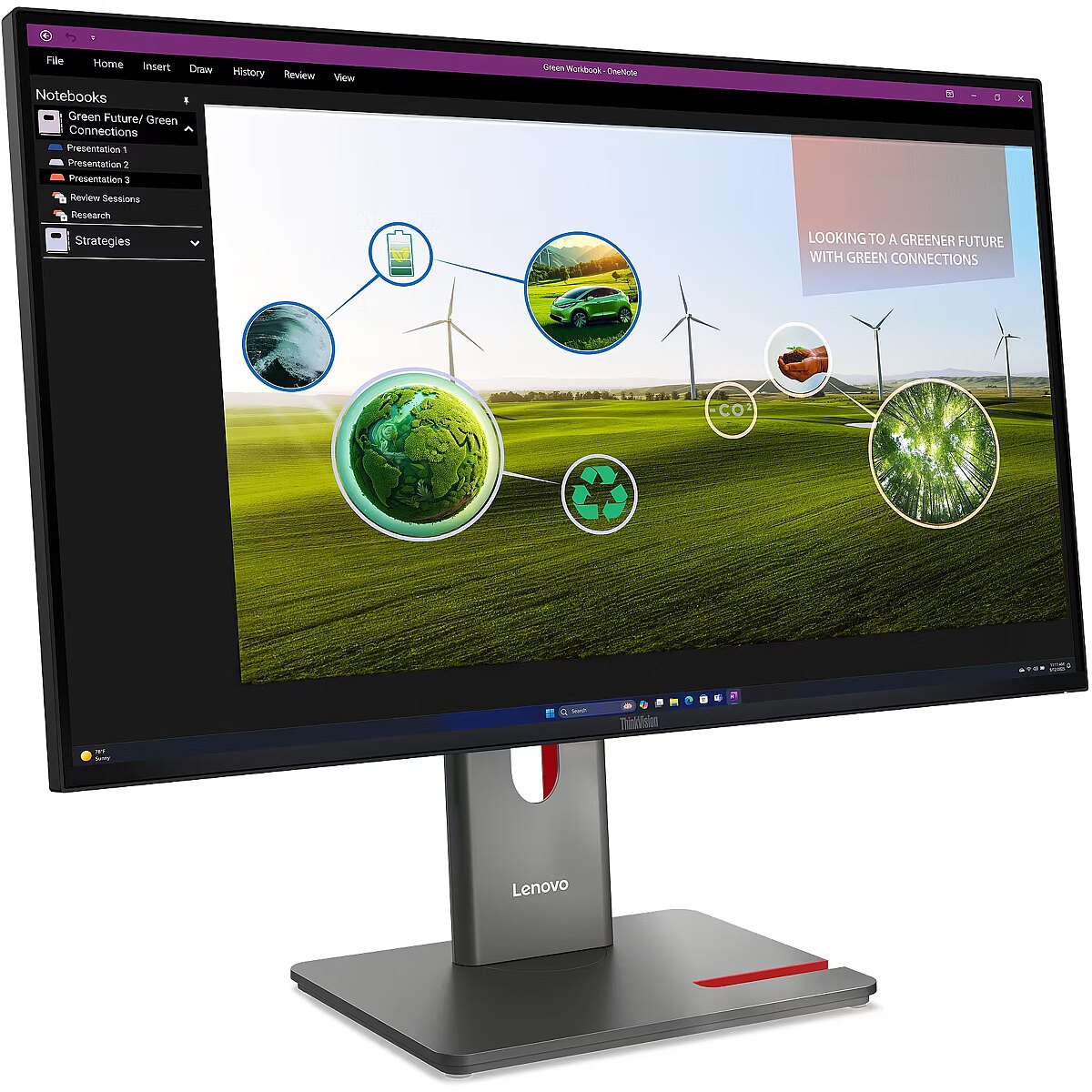
Description1 - Lenovo LED-Display ThinkVision P27Q-40 - 68.6 cm (27") - 2560 x 1440 WQHD
Description2 - Crisp, colorful Lenovo ThinkVision monitors improve productivity, unleash creativity and limit eye strain - and they do it with all style, and some of the simplest and cleanest cable and connectivity options in the industry.
Design -
Design - Colour name - Eclipse Black
Design - Detachable stand - Yes
Design - Feet colour - Black
Design - Front bezel colour - Black
Design - Market positioning - Office
Design - Product colour - Black
Design > Colour of product - Eclipse black
Design > VESA mounting interfaces - 100 x 100 mm
Detachablestand - Yes
Dimensions (W x D x H) with stand, mm - 613.6 x 195 x 384.2-539.2
Dimensions W x D x H, mm - 613.6 x 46 x 357.1
Display -
Display - Anti-glare screen - Yes
Display - Backlight type - W-LED
Display - Colour depth - 10 bit
Display - Colour gamut - 99%
Display - Colour gamut standard - DCI-P3, sRGB
Display - Contrast ratio (dynamic) - 3000000:1
Display - Contrast ratio (typical) - 1500:1
Display - DCI-P3 coverage - 98%
Display - Display brightness (typical) - 350 cd/m²
Display - Display diagonal - 68.6 cm (27")
Display - Display diagonal (metric) - 68.6 cm
Display - Display number of colours - 1.07 billion colours
Display - Display resolution - 2560 x 1440 pixels
Display - Display technology - LED
Display - HD type - Quad HD
Display - High Dynamic Range (HDR) supported - Yes
Display - High Dynamic Range (HDR) technology - High Dynamic Range 10 (HDR10)
Display - LED backlight - Yes
Display - Maximum refresh rate - 120 Hz
Display - Native aspect ratio - 16:9
Display - Panel type - IPS
Display - Pixel density - 109 ppi
Display - Pixel pitch - 0.2331 x 0.2331 mm
Display - Response time - 6 ms
Display - Response time (extreme) - 4 ms
Display - Response time (fast) - 4 ms
Display - Response time measurement type - GTG (Gray to Gray)
Display - Screen shape - Flat
Display - sRGB coverage (typical) - 99%
Display - Touchscreen - No
Display - Viewable size, horizontal - 59.7 cm
Display - Viewable size, vertical - 33.6 cm
Display - Viewing angle, horizontal - 178°
Display - Viewing angle, vertical - 178°
Display > Aspect ratio - 16:9
Display > Contrast ratio (typical) - 1500:1
Display > Display brightness - 350 cd/m²
Display > Display diagonal - 27 "
Display > Display surface - Anti-glare
Display > Maximum refresh rate - 120 Hz
Display > Panel type - IPS
Display > Response time - 4 ms
Display > Viewing angle, horizontal - 178 °
Display > Viewing angle, vertical - 178 °
Displaybezeltechnology -
Display brightness, cd/m² - 350
Displaybrightnesstypical - 350 cd/m²
Display color - Black
Displaydiagonal - 68.6 cm (27")
Display diagonal, " - 27
Displaydiagonalmetric - 68.6 cm
Display number of colours - 1.07 B
Displaynumberofcolours - 1.07 billion colours
DisplayPortoutquantity - 1
DisplayPortoutversion - 1.4
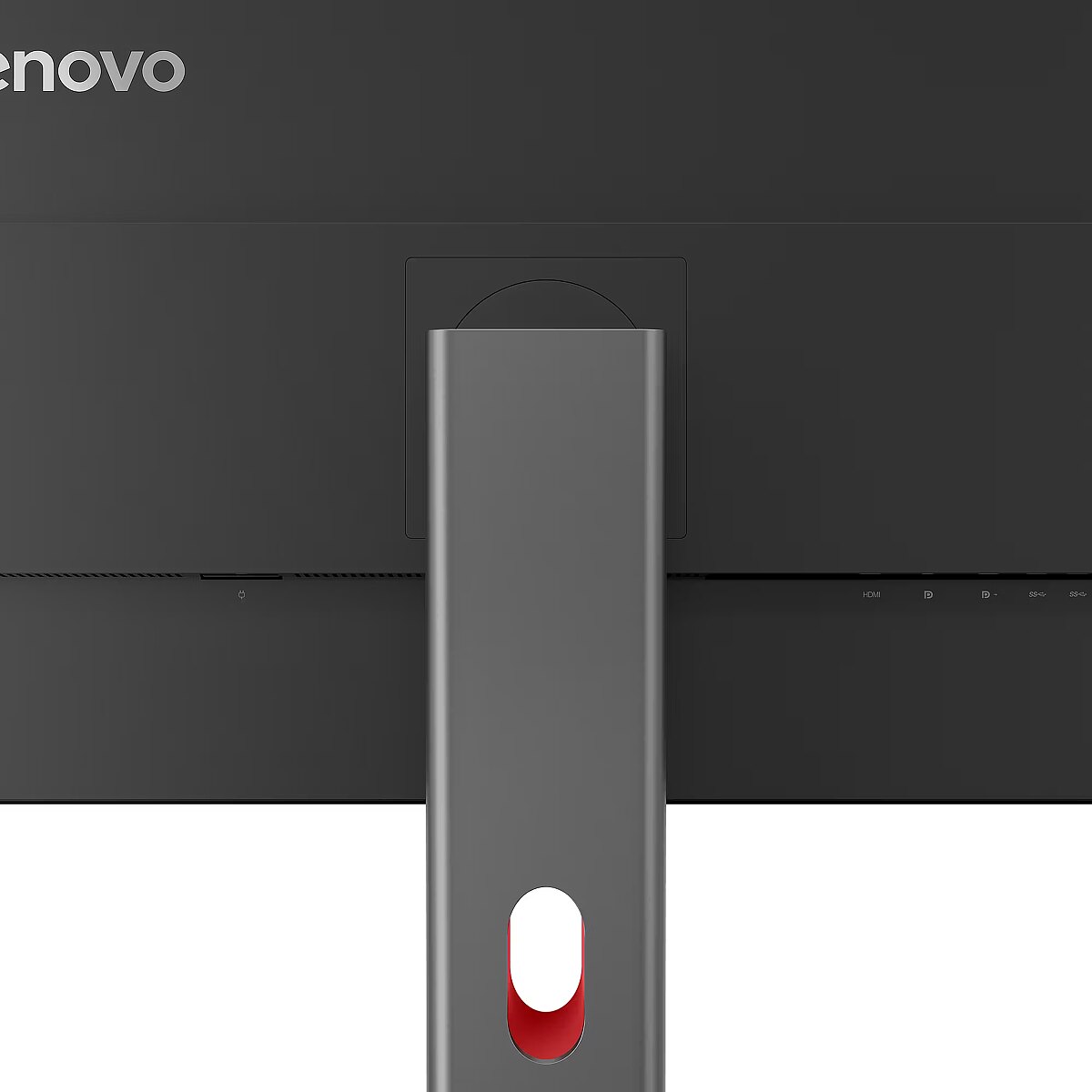
DisplayPortsquantity - 2
DisplayPorts quantity - 2
DisplayPortversion - 1.4
Displayresolution - 2560 x 1440 pixels
Display resolution, pixels - 2560 x 1440
Displaysurface -
Displaytechnology - LED
Dodatkowe informacje o matrycy: Format obrazu - 16:9
Dodatkowe informacje o matrycy: Kontrast - 1500:1
Dodatkowe informacje o matrycy: Kąt widzenia w pionie - 178 °
Dodatkowe informacje o matrycy: Kąt widzenia w poziomie - 178 °
Dodatkowe informacje o matrycy: Liczba wyświetlanych kolorów - 1070 mln
EAN - 198156226167
EAN - 0198156226167
EANCode - 0198156226167
Eans - 198156226167
Efektywność energetyczna: Klasa energetyczna - D
Efektywność energetyczna: Klasa energetyczna w trybie HDR - E
Efektywność energetyczna: Zużycie energii - 15 kWh/1000h
Efektywność energetyczna: Zużycie energii w trybie HDR - 19 kWh/1000h
EnergyconsumptionSDRper1000hou - 15 kWh
Energy efficiency class - D
EnergyefficiencyclassHDR - E
EnergyefficiencyclassSDR - D
Energyefficiencyscale - A to G
Ergonomics -
Ergonomics - Adjustable height (max) - 15.5 cm
Ergonomics - Cable lock slot - Yes
Ergonomics - Cable lock slot type - Kensington
Ergonomics - Cable management - Yes
Ergonomics - Height adjustment - Yes
Ergonomics - Panel mounting interface - 100 x 100 mm
Ergonomics - Pivot - Yes
Ergonomics - Pivot angle - -90 - 90°
Ergonomics - Plug and Play - Yes
Ergonomics - Swivel angle range - -45 - 45°
Ergonomics - Swivelling - Yes
Ergonomics - Tilt adjustment - Yes
Ergonomics - Tilt angle range - -5 - 23.5°
Ergonomics - VESA mounting - Yes
Ergonomics > Pivot - Yes
Ergonomics > Tilt adjustment - Yes
EthernetLAN - No
Fastcharging -
Feetcolour - Black
Flickerfreetechnology -
Gewicht - 9.16
Glossy display - No
Green certifications - Energy Star
Green certifications - EPEAT Gold
Green certifications - RoHS compliant
Green certifications - TCO 10.0
Green certifications - TCO Edge 2.1
Green certifications - TÜV
GRUPPE1 - Displays
GRUPPE2 - Lcd Monitor
GTIN - 0198156226167
GTIN - 198156226167
Hazerate -
HDCP -
HDMI - Yes
HDMIportsquantity - 1
HDMI ports quantity - 1
HDMIversion - 2.1
HDtype - Quad HD
Headphoneconnectivity -
Headphoneout - No
Headphoneoutputs -
Height - 420.000000
Heightadjustment - Yes
Height adjustment - Yes
Height adjustment, mm - 155
Heightwithoutstand - 357.1 mm
Heightwithstand - 539.2 mm
HERSTELLER - LENOVO
HighLights -
Hoehe - 0.15
Horizontalscanrange -
HSTNUMMER - 64A7GAT6EU
Informacje podstawowe: Standard HDR - HDR10
InfraredIRsensor -
Laenge - 0.69
LEDbacklight - Yes
Length - 690.000000
Link - https://psref.lenovo.com/Detail/ThinkVision_P27Q_40?M=64A7GAT6EU
LongDesc -
LongProductName - 27", 2560 x 1440 WLED IPS, 120Hz, 16:9, 350cd/m², 4ms, 178° / 178°, USB PD (15W)
LongSummaryDescription - Lenovo ThinkVision P27Q-40 Monitor. Display diagonal: 68.6 cm (27"), Display resolution: 2560 x 1440 pixels, HD type: Quad HD, Display technology: LED, Response time: 6 ms, Native aspect ratio: 16:9, Viewing angle, horizontal: 178°, Viewing angle, vertical: 178°. Built-in USB hub, USB hub version: 3.2 Gen 1 (3.1 Gen 1). VESA mounting, Height adjustment. Product colour: Black
LowBlueLighttechnology - Yes
Manufacturer - Lenovo
ManufacturerID - 64A7GAT6EU
ManufacturerPartNumber - 64A7GAT6EU
ManufDatasheet - https://www.tdbaltic.ee/leaflets/LENOVO/64A7GAT6EU.pdf
Marketpositioning - Office
Maximumrefreshrate - 120 Hz
Megapixelapprox -
MPN - 64A7GAT6EU
Multimedia -
Multimedia - Built-in camera - No
Multimedia - Built-in microphone - No
Multimedia - Built-in speaker(s) - No
Multimedia > Built-in speaker(s) - No
Name - 68,6cm/27" (2560x1440) Lenovo ThinkVision P27Q-40 16:9 WQHD IPS 4ms 120Hz HDMI DisplayPort USB-B USB-A USB-C VESA
Name - Lenovo ThinkVision P27Q-40 - 120Hz | QHD | IPS | 27" | 4ms | HDR10 | USB-C
Name - Lenovo | ThinkVision | P27Q-40 | 27 " | IPS | 16:9 | 120 Hz | 4 ms | 350 cd/m² | HDMI ports quantity 1 | Eclipse black | Warranty 36 month(s)
Nativeaspectratio - 16:9
Network -
Network - Ethernet LAN - No
Numberofspeakers -
NumberofUSBTypeBupstreamportsq - 1
NVIDIAGSYNC - No
Ochrona oczu: Filtr światła niebieskiego - tak
OnScreenDisplayOSD -
OperatingrelativehumidityHH -
OperatingtemperatureTT -
Operationalconditions -
Operational conditions - Operating relative humidity (H-H) - 8 - 80%
Operational conditions - Operating temperature (T-T) - 0 - 40 °C
Operational conditions - Storage relative humidity (H-H) - 5 - 95%
Operational conditions - Storage temperature (T-T) - -20 - 60 °C
Other features - Certification - Eyesafe® Display 2.0, TÜV Low Blue Light (Hardware solution), TÜV Rheinland® Flicker Free, TÜV Low Blue Light, TÜV Rheinland Eye Comfort (5 Stars)
Other features - Compliance certificates - RoHS
Other features - Video colour modes - BT.709
Packagedepth - 150 mm
Package features > Embeeded battery - No
Package features > Gross depth (mm) - 693.00 mm
Package features > Gross height (mm) - 420.00 mm
Package features > Gross width (mm) - 150.00 mm
Package features > Packing quantity - 1.00 pc(s)
Package features > Palette Qty - 40 pc(s)
Package features > Paper/Pasteboard - 2000.00 g
Package features > Plastic (No PET) - 800.00 g
Package features > Tare weight (kg) - 2.80 kg
Package features > Volume (m3) - 0.04 m³
Package features > WEE classification - CL109:2:2017-04-01
Package features > WEEE tax - Yes
PackageHeight - 413
Packageheight - 420 mm
PackageLength - 691
Packagetype - Box
Packageweight - 9.2 kg
PackageWeight - 9200
PackageWidth - 169
Packagewidth - 693 mm
Packagingcontent -
Packaging content - Cables included - DisplayPort, HDMI, USB Type-A to USB Type-B
Packaging content - DisplayPort cable length - 1.8 m
Packaging content - HDMI cable length - 1.8 m
Packaging content - Quick start guide - Yes
Packaging content - Stand included - Yes
Packagingdata -
Packaging data - Package depth - 150 mm
Packaging data - Package height - 420 mm
Packaging data - Package type - Box
Packaging data - Package weight - 9.2 kg
Packaging data - Package width - 693 mm
Panelmountinginterface - 100 x 100 mm
Paneltype - IPS
Panel type - IPS
PDF - https://www.blobs.lt/products/6/5/6/0/7/4/b9ae1c93639276548f1fe7291c3035bc/original.pdf
Performance -
Performance - AMD FreeSync - No
Performance - Low Blue Light technology - Yes
Performance - Mac operating systems supported - Yes
Performance - NVIDIA G-SYNC - No
Performance - Windows operating systems supported - Windows 10, Windows 11
Performance > TV tuner integrated - No
PeriodofWarranty - 36 M
Pivot - Yes
Pivotangle - -90 - 90°
Pixeldensity - 109 ppi
Pixelpitch - 0.2331 x 0.2331 mm
Pixel pitch, mm - 0.2331x0.2331
Ports & interfaces - Built-in USB hub - Yes
Ports & interfaces - DisplayPort out quantity - 1
Ports & interfaces - DisplayPort out version - 1.4
Ports & interfaces - DisplayPorts quantity - 2
Ports & interfaces - DisplayPort version - 1.4
Ports & interfaces - HDMI - Yes
Ports & interfaces - HDMI ports quantity - 1
Ports & interfaces - HDMI version - 2.1
Ports & interfaces - Headphone out - No
Ports & interfaces - Number of downstream ports - 4
Ports & interfaces - Number of upstream ports - 1
Ports & interfaces - Number of USB Type-B upstream ports quantity - 1
Ports & interfaces - USB hub version - 3.2 Gen 1 (3.1 Gen 1)
Ports & interfaces - USB Power Delivery (USB PD) - Yes
Ports & interfaces - USB Power Delivery up to - 15 W
Ports & interfaces - USB Type-A downstream ports quantity - 3
Ports & interfaces - USB Type-C DisplayPort Alternate Mode - No
Ports & interfaces - USB Type-C downstream ports quantity - 1
Ports & interfaces - USB upstream port type - USB Type-B
Ports & interfaces > DisplayPorts quantity - 1
Ports & interfaces > Ethernet LAN (RJ-45) ports - No
Ports & interfaces > HDMI ports quantity - 1
Portsinterfaces -
Power -
Power - AC input frequency - 50/60 Hz
Power - AC input voltage - 100 - 240 V
Power - Energy consumption (HDR) per 1000 hours - 19.2 kWh
Power - Energy consumption (SDR) per 1000 hours - 15 kWh
Power - Energy efficiency class (HDR) - E
Power - Energy efficiency class (SDR) - D
Power - Energy efficiency scale - A to G
Power - Power consumption (max) - 75 W
Power - Power consumption (off) - 0.5 W
Power - Power consumption (standby) - 0.5 W
Power - Power consumption (typical) - 15 W
Power - Power supply type - Internal
Power consumption (max.), W - 75
Power consumption, W - 15
Powerconsumptionmax - 75 W
Powerconsumptionoff - 0.5 W
Powerconsumptionstandby - 0.5 W
Powerconsumptiontypical - 15 W
Powersupplytype - Internal
Pozostałe cechy: Akcesoria - kabel DisplayPort
Pozostałe cechy: Akcesoria - kabel HDMI
Pozostałe cechy: Akcesoria - kabel USB
Pozostałe cechy: Akcesoria - kabel zasilający
Pozostałe cechy: Seria - Lenovo ThinkVision
ProdDesc - Lenovo ThinkVision | P27Q-40 - LED-Monitor - 68.6 cm (27")
Producer - Lenovo
ProducerCode - 64A7GAT6EU
Productcolour - Black
Productcondition - Original
ProductHighLights -
- 27" WLED IPS
- Wide Quad HD, 16:9, 2560 x 1440
- 120Hz, 4ms, 350cd/m²
- USB Hub, USB PD (15W)
ProductName - ThinkVision P27Q-40 Monitor
ProductPicture - https://www.tdbaltic.ee/images/products/LENOVO/64A7GAT6EU_1.jpg
ProductPicture1 - https://www.tdbaltic.ee/images/products/LENOVO/64A7GAT6EU_2.jpg
ProductPicture2 - https://www.tdbaltic.ee/images/products/LENOVO/64A7GAT6EU_3.jpg
ProductPicture3 - https://www.tdbaltic.ee/images/products/LENOVO/64A7GAT6EU_4.jpg
ProductPicture4 - https://www.tdbaltic.ee/images/products/LENOVO/64A7GAT6EU_5.jpg
ProductPicture5 - https://www.tdbaltic.ee/images/products/LENOVO/64A7GAT6EU_6.jpg
ProductPicture6 - https://www.tdbaltic.ee/images/products/LENOVO/64A7GAT6EU_7.jpg
ProductPicture7 - https://www.tdbaltic.ee/images/products/LENOVO/64A7GAT6EU_8.jpg
ProductPicture8 - https://www.tdbaltic.ee/images/products/LENOVO/64A7GAT6EU_9.jpg
Quickstartguide - Yes
Refresh rate, Hz - 120
Remotelyoperated -
Responsetime - 6 ms
Response time, ms - 4
Responsetimefast - 4 ms
Responsetimemeasurementtype - GTG (Gray to Gray)
RMSratedpower -
Screenshape - Flat
ShortDescription -
ShortSummaryDescription - Lenovo ThinkVision P27Q-40 Monitor, 68.6 cm (27"), 2560 x 1440 pixels, Quad HD, LED, 6 ms, Black
SRGBcoveragetypical - 99%
Stck_Kart - 1
Stck_Pal - 28
StoragerelativehumidityHH -
Storno - Y
Supportedgraphicsresolutions -
Surfacehardness -
Sustainability - Sustainability certificates - ENERGY STAR, EPEAT Gold, TCO
Swivelanglerange - -45 - 45°
Swivelling - Yes
Technical details > Gross weight - 9.20 kg
Technical details > Height adjustment - Yes
Technical details > Net weight - 6.40 kg
Technical details > Producer - Lenovo
Technical details > Producer product family - ThinkVision
Technical details > Producer product name - P27Q-40
Technical details > Swivelling - Yes
Technical details > USB-C - Yes
Technical details > USB-C power delivery - 15W
Tiltadjustment - Yes
Tilt angle, ° - -5 - 23.5
Tiltanglerange - -5 - 23.5°
Title - Lenovo ThinkVision P27Q-40 Monitor
Touchscreen - No
Touch sensitive screen - No
Turn, ° - -45 - 45
URL - https://www.lenovo.com/
USB-C charging power max, W - 15
USB-C power delivery - Yes
USBhubversion - 3.2 Gen 1 (3.1 Gen 1)
USBPowerDeliveryUSBPD - Yes
USB Type-C ports quantity - 1
USBTypeAdownstreamportsquantit - 3
USBTypeCDisplayPortAlternateMo - No
Verticalscanrange -
VESA-standard, mm - 100 x 100
VESAmounting - Yes
Viewablesizediagonal -
Viewablesizehorizontal - 59.7 cm
Viewablesizevertical - 33.6 cm
Viewing angle, horizontal, ° - 178
Viewing angle, vertical, ° - 178
Viewinganglehorizontal - 178°
Viewinganglevertical - 178°
Warranty - 12 months
Warranty - 36
Warranty - 36 month(s)
Warrantyandmisc -
WarrantyInfo - 3-year
WEEE - DE83654239
Weight - 9.2
Weight - 9.180000
Weight & dimensions - Bezel width (bottom) - 1.15 cm
Weight & dimensions - Bezel width (side) - 2 mm
Weight & dimensions - Bezel width (top) - 2 mm
Weight & dimensions - Depth (without stand) - 46 mm
Weight & dimensions - Depth (with stand) - 195 mm
Weight & dimensions - Height (without stand) - 357.1 mm
Weight & dimensions - Height (with stand) - 539.2 mm
Weight & dimensions - Weight (without stand) - 4.3 kg
Weight & dimensions - Weight (with stand) - 6.4 kg
Weight & dimensions - Width (without stand) - 613.6 mm
Weight & dimensions - Width (with stand) - 613.6 mm
Weight, g - 4300
Weightdimensions -
Weightwithoutstand - 4.3 kg
Weightwithstand - 6.4 kg
Weight with stand, g - 6400
Width - 150.000000
Widthwithoutstand - 613.6 mm
Widthwithstand - 613.6 mm
Złącza: Złącza - 1 x HDMI
Złącza: Złącza - 1 x USB 3.2 Gen-1 upstream
Złącza: Złącza - 1 x USB Type-C
Złącza: Złącza - 2 x DisplayPort
Złącza: Złącza - 3 x USB 3.2 Gen 1 Type A







 DVI is a digital standard and ensures high image quality, however, thanks to the big size of the plug and the inability of the standard to develop further due to a few technical restrictions this type of connection is gradually losing its popularity to modern HDMI and DisplayPort standards.