ACinputfrequency - 50/60 Hz
ACinputvoltage - 100 - 240 V
Adjustableheightmax - 15 cm
AMDFreeSync - No
Antiglarescreen - Yes
ARTIKEL1 - ULTRASHARP 32 4K UHD U3225QE
ARTIKEL2 - 3840X2160 16:9 THUNDERBOLT-HUB
Aspectratio -
Aspect ratio - 16:9
Audioinput -
Audiooutput -
Backlighttype - Edge LED
Brand - DELL
BrandPartCode - DELL-U3225QE
Built-in camera - No
Built-in speakers - Yes
Builtincamera - No
BuiltinKVMswitch -
Builtinmicrophone -
Builtinspeakers - No
BuiltinUSBhub - Yes
Bundledsoftware -
Cablelockslot - Yes
Cablesincluded - AC, DisplayPort, Thunderbolt, USB Type-A to USB Type-C
Carbon footprint - Carbon emissions, end-of-life (kg of CO2e) - 27.3
Carbon footprint - Carbon emissions, energy usage (kg of CO2e) - 150.33
Carbon footprint - Carbon emissions, logistics (kg of CO2e) - 25.12
Carbon footprint - Carbon emissions, manufacturing (kg of CO2e) - 161.25
Carbon footprint - PAIA version - GaBi version 1, 2024
Carbon footprint - Total carbon footprint (kg of CO2e) - 364
Category - Computer Monitors
Category - Root/Electronics/PC peripherals/Monitors
Category 1 - Displays
Category1 - Monitors
Category 2 - Monitore
Category_1 - Monitors and TV
Category_2 - LED Monitors 31 inches and up
Charging power, W - 140
Code - 210-BQTK
Colourdepth -
Colourgamut -
Colourgamutstandard -
Connections - Audio (3.5mm)
Connections - DisplayPort
Connections - Ethernet (RJ-45)
Connections - HDMI
Connections - Thunderbolt 4
Connections - USB-A
Connections - USB-C
Contrast ratio (typical) - 3000:1
Contrastratiodynamic -
Contrastratiotypical - 3000:1
Curved - No
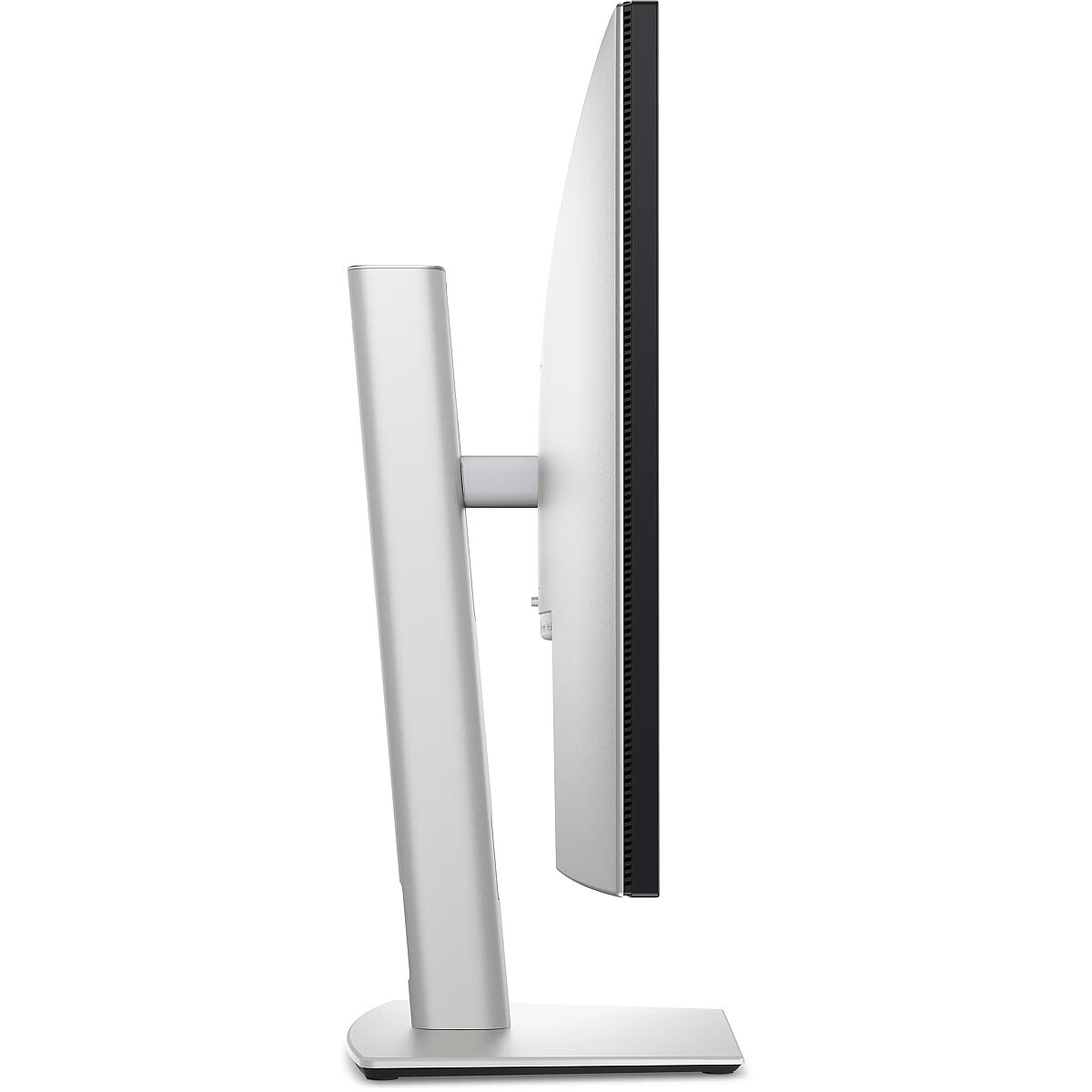
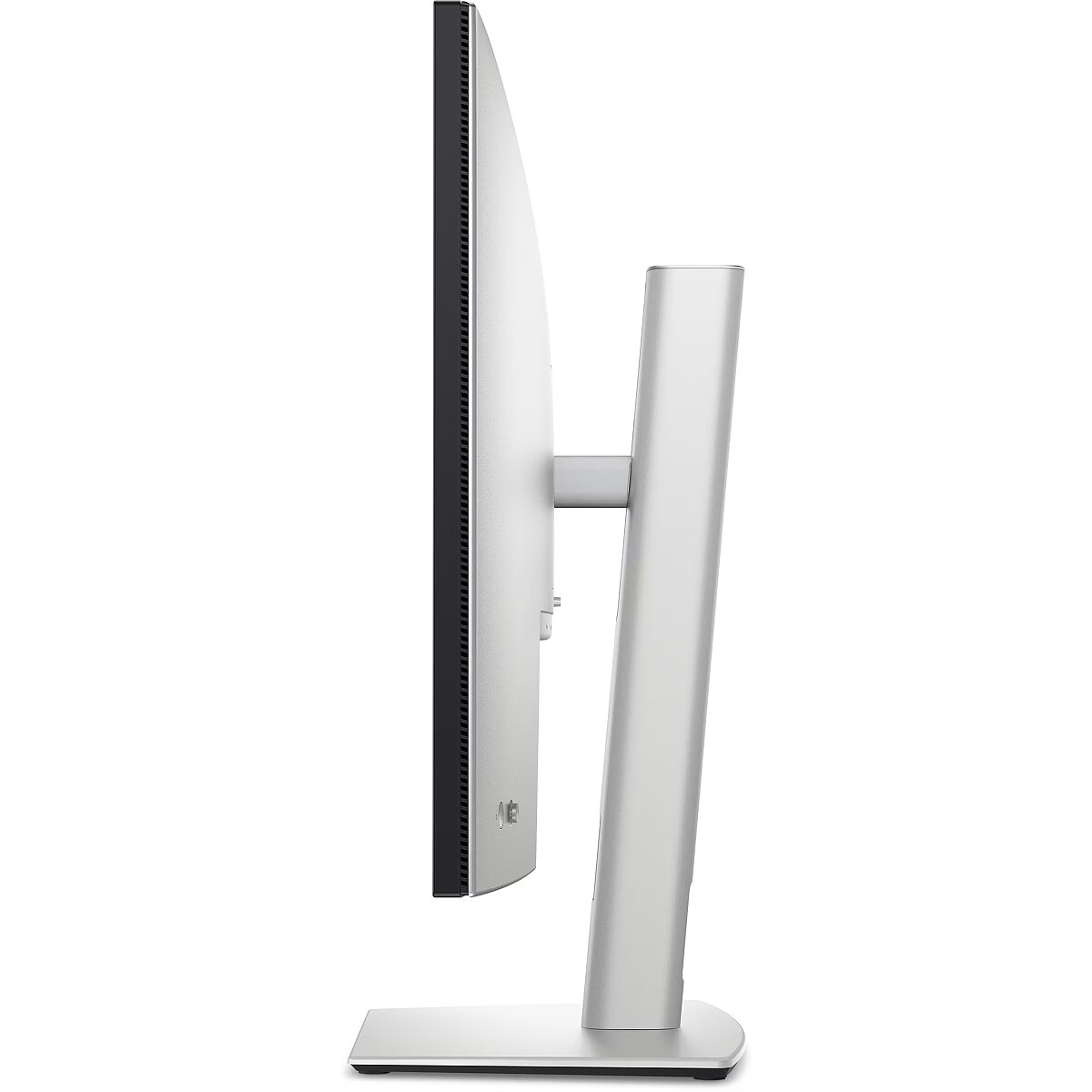
Depthwithoutstand - 57.5 mm
Depthwithstand - 215 mm
Description - DELL 32 ULTRASHARP U3225QE UHD IPS 16:9 HAS PIVOT TB4-140W RJ45 KVM
Description1 - DELL LCD-Display UltraSharp U3225QE - 80 cm (31.5") - 3840 x 2160 4K UHD
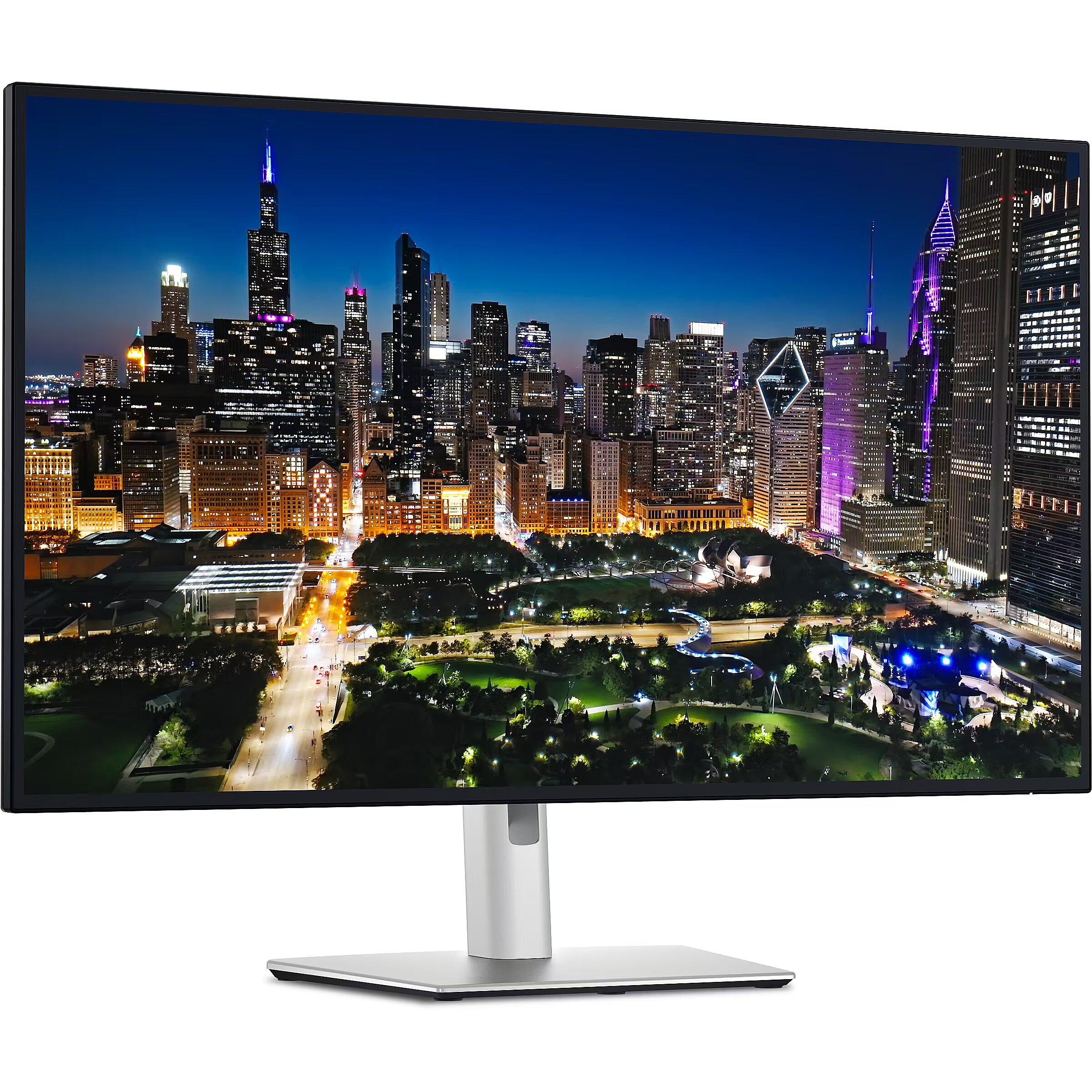
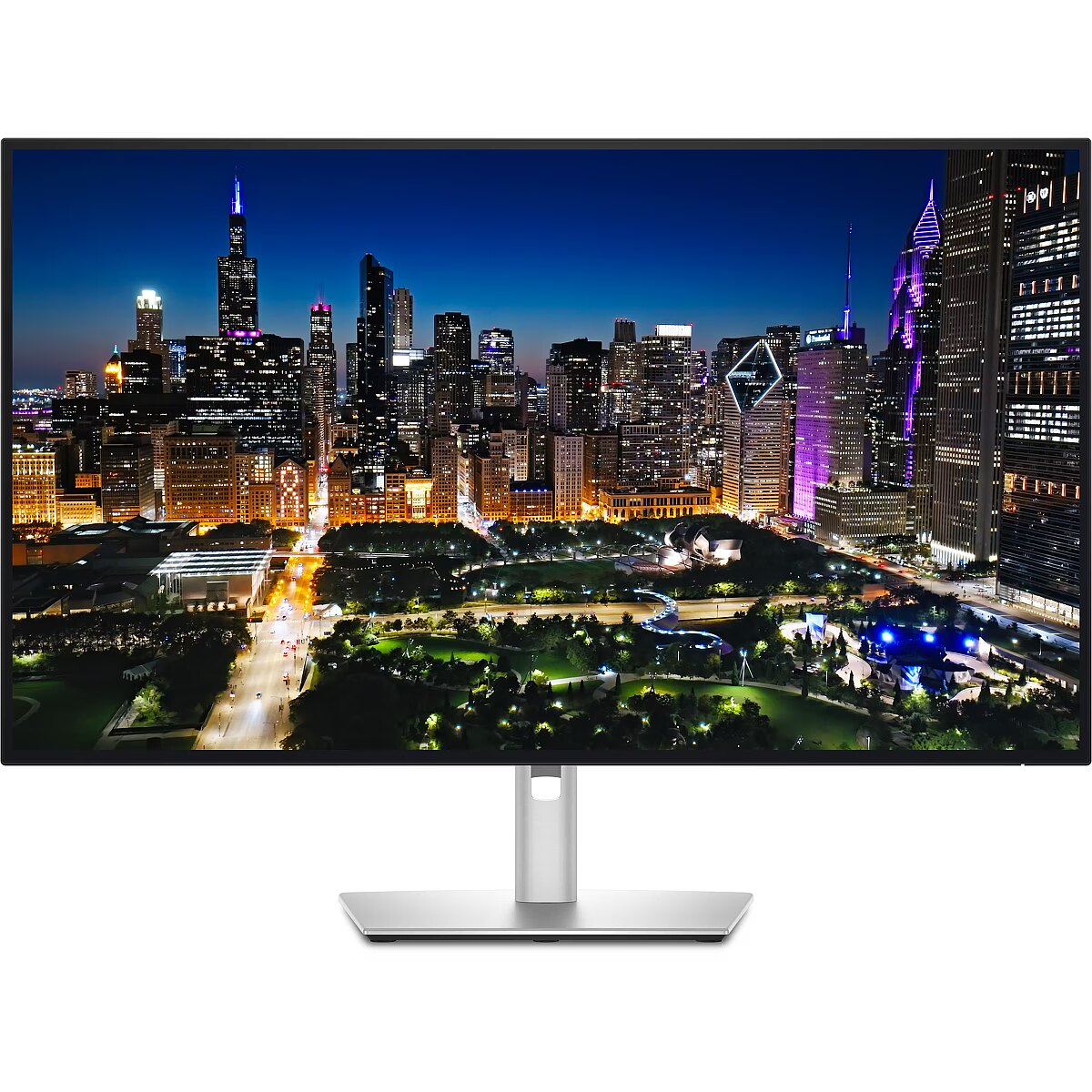
Description2 - The Dell UltraSharp 32 4K Thunderbolt Hub Monitor U3225QE delivers visuals with its expansive 32-inch screen and a native resolution of 3840 x 2160. Designed for the creative professional, it features a pixel density of 140 PPI and supports 1.07 billion colors, ensuring vibrant and accurate images. Its anti-glare coating and flicker-free technology provide a comfortable viewing experience for extended use.Equipped with built-in devices such as a KVM switch and USB hub with USB Power Delivery up to 140 watts, this monitor enhances productivity by allowing multiple devices to connect seamlessly. Advanced features like picture-in-picture, ambient light sensor, and auto brightness control create an adaptable workspace tailored to any environment. With HDR600 certification, this monitor supports high dynamic range content, displaying rich details in shadows and highlights, suitable for visual projects that demand precision.
Design -
Design - Detachable stand - Yes
Design - Feet colour - Silver
Design - Front bezel colour - Black
Design - Market positioning - Office
Design - Product colour - Black, Silver
Detachablestand - Yes
dimensionalWeight - 16299
Dimensions (W x D x H) with stand, mm - 713.2 x 215 x 468.95 - 618.94
Dimensions W x D x H, mm - 713.2 x 57.5 x 410.34
Display -
Display - Anti-glare screen - Yes
Display - Backlight type - Edge LED
Display - Contrast ratio (typical) - 3000:1
Display - DCI-P3 coverage - 99%
Display - Digital horizontal frequency - 30 - 275 kHz
Display - Digital vertical frequency - 48 - 120 Hz
Display - Display brightness (peak) - 600 cd/m²
Display - Display brightness (typical) - 450 cd/m²
Display - Display diagonal - 80 cm (31.5")
Display - Display diagonal (metric) - 68.47 cm
Display - Display number of colours - 1.07 billion colours
Display - Display resolution - 3840 x 2160 pixels
Display - Display technology - LCD
Display - HD type - 4K Ultra HD
Display - High Dynamic Range (HDR) supported - Yes
Display - High Dynamic Range (HDR) technology - DisplayHDR 600
Display - LED backlight - Yes
Display - Maximum refresh rate - 120 Hz
Display - Native aspect ratio - 16:9
Display - Panel type - IPS
Display - Pixel density - 140 ppi
Display - Pixel pitch - 0.18159 x 0.18159 mm
Display - Response time - 8 ms
Display - Response time (fast) - 5 ms
Display - Response time measurement type - GTG (Gray to Gray)
Display - Screen shape - Flat
Display - sRGB coverage (typical) - 100%
Display - Supported graphics resolutions - 640 x 480 (VGA), 720 x 400, 800 x 600 (SVGA), 1024 x 768 (XGA), 1152 x 864 (XGA+), 1280 x 1024 (SXGA), 1280 x 800 (WXGA), 1600 x 1200 (UXGA), 1680 x 1050 (WSXGA+), 1920 x 1080 (HD 1080), 1920 x 1200 (WUXGA), 2560 x 1440, 3840 x 2160
Display - Supported video modes - 480p, 576p, 720p, 1080p, 2160p
Display - Surface hardness - 3H
Display - Touchscreen - No
Display - Viewable size, horizontal - 69.7 cm
Display - Viewable size, vertical - 39.2 cm
Display - Viewable size diagonal - 80 cm
Display - Viewing angle, horizontal - 178°
Display - Viewing angle, vertical - 178°
Display > Aspect ratio - 16:9
Display > Backlight type - LED Edgelight System
Display > Display - 3840 x 2160 pixels
Display > Display brightness - 450 cd/m²
Display > Display diagonal - 32 "
Display > HD type - UHD
Display > Maximum refresh rate - 120 Hz
Display > Panel type - IPS
Display > Response time - 5 ms
Display > Viewing angle, horizontal - 178 °
Display > Viewing angle, vertical - 178 °
Displaybezeltechnology -
Display brightness, cd/m² - 450
Displaybrightnesstypical - 450 cd/m²
Displaydiagonal - 80 cm (31.5")
Display diagonal, " - 31.5
Displaydiagonalmetric - 68.47 cm
Display number of colours - 1.07 B
Displaynumberofcolours - 1.07 billion colours
DisplayPortoutquantity - 1
DisplayPortoutversion - 1.4
DisplayPortsquantity - 1
DisplayPorts quantity - 2
DisplayPortversion - 1.4
Displayresolution - 3840 x 2160 pixels
Display resolution, pixels - 3840 x 2160
Displaysurface -
Displaytechnology - LCD
EAN - 5397184923399
EANCode - 5397184923399
Eans - 5397184923399
EAN_code - 5397184923399
EnergyconsumptionSDRper1000hou - 31 kWh
Energy efficiency class - F
EnergyefficiencyclassHDR - G
EnergyefficiencyclassSDR - F
Energyefficiencyscale - A to G
Ergonomics -
Ergonomics - Adjustable height (max) - 15 cm
Ergonomics - Cable lock slot - Yes
Ergonomics - Cable lock slot type - Kensington
Ergonomics - Cable management - Yes
Ergonomics - Height adjustment - Yes
Ergonomics - On Screen Display (OSD) - Yes
Ergonomics - Panel mounting interface - 100 x 100 mm
Ergonomics - Pivot - Yes
Ergonomics - Pivot angle - -90 - 90°
Ergonomics - Swivel angle range - -30 - 30°
Ergonomics - Swivelling - Yes
Ergonomics - Tilt adjustment - Yes
Ergonomics - Tilt angle range - -5 - 21°
Ergonomics - VESA mounting - Yes
Ergonomics - Wall mountable - Yes
Ergonomics > Height adjustment - Yes
Ergonomics > Pivot - Yes
Ergonomics > Swivelling - Yes
Ergonomics > Tilt adjustment - Yes
Ergonomics > VESA mounting - Yes
Ergonomics > VESA mounting interfaces - 100x100 mm
EthernetLAN - Yes
Ethernet LAN (RJ-45) ports quantity - 1
Fastcharging -
Feetcolour - Silver
Flickerfreetechnology - Yes
Green certifications - Energy Star
Green certifications - EPEAT Gold
Green certifications - RoHS compliant
Green certifications - TCO
GRUPPE1 - Displays
GRUPPE2 - Lcd Monitor
GTIN - 0884116484561
GTIN - 884116484561
GTIN - 5397184923399
GTIN - 5715063879986
GTIN - 5715063879993
GTIN - 5715063880005
Hazerate -
HDCP - Yes
HDMI - Yes
HDMIportsquantity - 1
HDMI ports quantity - 1
HDMIversion -
HDtype - 4K Ultra HD
Headphoneconnectivity - 3.5 mm
Headphoneout - Yes
Headphoneoutputs -
Height - 507.000000
Heightadjustment - Yes
Height adjustment - Yes
Height adjustment, mm - 150
Heightwithoutstand - 410.3 mm
Heightwithstand - 618.9 mm
HERSTELLER - DELL EMC
HighLights -
Horizontalscanrange -
HSTNUMMER - DELL-U3225QE
InfraredIRsensor -
LEDbacklight - Yes
Length - 940.000000
Link - https://www.dell.com/en-uk/shop/dell-ultrasharp-32-4k-thunderbolt-hub-monitor-u3225qe/apd/210-bqtk/monitors-monitor-accessories#techspecs_section
LongDesc -
LongDesc - A 31.5" monitor featuring the world's first enhanced IPS Black with 3000:1 contrast ratio with enhanced eye comfort from improved ComfortView Plus, an ambient light sensor and 120Hz refresh rate.
LongProductName - 80.0cm (31.5") 4K Ultra HD 3840 x 2160 Edge LED IPS, 16:9, 450cd/m², 1.07B, 8ms, 178°/178°, 3000:1
LongSummaryDescription - DELL UltraSharp U3225QE. Display diagonal: 80 cm (31.5"), Display resolution: 3840 x 2160 pixels, HD type: 4K Ultra HD, Display technology: LCD, Response time: 8 ms, Native aspect ratio: 16:9, Viewing angle, horizontal: 178°, Viewing angle, vertical: 178°. Built-in USB hub, USB hub version: 3.2 Gen 2 (3.1 Gen 2). VESA mounting, Height adjustment. Product colour: Black, Silver
LowBlueLighttechnology - Yes
Manufacturer - Dell
Manufacturer - DELL
Manufacturer - Dell Technologies
Manufacturer's estimate: Product life cycle used in emission assessments, years - 5
Manufacturer?s estimate: Manufacturing-related CO2 emissions, kg - 160
Manufacturer?s estimate: Product life cycle CO2 emissions, kg - 362
ManufacturerID - DELL-U3225QE
ManufacturerPartNumber - DELL-U3225QE
Manufacturer_code - DELL-U3225QE
ManufDatasheet - https://www.tdbaltic.ee/leaflets/DELL/210-BQTK.pdf
Marketpositioning - Office
Maximumrefreshrate - 120 Hz
Megapixelapprox -
MPN - DELL-U3225QE
Multimedia -
Multimedia - Built-in camera - No
Multimedia - Built-in speaker(s) - No
Multimedia > Built-in speaker(s) - No
Multimedia > TV tuner integrated - No
Name - Dell 80.0cm/31.5" (3840x2160) U3225QE 4K 16:09 HDMI+DP+USB-C IPS
Name - Dell UltraSharp U3225QE, LED monitor - 32 - silver/black, UltraHD/4K, IPS Black, USB hub, Thunderbolt 4, 120Hz panel
Name - Dell UltraSharp U3225QE - 120Hz | 4K | IPS Black | 32''
Name - Dell | U3225QE | 32 " | IPS | UHD | 16:9 | 120 Hz | 5 ms | 3840 x 2160 pixels | 450 cd/m² | HDMI ports quantity 1
Nativeaspectratio - 16:9
Network -
Network - Ethernet LAN - Yes
Networking > Ethernet LAN (RJ-45) ports - Yes
Numberofspeakers -
NumberofUSBTypeBupstreamportsq -
NVIDIAGSYNC - No
OnScreenDisplayOSD - Yes
OperatingrelativehumidityHH -
Operating temperature range (T-T), °C - 0 - 40
OperatingtemperatureTT -
Operationalconditions -
Operational conditions - Non-operating altitude - 5000 - 12192 m
Operational conditions - Operating altitude - 0 - 5000 m
Operational conditions - Operating relative humidity (H-H) - 10 - 80%
Operational conditions - Operating temperature (T-T) - 0 - 40 °C
Operational conditions - Storage relative humidity (H-H) - 5 - 90%
Operational conditions - Storage temperature (T-T) - -20 - 60 °C
Other features - Compliance certificates - RoHS
Other features - RJ-45 ports quantity - 1
Packagedepth -
Package features > Embeeded battery - No
Package features > Gross depth (mm) - 619.00 mm
Package features > Gross height (mm) - 215.00 mm
Package features > Gross width (mm) - 713.00 mm
Package features > Packing quantity - 1.00 pc(s)
Package features > Palette Qty - 28 pc(s)
Package features > Paper/Pasteboard - 3500.00 g
Package features > Plastic (No PET) - 630.00 g
Package features > Tare weight (kg) - 4.13 kg
Package features > Volume (m3) - 0.09 m³
Package features > WEE classification - CL109:2:2017-04-01
Package features > WEEE tax - Yes
Packageheight -
PackageHeight - 507
PackageLength - 941
Packagetype -
Packageweight - 13.4 kg
PackageWeight - 13550
Packagewidth -
PackageWidth - 168
Packagingcontent -
Packaging content - Cables included - AC, DisplayPort, Thunderbolt, USB Type-A to USB Type-C
Packaging content - DisplayPort cable length - 1.8 m
Packaging content - Stand included - Yes
Packagingdata -
Packaging data - Package weight - 13.4 kg
Panelmountinginterface - 100 x 100 mm
Paneltype - IPS
Panel type - IPS
PDF - https://www.blobs.lt/products/8/4/8/7/6/4/4c994dc42624b54cd56c724eb3fbc79f/original.pdf
Performance -
Performance - AMD FreeSync - No
Performance - Flicker-free technology - Yes
Performance - Low Blue Light technology - Yes
Performance - NVIDIA G-SYNC - No
PeriodofWarranty -
Pivot - Yes
Pivotangle - -90 - 90°
Pixeldensity - 140 ppi
Pixelpitch - 0.18159 x 0.18159 mm
Ports & interfaces - Built-in USB hub - Yes
Ports & interfaces - DisplayPort out quantity - 1
Ports & interfaces - DisplayPort out version - 1.4
Ports & interfaces - DisplayPorts quantity - 1
Ports & interfaces - DisplayPort version - 1.4
Ports & interfaces - HDCP - Yes
Ports & interfaces - HDCP version - 2.2
Ports & interfaces - HDMI - Yes
Ports & interfaces - HDMI ports quantity - 1
Ports & interfaces - Headphone connectivity - 3.5 mm
Ports & interfaces - Headphone out - Yes
Ports & interfaces - Number of USB Type-C upstream ports quantity - 1
Ports & interfaces - Thunderbolt 4 ports quantity - 2
Ports & interfaces - USB hub version - 3.2 Gen 2 (3.1 Gen 2)
Ports & interfaces - USB Power Delivery (USB PD) - Yes
Ports & interfaces - USB Power Delivery up to - 120 W
Ports & interfaces - USB Type-A downstream ports quantity - 5
Ports & interfaces - USB Type-C DisplayPort Alternate Mode - Yes
Ports & interfaces - USB Type-C downstream ports quantity - 2
Ports & interfaces - USB upstream port type - USB Type-C
Ports & interfaces > DisplayPorts quantity - 2
Ports & interfaces > HDMI ports quantity - 1
Portsinterfaces -
Power -
Power - AC input frequency - 50/60 Hz
Power - AC input voltage - 100 - 240 V
Power - Energy consumption (HDR) per 1000 hours - 52 kWh
Power - Energy consumption (SDR) per 1000 hours - 31 kWh
Power - Energy efficiency class (HDR) - G
Power - Energy efficiency class (SDR) - F
Power - Energy efficiency scale - A to G
Power - Input current - 4 A
Power - Power consumption (max) - 335 W
Power - Power consumption (off) - 0.3 W
Power - Power consumption (standby) - 0.5 W
Power - Power consumption (typical) - 30.5 W
Power consumption (max.), W - 335
Power consumption (standby), W - 0.5
Power consumption, W - 30.5
Powerconsumptionmax - 335 W
Powerconsumptionoff - 0.3 W
Powerconsumptionstandby - 0.5 W
Powerconsumptiontypical - 30.5 W
Powersupplytype -
ProdDesc - Dell UltraSharp 32 4K Thunderbolt Hub Monitor - U3225QE, 80.0cm (31.5")
Producer - Dell
producerCode - 210-BQTK
ProducerCode - 210-BQTK
Productcolour - Black, Silver
Productcondition - Original
ProductHighLights -
- 80.0cm (31.5") 4K Ultra HD 3840 x 2160 Edge LED IPS
- 8ms, 16:9, 450cd/m², 3000:1
- USB, HDMI, DisplayPort
productName - DELL UltraSharp U3225QE computer monitor 80 cm (31.5") 3840 x 2160 pixels 4K Ultra HD LCD Black, Silver
ProductName - U3225QE
ProductPicture - https://www.tdbaltic.ee/images/products/DELL/210-BQTK_1.jpg
ProductPicture1 - https://www.tdbaltic.ee/images/products/DELL/210-BQTK_2.jpg
ProductPicture2 - https://www.tdbaltic.ee/images/products/DELL/210-BQTK_3.jpg
ProductPicture3 - https://www.tdbaltic.ee/images/products/DELL/210-BQTK_4.jpg
ProductPicture4 - https://www.tdbaltic.ee/images/products/DELL/210-BQTK_5.jpg
ProductPicture5 - https://www.tdbaltic.ee/images/products/DELL/210-BQTK_6.jpg
ProductPicture6 -
ProductPicture7 -
ProductPicture8 -
productSize - Normal
Quickstartguide -
Refresh rate, Hz - 120
Remotelyoperated -
Responsetime - 8 ms
Response time, ms - 8
Responsetimefast - 5 ms
Responsetimemeasurementtype - GTG (Gray to Gray)
RMSratedpower -
Screenshape - Flat
ShortDescription - 32'' | 4K | IPS Black | 120Hz | HDR 600
Short summary - Dell UltraSharp 32 U3225QE
The Dell UltraSharp 32 U3225QE is one of the most advanced professional monitors on the market, combining top-tier image quality, exceptional color accuracy, and versatile connectivity. This 31.5-inch 4K UHD display (3840 x 2160 @ 120 Hz) is specifically designed for content creators, creative professionals, and demanding workflows. Featuring innovative IPS Black technology, it delivers a 3000:1 contrast ratio?up to three times higher than traditional IPS panels. With deeper blacks and enhanced detail clarity, this monitor is ideal for graphic design, video editing, and high-precision tasks.
The 120 Hz refresh rate provides a smooth viewing experience and reduces eye strain during extended use. It also supports VESA DisplayHDR? 600 certification, enhancing contrast and delivering vibrant colors for HDR content.
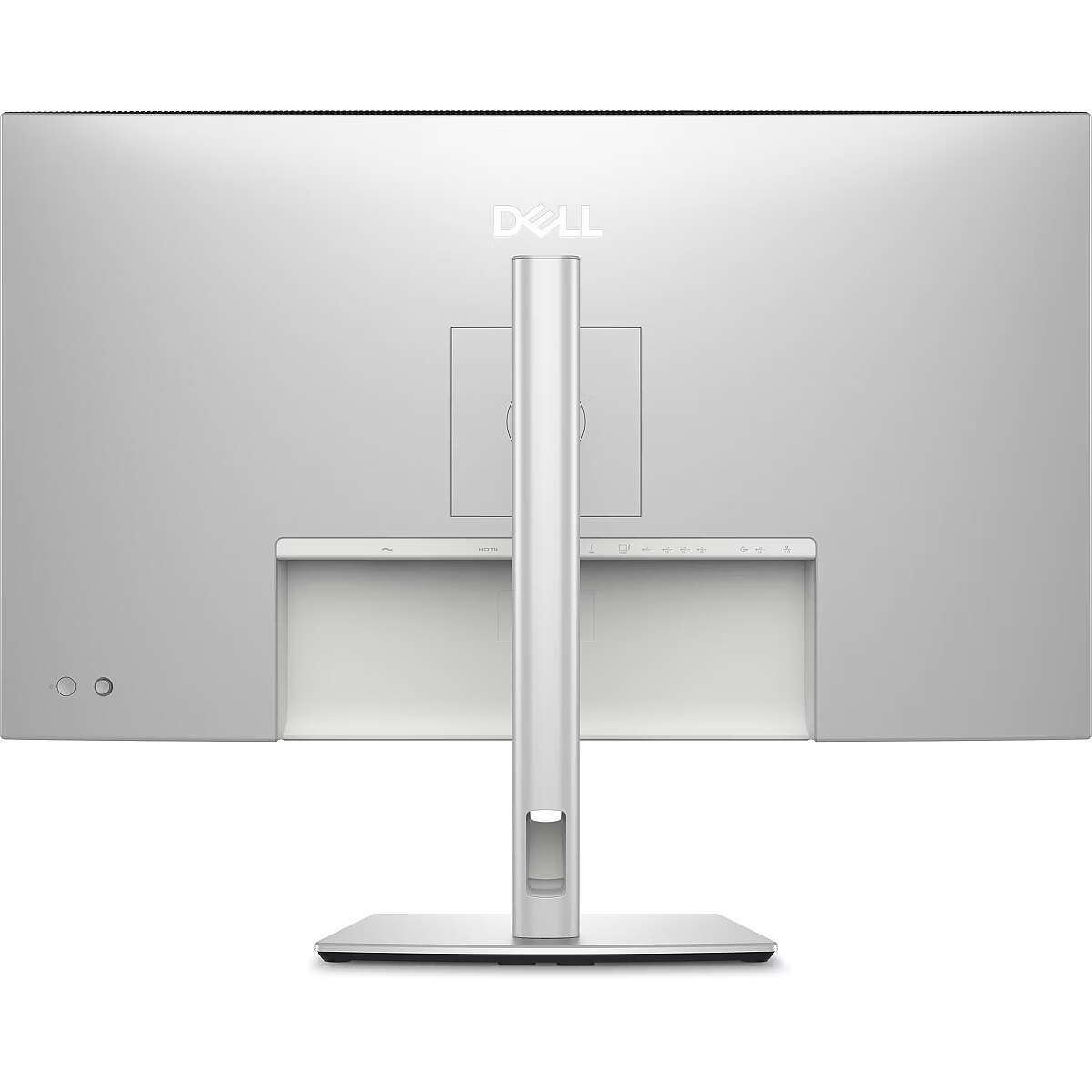
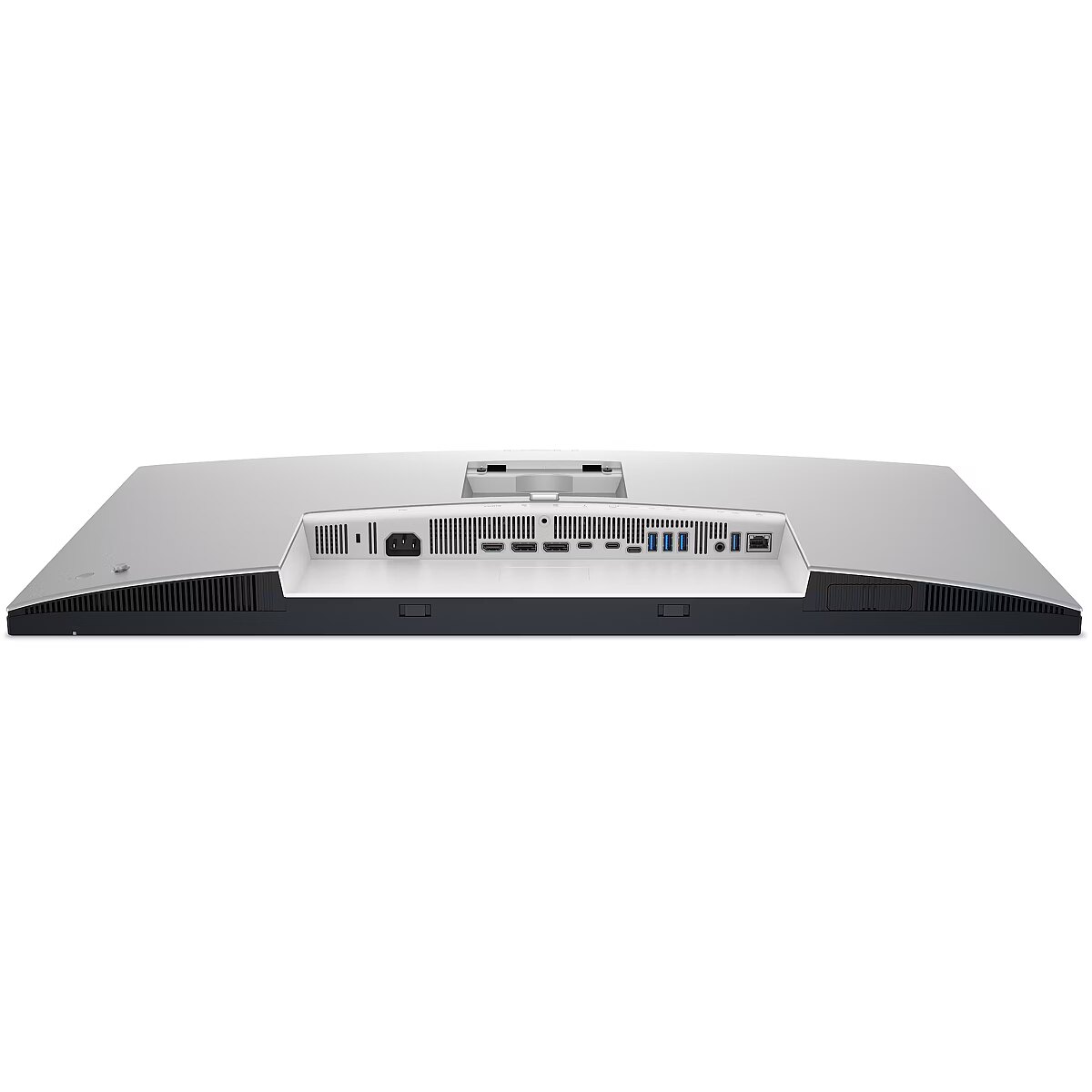
This monitor includes Thunderbolt 4 docking functionality, offering up to 140W power delivery to laptops via a single cable. This makes it a perfect workstation solution for modern workspaces, reducing cable clutter while maximizing efficiency.
Additionally, the built-in 2.5GbE Ethernet port ensures a fast and stable network connection without the need for an external adapter. Multi-tasking is seamless with Picture-by-Picture (PbP) and Picture-in-Picture (PiP) features, allowing you to use two computers on a single screen. The integrated KVM switch (Keyboard, Video, Mouse) enables control of two different devices with a single keyboard and mouse.
The TÜV Rheinland 5-star certified ComfortView Plus technology reduces harmful blue light without compromising color accuracy, making the monitor suitable for prolonged use while minimizing eye fatigue. An automatic Ambient Light Sensor adjusts brightness according to the surrounding lighting conditions.
The ergonomic design ensures a comfortable user experience, with adjustable height, tilt, swivel, and pivot functions. The stand is designed to occupy minimal desk space, and the built-in cable management keeps your workspace tidy.
ShortSummaryDescription - DELL UltraSharp U3225QE, 80 cm (31.5"), 3840 x 2160 pixels, 4K Ultra HD, LCD, 8 ms, Black, Silver
sizeX - 510
sizeY - 170
sizeZ - 940
SRGBcoveragetypical - 100%
Stck_Kart - 1
Stck_Pal - 9
StoragerelativehumidityHH -
Storno - Y
Supportedgraphicsresolutions - 640 x 480 (VGA), 720 x 400, 800 x 600 (SVGA), 1024 x 768 (XGA), 1152 x 864 (XGA+), 1280 x 1024 (SXGA), 1280 x 800 (WXGA), 1600 x 1200 (UXGA), 1680 x 1050 (WSXGA+), 1920 x 1080 (HD 1080), 1920 x 1200 (WUXGA), 2560 x 1440, 3840 x 2160
Surfacehardness - 3H
Sustainability - Doesn't contain - Arsenic, Mercury, PVC/BFR
Sustainability - Sustainability certificates - ENERGY STAR, TCO
Swivelanglerange - -30 - 30°
Swivelling - Yes
Technical details > Connectivity - DisplayPort, HDMI, Thunderbolt, USB, RJ45
Technical details > Gross weight - 13.47 kg
Technical details > Net weight - 9.34 kg
Technical details > Producer - Dell
Technical details > Producer product name - U3225QE
Technical details > USB-C - Yes
Technical details > USB-C power delivery - 140W
Tiltadjustment - Yes
Tilt angle, ° - -5 - +21
Tiltanglerange - -5 - 21°
Title - DELL UltraSharp U3225QE computer monitor 80 cm (31.5") 3840 x 2160 pixels 4K Ultra HD LCD Black, Silver
Touchscreen - No
Touch sensitive screen - No
Turn, ° - -30 - 30
URL - https://www.dell.com/en-uk/shop/dell-ultrasharp-32-4k-thunderbolt-hub-monitor-u3225qe/apd/210-bqtk/monitors-monitor-accessories
USB-C charging power max, W - 140
USB-C power delivery - Yes
USBhubversion - 3.2 Gen 2 (3.1 Gen 2)
USBPowerDeliveryUSBPD - Yes
USB Type-C ports quantity - 1
USBTypeAdownstreamportsquantit - 5
USBTypeCDisplayPortAlternateMo - Yes
Verticalscanrange -
VESA-standard, mm - 100 x 100
VESAmounting - Yes
Viewablesizediagonal - 80 cm
Viewablesizehorizontal - 69.7 cm
Viewablesizevertical - 39.2 cm
Viewing angle, horizontal, ° - 178
Viewing angle, vertical, ° - 178
Viewinganglehorizontal - 178°
Viewinganglevertical - 178°
Warranty - 36
Warranty - 36 month(s)
Warranty - 36 months
Warrantyandmisc -
WarrantyInfo - 3 Years Base Adv Ex
warrantyLength - 36
warrantyType - F
WEEE - DE83654239
Weight - 13,70
Weight - 13.74
Weight - 13.840000
weight - 13600
Weight & dimensions - Bezel width (bottom) - 1.04 cm
Weight & dimensions - Bezel width (side) - 7.95 mm
Weight & dimensions - Bezel width (top) - 7.7 mm
Weight & dimensions - Depth (without stand) - 57.5 mm
Weight & dimensions - Depth (with stand) - 215 mm
Weight & dimensions - Height (without stand) - 410.3 mm
Weight & dimensions - Height (with stand) - 618.9 mm
Weight & dimensions - Weight (without stand) - 6.52 kg
Weight & dimensions - Weight (with stand) - 9.02 kg
Weight & dimensions - Width (without stand) - 713.2 mm
Weight & dimensions - Width (with stand) - 713.2 mm
Weight, g - 6520
Weightdimensions -
Weightwithoutstand - 6.52 kg
Weightwithstand - 9.02 kg
Weight with stand, g - 9340
Width - 167.000000
Widthwithoutstand - 713.2 mm
Widthwithstand - 713.2 mm





 DVI is a digital standard and ensures high image quality, however, thanks to the big size of the plug and the inability of the standard to develop further due to a few technical restrictions this type of connection is gradually losing its popularity to modern HDMI and DisplayPort standards.