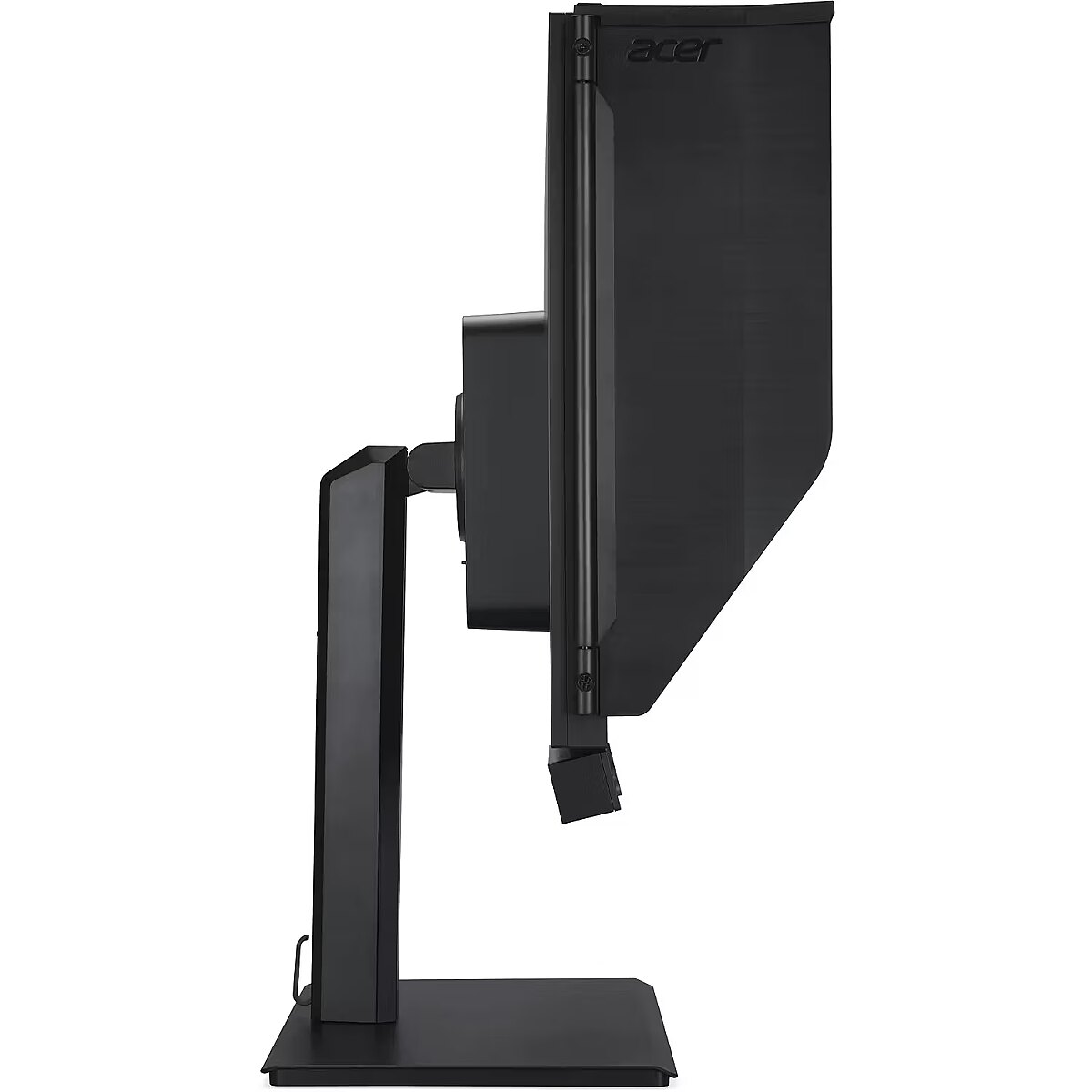
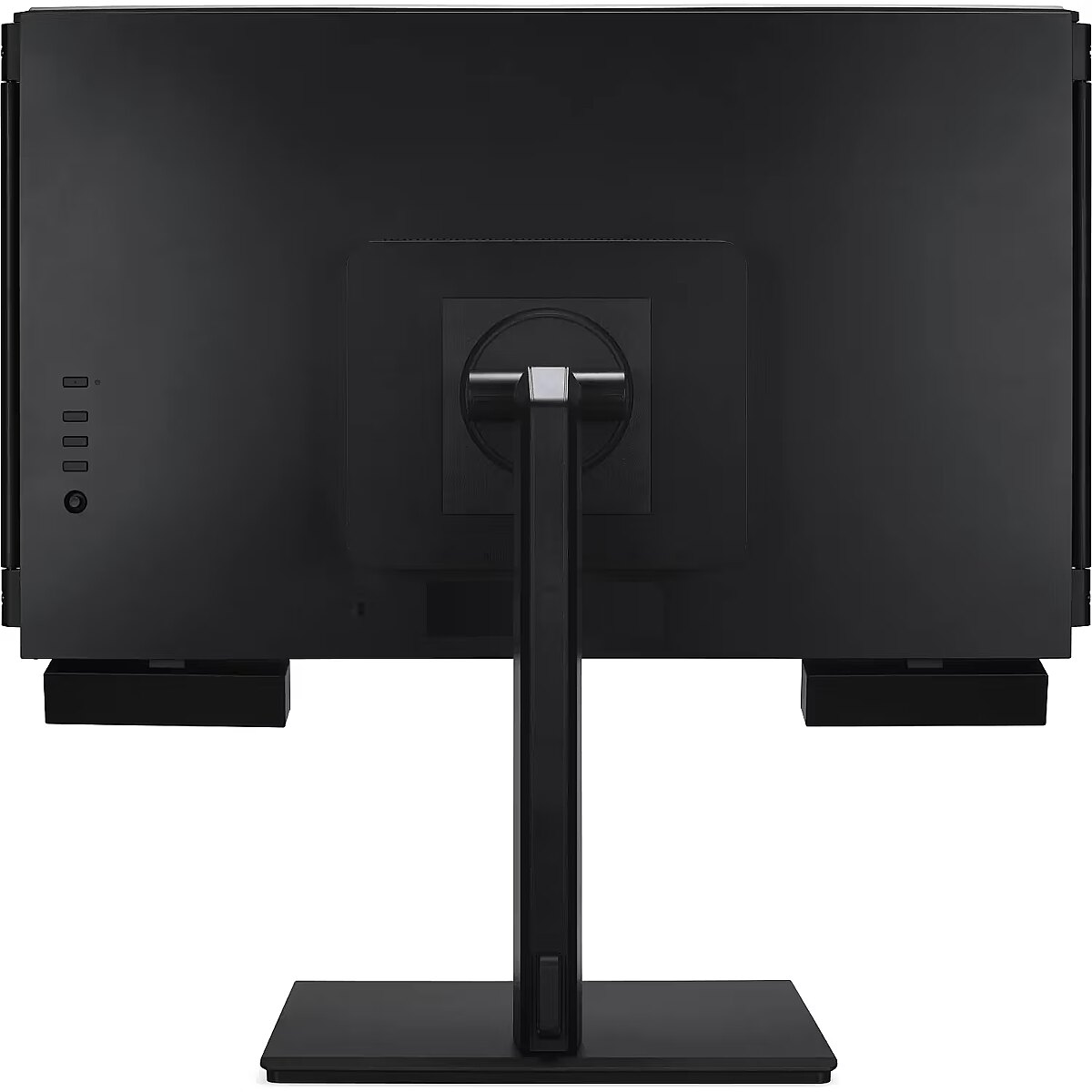
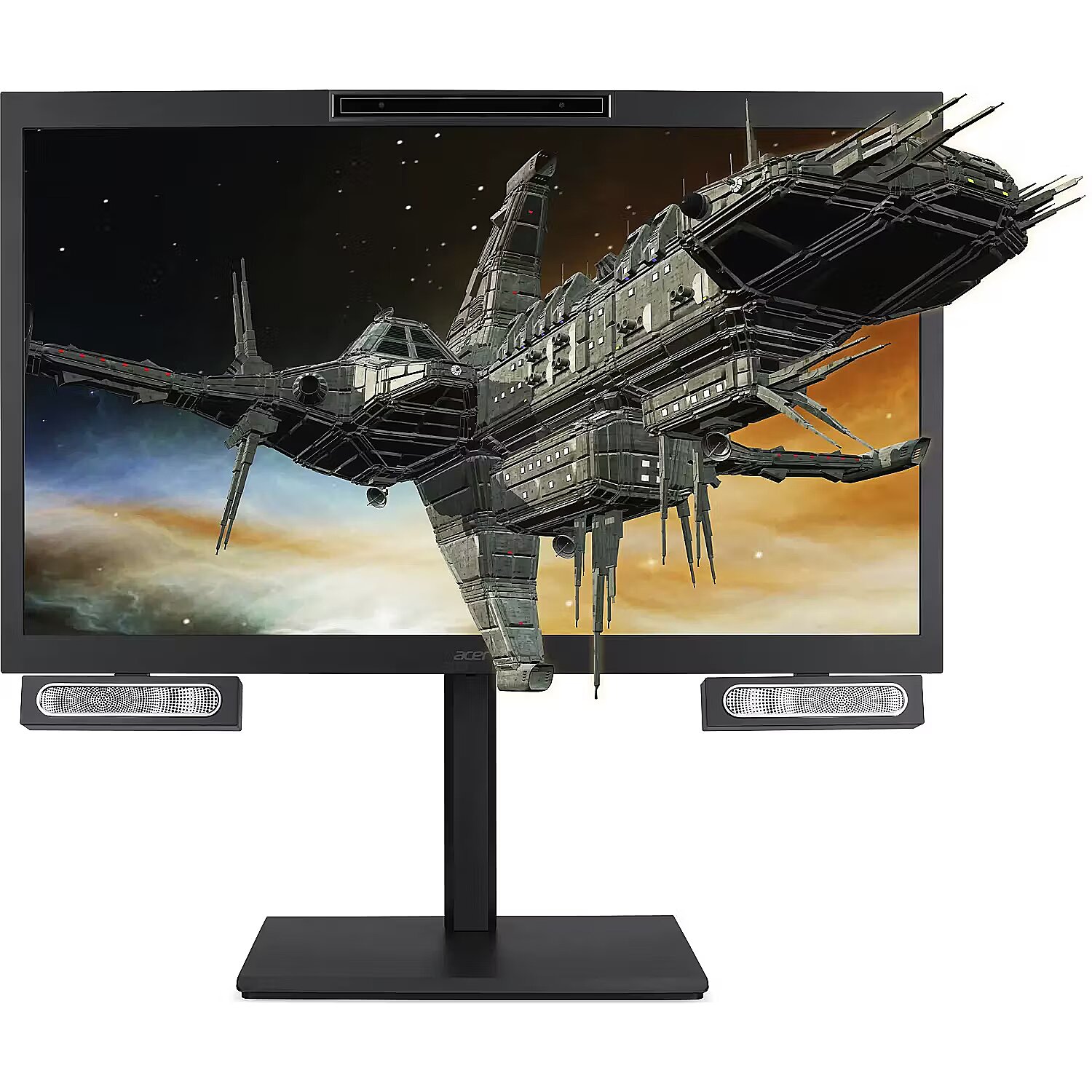
Acer SPATIAL LABS VIEW PRO FF.R2CWW.002, 27"

Picture may differ from actual product, there can be accessories and parts not supplied with the actual product.
ID: 1200863 Product code: FF.R2CWW.002
Can be ordered 4 units Availability: 14 days after order approval
Warranty: 2 years (Warranty for business entities 1 year)
2,468.22 €
2,986.55 € with VAT
Ready for dispatch
06.08.2026
starting from 0 € w/o VAT
Delivery options
  • Receiving goods at the Dateks office
    0.00 €
  • Delivery throughout Latvia.
    Within 1-2 working days
    18.17 €
Main product parameters All parameters
  • Curved: None
  • Panel Type: IPS
  • Refresh rate: 160 Hz
  • Response time: 5ms
  • Contrast ratio: 1000:1
  • Brightness: 400cd/m2
  • Size: 27"
  • Resolution: 4K UHD 3840x2160
Description

This Acer SPATIAL LABS VIEW PRO FF.R2CWW.002, 27" monitor with 4K UHD 3840x2160 resolution ensures comfortable conditions for prolonged work and online activities. It offers a clear image, extensive usage possibilities and fits perfectly in a home or office working environment.

The IPS technology provides a stable image, thanks to wide viewing angles and consistent color reproduction across the entire screen area. Unlike TN and VA panels, IPS maintains accurate colors even when the viewing position is changed, reducing distortions and increasing reliability for precise visual work.

AMD FreeSync is a technology that synchronizes the refresh rate of a monitor with the frame rate of a video card, reducing image tearing and brightness fluctuations. It automatically adjusts screen operation to workload, ensuring a smoother and more stable dynamic scene display without additional delay.

The Flicker-Free technology reduces or completely eliminates flickering in lighting, ensuring a stable and uniform image. The reduced visual vibration lessens eye strain and improves comfort during prolonged use, especially when using the monitor at a lower brightness level.

Pivot mode allows physically rotating the monitor by 90°, expanding the functionality of the working environment. The vertical format facilitates document comparison, working with tables, and viewing web pages, ensuring more effective information layout and more accurate visual perception.

The Swivel mechanism allows for changing the horizontal angle of the screen without moving the entire structure. This facilitates workspace adjustment, improves visibility from different points and helps adjust the monitor for various usage scenarios, including configurations for multiple users or multiple monitors.

Tilt technology allows for adjusting the screen's slope angle back and forth, ensuring the correct image placement in relation to the user's line of sight. This kind of adjustment helps reduce neck and eye strain, improves image perception, and makes long-term work at the monitor more comfortable.

The built-in speakers provide direct sound playback, eliminating the need for external audio devices. This simplifies the setup of the work system and saves space. The speakers are suitable for everyday needs, including online meetings, training, and video viewing, providing adequate sound level.

Warranty

Acer provides this model with a 2 year warranty at all certified service centres.
*When purchasing a monitor on the legal entity's details - manufacturer's warranty 1 year.

All parameters
Model : SpatialLabs View Pro 27
Display characteristics
AMD FreeSync : Is
Curved : None
NVIDIA G-SYNC : None
Panel Type IPS

Teh monitor panel is the main feature of the visible part of the screen or the technology where the display of the colour dots (pixels) is implemented.

TN is the standard technology with average contract, brightness and colour compliance indices.

IPS is the matrix with high colour compliance and good response speed, therefore it is well suited for graphics tasks and photo editing. IPS matrix provide an excellent viewing angle maintaining the colours and contrast from almost any angle.

VA matrix ensures superior colour compliance, however, the response time of this matrix is lagging behind that of the IPS and TN; the viewing angle is somewhere between both these technologies.

The TN type monitor is fully sufficient for an average user. If you have more money available the VA or IPS can be chosen.

Refresh rate : 160 Hz
Touchscreen : NO
VESA DisplayHDR : There isn't
Response time 5ms
The response time of the monitor screen determines how fast the monitor will display moving images (films, games, animations, etc.). The response time is measured in miliseconds. The less the response time the better the ability of the monitor to display moving images.
www.dateks.lv recommends to buy monitors with 5ms response time or lower.
Contrast ratio 1000:1

Ekrāna kontrasts nosaka attēla asumu. Tā ir atšķirība starp vistumšāko (pilnīgi melnu) un visgaišāko (pilnīgi baltu) pikseli. Jo lielāks kontrasts, jo skaidrāk salasāms teksts uz ekrāna, kontrasts arī nosaka, cik izteiksmīgas līnijas būs redzamas monitora attēlā.

Augsts kontrasts ir nozīmīgs faktors izvēloties monitoru biroja, vai mācību vajadzībām, kad lielākoties tiek strādāts ar tekstuālu informāciju.

Mājas vajadzībām svarīgāks izvēles rādītājs ir gaišums un attēla reakcijas laiks. Kontrastu labāk novērtēt tumšā istabā.
Lielākais LCD monitoru trūkums ir tas, ka samazinot attēla spilgtumu, kontrasts var pazust.

Brightness 400cd/m2

Monitora gaišums ir attēla redzamības rādītājs, kas nosaka, cik labi saskatāms ir attēls pie spēcīga ārējā apgaismojuma (saules gaisma, gaiša telpa, utt.). LCD monitoru gaišums tiek mērīts kandelās uz kvadrātmetru (Cd/m2).
Izvēloties monitoru jāņem vērā - jo lielāks gaišuma rādītājs, jo labāka attēla redzamība.

Ikdienas vajadzībām Dateks.lv iesaka iegādāties monitoru ar gaišumu, ne mazāku par 250 cd/m2.

Basic information
Application : Home & Office
Aspect ratio : 16:9
Color : Black
Size 27"

The size of the monitor screen is measured in inches across the diagonal. The screen size must be proportionate to the resolution of the screen for achieving the maximum utilisation of the desktop and details of the image.

Mainly two forms of LCD monitors are available: with standard width and height proportion 4:3 or the widescreen proportion 16:9 or 16:10. A widescreen monitor is wider and its resolution is higher than that of the monitors with standard proportion.

The bigger the monitor size the higher resolution usually is supported. Possibilities to increase the resolution of the screen usually depend on the size and possibilities of the monitor and the type of the video card.

Resolution 4K UHD 3840x2160

The resolution of the monitor screen determines the number of colour dots (pixels) a monitor can display. It refers to the clarity of the text and images displayed on the screen. The higher the resolution the sharper the items look.

The applied resolution depends on the resolution supported by the monitor. LCD monitors, including the screens of laptop computers usually work best if their local resolution has been set. The setting of this resolution for the monitor is not mandatory, but usually it is recommended to set it for ensuring the highest possible sharpness of texts and images. The bigger the monitor size the higher resolution usually is supported.

Possibilities to increase the resolution of the screen usually depend on the size and possibilities of the monitor and the type of the video card.
• 19 inches screen (standard proportions): 1280x1024 pixels
• 20 inches screen (standard proportions): 1600x1200 pixels
• 22 inches screen (widescreen): 1680x1050 pixels
• 24 inches screen (widescreen): 1900x1200 pixels

Functionality
Flicker-free : Is
Height adjustment : Is
Pivot : Is
Swivel : And
Tilt : YES
VESA wall mount : 100x100 mm
Ports and equipment
D-SUB 0

D-SUB is the classic (analogous) monitor connection plug. This standard is gradually disappearing from the market giving the place to the higher quality HDMI or DisplayPort (digital) plugs.

If the resolution of the monitor is FullHD or below the average user will experience no problems with this connection. Those who want to achieve higher image quality and resolution should look for the monitor with the DisplayPort or HDMI connection slot.

DisplayPort 1

DisplayPort is the digital connection for transmitting the image via a single wire at a high quality level. Contrary to the HDMI, this connection allows to connect several external monitors to the computer via a single connector.

Prior to buying the monitor with the DisplayPort you should verify whether your computer has the DisplayPort plug available!

DVI 0

DVI is a digital standard and ensures high image quality, however, thanks to the big size of the plug and the inability of the standard to develop further due to a few technical restrictions this type of connection is gradually losing its popularity to modern HDMI and DisplayPort standards.

DVI is compatible with HDMI and transitions of both directions are available.

DVI is not compatible with DisplayPort, however, there are DualMode DisplayPort connectors which contains the HDMI/DVI signal, and in the relevant direction DisplayPort -> DVI can transmit an image.

If the monitor resolution exceeds 1920px in any direction a graphics card with the DVI-D Dual Link support and the relevant quality cable will be required.

Before buying a monitor you should verify whether your graphics card has the corresponding connection slot!

HDMI port 1

HDMI is the digital high quality image transmission standard that allows to connect the monitor to the computer via a thin cable by using an elegant small-size connector. HDMI is compatible with DVI if the relevant transition or cable is used.

Speakers Is

Some monitors may have built-in speakers that quite often allow to give up external speakers thus freeing a space on the desk and saving money. The sound quality of built-in speakers is quite moderate and therefore we recommend to use this possibility just for infrequent needs.

For enjoying music, movies and games we recommend buying the corresponding quality and capacity speakers.

USB Hub : YES
USB-C Power Delivery : There isn't
USB-C video input : 0
More detailed specification
ARTIKEL1 - ACER SPATIAL LABS VIEW PRO
ARTIKEL2 - 27IN 3840X2160 HDMI DP TYPEC DOC
Brand - Acer
BrandPartCode - FF.R2CWW.002
Breite - 0
Category - Computer Monitors
Category 1 - Displays
Category 2 - Monitore
Design - Market positioning - Business
Design - Product colour - Black
Display - Colour gamut - 95%
Display - Colour gamut standard - DCI-P3
Display - Contrast ratio (typical) - 1000:1
Display - Display brightness (peak) - 400 cd/m²
Display - Display diagonal - 68.6 cm (27")
Display - Display resolution - 3840 x 2160 pixels
Display - Display technology - LCD
Display - HD type - 4K Ultra HD
Display - LED backlight - Yes
Display - Maximum refresh rate - 160 Hz
Display - Native aspect ratio - 16:9
Display - Panel type - AHVA
Display - Response time - 5 ms
Display - Screen shape - Flat
Display - Touchscreen - No
Display - Viewing angle, horizontal - 178°
Display - Viewing angle, vertical - 178°
EAN - 4711121854651
EANCode - 4711121854651
Ergonomics - Adjustable height (max) - 15 cm
Ergonomics - Cable lock slot - Yes
Ergonomics - Cable lock slot type - Kensington
Ergonomics - Height adjustment - Yes
Ergonomics - Panel mounting interface - 100 x 100 mm
Ergonomics - Pivot - No
Ergonomics - Swivel angle range - -45 - 45°
Ergonomics - Swivelling - Yes
Ergonomics - Tilt adjustment - Yes
Ergonomics - Tilt angle range - -7 - 33°
Ergonomics - VESA mounting - Yes
Gewicht - 13.52
GRUPPE1 - Displays
GRUPPE2 - Lcd Monitor
GTIN - 4711121854651
HERSTELLER - ACER
Hoehe - 0
HSTNUMMER - FF.R2CWW.002
Laenge - 0
LongDesc - The Acer SpatialLabs View Pro 27 is a canvas for creators and developers, turning ideas into vivid 3D worlds, glasses-free. With SpatialLabs technology, designs leap out with clarity. Every detail stands out, bringing concepts closer to reality.A New Scale of Immersion With Exquisite DetailsAcer SpatialLabs View Pro 27 fuses art & tech in a 27-inch 4K display. The advanced 3D system, from visuals to acoustics, is crafted for immersion. Explore detailed models or vast landscapes, bringing designs to life with unmatched realism. Optimized 3D for Extremely Low Light SettingsEnjoy flawless 3D visuals, even in low light. Our tech precisely tracks eye positions in dim environments, ensuring the 3D experience is always perfectly tuned to the viewer. Whether you prefer working in low light settings or want to showcase your creations in soft-light ambience, visuals perfectly adjust to your movements for consistently captivating and clear view.Elevate Your 3D Creations to Their Truest FormDive into your projects with a 160Hz refresh rate, making animations fluid and lifelike. A detachable hood ensures focused immersion, while the truest colors shine through, thanks to a Color Gamut Delta E < 2. With the SpatialLabs View Pro 27, live every detail of your creation.Acer Immerse Audio: A Complete Visual-Audio ExperienceAcer Immerse Audio is an advanced AI-driven sound system, along with beamforming and head tracking, that creates a spatial audio experience that surrounds you. Every detail, from hardware to algorithms, is optimized to immerse you in sound. Whether in a digital realm or cinematic content, the audio adjusts in real-time like a virtual headset, syncing with every movement and emotion.Perfect for Every Place and PurposeThe SpatialLabs View Pro 27 epitomizes adaptability. Perfect for interactive exhibits, educational hubs, or professional workspaces, its ErgoStand design offers versatile tilt, swivel, pivot, and height adjustments. Enhanced by VESA compatibility, it supports diverse mounting options. You can also pair it with a mini PC to transform it into a dynamic centerpiece for any environment.Craft, Adapt, Showcase: The Power of SpatialLabs Stereoscopic 3DThe SpatialLabs View Pro 27 transforms 3D visions into reality. With the SpatialLabs Experience Center Pro, designers can harness included tools like the Model Viewer and software add-ons, accelerating workflows and ensuring your creations captivate audiences with unmatched depth and clarity.Integrated with leading rendering engines Unreal and Unity, the SpatialLabs Pro devices enable developers to showcase content in true 3D brilliance, while eliminating the need for glasses. It's a solution that makes every 3D design stand out, whether in education, architecture, or any field.Acer's innovations have redefined immersive experiences for VR and XR developers. The Acer SteamVR Bridge transforms VR creations into high-resolution, glasses-free visuals. Combined with Acer's OpenXR runtime, the SpatialLabs Pro devices align with OpenXR standards, merging OpenXR’s versatility with Acer's 3D expertise.
LongProductName - 68.6cm (27") 4K Ultra HD 3840 x 2160 AHVA, 16:9, 5ms, 178°/178°, 1000:1
LongSummaryDescription - Acer SpatialLabs View Pro 27" (ASV27-2P) 27" 4K (3840x2160), 160Hz, 5ms, Glass-Free 3D Monitor. Display diagonal: 68.6 cm (27"), Display resolution: 3840 x 2160 pixels, HD type: 4K Ultra HD, Display technology: LCD, Response time: 5 ms, Native aspect ratio: 16:9, Viewing angle, horizontal: 178°, Viewing angle, vertical: 178°. Built-in speaker(s). Built-in USB hub. VESA mounting, Height adjustment. Product colour: Black
Manufacturer - Acer
MPN - FF.R2CWW.002
Multimedia - Built-in camera - Yes
Multimedia - Built-in speaker(s) - Yes
Multimedia - Number of speakers - 2
Multimedia - RMS rated power - 2.5 W
Name - Acer ASV27-2P 27" 69cm 16:9 160Hz 3840x2160 black 3D
Packaging content - Cables included - HDMI, Power, USB
Packaging content - Quick start guide - Yes
Packaging content - Stand included - Yes
Packaging data - Package depth - 267 mm
Packaging data - Package height - 580 mm
Packaging data - Package type - Box
Packaging data - Package weight - 13.5 kg
Packaging data - Package width - 764 mm
Performance - AMD FreeSync - Yes
Performance - AMD FreeSync type - FreeSync Premium
Performance - NVIDIA G-SYNC - No
Ports & interfaces - Built-in USB hub - Yes
Ports & interfaces - DisplayPorts quantity - 1
Ports & interfaces - DisplayPort version - 1.4
Ports & interfaces - HDMI - Yes
Ports & interfaces - HDMI ports quantity - 1
Ports & interfaces - HDMI version - 2.1
Ports & interfaces - Number of upstream ports - 2
Ports & interfaces - Number of USB Type-C upstream ports quantity - 1
Ports & interfaces - USB upstream port type - USB Type-A
Power - Energy consumption (SDR) per 1000 hours - 23 kWh
Power - Energy efficiency class (HDR) - Not available
Power - Energy efficiency class (SDR) - F
Power - Power consumption (off) - 0.3 W
Power - Power consumption (standby) - 0.5 W
Power - Power consumption (typical) - 23.4 W
ProductName - Acer SpatialLabs View Pro 27" (ASV27-2P) 27" 4K (3840x2160), 160Hz, 5ms, Glass-Free 3D Monitor
ShortSummaryDescription - Acer SpatialLabs View Pro 27" (ASV27-2P) 27" 4K (3840x2160), 160Hz, 5ms, Glass-Free 3D Monitor, 68.6 cm (27"), 3840 x 2160 pixels, 4K Ultra HD, LCD, 5 ms, Black
Stck_Kart - 1
Stck_Pal - 1
Storno - N
Title - Acer SpatialLabs View Pro 27" (ASV27-2P) 27" 4K (3840x2160), 160Hz, 5ms, Glass-Free 3D Monitor
URL - https://www.acer.com/gb-en/monitors/spatiallabs/acer-spatiallabs-view-pro-27
WarrantyInfo -
Weight - 13.5
Weight & dimensions - Depth (without stand) - 29.5 mm
Weight & dimensions - Depth (with stand) - 79.9 mm
Weight & dimensions - Height (without stand) - 387.5 mm
Weight & dimensions - Height (with stand) - 428.2 mm
Weight & dimensions - Weight (without stand) - 4.8 kg
Weight & dimensions - Weight (with stand) - 9.39 kg
Weight & dimensions - Width (without stand) - 628.6 mm
Weight & dimensions - Width (with stand) - 628.6 mm
2,468.22 €
2,986.55 € with VAT
Acer SPATIAL LABS VIEW PRO FF.R2CWW.002, 27"
Tālr. 67275758 gsm 26117175 (p.o.t.c.p. 9:00-18:00)
Intel technology provider Platinum 2020
All categories